Desert Online General Trading LLC
Dubai, United Arab Emirates
Desert Online General Trading LLC
Dubai, United Arab Emirates



🚀 Power Your Data, Master Your Workflow
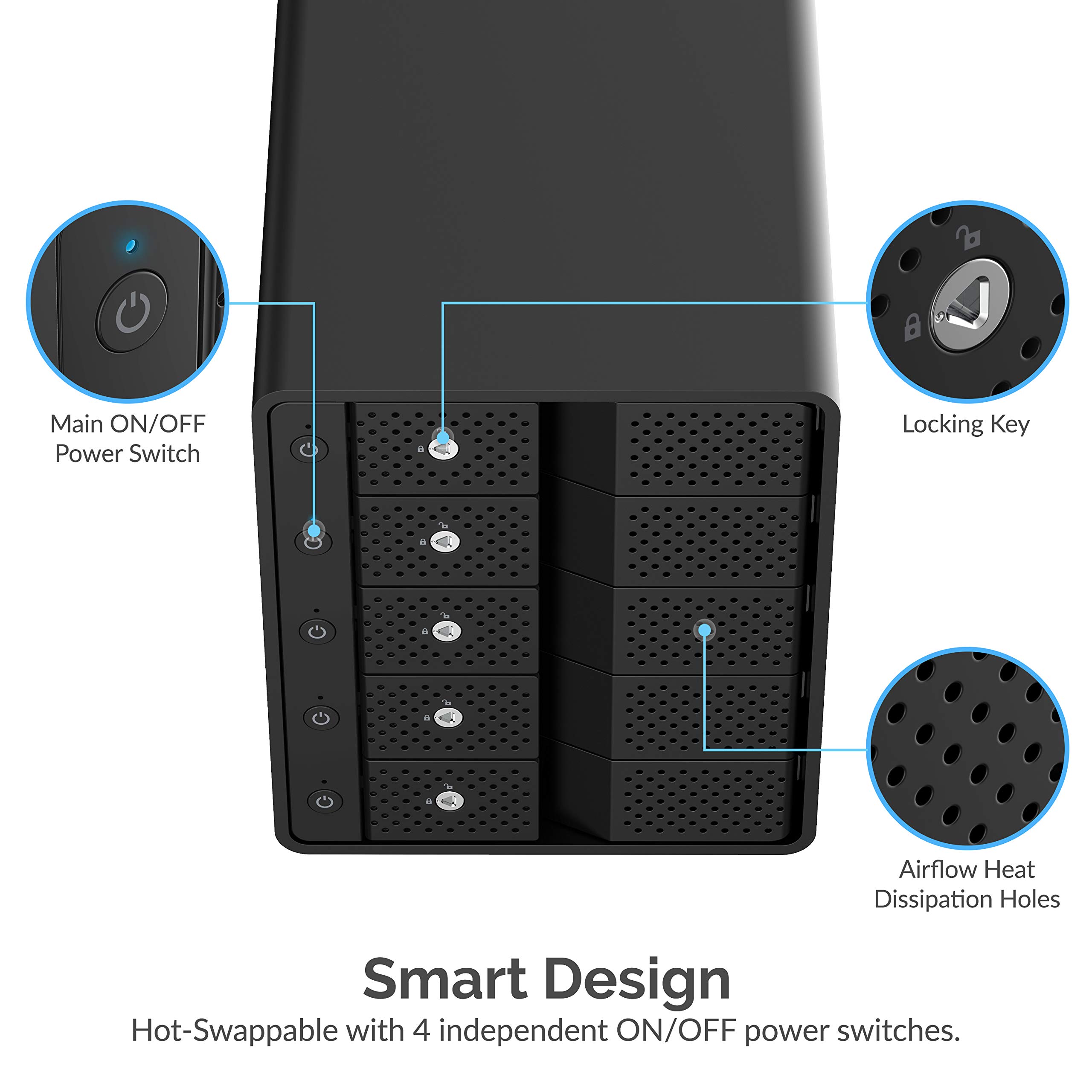
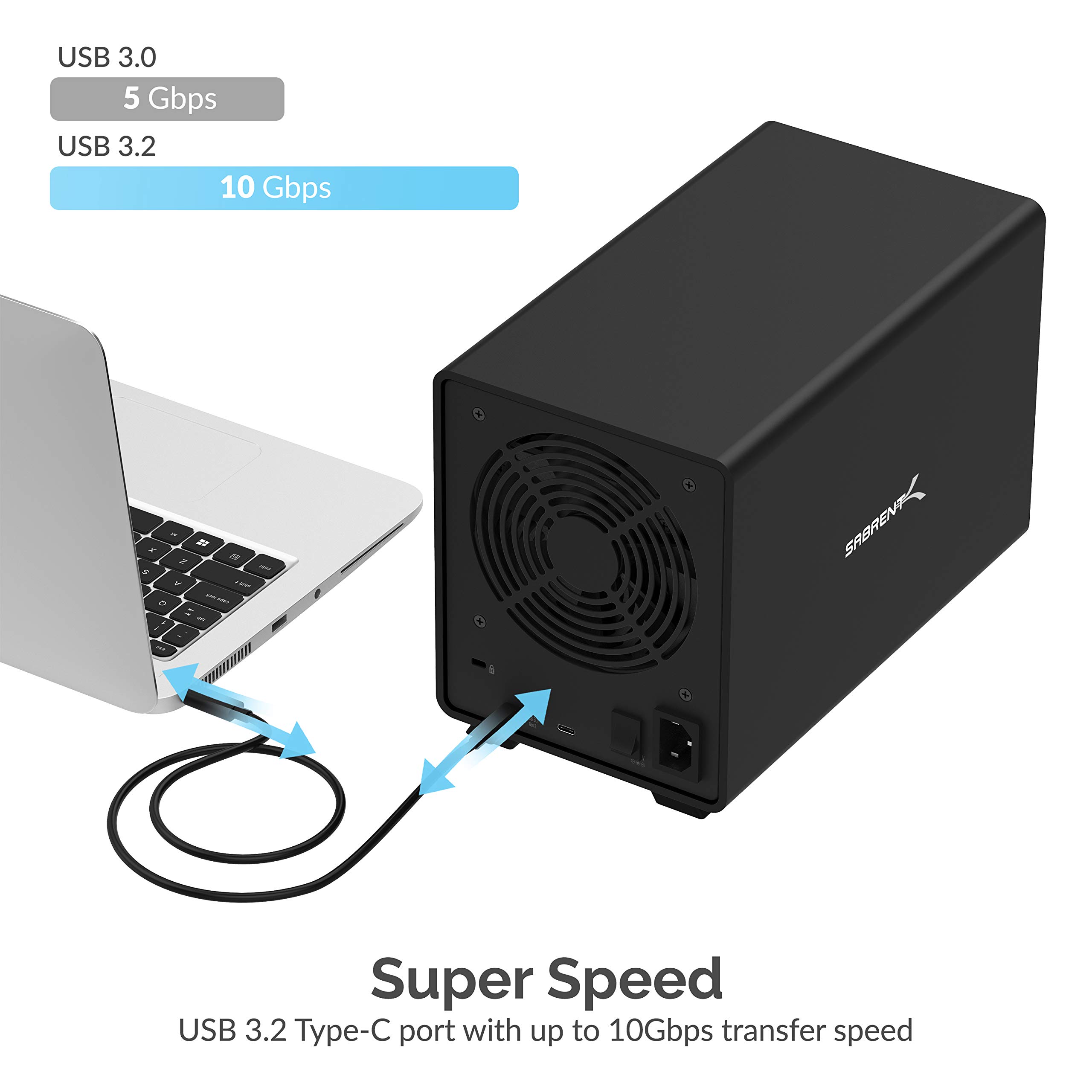
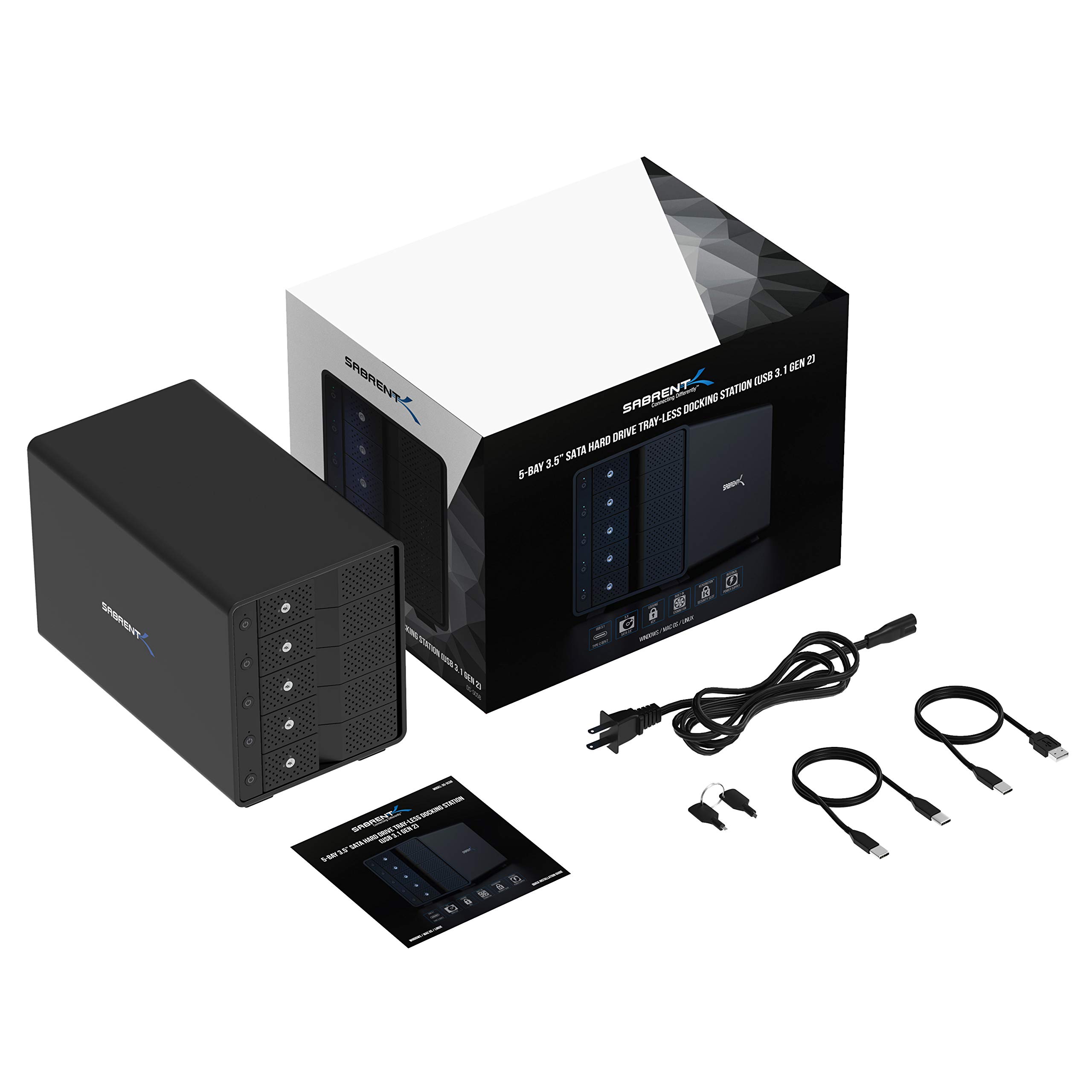
The SABRENT 5-Bay USB 3.2 Gen 2 SATA Docking Station offers a high-speed 10Gbps USB-C connection to simultaneously manage up to five 3.5” SATA HDDs or SSDs. Featuring tray-less hot-swap bays with individual power switches and LED indicators, it ensures flexible, tool-free drive management. Its rugged aluminum enclosure and built-in 120mm cooling fan provide reliable heat dissipation for sustained performance, making it ideal for professionals handling large media libraries, backups, and high-resolution video editing.


| Wattage | 5 watts |
| Input Voltage | 240 Volts |
| Total Usb Ports | 1 |
| Number of Ports | 6 |
| Hardware Interface | SATA 3.0 Gb/s, SATA 6.0 Gb/s, USB Type C, USB 3.2 Gen 2, SATA 1.5 Gb/s |
| Compatible Devices | Most USB Compatible Devices |
| Item Weight | 10 Pounds |
| Item Dimensions L x W x H | 10.4"L x 5.9"W x 7.3"H |
| Color | Black |
M**R
Higher price, but absolutely worth it if you find it on sale.
I picked up one of these on sale. I was replacing my old Drobo 810n and wanted at least 8 bays and USB 3.2 for 10Gbs. I run a 10Gbs home network, so I wanted to ensure I was not bottlenecking there. It's connected to a Mac mini, and I created a RAID 5 on it. It's using 10 x 8TB 7200 RPM drives. This has been running for 22 months now, no drive failures, good cooling, good bandwidth. I've had zero issues. I ended up finding a second one on sale for $300, and it's now backing up the first.Unlike some other USB DAS's, it's reporting all the SMART data back to the Mac (I just got a warning that one of the drives through it's first error). For staying cool, fan noise isn't an issue. The price is a bit high, compared to 8 bay systems, but if you can find it on sale, it's quality kit. I also have the 5 bay SSD USB 3.2 bay, and that has also been rock solid, and is much more reasonable price.
A**R
This does exactly what I wanted - simple, drives stay cool, easy power down option
I recently upgraded my Linux workstation to the latest Devuan. I have three large media drives (14TB) which I use for my home cinema (ripped dvd, bd etc via Kodi). The thing about those hard drives is, they are loud when running, and I am sensitive to hum, and the workstation is right next to me all day long. So I generally like to keep the drives asleep (spun down) using hdparm. That worked previously on Debian Stretch, but it no longer works on the latest stable, if I want to have utilities like k3b and rhythmbox then they also pull in udisks2, which wakes my internal hard drives up every few minutes. So aside from removing udisks2 and doing without k3b, the only way to fix this was to move the drives to an external enclosure.Most of the enclosures out there seem to either be really cheap and simple, and they literally toast your hard drive due to lack of adequate cooling; or else they are high-end NAS with their own Operating System and networking. Which you obviously pay for, and I really don't need all that. I just want an enclosure, connecting via USB 3, with good cooling.I tried a different brand unit initially by Orico, which worked fine but the drives ran very hot. So I sent that back and looked further, and found these ones by Sabrent. Encouragingly, when I searched for "cool" and "hot" in the reviews, most people seemed to say that it does have adequate cooling. And it also just "gets out of the way".Now I have used it for a couple of days, I can confirm this is probably the best drive enclosure I have ever used. It is made of metal, very solid, which is refreshing (the Orico, for example, had plastic trays). Insertion of the drives is simple, if you're careful (I read one review that talked about breaking the door latch mechanism because they pushed the drive in too much before closing the door, apparently you leave 1/4" and then let the door closing do the rest). I found that the doors have to be pressed a bit more to get that final "click", otherwise the latch is kind of loose. But once the click happens, just a little one, it's solid.I really like the power button for the individual drives. I agree with others that perhaps it would be better if the default upon powering up would be to power on all occupied bays, but this doesn't really affect me much. I usually keep the drives off anyway, except when in use. The power buttons allow me to power down the drives after I am done watching TV. I unmount all the drives (single script does that quickly) and then manually go through the buttons. You have to press for three seconds each one, but that is a minor hassle. My only minor niggle is that the power buttons are black on black, so it can be hard to find them in a dimly lit room.Basically this thing seems to work, and it's fast, relatively quiet (I am sensitive to noise, and I don't really hear the fan at all - much more noticeable is the hum from the drives themselves, which can't be helped). And it works with Linux. It just... works. Does what I want, nothing more, and looks good on the desk, and feels solid. Very happy! I hope they keep making this one and don't mess it up with some stupid redesign down the line, as many companies seem to do these days.I can't speak to any issues with using more than one drive at a time, as some others talk about. However for my use case, I am generally only using one at a time anyway. I also use one of the bays for a backup drive, but even then, it's the only one being used when I do that. So all seems well, very satisfied.
A**R
An excellent enclosure if you don't need RAID
This is for the 5-bay usb-c version.start with the bad, hence 4 star:1. it drops connection sometimes when use usb-A to usb-c cable connecting to usb-A 3.0 port on a thinkpad T470. it happens when creating soft-raid and writting to 4 HDDs at the same time. I had to use usb-c to usb-c cable, which runs robustly.2. sometimes, it will slow down for a while before picking up to full speednow the positive sides, which are quite many1. when using usb-c to usb-c connection with thinkpad T470, it has been rock solid. I have been running windows storage space in 4 disk parity on it and wrote > 1TB to it, and never had once disconnection2. HDD install is extremely easy and the door mechanism is strong so that I don't worry HDD falls out if move around.3. the back circuit board does not block airflow, large opening between HDD and fan. sustained writing at full speed to 4 HDD for half hour, HDD still ~35C.4. fan is very quiet. similar to one in my synology NAS5. individual HDD has its own power button, you can shot-swap without worrying short-circuit anything. but it does create initial confusion as I was wondering why nothing happened after I pushed the main switch on the back6. HDD and fan power down when HDDs are inactive and with computer power down. naturally, it resumes also with computer power-on7. throughput has been great. can sustain writting to 4 HDD at 150MB/sec8. usb-c hub allows expansion in future, although I have not tested it yet.9. the led lights are quite small and do not feel disturbed by itI have looked through, twice, every single 4/5 bay usb-c enclosure; I do feel this is the best one, not one of, if you don't need hardware RAID.update after a week. moved 10TB of data both to it and from it. all done with storage space in parity, meaning 4 HDD writing/reading at the same time. rock solid. did not disconnect or slow down even once. excellent.update after 6 months. 24x7 for the last 6 months. Absolutely no problem. no single disconnect. still quiet as day-one. no complaints.
Trustpilot
1 month ago
1 month ago