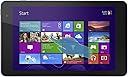
๐ Compact power, full Windows freedom โ your ultimate on-the-go productivity tablet!
The Dell Venue 8 Pro 5000 Series is a sleek 8-inch Windows 8.1 tablet powered by a 1.8 GHz quad-core Intel Atom processor, 2GB RAM, and 32GB eMMC storage expandable via MicroSD. Featuring a vibrant 1280x800 HD touchscreen, front and rear cameras, Bluetooth 4.0, and up to 8 hours of battery life, it delivers a full PC experience in a lightweight, portable form factor ideal for professionals seeking productivity and mobility.
| ASIN | B00FEE7B1I |
| Age Range Description | Adult |
| Aspect Ratio | 16:10 |
| Battery Average Life | 8 hours |
| Battery Capacity | 12166 milliamp_hours |
| Battery Cell Type | Lithium Ion |
| Brand | Dell |
| Built-In Media | No |
| CPU Model Number | Atom Z3740D |
| CPU Model Speed Maximum | 1.8 GHz |
| Camera Description | Front, Rear |
| Cellular Technology | 2G |
| Color | Moon Silver |
| Compatible Devices | Keyboard, Mouse, Speaker, Headphones |
| Compatible Flash Memory Type | microSD |
| Configuration | Intel Atom Z3740D, 32 GB, 2 GB RAM, 8-inch, Windows 8.1 |
| Connectivity Technology | Wireless |
| Customer Reviews | 3.9 out of 5 stars 1,365 Reviews |
| Display Refresh Rate in Hertz | 60 |
| Display Resolution Maximum | 1280 x 800 pixels |
| Display Type | LED |
| Generation | 5th Generation |
| Graphics Coprocessor | 150 |
| Graphics Description | Integrated |
| Hard-Drive Size | 32 GB |
| Hardware Interface | Bluetooth, MicroSD, USB 2.0 |
| Headphones Jack | usb2.0 |
| Human-Interface Input | Touchscreen with Stylus Support |
| Item Dimensions L x W x Thickness | 10"L x 1"W x 6"Th |
| Lithium-Battery Energy Content | 45 watt-hours |
| Manufacturer | Dell Computer |
| Memory Slots Available | 1 |
| Memory Storage Capacity | 32 GB |
| Mfr Part Number | BELL8-Pro81 |
| Model Name | Venue 8 Pro |
| Model Number | BELL8-Pro81 |
| Model Year | 2013 |
| Native Resolution | 1280 X 800 |
| Number of Rear Facing Cameras | 1 |
| Operating System | Windows 8.1 |
| Operating System Family | Windows |
| Other Special Features of the Product | Portable |
| Photo Sensor Resolution | 5 mp |
| Processor Brand | Intel |
| Processor Description | Intel Atom |
| Processor Speed | 1.8 GHz |
| RAM Memory Installed | 2 GB |
| RAM Size | 2 GB |
| Rear Facing Camera Photo Sensor Resolution | 5 mp |
| Screen Size | 8 inches |
| Size | 8 Inch Display |
| Speaker Description | stereo speakers |
| Specific Uses For Product | personal |
| Style Name | 32 GB SSD |
| Supported Audio Format | MP3 |
| Total Usb Ports | 1 |
| UPC | 884116139041 884116137399 |
| Unit Count | 1 Count |
| Video Capture Resolution | HD 720p |
| Video Processor | Intel |
| Warranty Description | 1 |
| Warranty Type | Limited |
| Wireless Compability | 802.11bgn |
| Wireless Technology | Bluetooth, Wi-Fi |
J**.
DELL VENUE 8 PRO, A GREAT PORTABLE TABLET COMPUTER WITH THE FUNCTIONALITY OF WINDOWS 8, IMPORTANT TIPS INCLUDED
I am gonna start off and say that the Dell Venue 8 Pro is probably the most portable and most functional tablet computer I have ever owned and at the price I got it, it is practically unbeatable spec wise. With the full windows 8.1 OS, my use for this is practically limitless and its portable enough I can hold it in its keyboard case in one hand with ease. Without a case or with a slim case the tablet is light and easy to grip the back is non slip and you don't have the feeling that its just going to slide out of your hands. I bought this to replace my over sized ASUS laptop which was just awkward to carry and required a large computer bag to transport and boy this puts it to shame in terms of portability and ease of use. First thing I do when I take the tablet out of the box is apply a screen protector (boy was that a pain...but that's another review), I was not about to trust the scratch resistance and strength of glass which for the price of the tablet is probably not as strong as its $500+ dollar counterparts. Then because its a windows computer, after setting up my user profile I started the first round of major updates, the second, and finally a few less important ones. Then I went into the my dell application and ran system check to verify everything was checking OK with windows, after all the tests passed I went to the dell update page to update device drivers. This is the part that most people don't seem to understand fully, this is not your average tablet, its not an android. You have to update it and maintenance windows constantly, that's the cost of having the convenience and functionality of windows (some people will disagree with me on that part). I installed the latest WiFi drivers, updated the dell software, and updated the bios to A08 (originally A04). The my dell application is very useful with its own checkup (cpu, ram, emmc, battery, etc), link to drivers, backup manger, and links to windows settings to help the user better set the look and feel that works best for them. Now for use, I recommend using IE11 (i know) as your primary web browser because it has the the windows 8 touch interface, it is the easiest to use on the touch screen unless you are going to be using a mouse or stylus more. The quad core atom processor inside provides more power than you would expect from a 200 dollar tablet, at 1.8 ghz. It is also a true quad core, not a dual core with multi threading. The 2 gb of ddr3 memory is enough for multitasking and windows 8 being much less demanding than win7 is plenty for office work and web browsing. Opening applications on this is quick and and there is enough free ram that can be used to open multiple applications simultaneously, even running the split screen I didn't experience any lag. I can have 10 tabs open in IE and quickly swap applications and it remains fluid. Now when it runs clocked at 1.8 ghz for an extended period of time you will notice one corner of the device start to get pretty warm (being fanless) but it is able to keep its temperature within a reasonable level. Gaming on this tablet will probably be limited to light flash games and low demand games off the app store or steam but I didn't get it for gaming. Now for a con, I'm sure everyone knows this and probably knows when ordering but when you receive the tablet, with the OS, updates, and office you are left with only 10-11 gigs of free space. Most (non app store) applications you install will need to be manually pointed to the micro SD for installation and storage. I bought a sandisk extreme plus micro SDHC with an 80 mb/sec read/write so that the tablet will be able to more quickly load applications. Link below. Another con is the overly erratic auto brightness adjustments, I had to disable that (I'll get a desktop widget or icon to quickly adjust the brightness manually). They could have picked a better location for the windows button too rather than at the top of the device but I'll get used to it. The touch screen at times can be touchy and a few times it has registered one touch as two. The battery has a decent amount of stamina, probably average for a tablet this size, while just browsing the web and general use of the tablet. Charging it on the other hand is very very slow, probably takes a few hours to go from 20% to 90%. I have noticed some battery drain because sometimes the audio driver prevents the tablet from going into standby, muting it fixes this, hopefully they have a patch soon. The dual a/b micro usb port too feels very fragile, I am terrified because the latches on the micro usb connectors are all WAY too tight. I am afraid I will accidentally break the port, pins or the little plastic piece holding the pins, even though its inconvenient, verify that you are connecting it properly and do not yank the cable out of the device. Also, there's only one port so you cant charge and use a usb peripheral unless you buy a special expensive adapter, link below. Also the port only supports usb OTG (on the go) cables. I highly recommend buying a case for this tablet, it does not boast being drop or shock proof, it may survive a few on its own but not many, also its less than 200 dollars. The tablet itself feels sturdy in your hand and its light weight design makes it comfortable to hold. For a case I bought the Finite Keyboard Case with the magnetic Bluetooth keyboard, opened up this tablet looks like a miniature laptop that's more difficult to use in the lap but doable and its up to 60% smaller than a full sized laptop. All in all, the Dell Venue 8 Pro is an all around fully functional Windows 8 tablet PC and at its low price their are few that can compete with its specs. This is directed at Amazon, I am slightly frustrated that I bought this when it went on sale for $230 only to discover that the day I receive it (2 days later) the price dropped to $199. UPDATE (8/2/2014): I have been using the tablet for about a week now, still getting used to the size of the UI and the tiny keyboard that came with the case. Currently trying to figure out a battery leak that occurs during standby, its not a hardware issue with the tablet I just hope dell releases a patch for it so I do end up doing all the work. I have not broken the USB port yet, thankfully, I figure as long as I'm careful and don't try to force it in the wrong way I shouldn't have anything to worry about. If you feel like you may have issues plugging it in properly, mark the side that faces the screen with whiteout so you see it when plugging it in. The micro USB port is rated for 10,000 disconnects and reconnects and I realized that my kindle fire has the same port (and I used to plug and unplug that like 3 times a day). The port is kind of tight still, I hope it loosens up with use. Pros: *8" Capacitive 10 point touch screen *Functionality of windows 8 *quad core intel atom processor w/ 1.8 ghz boost *Bluetooth 4.0 for multiple peripheral connectivity *lightweight *long lasting battery *front and back facing cameras *Microsoft Office Home and Student 2013 included Cons: (most of these can be ignored for the price) *Inconvenient windows button location *Still some bugs to work out *Fragile and tight micro usb port *charging speed *only 1280 x 800 res display *after the OS, office and updates only 10 gigs of storage space remain Device Specs: *Dell Venue 8 Pro *Dim - 8.5 x 5.1 x 0.35 inches (216 x 130 x 9 mm) *Windows 8.1 32 bit *Intel Atom quad core CPU w/ 1.8 ghz boost *2 GB of DDR3 RAM *32/64 GB of integrated eMMC storage *8 inch IPS HD 1280 x 800 res, 189 ppi LCD (LED lit) display; 10 point capacitive touch screen *Long lasting battery, 8-10 hours *0.87 lbs *wifi b/g/n dual band WiFi w/ Bluetooth 4.0 capability *micro usb a+b port (doubles as charging port) *volume up/down buttons *Micro SD expansion slot *built in speaker and microphone *5 mp rear camera/ 1.2 mp front facing camera *Accelerometer for orientation, Compass, and AGPS (WiFi assisted GPS) Useful Accessories: Fintie Blade X1 Dell Venue 8 Pro (Windows 8.1) Keyboard Case - Ultra Slim Shell Stand Cover with Magnetically Detachable Wireless Bluetooth Keyboard (Only Fit DELL Venue 8 Pro Windows 8.1 tablet) - Black SanDisk Extreme Plus 32GB MicroSDHC UHS-I Memory Card Speed Up To 80MB/s With Adapter, Frustration-Free Packaging- SDSDQX-032G-AFFP-A SanDisk Extreme Plus 64GB MicroSDXC UHS-I Memory Card Speed Up To 80MB/s With Adapter, Frustration-Free Packaging- SDSDQX-064G-AFFP-A EEEKit Office 3-in-1 Kit for Dell Venue 8 Inch Pro ASUS Transformer Book T100TA-C1-GR Windows 8.1 Tablet, Micro USB B 5Pin Male to USB A Female with Angle Adapter Host Mode OTG Cable + 3 Port USB Hub + 2.4G Wireless Mouse Black +Port: USB + Power at the same time for mobile devices (solution for the inability to charge and use the USB port at the same time)(I have not purchased this yet)
D**N
Good Primary PC, Great Complimentary PC - with some caveats
To start, I bought this Dell Venue 8 Pro Windows tablet from Amazon's Warehouse Deals (classified as refurbished). I expected this tablet to be more of a travel machine more than anything because I like to walk on foot (or otherwise drive) to places, and be able to carry light with my tablet to work on my work-related duties and my writing stuff (there are no good Android alternatives for Scrivener). I've only had this for two weeks, and initially wanted to hold back until a month or so longer for me to get a better feel for the tablet. However, I have to say that I'm impressed with this Dell Windows tablet. It could even be strong enough specs-wise to replace your laptop...provided that you get some gadgets for it. Most of the reviews rated high have done a good job highlighting the main pros, cons, and extra notes for this tablet. But I'll add in my experiences in this review. *PROS* 1) This is no ordinary Atom processor (at least from past years). This is a vastly improved processor that can compete with entry level laptop processors via benchmarks. It's fast enough to handle daily tasks - it won't be silky smooth, instant-second speedy of a processor, however. The Core processors of Ivy Bridge and even Sandy Bridge in the ULV level are still superior - but don't let it deter you. 2) To sum up on specs, the Atom z3740D processor is paired with 2 GB ram. Because of this, the OS is 32 bit - and this is good news mostly because the 2 GB ram limitations will be less pronounced. 2 GB ram is more than enough to handle most tasks and multitasking processes. That being said, it'd be a stretch to say that you can run media encoding and have 20+ tabs on Chrome open at the same time. But for those that are not considered "power users", this tablet will handle everything for you. 3) The 32 GB eMMC storage isn't as bad as it sounds if you do the following: 1] Get a 64+ GB class 10 MicroSD card. You can install some programs or put movable storage into it. 2] Get 2 or 3 extra 8 GB flash drives and consider moving the recovery partition to each of those drives so you can clear the recovery partition stored in this tablet. It will free nearly 5 GB of space - which is significant. You can do one flash drive - the extra one or 2 are only backups however, and trust me you'll be thankful if you do backups of the backup. There are more moves you can do to make the 32 GB a bit more roomy, but you can find that easily on Google search (and I didn't do any of the others besides the recovery partition part). The eMMC speeds in read/write feels speedy enough to handle my programs, but it's still no SSD. 4) Windows 8.1 may be a pain for some (and it was for me), but it's not that bad of an OS. It is a learning curve from previous Windows. The biggest takeaway compared to many tablets is the OS - you can install Legacy (aka usual programs installed in your laptop/desktop with Windows OS) programs in this; you cannot do that for Android tablets (at least, from what I know). 5) Performance is terrific considering the circumstances. As said earlier, daily tasks (Office, Web, multimedia and even QuickBooks) work great for me. It performs well enough to be a main, primary PC for some! Now...gaming. This is in the iffy category because of the specs and the temperatures of the tablet. I can say that you can run some games in this pretty darn well - older games from Oblivion to even Mass Effect run well enough, but reduced resolutions and reduced detail are recommended. Diablo 3 can run fine, but the FPS will be in the high teens - it seems smooth, but not perfect. Battlefield 4 or games of that level are out of the question (due to the RAM limitations and the fact that the Bay Trail processors and integrated graphics are weak for advanced gaming. Temperature is another matter. If you want to do semi-heavy gaming (or probably even any), you might want to benchmark a bit on how warm (hot) your Dell Venue gets while doing gaming for even 10 minutes. For me, it gets warm enough in room temperature that it has me worried on its durability - during Mass Effect 2 for 30 minutes, the temperatures reached to the high 70s C. This is NOT good, considering that the tablet's processor tJunction is only rated at 90C. What you CAN do are two things, but I personally CANNOT vouch. 1] Consider the cooling mod that involves Arctic silver, thermal paste and a copper sheet (about 26 or so gauge) to put inside the tablet (there is a Youtube video that demonstrates the process, and has favorable results cooling all the way down ~12C from temps without the mod). 2] You can update the drivers and BIOS specifically from Dell, but quite honestly there are drawbacks - from eMMC/microSD speeds decreasing to performance decreases overall. Personally I didn't do it, but the BIOS updates state that the changes done were made to help reduce heating issues - which makes sense considering that decreasing loads = less energy = less heat formed from the loads. Again, up to you. But if you do want to game on this tablet, you have to take to account of the temperatures and decide what to do or you might end up with a dead over-toasted tablet. 6) Battery life is pretty good. It's not as great as other tablets (for this type of tablet, the Asus T100 can reach to 10+ hours), but for this, it can get up to 8 hours. Generally I'd reach 6-7 hours before being tempted to get a battery pack or charger to recharge. (If you're watching videos, primarily flash, it's about 5-6. Gaming will be probably at 3-4) 7) To wrap up, there's WIFI, Bluetooth 4.0, a mono-speaker on the right of the tablet (when held landscape mode), a Windows button on the left with phone jack next to it, and volume controls that are next to the power button and the micro-USB port. There are 2 cameras - one in the front and one in the back. The quality for the back camera isn't the best quality, nor is the front, but both seemed good enough to use (I do not intend to use the cameras at all outside of Skype). 8) Also, Microsoft Office came with this tablet. No Outlook, but having Word/Excel/Powerpoint/OneNote is enough. *CONS* 1) Updating this tablet to the fullest, at least for Windows, is a PAIN. I spent the first 3 days trying to get it into shape, but failing because of the failure to update warnings during the latter end of the updating process. I even had to refresh to factory settings once. However, for some reason afterwards, the updates worked and I have my tablet running with full updates. Okay. 2) I probably mentioned some obvious problems - lack of space, RAM limitations. These two belong here despite compromises (microSD for space at least) because there will be a time when you'll be worried about disk space being used up near max, or more painfully the RAM limitations. Now, most of the time it's not a problem but I did have Mass Effect crash due to low memory and also had to hard-reset the tablet once because the RAM was at max. So you do have to watch out your mileage - but otherwise, it's likely not a problem. 3) Screen brightness is more of a bothersome problem than a crippling problem. For me, I turned off Auto settings because I did not like Dell's Auto brightness - sometimes it turned up too brightly for my tastes, or too low. Even with this turned off, I found the brightness at times to turn all the way up when I turned on the tablet or return to the tablet from Sleep mode. 4) microUSB. There are NO other ports besides the earphone jack. Thus, for plenty of you, you will need a microUSB male to USB female adapter OTG. You can get decent ones easily on Amazon or elsewhere, but the problem as you might know already is the fact that the microUSB port is also the charging port. Thus, you may be enticed to buy an aftermarket OTG cable that allows charging and using a USB port at the same time (which are hit or miss) or just buy a $20 one from Dell directly. 5) On-screen keyboard. I'd recommend that, unless you're typing from portrait mode using your thumbs, to get a bluetooth keyboard (and mouse if desired) to utilize the tablet better. *Notes* 1) As mentioned, get the following: - MicroUSB OTG cable - Case + bluetooth keyboard (Dell sells them, but too pricy. There are good alternatives for much cheaper) - microSD card (64 GB, class 10 at least) - An external battery pack if desired (this tablet can have up to 7-8 hours if you use it with low brightness, and occasional web surfing.) 2) If using external hard drives, make sure to have a power source for that drive as the micro-USB port doesn't have the power to use the external HDD's. 3) If you do have the microSD to use for expanded storage, I'd recommend to set it as a primary drive and not removable storage. I personally cannot say on how to do this because I've not done this just yet (nor did I have any need to do so). But it's an option and doable. 4) If able, try to install Office into the microSD. Office takes up about 1.5-2 GB of space, so it's a space eater. 5) I noticed quite a few complaints in the reviews about the wi-fi. I wish I can add some recommendations and help for this to those that do encounter problems - but as I personally did not experience any problems, I cannot say for sure what you can do. The best things you can do in general are to update drivers that Dell themselves recommend, and to research for forum discussions via Google search if updating fails. <Other notes may be added if desired> *OVERALL* Overall, this is a good primary machine for some. This is perfect as a complimentary PC - meaning that it can be a mobile machine while your heavy laptop/desktop can stay at home. You won't be doing massive multtasking tasks with it due to the spec limits, but it excels at the primary and daily tasks. Outside of the updating issues, I did not encounter any drastic problems. Unless stated otherwise, I rank this as a good buy for those that need a mobile Windows machine. RATING 4.25/5 stars
$**N
Great little toy!
IMPORTANT: IF YOU WANT THE INCLUDED OFFICE 2013 SOFTWARE, MAKE SURE YOUR SELLER IS GIVING YOU THE PRODUCT KEY WITH YOUR USED/REFURBISHED PURCHASE. "PREINSTALLED" doesn't mean anything. Ask your seller. It seems that the majority of sellers on the web who carry the Venue 8 Pro will buy the tablet, take out the Office product key, and then resell the tablet (at a little under retail price) and the Office key SEPARATELY either to try to make more or because they took the key and activated Office for themselves. Think about it - you buy the tablet for $249, take out the Office key, resell the tablet for $200 (not informing the customer you've removed the key), and sell the Office key for $100... instant $50 profit from NOTHING! For whatever reason, to my dismay, it seems that this is "common practice" and something to be expected from merchants selling used Venue 8 Pros and similar products, whereas I see it as utterly immoral and misleading. The Amazon product description leads you to believe that the tablet has Office 2013 preinstalled and that upon receiving a used, reset tablet, you can just launch Word and start using it. You must know that Office 2013 is "preinstalled" on the tablet as an "INSTALL MICROSOFT OFFICE" app, which upon opening prompts the customer to enter a Office 2013 product key. Without the product key, "preinstalled" or not, the software is USELESS. This is not the Surface RT, which runs on an operating system with Office literally built in, this has full x86 Windows 8.1 and Office needs to be installed and activated just like it does on any other Windows machine. Now, to my review: Products like this are difficult to review because it is difficult to pinpoint their category. It is a $200 budget widescreen tablet, so it is a Nexus 7 competitor? Yet, it is also a full quad-core Windows machine running an x86 operating system. I still scratch my head at the thought: a full Windows machine for $200?!? It's hard to say what the Venue 8 pro is, and the onboard Windows 8.1 in my opinion doesn't help with its dual user interfaces, fuzzing the line between tablet and computer even further. But I do know one thing about this tablet: I love it. For $200, it's a geek toy and in a way should be treated as such, but it is so much more capable than a toy tablet. I admit - when I owned an iPad mini I told myself that it could do this and do that with my shiny little tablet, and always ended up just watching YouTube videos and reading email. But the Venue 8 Pro can actually go beyond that. When I have it on the go or around my house, yes, it immediately becomes a consumption device. Watching videos, viewing photos/basic editing, basically becoming an iPad mini or Nexus 7 but with fewer touch-friendly apps. But as soon as I dock it in with a keyboard and mouse, it's a computer and I am writing Word documents, reports, and running statistics software. Speaking of a keyboard and mouse, the "docking" factor is also the Venue 8 Pro's biggest weakness - while it is a fully capable quad-core Windows machine on the inside, one simply cannot make use of all its power without desktop accessories. The Windows on-screen keyboard is good, and for some reason I type better with it than I do with KitKat's stock keyboard, but typing anything long is just a massive waste of time no matter how fast you are with a touch keyboard. It supports Synaptics active pen input, and while that solves the problem of the lack of accurate pointing device, it doesn't address the lack of a keyboard as standard. That's one thing the Surface RT did right, for instance, as many compromises as that device had - Microsoft (eventually) bundled it with the keyboard case because it was an integral part of the Windows working experience. The moral of the story: if you get the Venue 8 Pro, get some USB accessories like a keyboard and mouse - you won't regret it. Using accessories with the Venue 8 Pro is a bit sketchy. It has one microUSB port that doubles as the charging port, so while USB OTG adapters allow you to plug in your USB peripherals, it cancels your device's ability to simultaneously charge. There are ways around this (Google to see what I mean) that feel hacky and not a fluid experience, involving multiple cables, fooling the tablet into thinking it's plugged into one thing when it's not using switches, etc. There are third party Kickstarter projects that aim to address this problem specifically for this tablet and others with similar issues, but if you're interested in making this tablet a true, low-power desktop replacement, make sure you do your research and know what you're doing with that one microUSB port. When you do figure it out, however, the tablet works great. I'm not even going to deduct a star because I really have no complaints in doing a tiny bit of hacking with the $165 price I paid. Note that the tablet DOES NOT come with a USB OTG adapter included - you'll have to get your own, but they're only about a dollar on Amazon. As for the hardware itself, I found the Venue 8 Pro to be the most physically attractive in the small-form-factor x86 Windows 8 tablet range. It has a very clean front panel, shiny metal buttons that actually feel like they're metal (not sure if they really are), and the back of the device, where so many other consumer electronics just stop caring about aesthetics, looks really good with its concentric, rubberized grooves. This gives you a great grip on the tablet, which is important as it is just a tad too heavy to be used with one hand for long periods of time. The display is absolutely lovely - 1280x800 doesn't sound like much but on an 8-inch screen with Windows ClearType font smoothing, it looks real good. and very crisp. I have had no gripes with pixel density, and while I often cringe when switching from my gorgeous iPad air's 2048x1536 to anything else, I don't find the Dell's display to be fuzzy or pixely at all. The colors also help - color saturation is wonderful, and viewing angles are amazing as expected from an IPS panel. It's just a great display, really good for watching videos. I still wouldn't edit photos on it just yet (~70% sRGB), but for consumption it has one of the better displays I have seen. I really wish that the tablet came with more onboard storage, but who can I blame but myself?! I bought the 32GB version and my only regret was not bumping it up to 64GB because upon a clean Windows reset, I had about 11GB of free space on the onboard storage. Upon installing Office and some other basic apps, I am down to about 4GB. This makes the microSD slot on the Venue 8 Pro absolutely priceless. I have installed games to it, stored most of my files on it now, and this almost completely solves the issue of low storage capacity (except for the fact that it takes a hack to install Windows Store Modern UI apps to external storage). If you're worried about storage, I strongly recommend getting the 64GB model. Battery life is amazing from this little Windows machine. For the amount I use it, it lasts a whole day, sometimes overnight without charging. Windows hibernates very well and it appears that the Bay Trail Atom CPU is very power-efficient. Speaking of the CPU, the back of the device can get really hot when doing something intensive like playing a game. Playing a racing game while holding the tablet can make you really feel the burn on your fingertips, and when running an actual game like Command and Conquer 3 or Half-Life 2 (games like this run surprisingly well at lower settings with playable frame rates!)? Yeah, it gets really hot. It feels like it wants a fan, but of course the design doesn't allow for it. I haven't noticed the CPU throttling at all, however, which is good as performance feels consistent. Apps open snappily for the most part and perform quite well. Way more than enough speed for something basic like Office or web browsing, you can try and push the limits by playing some games on it or running Photoshop! There ARE, however, times when I feel like Windows wants more RAM and can't get any. The onboard 2GB just isn't enough to multitask like you would on a desktop machine, but again, for maybe 4-5 apps open at once with a few browser tabs, you're fine. I've found this table GREAT for using Steam's in-home streaming feature: with my Xbox 360 controller, it effectively turns the tablet into a makeshift Nvidia Shield if you know what that is :) As was true of the iPad mini when it came out, Windows touchscreen apps scale beautifully to the smaller form factor. Even the desktop mode feels good, which was my largest concern considering how small buttons would get. However, with my massive pianist fingertips I could resize windows, manipulate text, and do just about anything I could with a mouse with ease. That's not even with a stylus. I won't talk about the stylus as I believe that should be part of a separate review for the stylus itself (especially because it doesn't come bundled but instead is a separate accessory) but it has mixed results. The one area of the touch experience that I find detracting from a great experience is screen rotation - The device is small enough that it is comfortable to use in portrait mode, even as a widescreen tablet (I usually prefer Apple's 4:3 aspect ratio style for portrait/landscape switching), but Windows makes it REALLY SLOW to switch orientations. Tilt your device, and it actually takes upward of 1 or 2 seconds for the device to recognize its new orientation and adapt its contents to your liking. This is terrible if you're someone like me who carries their tablet everywhere, on planes, into bed, and if you accidentally tilt it too far in one direction, you think your tablet freezes for a few seconds as it struggles to catch up with the new orientation. I've found this true of Windows tablets in general, not necessarily for the Venue 8 Pro alone. I often find myself just disabling screen rotation when I'm on the go so I don't have to deal with this. The speaker is super loud on the Venue 8 Pro, making it great for Skype calling and casual video watching, but not great for long-term film watching or gaming. It is on the tinny side for speakers, only has one channel, and distorts at high volumes. This cannot compete with Amazon's Kindle Fire lineup when it comes to audio quality, nor even with Apple's iPad lineup. With headphones, the onboard DAC is just okay. It's a tad better than average for tablets in its size class (lightyears better than some of the terrible, cheap Android tablets I've played with), but not something I would use for long-term music listening. Listening to iTunes while doing some work? Sure, why not, it's good enough. The cameras are nothing special. Both are terrible for taking still shots or even videos, but more than decent for making video calls. The fact that it has both a front-facing and back-facing camera for the price is just an added bonus. As you can tell, I really enjoy the tablet, and having only paid $165 for a refurbished one here on Amazon, I really can't complain. Microsoft Office 2013 Home and Student alone costs some $90-140, so if you look at it that way, you're paying some $30-40 for a fully functioning quad-core Windows 8 tablet. I say if you want one, go get one, because there's so little room for regret here. Even if a few features are lacking, it'll likely make up for it for you because it's just so feature-packed.
V**O
Good, if you're a Dell fanboy
Decided to edit my review due to numerous post by Dell fanboys disputing any negative comments about the V8P. I'm glad I returned mine. I came away unimpressed. Setup took quite a awhile with Windows 8.1 updates and firmware downloads from Dell. After getting thru the initial battle I noticed slow wifi speeds. I double checked the wifi firmware upgrade but still could only manage half my usual throughput. I confirmed the slow speeds against my laptop, iPad, LG G Pad, and new Note 8.0. All those devices gave me full speeds with my router, the Venue 8 Pro failed to get anywhere close. This could just be an issue with my router but I don't want to have to buy a new router just to accommodate the Dell. Screen resolution isn't bad and I think they did well considering it's not 1080p. The one caveat is poor contrast in video playback. Shadows are blocked up and lose detail making low light movie scenes difficult to watch. Essentially, you can just expect to see black voids where video ought to be. If you intend to just use Metro apps the device will probably serve you well. Metro is speedy and apps like Flipboard are a joy to use. IE running in Metro is much easier to use than the desktop browsers. I found the desktop navigation cumbersome and not worth the trouble. Chrome was particularly annoying with a great deal of lag and missed screen touches. Also, there is no automatic keyboard initialization in desktop mode. To get the keyboard you'll have to hit the keyboard icon in the task bar. Using a bluetooth mouse resolves some of the hassle but that's an inherent Win 8 issue not the device. Win 8 dweebs will love spending hours figuring out how to get the tab to operate like an Android device does out of the box. The microsSD card slot is like the ObamaCare website...almost impossible to get in to, then you'll wished you hadn't. The slot is recessed so far you'll need a tool to insert a card and then tweezers to remove it. Bad design. However, I'm sure there's a bunch of Dell geeks sitting in a basement somewhere designing tool to easily remove the SD card. USB charging is another "what for?". You're going to use the included charger or you're outa luck. Want to use an external battery?...NOPE! I tried two different external batteries and neither would charge the tablet. Expecting to connect to your laptop and mount it as a drive?..NOPE! How foolish I must be to think I could connect a Win 8 tablet to a Win 8 laptop and transfer files via the USB port. That whole drag and drop thing is overrated anyway. It's so much easier to upload to Skydrive and download to the V8P, especially when you don't have access to wifi. External Windows Home Key, weird placement, nothing more to say. GPS, oh yeah, doesn't have one. Dell Active Stylus was buggy in note taking. The stylus would register before and after touching the screen and leave tails on the pen flow. I understand Dell may have released a firmware fix for this but mine was returned beforehand, YMMV. Of course, I've always preferred to have my handwriting to look like a second grader with epilepsy. Benchmark scores in 3Dmark were excellent (over 15,000 in Ice Storm Unlimited) and game play graphics are smooth with outstanding frame rates. Who cares if there are very few worthwhile games to play. Overall, it's a good device if you don't expect to use it or enjoy reading text written on a grain of rice. With the large number of tablets hitting the stores this year a prudent buyer might want to look around before making a decision. Or, better yet...try out the pleasure of the user experience by slamming your fingers in the silverware drawer.
J**N
An excellent tablet that's extremely capable, but with some caveats
I'll preface this by saying outright that the tablet is not for everyone. If you want the best tablets for gaming, absolutely pick an iPad. If you want the cheapest tablets that are no muss no fuss for your family, definitely get a Kindle Fire. If you want the cheapest tablets and know how to deal with a slightly less secure ecosystem and a bit more complexity, go with a Nexus 7 or something similar. BUT - if you want an extremely fast, extremely capable tablet that can do everything an Android tablet can, and then some, as long as you put a little bit of work into it contorting it into something it might not have meant to be, this tablet is absolutely excellent. --Build quality and such-- This tablet feels great, has an excellent textured back. It's definitely plastic and feels a little cheap at times, but it also gives me confidence that it'll last for a long time without issues. The only problem is that it gets a bit hot when playing games, but only in one part of the back which you generally don't touch when holding it. Hopefully it doesn't prove to be a reliability problem over time, I'll update this review if it does. The tablet is also light enough to hold with one hand in portrait orientation for an extended period of time. Even in landscape you can, but maybe not for a long time. The screen is a disappointing lower resolution, especially since I know the chip in this thing can push higher resolutions with ease, but it's still better than last year's iPad Mini and the quality is gorgeous outside of resolution. The DPI is high enough to comfortably allow reading in either orientation. Battery life is hit and miss. It lasts long enough for me, and this review is just my own opinion, I'm not trying to presume opinions of others. I get around 6-8 hours of battery life with the brightness turned pretty far up. The biggest problem is standby battery life, where it lasts only around 5-7 days when not using it. I expect better out of tablets these days. --Speed-- I've extensively used the brand new Surface 2, and this tablet is noticeably faster than it at most tasks. Navigating email using the Mail app is a breeze, web pages load very quickly, side-by-side multitasking doesn't slow it down at all. Games perform "fast enough", but the graphics capabilities are definitely slower than the Surface 2 here. The device is a sheer pleasure to use on the bus or the couch to just catch up on my news feeds, go through my email, and other basic tasks. --The Windows Store-- I've actually been pleasantly surprised with how the Store has progressed. I feel like most reviewers were just left with an impression from its paltry state last year and didn't bother to check to see what's new. There's a huge host of news reader apps, and that was recently improved substantially with the inclusion of Flipboard. Feedly apps, Twitter apps, and more - I've never really found it lacking. There are plenty of great games too. For games, I've recently discovered Zombie HQ, Asphalt 8, SoulCraft, and a bunch of others that are much higher-quality than I would have expected. Those are of course alongside the Microsoft games like Solitaire, Minesweeper, Taptiles, and others which have been there for about a year now. I've used iPhones and iPod Touches for years and years and know what a mature app ecosystem looks. If you want the latest and greatest games, iOS devices are absolutely unquestionably the way to go. It's not even a question. But if you just want a tablet that has plenty of games to choose from, even if they might not be the latest and best, the Windows Store has plenty to choose from with more arriving every day. --"Contortion"-- While the Windows Store is improving, you're of course not limited to it on this device. You can do what I call "contort" the device to do pretty much anything with a little bit of patience and work. Want to plug in a 360 controller? Go right ahead! Use every Bluetooth peripheral ever made? It's a regular PC, millions of devices work without issue, and you can install literally any drivers you want. Go for it. I've installed Steam and have been digging around for good touch-supported games. There aren't that many yet unfortunately, but a few like Papers Please, Little Inferno, and Puzzle Agent are great fits. There's even a utility called GestureWorks which uses crowd-sourced button input layouts to turn non-touch games into touch-friendly games. It's still a work in progress, and will only be good for slower/turn-based games, but it shows a lot of promise. So if you want a tablet purely for gaming, while iOS devices are the obvious choice, you can do pretty much anything with this device if you add some peripherals and utilities to get it done. There are YouTube videos online showing gaming performance if you want to get an idea of how games run - it's surprisingly good. One other thing - the storage is limited at only 14GB left out of box on the 32GB version, but you can use an SD card for everything you want, and also move the recovery partition to a USB stick to free up an extra 5-6GB of space. So I give this tablet a 5/5, because for me, it does what I want it to do, better than I expected, and can do so much more with a little bit of work. But that's a 5/5 with caveats since others' interests and patience might differ substantially.
P**4
First PC tablet, very impressed.
I was looking for a refurbished Surface RT or 2 to use for taking notes in class. I did look at this tablet for a little, but did not consider it much. However, I finally came around to realize that this is better, although the screen is smaller, than the Surfaces because it runs a full Windows 8.1 (Surface RT and Surface 2 run Windows 8.1 RT, which is not a full version of Windows 8.1). I did not want to risk something on the Surface not working, such as a normal .exe that would work on my laptop because of the RT version. This was on sale one day on the Dell website ($199- normally $249 on Dell and Amazon and upwards of $270 on Best Buy and other sites). I checked Amazon and found it was $199 here as well so I went ahead and bought it. I've had it for a week and have had no problems. I bought a case/keyboard for it (Fintie Blade X1 Dell Venue 8 Pro (Windows 8.1) Keyboard Case) as well as a micro USB to USB adapter and a USB hub. After one week, everything is working well. While my USB adapter is plugged in the tablet cannot be charging, but the battery life during constant use is 7-8 hours (with bluetooth on to use my physical keyboard battery life is 6-7 hours. Still very impressive considering most of that was internet use and video streaming). One thing I did notice that buyers on Amazon should keep an I out for is that mine did not come with Microsoft Office 2013 (Word, Excel, PowerPoint, OneNote and Outlook) installed. My brother bought one through Dell.com and it did (they advertise it). I'm fairly confident they advertised that as well here (it doesn't appear so now, maybe they changed it), but I could download an even better edition (the above plus Access, Publisher, Lync, and more) for free from my university. Worked out well in the end for me, but just something to be aware of. EDIT: found where it is advertised. above the reviews it has the same information that is on the Dell site (looks like a screenshot almost, can't miss it). It says its under the preinstalled software. Either false advertising or mine was just missing it. A mouse is nice to get too. Sometimes I use it, sometimes I don't. Something that can easily be thrown in a backpack and used if you just can't do what you want to with the touchscreen. EDIT 2: After using this product for 8 months, it's not as great as I once wrote. If I bought this again, I'd spend the extra on a 64GB version. The 32GB version comes with about 12GB free and, without downloading or saving anything, it slowly decreases little by little. For example, I turned it off last night at 9.3GB free and this morning its at 8.7GB. For the first 7 months I was constantly using it with less than 1GB free and I decided to reset it to factory settings to see if that helped the space. It gave me the extra 10+GB back, but its slowly taking it away again. And moving files to a microSD card does not seem to help that much. Changed from 5 stars to 3 stars.
R**O
Dell is back!
I was considering a Kindle Fire HDX as a mini tablet to use for consumption. I'm glad I waited a bit and got the Dell Venue 8 Pro instead. This little guy is a full Windows 8.1 machine, allowing me to run just about everything I'd ever need. The new Atom proc does not disappoint and is indeed significantly speedier than the prior generation. Everything is quick and snappy, with fast app start times and a smooth UI experience. I've installed Firefox just for grins (because I can!), but found that the Touch version of IE truly shines on this device. The full Windows desktop is still there, if you need it, although haven't had much need for it thus far. Initial setup was pretty painless; I was pleasantly surprised that once I provided my Microsoft Account, setup asked if I wanted to sync my settings from another Windows 8.1 computer. Selecting the other PC and continuing through setup did just that. The machine was almost completely configured with my email accounts, documents, and settings when I logged in for the first time!!! Apps that I had installed elsewhere also appeared in the Start Screen, although most displayed with a small down arrow icon on the bottom left of the tile, indicating the app would be downloaded and installed the first time I tried to use -- nice. A question that often comes up is related to free disk space. Once everything that I needed was installed, I was left with about 8GB free. I can gain about 5GB if I remove the recovery partition, which I may do for added headroom. I've also read that disabling hibernation support will save another 2GB. Don't think storage will be an issue since: (a) there's a microSD slot I can use to expand storage; and (b) I'm not loading tons of content on this device, as I mostly consume from the cloud. That said, if Amazon runs the 64GB version for the same price as the 32GB, going with it is a no-brainer. Microsoft Office Home & Student is included, although as an add'l download. I haven't installed it yet, but will probably do a minimal install of just Word and PowerPoint. Not sure how these apps will behave on a screen this small, but the 2013 versions of Office do have a touch friendly mode that makes them very usable on tablets. Frankly, there aren't many cons on this device. I would have liked to see a micro-HDMI out so I could plug it into my monitor or TV. There's an option to connect to a wireless display, although haven't explored it. I suppose it's not something I'd realistically do, since I've got other machines more suitable for that. The only real configuration change I made was to increase the screen DPI setting to 125% so I could see small text more clearly without having to resort to my reading glasses. This mini tablet is the real deal... Perfect size, performance, full Windows app ecosystem, great build quality, and great value. Dell is back!
G**K
I'm a little disapointed to be honest.
First of all I want to be fair in stating that I work in Technology and have very high expectations. I have had pretty much every pad made from the larger manufacturers. I have never purchased one of the 99.99 devices that are out there. I gave up my Surface RT a year ago due to the fact it is worthless without the ability to install applications. I have been using a Nexus 7 G1 since then and it has been my favorite pad to date with the exception of NO rear camera. I was very excited to the Venue 8 Pro with full Windows 8.1 - this would allow me to use the device with the software installed that I need to do my daily functions. The Device feels as a quality device, and I will leave it at that. I'm going to focus on the functionality of the device. I if you are going to get this device you need to get a keyboard, mouse for the device. Dell's bt keyboard is still not available so I have ordered a Microsoft Arc. Using the windows applications without is next to impossible. Not to mention the size of the screen. All of this is to be expected. I do look forward to obtaining the stylus from Dell which I have ordered as well. I have had constant wireless connection issues with this device. Very annoying. I have updated the bios to no avail and have twice uninstalled the wireless adapter and reinstall (software uninstall not physical uninstall) It appears to be working properly, but we shall see. The battery life for me has only been 4 to 6 hours and this is NOT use time. It may be due to the generic case that it is in, but I will pay closer attention today. The past two days it has been completely dead after sitting in my laptop bag. I am pleased with the speed of the unit and how it handles applications. I have Office Business installed and use Outlook. It does a great job handling all of my email and PowerPoints. It does a great job switching between applications. The windows key location does take some getting used to , but I can understand why they put it there. If I get the battery issue resolved I will update this review. I'm still having battery issues with this device. I am now simply in the habit of turning the unit off when it is not in use. I purposely fully charged the unit yesterday, unplugged and let it sleep over the evening. When checking the battery level this morning I was down to 36 percent, which I was not happy with. I am still having wireless and bluetooth issues. I received my MS Wedge Keyboard yesterday and configured with the unit. The only way to get the pad to connect was to reboot the machine. Simple thing but annoying none the less and most users would not think to do that. The keyboard is great by the way and I will be giving the Wedge Keyboard a 5 Star review. I will update this further as the journey progresses Update - I had to return the unit - the battery life simply was not acceptable. I'm not sure if it was a bad unit or not. I will stick with my Droid Pad for now and let them get the kinks out of this device.
Trustpilot
2 weeks ago
3 weeks ago