Buy anything from 5,000+ international stores. One checkout price. No surprise fees. Join 2M+ shoppers on Desertcart.
Desertcart purchases this item on your behalf and handles shipping, customs, and support to Iceland.
🏃♂️ Elevate Your Fitness Journey with Mio FUSE!
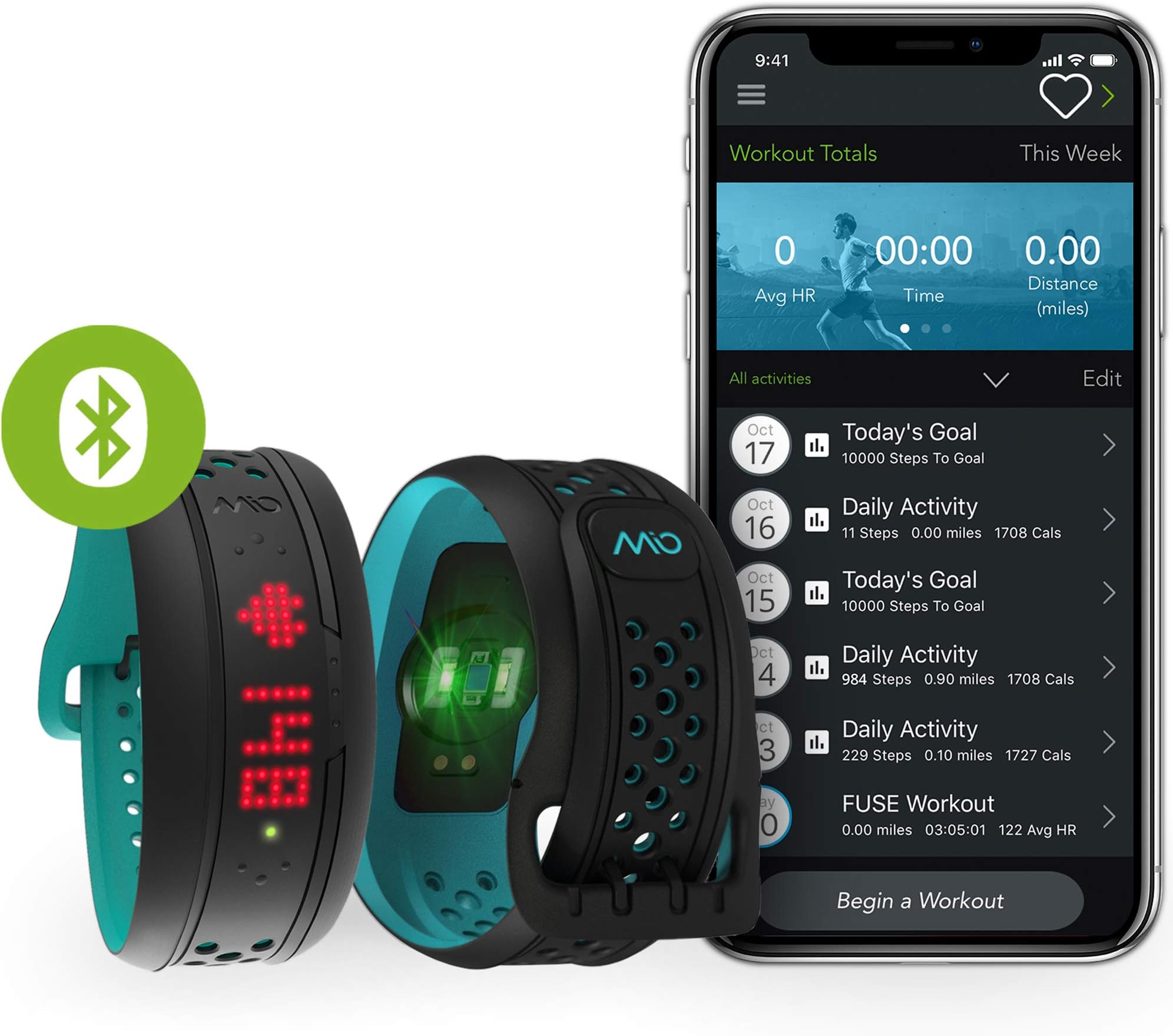
The Mio FUSE Heart Rate, Sleep + Activity Tracker is a versatile fitness companion that accurately monitors your heart rate, tracks daily activities, and even records your sleep patterns. With a sleek design, Bluetooth connectivity, and water resistance up to 30m, it's perfect for fitness enthusiasts looking to optimize their performance.


| ASIN | B00MYK59VY |
| Battery Average Life | 7 days |
| Battery Description | Rechargeable |
| Best Sellers Rank | #257,128 in Sports & Outdoors ( See Top 100 in Sports & Outdoors ) #151 in Heart Rate Monitors (Sports & Outdoors) #1,824 in Electronics & Gadgets |
| Brand | Medisana |
| Brand Name | Medisana |
| Color | Aqua |
| Compatible Devices | HTC One (OS v4.3+), HTC One M8, LG G Pro2, LG G2, LG Nexus 4, LG Nexus 5, LG Nexus 7, Maxx, Mini (OS v4.4+), Motorola Droid RAZR M, Motorola Droid Ultra, Motorola Moto X, Motorola RAZR Max HDD, Motorolo Moto G, Samsung Galaxy Note 10.1 Sony Xperia Z, Samsung Galaxy Note 2, Samsung Galaxy Note 3, Samsung Galaxy S3, Samsung Galaxy S4, Samsung Galaxy S4 Mini, Samsung Galaxy S5, Samsung Galaxy S5 Mini, Sony Xperia SP, Sony Xperia Tablet Ultra, Sony Xperia Tablet Z, Sony Xperia Tablet ZL, Sony Xperia Tablet ZR, Sony Xperia V, Sony Xperia Z1, Sony Xperia Z1 Compact, iPad 3rd Generation, iPad 4th Generation, iPad Air, iPad Mini 1st Generation, iPad Mini 2nd Generation, iPhone 4s, iPhone 5, iPhone 6, iPod Touch 5th Generation Compatible Devices HTC One (OS v4.3+), HTC One M8, LG G Pro2, LG G2, LG Nexus 4, LG Nexus 5, LG Nexus 7, Maxx, Mini (OS v4.4+), Motorola Droid RAZR M, Motorola Droid Ultra, Motorola Moto X, Motorola RAZR Max HDD, Motorolo Moto G, Samsung Galaxy Note 10.1 Sony Xperia Z, Samsung Galaxy Note 2, Samsung Galaxy Note 3, Samsung Galaxy S3, Samsung Galaxy S4, Samsung Galaxy S4 Mini, Samsung Galaxy S5, Samsung Galaxy S5 Mini, Sony Xperia SP, Sony Xperia Tablet Ultra, Sony Xperia Tablet Z, Sony Xperia Tablet ZL, Sony Xperia Tablet ZR, Sony Xperia V, Sony Xperia Z1, Sony Xperia Z1 Compact, iPad 3rd Generation, iPad 4th Generation, iPad Air, iPad Mini 1st Generation, iPad Mini 2nd Generation, iPhone 4s, iPhone 5, iPhone 6, iPod Touch 5th Generation See more |
| Customer Reviews | 2.7 out of 5 stars 418 Reviews |
| Display Size | 1.3 Inches |
| Item Weight | 1.4 Ounces |
| Manufacturer | Physi-cal Enterprises |
| Manufacturer Part Number | 59P-REG-INT -woot |
| Material | Soft silicone |
| Material Type | Soft silicone |
| Model Number | 59P-REG |
| Screen Size | 1.3 Inches |
| Sensor Type | Wearable |
| Size | Small-Medium |
| UPC | 693472586877 |
| Unit Count | 1.0 Count |
A**L
it's good but the app ruins everything
This product seemed like the perfect device for me. I looked at youtube reviews and they all said that the device had a pretty good heart rate monitor but not that great of app and lacked fancy functions. This seemed fine to me. I wanted something that tracked my calories and told me how hard I was working in the gym. For the most part the heart rate monitor seemed pretty accurate in most cases. I would workout and it would it was consistent with the monitors the gym lets you use. When I was lifting it showed that my heart rate stayed up there which is what I wanted to see. A really great feature, one of the reasons I wanted this watch, was the color coded heart rate zones and the vibration that alerts you when you change zones. All of this seemed to work well with my gym workouts. The heart rate function was poor when doing martial arts. It was very inaccurate. It would say my heart rate was high when I was doing nothing and low when I was doing activities. I mostly bought it for the gym so this wasn't all that important. What got this watched returned and a one star review was the app and little irritating things. As others have mentioned the buttons on the device are hard to activate sometimes. Other times they are easy to use. They only want to work when they want to work. The biggest most frustrating thing ever is that app. I knew the app wasn't that great, but this is ridiculous. It doesn't sync your workouts and only sometimes syncs your daily activities. I got it to sync once, and the detail of the heart rate graph was just terrible. The daily activities only show the basic overall steps and calories and what not for your day, there is no way to compare. And that is when it syncs, most of the time it will partially sync your daily workout, sometimes not at all. Sometime the app doesn't even recognize that your watch is right next to your phone, even if you do everything right. But really this watch is good and the app is so bad it offsets the good. Maybe if they ever fix the issues with the app I might get it again, but it is to frustrating to have right now. I don't recommend purchasing it, because without a decent way to interpret the data, its pretty much useless.
L**.
Decent HRM hardware, but its app is subpar and under-report calorie by 35%-55% in workout mode!
Final Review on this Mio Fuse. I will keep it 2 stars after 1 month use. Here are the breakdowns: Hardware overall : Score 3 stars Look/feel: - 3 Star It is not a piece of product you will get compliments from wearing it as a watch. People may not even notice that. It was made by some sort of black rubber/silicon. If you are wearing it in the gym, it is fine because your goal is to maximize your workout with this product, not about showing off a piece of gear. If you are one of these, you will be disappointed. Touch/button design: - 2 stars The two side buttons on the screen used to change different information on the device are fine. However, the top button to get you in and out of the workout mode (most important function IMO) has serious design flaw. You can't really see it with your eyes due to it blends in with all black color. It takes several tries to get in or out of workout mode for me every single time. It frustrates me. In addition, because it is out on the surface, it is very very easy to be accidentally pushed/pressed during the workout. There is no vibration notifying you about that. It means you may miss a chunk of your workout recording by the end. It definitely drives me crazy when it happens. I am sure it will do to you too. location of wearing: - 3 stars As suggested, it must be worn about a few inch above your wrist bone for more accurate HR reads. If you are doing aerobics or high intensity workout involving arm movement, Mio fuse may slip down from the preferable location unless you are wearing it with very uncomfortable tightness. I guess it applies to all wrist wearing HRM so it will be an industry flaw not only Mio's to be fair. HRM accuracy: - 4 stars It is not bad. Definitely not as good as chest strap and it does give you some weird low HR numbers from time to time every workout. But for tracking an overall workout, it gets the job done. Also the HR displace stays on during the workout, so it is very easy to see your workout intensity right off the wrist. Software/App - Mio Go - 1 star I really want to like this product due to its pretty accurate HRM. I can see all those heart rate #s, but by the end of the day, it must give me an accurate calorie burnt number. Mio Go completely blew it on this. Using Mio fuse as same single source of heart rate, I compare over and over again with Endomondo, Wahoo fitness app and Mio Go. Mio go's calorie burnt number after EACH workout was 35% to 55% lower than the other two apps and the other twos apps designed by completely different company provided almost identical calorie #. It is UNACCEPTABLE! Unless Mio can prove that their calorie calculation algorithm is accurate and others are not, its app completely discredits people's hard work. I repeatedly wants their customer service to post something regarding this issue. So far, I have NOT seen any. Also, the inaccurate calorie # can NOT be shared with health app or the most popular myfitnesspal app. They said they are working on the integration with apple health app but no plan for others yet. The sync between Mio fuse and Mio go can be buggy from time to time. The workaround: If you maintain the faith of Mio fuse for future improvement and not return the product, you have a workaround to use Mio fuse as HRM but use Endomondo, Wahoo fitness or other fitness apps to track your calorie. The drawback of the walkaround is that you now have to keep your phone with you during the workout at all time due to bluetooth connection. You can NO LONGER enjoy the benefit of sync data later function. Words to Mio: You have a piece of decent HRM hardware. Please please get your developers together to fix your software. Your calorie # is way way off. and for next generation mio fuse, relocate your workout on/off button. Old testing review: ****** This review will be updated based on more experience I have with this product. It will be ended either I keep it or return it. I have had Mio Fuse for 3 days now. I had pretty high expectations for this product based on the reviews I read and would love to give it 5 stars if it suits my needs. My purpose of buying this product is to replace my Wahoo Tickr HRM chest strap for 1) accurate active HR reading (training with heart) and 2) its late sync ability (go with iphone free while workout). So far, NOT so good... During the next a few weeks, I will wear both mio and Wahoo TickR to do various workouts in the gym to compare their data and functionality. Day 1: Weight training The app set up was easy and took me 2 mins. I worn Mio half inch above my wrist bone and started to do weights, bench bar bell, dump bell, cable, etc. I noticed that Mio and Wahoo had some different reads, a lot of time Mio's HR's read is 20 beats lower than Wahoo's. To avoid user error, I moved Mio to about 1.5 in above my wrist bone and tightened it really good. The read consistency has improved a bit, but sometimes still 10-15 off Wahoo's. When I moved to side arm raise machine (your forearm and wrist under a padded component to raise up working on your side shoulders), accident happened. The top bottom designed to start and end a workout by pressing and holding were switched off because of the wrist position from the pressure of the pads. So I had to manually turn it back on after noticing it was off (no HR read). It happened twice : workout start -> ended by accident, then start again (manually) - end by accident again, then start again (manually). I guess I will need to turn Mio inwards next time to avoid this situation. But that workout on/off button was designed too much on the top surface of the device, it will be very easily turned on and off by accident. It has to depend on the app to determine whether it is an accident or really a workout circle (more on this later). Then I moved onto rowing machine and treadmill, Mio works very well on those tests with almost identical reads with Wahoo's. Sync time: After I completed my workout, I synced both Mio and Wahoo with their respective apps to see the final result. BIG PROBLEM: Wahoo gave me 1:15 time and 573 calories with average HR 107 and Max HR 156 and Mio gave me 35 mins and 225 calories with average HR 121 and max HR 158. It means Mio somehow ignored my 30 mins workout. I don't know if it was due to the accidental in and out of the workout mode. But even though, why didn't it just display 2 and/or 3 workouts but erased my entire first part of the workout?!? - NOT VERY HAPPY. Day 2: - Boot Camp The Mio held up well on its HR reads comparing to Wahoo on this one hour test. The problem was putting up boxing gloves to do punching bags, Mio was on its way again. I had to put it all the way up on my forearm to avoid any accident contacts to the top workout button. So it didn't get turned off at all during the workout. Sync: Wahoo was as reliable as usually give me good read of all the information I needed, but Mio did NOT give me anything after sync. Yes, it was on workout mode the entire time (I know it because I kept watching its HR read on display) and I turned it off by the end manually. ZERO workout! I thought it probably had some sort of delay. So I kept trying and even tried after mid-night when it gives out daily activity, Daily activity got synced but my workout NEVER show up. So it ate my 1 hour workout just like that! - I am OUTRAGEOUS! The problems after 2 days: 1) The workout on and off button designed problem and place it on the very surface of the device, it can be easily turned on and off by accident. Edit: Mio recommended to wear it upside down but how about wearing boxing gloves, how do I avoid that? 2) A huge flaw after an workout being accidentally ended, then restarted, the app can NOT figure this out and will cut off the previous workout Edit See my edits to 1) and 3). 3) The app or device erases your workout out of blue (super UNreliable if that's the case) Edit: It is resolved due to user error 4) I have no clue how to sync it to other apps, there is no such an option on mio go app. Edit: Was able to sync with Endomondo, but it raises the other issue - see below. ** Day 3: Weight training again First of all, I learnt that I must tap the top button to get GO after pressing + holding it. So i am more comfortable about not losing my entire workout going to gym. And I was able to sync endomondo with it as well. So this time, I had my wahoo synced with wahoo app and Mio fuse synced with Mio go and endomondo simultaneously. During the workout, I still saw strange HR read on fuse. i.e. When I was doing pull up, all the sudden HR read dropped to 61 while wahoo told me it was 110. Obviously 61 was incorrect. So I just snug/move it around a bit even it was really tight on my forearm/wrist already. 5-10 seconds later, it eventually went back to the similar read as my wahoo. I don't really understand what it happened. Was it getting loose during my movement (doubt it) or somehow the wrist HR detecting technology causing problem. I do not want to consistently checking my HR during the workout because of trusting issue. Anyhow, the final sync was successful but the results made me scratch my head. Mio Go: Time: 1:23 | Avg HR: 103 | Max HR: 142 | Cal: 347 with Mio fuse Endomodo (weight training mode) : Time: 1:23 | HR range: 61-142 | Avg HR: 104 | Cal: 625 with Mio fuse Wahoo (weight training mode): Time: 1:23 | Avg HR: 106 | Max HR: 143 | Cal: 616 with Wahoo TickR Chest Strap While everything else was about the same, the calorie count discrepancy between Mio Go app and other apps is HUGE. Even Endomodo and Wahoo were tracking data via different HRM devices, the result came out about same. Mio Go app gave me 45% less calorie count. I am not an expert on this but I have to trust the similar # here. Mio Team: Please provide me your insight on this topic. Also I tried to lock all buttons via Mio go app after I entered the workout mode. It did NOT work. I wonder if anybody successfully made it happen. So the risk of the workout button being pressed can NOT be eliminated on software side. Since my last cardio workout got lost (user error on day 2), I will test it out again tomorrow. The subject is Insanity workout. Stay tuned! Oh I bumped my rating to 2 stars after today. *** Day 4: Interval Cardio - Insanity plus extra aerobic training I didn't have time to compare Wahoo strap and Mio fuse during the workout because my phone was playing Insanity video. Here is the final result - still very baffling Mio Go - Time: 1:23 | Avg HR: 123 | Max HR: 167 | Cal: 552 - with Mio fuse Endomodo (Aerobic mode) - Time: 1:24 | Avg HR: 124 | Max HR: 167 | Cal: 859 - with Mio fuse Wahoo (Cardio mode) - Time: 1:24 | Avg HR 125 | Max HR: 162 | Cal: 863 - With Wahoo TrickR strap Once again, Endomodo and Wahoo gave me similar reads especially on calories counts even with completely different HRM devices but Mio Go app had 36% less cals. I really need an explanation on that. The Mio App's late sync function that I think I finally can workout free from a phone around. If you are a new fitness tracking device user and not experience with all other apps and such, you are fed with very deflated cals # by its original app. Is it a way to encourage you work out more? I don't know and I need an answer. ****
T**E
Non-Cyclist, Non-Runner - but all round fitness/training? MIO Fuse is for you (update SO I THOUGHT)
Update 03/04/15: Item returned. Got frustrated with the lame and boring looking app which wasn't giving me the information I wanted. There have been promises about updates of different capacities that are just taking too long for me to enjoy this item. (sleep tracking - not urgent for me, but has been mentioned, still not here yet) - (logging meals - they're waiting on MFP or sometign of the sort...- ), I don't go running/cycling very often, so syncing with runkeeper/strata, etc does nothing for me. I do mostly weight lifting and HIIT workouts - non of which are there for me to add as the type of workout I did/do. I'd like to compare my progress from the last time a certain activity was done, there's no way to do that since i cant even list the activity I actually do. The app shows your activity as just one list of daily events - that's it. Thanks for the one update as to being able to tell the battery level, but it's just not enough information for me to actually use in this app. I threw in the towel when the app started being erratic with saving/showing my daily activity. It either erases the previous days activity or doesn't show my culminated activity at the end of the day. Thankfully the company did offer to replace it, but when I considered how much the app just wasn't the thing for me, I was happy that amazon was accepting the return, and so I wouldn't have to worry about the dated UI of the app once and for all. I know I probably sound like a spoiled brat - sorry - thanks to Jawbone UP app for spoiling me. The device does everything it advertises, but the app - ugh,I just cant anymore with it. I'll go activity-tracker-less for a while and see what else comes out during the course of this year. Original review: Seems most of the other Activity/Fitness trackers are more geared toward runners, and some even now towards cyclists. I'm wearing 3 trackers on my arm currently and decided to do a 16.5 min workout which incorporated crazy hand moments (jumping) and no hand moments (planks, etc). The Basis only recognized your workout (albeit automatically) when you start something with hand movements and sustain nit for a while). For my purposes - NO BUENO, because it told me I only worked out for only 4 minutes. Forget when I decide to do weight training... I need something that I can say, "hey, I'm about to workout now. Don't worry about what I'm doing just tell me how many calories I burnt based on my effort". And this is the device for that purpose. I've had a jawbone Up for a year and half, and while I love the concept, the ability to tell it , "hey, I'm gonna workout now so separate this from everything else" and love love love their ap, it's time to get divorced. After 4 malfunctioning devices in less than 18 months, I'd say that's a wrap. Plus, I am curious as to a more accurate expenditure of energy during my workouts because telling the UP app that I did Easy, Moderate, In the Zone, Difficult or Gut Busting effort is pretty relative and I often find myself not being sure where my effort fell. So far, I'm getting everything that the Fuse advertises itself to be. It didn't loose my heartbeat not once during the craziness of jumping around, Cant say the same for the Basis Peak. It spent about 1/2 the time searching for my heartrate. boooo. Love that I can get the information just about my workout while Fuse is workout mode. Like steps, calories burnt so far, distance...which I found helped me to push when I saw that the workout was almost over and I had only burned 90 calories so far when I thought for sure i would easily get 200 calories in this workout. It helped me push harder than previous sessions of this same workout. Love too that after uploading the workout to the ap I realized that even though I surely thought I was gonna die, it really only classified as a "Light/Moderate" workout. Hence, I have much much room for improvement in my fitness. Yes, I wore the Fuse as suggested, and have it pretty darn tight so it wont budge. I'm sure that helped withe getting a constant heart-rate reading during the workout. It also seems well suited to last a while based on the construction. And this review shall be updated every so often so say whether or not I'm still in love. Step count: I manually counted 89 steps and checked back with the 3 devices to see: Basis Peak: 89 Jawbone Up: 82 MIO Fuse: 80 Close enough. Impressed that I activated my device at 2:45 in the afternoon and it told me that I had already burned over 800 calories already that day. Perfect! The algorithms were at work to catch up. I cant say the same for the Basis Peak who didn't even try to catch up on where I was that day when I activated. it only accounted for what happened during the time wearing it. It's hard not to compare the one device with the other because they appear to market to similar if not the same crowd. I've also decided that after having/using Sleep tracking for over a year with the Jawbone UP, it's really just a novelty and the interest quickly wanes. After-all, if you woke up tired, you probably didn't sleep well. There! Anyway, i wont miss it with this device. About that "constant heart-rate" thing: Soo, you're siting there watching TV and eating chips and decided, "hmm, what's my heart-rate?" You can simply tap and hold the button for workout mode, see your heart-rate and turn it back off. This might show up as a 0.0 minute workout when you sync to the app, but it's easily delete-able. It's nice that they have options for you to tell the app what kind of workout you did. So far I don't do any of those things regularly for my workout so I'll leave it as unspecified, but it's a nice touch, and I'm sure more options can easily be added in the future. Maybe MIO can consider having us write in our own activity type too until then. Off to return the other two rubber bands to the store.
J**Z
Good monitor for my needs... 4 1/2 stars
This HR monitor is perfect for what I needed. I usually don't bother with all the fitness tracking features it has, although I might in the future. I had to install the app on my husband's old iPhone because Mio doesn't provide an app for my Windows phone (oh well, I knew I'd be an outsider with that phone choice). The app is easy to use, although a bit glitchy at times... nothing too bad. One of my long workouts wouldn't sync with the app, no matter how many times I tried. But usually it works flawlessly. I kept things simple and set it up using the app so that the Fuse only vibrates when I reach my target HR and again when I exceed it. It has both "3-zone" and "5-zone" HR settings but I use it in 3-zone mode, which works great for the kind of training I am doing right now. You don't have to carry the phone with you; you only need to use the app when you want to change settings or sync your runs to view HR data afterward. I also have a Garmin GPS (Forerunner 15 model) watch that syncs with the Fuse automatically; it just senses it's there. Easy. I can wear the Fuse for 3 - 5 runs of at least 1 hour apiece before I have to charge it. Recently there was a firmware update which improved a few things, such as making it harder to accidentally pause the 'workout' mode by merely touching the face of the watch. With that improvement, I would say this rates 4 1/2 stars.
E**S
I read this before in a review so I was always super polite but it still happened to me
Don't do it! I bought the first one and had to return it mostly because the app is worthless but it would not sleep track at all. It also wouldn't track heart rate consistently but I wore it tight enough to leave marks on my wrist. If you read all of the reviews they complain constantly about the app --all true! I am convinced they will never fix it properly. The call in staff is mostly helpful, but after a few calls they will hang up on you after putting you on hold when they can't help you anymore. I read this before in a review so I was always super polite but it still happened to me. The second watch I received did NOT vibrate during heart rate zones correctly -sometimes never at all so I didn't know when I left a zone I was supposed to be in, and sometimes it vibrated constantly even though I wasn't in a transition zone. It also stopped syncing with GPS even though Map My Run worked perfectly. The call tech team always said to basically factory restart the watch which means draining the battery to dead and uninstalling the app again (you lose you data) and reinstalling the watch again. It takes a few days to drain the battery -this isn't a convenient fix to anything and they told me to do it 4 times with 3 different watches. I was NEVER able to extract any of my data and email it to myself with either watch (again, they wanted the watch drained to "fix" this). The tech team sent me to the web team for that problem and it would take them 5 days to respond to my email each time. While the phone team is mostly nice and helpful, the email customer support team would just take 5 days to say the same things over and over and I swear they never read my emails. My coach wanted me to have this watch so I really tried to make it work -3 times! The 3d watch froze during the "connect to app" process and stuck with an M on the screen. I just had to wait for the battery to slowly die. They will never have a good app so the features will never work easily. Don't do it -don't waste your time and money. It really says something that over 20% of their reviews are 1 star!
D**L
Immature product
I purchased this product with a lot of excitement and although I've only been using it 48 hours I am left a little disappointed. I honestly don't know how much of my disappointment is due to unrealistic expectations, as I have not tried other comparable products on the market. Let me lay out some pros and cons of the product. Pros: - the device is quite comfortable on the wrist. It's made of a soft rubberlike material that conforms comfortably to the wrist and it is not bulky enough to cause me any issues. Honestly most of the time you just forget that it's there. - Once you get used to how to tap the band, it is quite easy to pull up the information the devices been collecting throughout the day. - The display, while reminiscent of 1990s LED technology, is quite clear and easy to read. - It really can measure your heart rate without using a chest strap. Sorta, kinda, more on that below. - It collects a bunch of useful information about your daily activity, all of which you can review on the band itself. As the documentation states this includes the number of steps taken, the number of calories burned, the distance you've traveled, etc. Cons (sorry, this is likely to be a long list): - While the website would have you believe that it's heart rate technology is "continuous", nothing is further from the truth. You have to activate your "workout mode" using a complicated (but learnable) steps of holding your finger lightly on a very specific spot on the band, and then tapping. The reason why I mentioned that the heart rate monitoring is not continuous, is that there are products on the market that promise 24 x 7 heart rate monitoring (like the Basis B1) which provide a better overall picture of your health and calorie expenditure as well as your resting heart rate throughout the entire day. - The controls on the band are a bit temperamental and frustrating. The surface of the band is featureless black rubber with slight and indistinguishable raised bumps that indicate where you're supposed to tap and press. You can figure this out and learn it, but I am finding that I often miss tap or press on the wrong spot. Or I swear I am pressing on the right spot but it only works the third time I try. - I personally found the heart rate measuring technology to not to be as accurate and consistent as a chest strap version. To test this in four separate workouts I wore both a Polar heart rate monitoring chest strap as well as the Mio. The Mio seem to do pretty well if there was slow rises and drops in heart rate, but seem to have much more difficulty if there were legitimate spikes in heart rate. It also seem to have difficulty detecting when my heart rate was falling after being pushed high due to an aerobic interval or set of heavy lifts. Once I uploaded the heart rate data to the Mio app it looked a little better there, although the heart rate display information is pretty bad on the app, at least it did not show the unrealistic spikes or "freezes" that I was seeing from the band display. My guess is they're doing some kind of smoothing in the data transfer. - The calorie expenditure for my workouts didn't seem quite right to me. If there were steps involved, (like jogging running walking) then the calorie count looked good. But if I was just doing a inside mounted bicycle, where my wrist was unmoving and there were no discernible steps, the calories per hour were not proportional to my effort. This is a perception though that could possibly be wrong, but it didn't line up with my calculation on calorie burn at that level of effort. - The step counter, which is active all the time, does not seem to pick up a lot of steps. In fact I would check the step counter get up from my chair, go upstairs make some coffee walk around the kitchen, walk back downstairs, and sit back at my desk and see zero steps. Or conversely, I could be playing a video game where I am manipulating a joystick with my left hand and see the step counter go up, even though clearly I am making no steps. Having never used a step counter fitness tracker before I have no idea if this is standard behavior. It seemed quite accurate counting my steps if I am jogging, running or walking at a sustained and vigorous pace. - One of the reasons why I was interested in getting a fitness tracker is to more accurately determine what my caloric burn is on any given day. This way I can properly offset it with my caloric intake, which I track with MyFitnessPal. While the Mio does track your calories it doesn't project your end of day caloric intake based on your progress for the day. And since the calorie counter resets at midnight every day, and you're likely to be asleep, you really never have the benefit of knowing what your calorie expenditure is when you really need it, during the hours that you are active and consuming food. And you can't even use yesterday's number, because even if you sync your device with the MIO app it does not display yesterday's full caloric burn. - The last big issue that I have with the Mio is the poor quality of the iPhone app and the lack of connectivity to external fitness systems. When I sync my workout data with the app it will tell me inaccurate information about the session. For example in one workout it said that it went for 42 minutes, with an average heart rate of 136, with 0 miles traveled, and 0 cal burned. But the band on my wrist properly had the distance and calories. There's lots of little things like that on the app, the don't quite work right. But for me I think the biggest issue is that I can't get the data that is being collected into any kind of system where I can look at trends, daily progress versus goals, comparisons with past performance, etc. Most other competing products provide some mechanism for you to look at this data and or make it available to be uploaded into one of the many different activity fitness sites out there. Maybe this is something they'll add in the future but right now it doesn't look like they have it at all. So at its most simplest I would like to upload my workouts with a (accurate) calorie burn to MyFitnessPal, instead of having to type that in manually. Pretty much every other product in the world interfaces with that app, so I was surprised to see they would launch without that connectivity. Summary: I think this product is confused as to whether it wants to be a 24 x 7 fitness tracker or a heart rate monitor for athletes. It doesn't appear to do either very well. Lack of connectivity to popular fitness websites and apps is a big problem. I am going to be returning the product today.
A**S
Good heart rate monitoring watch killed by poor software
I've had this watch for almost 3 years now and after countless app and firmware updates it still does not sync reliably and cleanly with my Android phone. The heartrate monitoring seems to work really well, but the app is hopeless. Most of the time it starts syncing, gets stuck frequently at certain steps (step 12 of 14, or when syncing sleep data), and then drops the connection to the watch and refuses to reconnect. Bluetooth on my phone works perfectly with other devices. It seems to be some sort of handshaking error between the watch firmware and phone app. The watch seems to be waiting at some step that it can't get out of and the phone app can't reinitiate the communications and continue where it left off. It takes me anywhere from 30 minutes to several days of retrying to get the data from a single workout to the phone in order to look at the graphed data. Retrying is what their tech support suggests. It does seem to work better with the iPhone app which was needed to update the firmware. You'd think that for such a product they'd test the firmware and software on several phones and platforms or beta test thoroughly before releasing each revision. If you only use the watch to monitor instantaneous heartrate, daily calories, and steps, then it works fine. If you want the extras from the app, then I would not recommend this product. Note that you still need the app to set up the watch. The Android app seems to work fine for setup, but for the longest time I had to use someone else's iPhone to update the firmware. UPDATE 2/2/18: I've reduced my rating from 2 stars to 1 star. The two recent updates of MioGo do not work on my Android phone. When I start the software on my phone, it tells me that it's doing some housekeeping and to wait a few minutes. The progress bar shows 0% and goes no further. I no longer have access to my old workout data, and I cannot download and view new data. I cannot sync the time either so it is still displaying Daylight Savings Time.
S**Y
I'm just short of hating this thing....
I would never recommend this product and that makes me sad because I had a MIO cardio watch that I loved that would have suited my purpose when used in conjunction with the UP3 for workouts. It bit the dust and I went with this hoping for the best. I knew when I bought this that I wouldn't love it but I thought that it would serve the need that i had to upgrade the UP3 that i have to something waterproof that would track swim workouts as well as heart rate, steps and sleep - the tracking of sleep is as important to me as the need to track the swim workouts. It does track my swim workouts however my workouts are very consistent - my data is not - my sense is that it doesn't always make a good connection no matter where it is placed and how tight it is and it must have something to do with the water. So the moral of the story is that if you want to track swim workouts, find another product. On to sleep. It has tracked sleep but I find it problematic that I have to tell it when I go to sleep and when I wake up. If you have a need to track sleep, it's generally because you don't do it very well so you don't have the ability to flip it to sleep mode and expect any degree of accuracy. I'm a little spoiled - UP3 just read it automatically and with pretty good accuracy. So after not wearing the band while I was on vacation, I got back into the grind, flipped it to sleep - and it's quite clear that it's in the mode because of the "ZZZ" scrolling across the screen, wake it up the next morning to a cheery "Good Morning" - sync to the software the next morning and got no sleep data. Seriously? This is the third morning that this has happened, prompting me to finally write this review. After seeing no data AGAIN, i decided to see if there was a firmware update that I maybe missed or something and while the firmware version matched what was on the tracker, the software still allowed an update which I thought was strange so I guess we'll see what happens. The software is just awful...not intuitive to use. This is not rocket-science, it's an activity tracker so let's not try to make the software look like a dashboard of a rocket. I have to physically make the band connect to my S7 (btw...never had to do that UP3, it would just automatically sync when i opened the software) and then I have to scroll around to find out how long my workout was and how many calories I burned. The other thing I find really annoying (and my bad, I knew it when I bought it) is that you have to set it to continually monitor your heart rate, it doesn't do it on its own because it drains the battery (that part is a TRUE STORY). But what that means is that you have to tell it to get into workout mode instead of just adding the workout into the software after the fact and that makes me wonder about the quality of the data because even though it's counting your steps, it has no idea about your exertion unless you tell it to track so I have to question the quality of any data when it isn't set to workout. You have to DO too much with this. I almost returned it after the first day I used it and regret not doing so but I really thought I'd get used to it. I'm just short of hating this thing and I truly wish my UP3 were waterproof. You've disappointed me, MIO.
A**A
Went from loving to hating it quickly
I have bought two of these. The first one I was happy with. Sometimes it wouldn't react to my touch to start/stop but not often. It was also more accurate when counting calories than my previous Garmins. I was happy with the product. However, as mentioned in other people's reviews, the little black knob to latch the band together broke off so I ordered another MiO. During the first week, my new MiO wouldn't react as quickly to my touch to turn on/off but would eventually. But, when I put it in my carry bag, it would react to everything and keep turning on and off. When I was working out, it would decide to Pause all on it's own with nothing touching it. I was on the elliptical and step climber when working out with my wrist not touching anything so I know there was nothing there activating it. It also wouldn't register in the MiO app. I deleted and re-loaded the app several times. It worked briefly once, then stopped working again. In to the second week, perhaps the 8th time I used the MiO, it has now decided to almost completely stop reacting to the touch stop/start. It won't turn off! I finally manage to get it to pause, the next step is to have it stop but it won't. After futzing around with it for 5 minutes, it decides to go back to GO, not off. It is also somehow reading a pulse when it's in the bag or anywhere NOT on my wrist. Needless to say, I'm very disappointed. I had bought one for a friend between the 1st and 2nd I bought for myself and she had mentioned it was difficult to get it to turn on/off. I figured it was just sensitive like my first one. Now I'm thinking hers is more like my 2nd one and I feel very bad for recommending the product to her. I've basically thrown away my money on this product. What a waste.
T**E
Great product
Awesome fitness band. This is not in the likes of fitbit but more for serious athletes. Can be used with Garmin or Polar devices as well.. works both on Bluetooth and ANT+ devices... Can be used for Swiming as well.. Very accurate optical heart rate monitor... 1 star less for the sizing and pricing issues in India
M**O
Cumple sus funciones
En ocasiones, si realizas danza, el enganche final de la correa se puede soltar y es algo molesto, pero por lo demás, todo es tal y como se indica, a demás de que la batería dura 6 o 7 horas si estás en programa deporte (alguna hora más de las que indican)
エ**ル
概ねOK
ロードバイク、ランニング、水泳に使用。 概ねOK。表示が大きいので、心拍数がリアルタイムで把握可能。 但し、水泳時(水中)は、誤差が大きいことがほとんど。 水泳時は、タイム計として、割り切っています。 2年使用後、フルマラソンで使用。 バッテリが2~3時間で切れる。
A**S
Zuverlässig und einfach
Ich habe das Pulsarmband jetzt 5 Monate in Betrieb. Zusammenfassend kann man sagen, dass es genau das tut was es soll. Nicht mehr aber auch nicht weniger. Nun aber ein wenig zu den Details: Das Armband alleine kann nicht in Betrieb genommen werden. Dazu muss die Mio App installiert werden, was auf meinem Android Gerät keinerlei Probleme bereitet hat. Auch die Herstellung der Verbindung über Bluetooth ging sofort und reibungslos. Die App wird aber nur einmalig zum Einstellen der persönlichen Herzfrequenzzonen benötigt; anschließend kann die App zwar weiterhin verwendet werden um einzelne Trainings zu speichern, was aber nicht zwingend ist. Die Anbindung an eine Fitnessapp - in meinem Fall Runtastic - geht genauso einfach. Man muss nur wissen, dass die Uhr in Runtastic als "HR Combo Monitor" betrachtet wird und nicht als Pulsgurt. Das Finden des Pulses, nach dem Aktivieren, geht innerhalb von wenigen Sekunden. Die ersten zwei, drei Sekunden wird ein etwas seltsamer Puls angezeigt, danach ist die Anzeige stabil und soweit ich es feststellen kann auch korrekt. Der Puls wird ab diesem Zeitpunkt permanent über Bluetooth an das Smartphone übertragen, das damit machen kann, was immer die App will. Sowohl die Messung als auch die Übertragung funktioniert auch während eines längeren Trainings zuverlässig. Egal ob das Armband im Winter auf heller Haut unter eine Jacke getragen wird oder im Sommer auf brauner Haut. Ob die Haut trocken ist oder ob man schwitzt, die Messung scheint immer zuverlässig zu funktionieren. Ich hatte zumindest nie Aussetzer oder unglaubwürdige Werte. Für eine zuverlässige Funktion muss das Armband aber recht eng eingestellt werden. Da das Armband aber aus einem recht flexiblen Material besteht, wird das auch bei längerem Tragen nicht unangenehm. Auch das Gewicht des Armbands fällt während des Trainings nicht negativ auf. Neben der Verwendung mit einer App kann das Armband den Puls auch speichern. Der Wert kann dann nach dem Training über die Mio App heruntergeladen werden. In der Mio App ist dann auch eine graphische Darstellung des Pulsverlaufs möglich. Während des Trainings ist das Display in der Regel dunkel geschaltet. Lediglich die Herzfrequenz Zone wird durch einen blinkenden Punkt angezeigt, der je nach Zone eine von 5 Farben annimmt. Ganz angenehm ist, dass die Uhr kurz vibriert, wenn man von einer Herzfrequenz Zone in eine andere wechselt. Ebenso wird das Display hier kurz aktiviert. Will man außer der Reihe das Display aktivieren, so muss die Uhr waagerecht gehalten werden. Das ist zwar ganz nett um ungewünschtes Aktivieren zu vermeiden, ist während des Trainings aber unpraktisch. Beim Laufen mag das noch gehen, beim Radfahren ist es praktisch unmöglich. Noch ein paar Bemerkungen zur Mio App: Ursprünglich war die App wohl nur zur Programmierung des Armbands gedacht, bekommt aber von Update zu Update mehr Funktionen. Das Herunterladen und Anzeigen von Trainings- oder Tagesaktivitäten ist enthalten, seit dem letzten Update kann man sogar gezielt ein Training aufzeichnen. Allerdings habe ich die Funktion noch nicht ausprobiert, so dass ich nicht sagen kann, was denn da eigentlich aufgezeichnet wird, was man nicht auch von dem Armband herunterladen kann. Wenn die Entwicklung so weiter geht, benötigt man bald gar keine Fitness App mehr und kann mit der Mio App alleine auskommen. Neben der Funktion als Pulsuhr arbeitet das Armband auch als Schrittzähler, was erstaunlich gut funktioniert. Ich habe mal beim Laufen 500 Schritt mitgezählt und die Differenz zwischen Armband und meiner Zählung war genau Eins. Die Zählung funktioniert aber nur dann, wenn sich die Arme frei bewegen können. Beim Radfahren oder wenn etwas mit Griff hält (Einkaufwagen, Rasenmäher, ...) werden keine Schritte mehr gezählt. Allerdings gibt es für denjenigen, bei denen es wirklich auf die Schritte im Alltag ankommt, deutliche billigere Alternativen. Die zentrale Funktion des Armbands ist definitiv der Pulsmesser. Ein wichtiger Punkt ist noch der Akku. Ich habe noch nicht probiert, wie lange der Akku wirklich mit macht, kann aber sagen, dass er vier aufeinander folgende Trainings zu je einer Stunde ohne zwischenzeitliches Laden ausgehalten hat. Das reicht mir auf jeden Fall. Leider ist nicht alles perfekt an dem Armband, es gibt auch ein paar Mängel: - Am Armband selbst gibt es keine Möglichkeit den Akkustand anzuzeigen. - In der Mio App wird der Akkustand zwar angezeigt, aber nur reduziert auf drei Balken. In anderen Apps kann der Akkustand allerdings auf 1% genau angezeigt werden. Ob er tatsächlich auch auf 1% genau stimmt ist dabei nicht nachprüfbar. - Es kann nicht gleichzeitig die Mio App und eine Fitness App gestartet sein. In diesem Fall bekommt nur eine der Apps Informationen vom Armband. Das könnte aber auch ein Problem der Apps bzw. des Betriebssystems sein und nicht unbedingt ein Problem des Armbands. Zur Vollständigkeit noch die Informationen, die direkt durch das Armband selbst ausgegeben werden können: - Puls - Uhrzeit - Fortschrittsbalken für die noch fehlenden Schritte bis zum Tagesziel - Entfernung (wird aus den Schritten berechnet) - Schritte - Kalorien (wie auch immer das berechnet wird) Diese Werte werdem beim Tageswechsel automatisch wieder zurückgestellt, so dass man keine Reset-Funktion benötigt. Über die Mio-App kann eingestellt werden - Persönliches Profil. (Hier dürfte nur das Gewicht für die Kalorienberechnung interessant sein) - Anzahl der Herzfrequenzzonen (3 oder 5) - Maximale Herzfrequenz - Minimale und maximale Herzfrequenz je Zone - Tagesziel (Schritte, Entfernung oder Kalorien) - Trageposition (linker oder rechter Arm, wird für die Ausrichtung des Displays benötigt) - Vibration an/aus Theoretisch kann man auch noch einstellen, welche Werte einem während bzw. ausßerhalb des Trainings angezeigt werden. Mein Armband ignoriert diese Einstellung aber und zeigt immer alle Werte an.
Trustpilot
2 months ago
1 month ago