We remain fully operational. Our teams are working around the clock to ensure your deliveries continue safely.

DOWNLOAD THE APP


Customer Services
Copyright © 2025 Desertcart Holdings Limited
DOWNLOAD THE APP
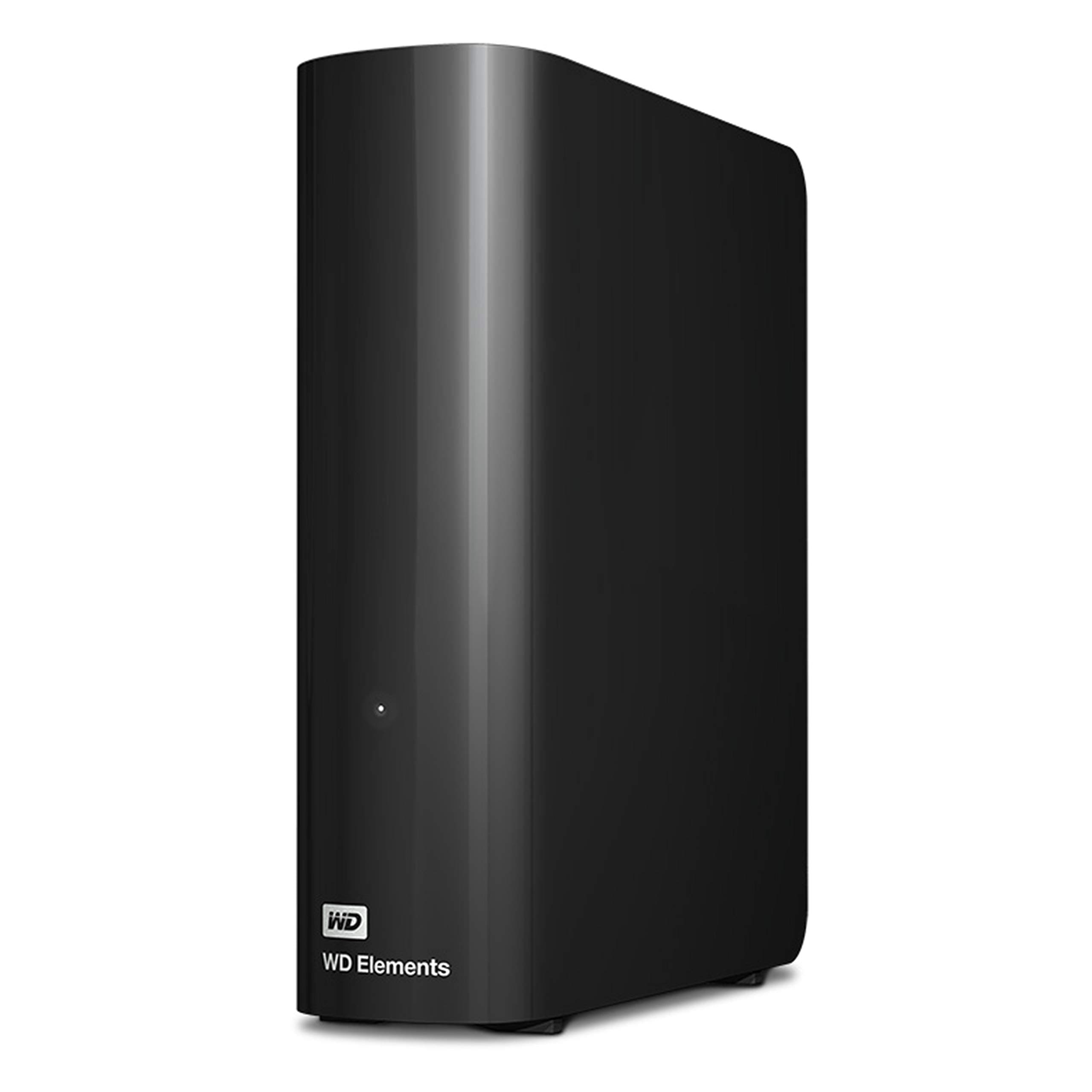
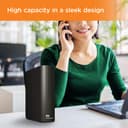
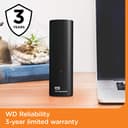
💾 Unlock your digital universe with speed and style!
The Western Digital 4TB Elements Desktop External Hard Drive offers a robust 4TB storage capacity with USB 3.0 connectivity, delivering fast data transfer speeds up to 5 Gbps. Designed for plug-and-play ease, it supports both Windows and Mac systems, making it an ideal solution for professionals needing reliable, high-capacity external storage. Its compact design and WD’s trusted quality ensure seamless integration into any workspace with a 2-year limited warranty for added confidence.


| ASIN | B00ODEGWN8 |
| Additional Features | Plug-and-Play simplicity |
| Best Sellers Rank | #2 in External Hard Drives |
| Brand | Western Digital |
| Built-In Media | AC adapter, Quick Start Guide, SuperSpeed USB-A cable (5Gbps), WD Elements Desktop hard drive |
| Cache Memory Installed Size | 4 |
| Color | Black |
| Compatible Devices | PC, Mac |
| Connectivity Technology | USB |
| Customer Reviews | 4.4 4.4 out of 5 stars (27,535) |
| Data Transfer Rate | 5000 Gigabits Per Second |
| Digital Storage Capacity | 4 TB |
| Enclosure Material | Unspecified |
| Form Factor | 3.5-inch |
| Global Trade Identification Number | 00718037832340 |
| Hard Disk Description | Portable |
| Hard Disk Form Factor | 3.5 Inches |
| Hard Disk Interface | USB 3.0 |
| Hard-Drive Size | 4 TB |
| Hardware Connectivity | USB 3.0 |
| Installation Type | External Hard Drive |
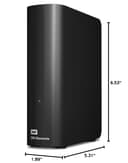
| Item Dimensions L x W x Thickness | 6.5"L x 5.3"W x 1.9"Th |
| Item Type Name | Western Digital WDBWLG0040HBK-NESN Elements external Desktop Storage with USB 3.0 |
| Item Weight | 4.8 ounces |
| Manufacturer | Western Digital Technologies, Inc. |
| Media Speed | 625 MB/s |
| Model Name | Elements Desktop |
| Model Number | WDBWLG0040HBK-NESN |
| Number of Items | 1 |
| Specific Uses For Product | Personal |
| UPC | 801947367016 843715110929 809396065354 718037832340 |
| Unit Count | 1.0 Count |
| Warranty Description | 2 Year Limited Warranty |
C**D
A Tale of 2 drives (WD 20TB Elements Desktop & WD 2TB Elements Portable)
Well, I have to edit this review to include a NEW western digital drive I recently ordered (because amazon doesn't let you leave separate reviews for different drives made by the same company. My reviews here are for VERY different products and we should be allowed to review them separately, but... ¯\_(ツ)_/¯ ------------------------------------------------------------ REVIEW for the "WD Elements Portable External Hard Drive for Windows, USB 3.2 Gen 1/USB 3.0 for PC & Mac, WDBU6Y0020BBK-WESN": Anyway, the TWO terabyte WD drive I bought on January 1, 2026 for $79.99 had obvious signs of use. There was a small but noticeable 'ding' on the right side of the drive, and the CrystalDiskInfo utility software showed that the drive had been used for 3 hours. That's far more than any drive that's fresh & straight from the factory will have accrued for simple testing. I kept this drive because I needed it immediately, but I'm not happy about it having been USED and the 'ding' chipped off on the side that shows it had been dropped. Even so, it's performing wonderfully (so far) on a new Mac & an old Windows computer, but time will tell the true tale. ------------------------------------------------------------ REVIEW for the "WD 20TB Elements Desktop External Hard Drive, USB 3.0 drive, WDBWLG0200HBK-NESN" I ordered the WD 20TB Elements Desktop External Hard Drive in early May 2025, wiped it and re-formatted it as NTFS for Windows, and then transferred a ton of backups to it. (A little note: 20 TB drives have an *actual* capacity of 18.19 TB). This WD drive is reliable, sturdy, and a winner by every metric. It's a very quiet drive (I only ever hear a very soft & short 'brrr' when it's waking up, but then it falls silent and remains quiet for the rest of the time that it's active). My drive is on all day, yet I never hear any sounds while it's working. I actually forget that it's on until I need to search it for something! Even with my ancient PC, this WD drive had smooth transfers of up to 180 MB/sec. When that PC died and I connected the WD drive to a new mac laptop, the transfer speed was even faster. This drive has been in use every single day for almost 8 months and it's still just as quick and quiet as the first day I used it. Of course, if you format any drive as NTFS like I did, and then you use that drive with a Mac, you can only copy files FROM the drive while it's connected to the mac device, and you can't can't copy files TO the drive. I thought I'd only use this with my old windows comp and didn't forsee its overdue demise so I used the NTFS format... but since I can access those files, it's no biggie. I'm about to order another WD drive and I'll format it as ExFat so that it'll have full read & write abilities on both mac & windows. This is a great drive and if you're a dual-OS user like me, just format your drive accordingly. It's nice to be able to have the best of both worlds. :)
T**G
Massive capacity, true CMR reliability, and excellent sustained performance
The WD 20TB Elements Desktop drive is exactly what a large‑capacity external should be: simple, quiet, and built around a proper CMR hard drive that delivers consistent performance across the entire 20TB span. In an era where many high‑capacity externals quietly use SMR, it’s refreshing to see Western Digital stick to a full CMR design that maintains stable write speeds, predictable behavior, and long‑term reliability. Real‑world performance is strong for a drive of this size. Sequential transfers remain steady without the drop‑off or cache exhaustion issues common in SMR‑based units. The enclosure runs cool, the USB bridge is stable, and the drive behaves exactly as expected during large file moves, backups, and long‑duration workloads. For anyone dealing with multi‑terabyte datasets, this consistency matters far more than peak numbers. The 20TB capacity is a game‑changer. It consolidates what would normally require multiple smaller drives into a single, clean volume, making organization and backup workflows far easier. For the price — especially when purchased renewed — the cost‑per‑terabyte is outstanding. If you need a high‑capacity external that prioritizes reliability, sustained throughput, and no‑nonsense operation, the WD 20TB Elements is an easy 5‑star pick. It’s a workhorse drive with real CMR performance and the kind of long‑term stability Western Digital is known for.
T**S
What integrity counts, it has to be WD
I work with hundreds of hard drives per year. I also recover data from hard drives, so I have a decent idea of what we're dealing with here. To put it bluntly, all consumer level hard drives are not great, but WD (Which bought out Hitachi Storage) is simply the best. It's why they cost more, and it's worth every cent. I've had brand new Seagate drives dead, right out of the 20-count boxes we get. Speed wise, I am not really sure how fast these are compared to other brands, but with SSDs, I view hard drives as a cheap/slow storage space. And 1 TB is a LOT of data if you think about it. I'm writing this on the 14TB drive, but that can be hundreds of thousands of pictures for example. So the real question is "What would you do if you lost them all?" Take it from me, it is always "When" is it going to die and not "if". The drive will fail, no matter what. So you should always have a backup drive. If this is your backup drive, then you're all set. If this is your "main" drive, then consider buying a second, even if the second one is a Seagate - point being you are covered when the main one breaks. I have taken these apart before (Not the more modern very large ones) and those drives did work as internal drives, but I would hesitate to do that simply because you're probably going to trash your warrantee when you try and return a case that has a bunch of broken tabs (The cases for these elements drives are terrible and fall apart when you try to take them apart). My drive shipped with a rather small power brick, which was a nice touch. I think the cable length was something like 5 feet, so it's not a super short cord. Used the USB to connect to a Windows 11 laptop and it found the drive right away without any issues at all. If you use this as a permanent drive, e.g. a home network share, then you can go into Windows Device Manager and switch the drive type to include caching which speeds up the drive a bit (At the expense of data loss if you do not eject the drive before you yank the plug). If data integrity is essential, then for consumers, I would recommend the Red series drives as they are made for home network storage units. For corporate, the Enterprise drives (Which are usually SAS and not SATA) are the way to go. Of course none of those are USB drives, but I'm throwing this out there in case you have the option of going with an internal drive. At the end of the day though, like I started with, data integrity is the most important thing for me, and it doesn't get better than Western Digital.
L**Z
Gran capacidad y calidad 100% recomendado
F**O
excelente producto, mejora aun mas con sus herramientas y aplicaciones de su sitio web de soporte
E**R
Functions super!
M**N
Items arrived per schedule and works. This 20TB unit is 7200rpm class product.
B**O
A devolver, no quiero comprar adaptador .
Trustpilot
2 weeks ago
3 days ago