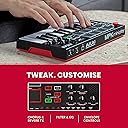
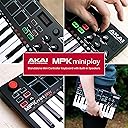
🎶 Your pocket-sized studio for beats, keys & endless jams — don’t just play, perform!
The AKAI Professional MPK Mini Play is a compact USB MIDI keyboard controller featuring 25 velocity-sensitive mini keys, 16 backlit drum pads, and 128 built-in instrument sounds. Designed for portability, it includes a built-in speaker, headphone output, and runs on 3 AA batteries for wireless use. With assignable knobs for sound customization and seamless USB connectivity, it’s perfect for producers and performers seeking a versatile, on-the-go music creation tool.


| ASIN | B07HDB12FM |
| Additional Features | Backlit, Portable |
| Best Sellers Rank | #167,306 in Musical Instruments ( See Top 100 in Musical Instruments ) #544 in Computer Recording MIDI Controllers |
| Brand Name | Akai Professional |
| Compatible Devices | USB-compatible devices, devices with 1/8-inch (3.5mm) headphone output jack, devices with 1/4-inch (6.35mm) TS input for sustain pedal, devices with 5-pin MIDI DIN jacks (in & out), devices with Class Compliant MIDI controller functionality, devices with DAW software supporting VST/AU plugins, iOS-compatible devices |
| Connectivity Technology | USB |
| Connector Type | USB |
| Control Method | Touch |
| Control Type | Sound Controller |
| Customer Reviews | 4.4 4.4 out of 5 stars (4,065) |
| Global Trade Identification Number | 00694318023877 |
| Hardware Interface | USB |
| Hardware Platform | USB-compatible computer system |
| Human Interface Input | Keyboard |
| Instrument | Any MIDI-compatible instrument |
| Instrument Key | Any |
| Item Dimensions D x W x H | 6.8"D x 12.29"W x 1.83"H |
| Item Type Name | MPK Mini Play | USB MIDI Keyboard Controller With a Built in Speaker, 25 mini Keys, Drum Pads and 128 Instrument Sounds |
| Item Weight | 1.6 Pounds |
| Keyboard Description | Ergonomic |
| Manufacturer | inMusic Brands Inc. |
| Manufacturer Part Number | MPKMINIPLAYXUS |
| Model Name | MPK MINI Play |
| Model Number | MPKMiniPlay |
| Noise Control | None |
| Number of Keys | 25 |
| Platform | Windows, Windows 7 |
| Product Style | MPK Mini Play |
| Supported Software | MPC Beats |
| Total USB Ports | 1 |
| UPC | 694318023877 |
| Warranty Description | 1 year manufacturer. |
D**.
On the road or at home every producer needs one of these.
I already had the previous Akai but I always wished it had a little more than just midi control since it was such a portable size. This is a perfect first controller or if you already have one this is perfect for a train ride to work or when you are stuck in the backseat of a car for a bit. It has voices (different instruments) built in for the piano keys and it has different sets of drums built in as well. There are even effects on the knobs and other features as well. With a nice little speaker and headphone 3.5 outputs you can practice all you want and even use a small recorder or compatible cell phone to record your progress. Fits easily in a backpack (or if you are like me an inexpensive durable case) and might just catch you making that next platinum hit you have been trying to put on the wall for years. Definitely check this out if your a serious producer or just a novice trying to have some fun. Very easily connects to your computer with USB Midi and even has room to add a sustain peddle. Great product for the money. You won't be disappointed.
G**L
What a great little keyboard!
This thing sounds great when plugged into an external speaker! The internal speaker, as noted by others, is weak. But the sound when you plug it into something is awesome! The instruments sound great if you take the time to tune them a little. I LOVE the eight favourites you can assign to the drum pads that you can call up in the middle of a performance. The drum pads are tight and responsive and the drum sounds are really good too. I looked at the newer model, but for over a third more cost, this works just as well. I have heard the new model has better instruments, but the ones with this one sound amazing, as far as I am concerned. I also picked up a Lekato looper pedal from Amazon at the same time to use with this, along with my little speaker, and now I can take it to portable jam sessions. The looper pedal makes this the most engaging intrument to play. The keyboard is incredibly small and portable and being able to lay down your own percussion track and then be able to 'play with yourself' in this manner is awesome! Something I have been looking for since forever.
W**Y
tiny USB midi controller with sounds, just dumpster the software
Sounds are not bad, essentially General MIDI, minor sound editing capabilities, works fine on batteries, the speaker is tinny and useless as should be expected but if you plug into headphones or a mixer or an amp its pretty decent. No issues with build quality. You can select the drum kit for the pads independently of the keyboard sound. Plugs into a PC no drivers required. DAW integration is basic but fine. The hardware is everything the software is not. I'm not the biggest fan of the VIP software, its buggy, slow and riddled with odd design choices (you can only have two master VST directories for instance). It also comes with Reason Lite, no complaints about that but its not the DAW I use. So if you're buying this because of the "includes VIP, a $100 value" I'd reconsider. The hardware works great.
Y**Y
Great sounds and easy to operate
Compatible with all music making platforms
J**N
Good entry-level midi controller
my first midi controller cost $32 and worked fine. But I wanted pads instead of keys. The only added feature for getting the "Play" version is the built in speaker. But it is NOT worth the extra $50 over the standard MkII. The speaker is tinny and tiny. worse then a toy. i was unhappy with the "included" software because i had to install proprietary licensing software in order to use it. A basic grand piano patch and I have to fully enroll in a third party software and install it to my hard drive. Not cool. as far as build quality, I haven't had any complaints. I general go easy with it but i have giant ape hands so most stuff breaks with me. It synced up to my Logic Pro X easily enough and I was making beats and playing notes. the overall experience, to me, justifies going past $32 for a midi controller. I "feel" less like an musical imposter and that changes all songwriting. I guess being able to goof around (and use headphones with it) is worth it.
E**Y
Ich nutze dieses Gerät in Verbindung mit einem iMac 2011 und Logic Pro X. Die Einrichtung ist, wie man es sich erhofft, sehr simpel. Anschließen, fertig. Über den Tiefgang der Einstellungen lässt sich streiten. Man kann das Gerät über Batterien mit Energie versorgen, oder über USB. Der Klang über die integrierten Lautsprecher ist arg blechern. Über Kopfhörer hingegen ist alles klasse. Lediglich hätte ich mir gewünscht, dass es eine Art Aufnahme-Funktion gibt, mit der man unterwegs etwas aufnehmen kann, um dann zuhause dies auf den PC übertragen zu können. In der Preisklasse (ca. 100€) kann man aber echt nicht meckern. Die Drum-Pads werden unter Logic Pro X bei jedem Instrument erkannt und spielen die recht tiefen Töne. Wenn ich in Logic Pro X ein Drum-Set als Instrumental auswähle, werden auch nur bestimmte Sets über die Drumpads bedient. Zumindest dann, wenn man keine Einstellungen vornimmt. Bis ich dieses „Problem“ gelöst habe, musste ich etwas tiefer in die Software rein und ein paar Einstellungen verändern. Aber dann hat alles tadellos funktioniert. Schade nur, dass Logic die Bedienung eines „Sustain-Pedals“ nicht übernimmt, welches an diesem Gerät angeschlossen ist. Aber auch das ist, vermute ich, nur Einstellungssache. Hab mich bisher nicht mit beschäftigt, da man die Töne nachher manuell verlängern/kürzen kann.
P**E
First of all, the disclaimer. I'm not a musician. I've never played a keyboard before in my life, nor have I ever produced music on a computer. I own a ukulele, which I play really badly, and that's about it. What did I want? I fancied having a mess with a keyboard, but I wanted something small, ideally small enough to stick in my suitcase when I go travelling away with work, so not something bulky or heavy, and ideally that could run off batteries. I also wanted something that could make sounds on its own, had a speaker so I could hear what I was doing, and could also have headphones connected so I wouldn't upset my wife too much. I liked the idea of something that I could connect to my PC or laptop so I could do some fancier stuff if the mood took me. Above all else, because this would most likely be a bit of a fad for me, I didn't want to spend an absolute fortune. It's safe to say that for me, the Akai MPK Mini Play ticks all of the boxes. The first thing you notice is that it is tiny! Powered by 3 AA batteries or by USB (more on that later) it's a dinky little thing, with 25 keys, eight drum pads, six knobs you can twiddle to mess with the sound, and 128 different keyboard sounds and ten drum kits to play with. As soon as I put the batteries in, the first thing I did was to press a key to hear what it sounded like, then turn the knob at the top to change instruments and press the same key again to hear how it now sounded, which of course I repeated 128 times much to the frustration of my wife (thank heaven for headphones!) The keyboard has a tiny built-in speaker but even on full volume, it's quiet - don't expect it to fill a room, but it's fine for sitting by yourself, tinkering away. Of course, if you connect the keyboard to a speaker with its own volume control you could make things rather louder. On the left of the keyboard you'll find various other controls. The red joystick allows you to bend the pitch of a note, and below this the arpeggiator will play a note multiple times when pressed - you can configure the repeat interval by selecting a setting using the keys (explained in the rather skimpy manual.) There are buttons to move up or down through the octaves too. As a full sized keyboard has more than 25 keys on it, the MPK Mini Play starts out as being somewhere in the middle of a full keyboard's range, so if you press the "octave down" button you'll effectively shift to the left a bit, and "octave up" shifts you to the right. The drum pads are pressure sensitive, so the harder you tap them the louder the drum sounds, but if you press the "full level" button they sound at maximum volume no matter how hard you hit them. All in all, just with this basic functionality, it's loads of fun, and for an absolute beginner like me it's a joyous little thing to play with. Inside the box, there's a USB cable. On the back of the keyboard you'll find a headphone socket (standard 3.5mm connector, as used on mobile phones etc.), a port for connecting a sustain / loop pedal, a USB port, and a switch labelled "USB / BATT". If the switch is in the "BATT" position, the keyboard is essentially "on" and running off battery power, so it will produce sounds using its own internal workings. If however you flick the switch to "USB" it is basically "off" and won't do anything until you connect the USB lead and plug it into a computer. Please note, the keyboard can't run off something like a USB phone charger. As soon as you plug the keyboard into a computer is is effectively "dumb", and acts as a controller for music production software. Of course, if you don't have any such software, you won't be able to use it with your computer. Thankfully, Akai have included a card inside the box with a link to register your keyboard, and then you can download some free software. The software you can get includes ProTools|First, SONiVOX Wobble, Air Hybrid, Reason Lite, and Akai's own MPC Essentials. Personally I found that MPC Essentials doesn't seem to work with the MPK Mini Play, and some of the other packages needed a PC which was at least an i5 processor to work (eg ProTools|First) so my computer wouldn't work with it, and others were for eg dubstep music production, which isn't my cup of tea, but I quite like messing with Reason Lite. Mac options are available for all of the downloadable packages, and you can also use it with Garageband apparently. All in all, I absolutely love my MPK Mini Play. It may not be the greatest keyboard in the world, and other MIDI controllers may be better, but this one does everything I wanted it to do and more. I'm certainly happy!
ア**ン
小さくて軽くて音源・スピーカ付きで、価格もホームキーボード並み。 DTMでちゃんと使いこなせて、の価格設定だと思いますが、電池駆動で持ち運びできて、鍵盤ハーモニカなみの手軽さゆえ、いろいろ使えると思います。 ちゃんとベロシティ対応です。 キーボード自体の出来は期待しない方がよいと思います。 各キーの先端だけが長く突き出た(1cmくらい)形状で、打鍵後の戻り(バネ式?)時に隣のキーの下に指を挟みこまれたりします。 キータッチは、深く押すほど固くなり、リリース時には下から押し戻される感じが、よくないです。 早弾きとかするためのもの、と思わないのがよいと思います。 (microKORGみたいに、キーひとつひとつが箱型になっていればよかったんだけど…) それにしては評価甘いのは便利さゆえ、ですね。 ソファーの横に置きっぱなし。思いついたときに、さっと音を確認できる気軽さ。 AKAIだし。
H**O
Es muy buen dispositivo midi, sobre todo la portabilidad y el hecho de que pueda ser usado con pilas y su banco de sonidos integrados. Funciona a la perfección en los diferentes DAW que he probado y los plug ins que te incluye son excelentes
G**O
La tastiera è una ottima tastiera, sicuramente al livello delle precedenti. E' ovvio che il fatto che abbia dei suoni integrati la rende più comoda di quelle che non li hanno, ma è anche ovvio che la varietà e la qualità dei suoni integrati non può essere paragonata alla incredibile varietà di effetti che si possono estrarre dai programmi per PC. Ho letto molte recenzioni nelle quali effetti ed audio integrato sono descritti come inefficaci e penanzzanti, mi permetto di criticare questo punto di vista. La tastiera è costruita per essere interfacciata al PC come tutte le altre, con la differenza che, in più, se sei sul tram o sul treno, puoi ripassare un pezzo, imparare un nuovo passaggio.Non servono per suonare in pubblico. Il suono che esce dall'altoparantino è simile a quello di un giocattolo.Ma se viene collegata ad un amplificatore, ad un mixer o meglio ad un PC é ovvio che siamo sui livelli digitali T utto ciò con una piccola differenza di prezzo. Dal mio punto di vista ne vale la pena. I tasti pur se piccoli consentono una buona sensibilità al tatto e suoni progressivi e sensibili al tocco. Quello che però è più interessante è l'incredibile range di suoni ed effetti forniti con il software e la possibilità di registrare, elaborare, sovraincidere, loppare e creare grazie alla mole di effetti forniti ed alle possibiltà di espansione. Dato il prezzo abbordabile, personalmente la consiglio anche a che vuole dare un occhiata a questo modo di creare musica, a mio avviso non più rinuciabile. Anche solo per rivedere e rielaborare vecchi brani già suonati o registati. La tastiera è un grande aiuto per il controllo e l'inserimento degli effetti ed anche un divertimento per suonare in live con il tuo gruppo.
Trustpilot
2 months ago
1 week ago