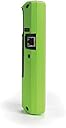
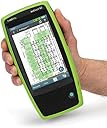
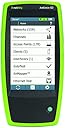
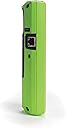
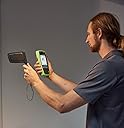
📡 Master your Wi-Fi domain with AirCheck G2 — because flawless connectivity waits for no one!
The AirCheck G2 is a professional-grade handheld Wi-Fi tester designed for fast, accurate network validation and troubleshooting. Featuring a one-button AutoTest, support for the latest Wi-Fi standards including 802.11ax, and a vibrant 5" touchscreen, it delivers instant insights on network health, interference, and security. Integrated with Link-Live Cloud, it streamlines reporting and team collaboration, making it an essential tool for network pros who demand speed, precision, and reliability in every site survey.


| ASIN | B01MPZFKAV |
| Batteries | 1 Lithium Ion batteries required. (included) |
| Batteries Required? | Yes |
| Batteries included? | Yes |
| Battery Cell Type | Lithium Ion |
| Colour | Black, Green |
| Customer Reviews | 5.0 5.0 out of 5 stars (3) |
| Date First Available | 24 May 2016 |
| Display style | 5" Color LCD with Touchscreen |
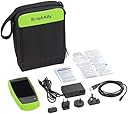
| Included components | AirCheck G2 WLAN Wireless Tester; Power charger with 4 international adapters; Soft carrying case; USB cable to connect to a PC |
| Item Package Quantity | 1 |
| Item Weight | 510 g |
| Item model number | AIRCHECK-G2 |
| Manufacturer | NetAlly |
| Measurement Accuracy | 100 |
| Measurement System | US |
| Part number | AIRCHECK-G2 |
| Power source type | Handheld |
| Product Dimensions | 14.22 x 26.16 x 30.99 cm; 510 g |
| Size | AIRCHECK-G2 |
| Specification met | CE, FCC, RoHS, UL |
| Style | AIRCHECK-G2 |
D**R
If you're even thinking of spending this much on a wifi tester, you're either a pro, or (like me) just mighty pissed off at some wifi coverage/interference/performance issues you can't quite solve no matter what you try. There are those phone apps that give you a channel view, they call themselves "wifi analyzers" but they really don't tell the whole story -- they just show the signal strength & channel usage of access points in view. They don't show actual traffic utilization, sources of interference, or background noise. This tool not only shows all that, it's got a super clean, usable touchscreen interface that shows at a glance exactly what's going on, organized by channel, by access point, or by network. Spend five minutes with it and you'll get a bunch of insights that would have taken you hours with other techniques, or maybe never been clear. After playing around with just a little while I had several immediately actionable observations for my setup (in terms of channel/band usage, placement, etc).
Trustpilot
2 weeks ago
1 month ago