Desertcart purchases this item on your behalf and handles shipping, customs, and support to Iceland.
๐ Elevate your enterprise memory game โ because your workstation deserves the best!
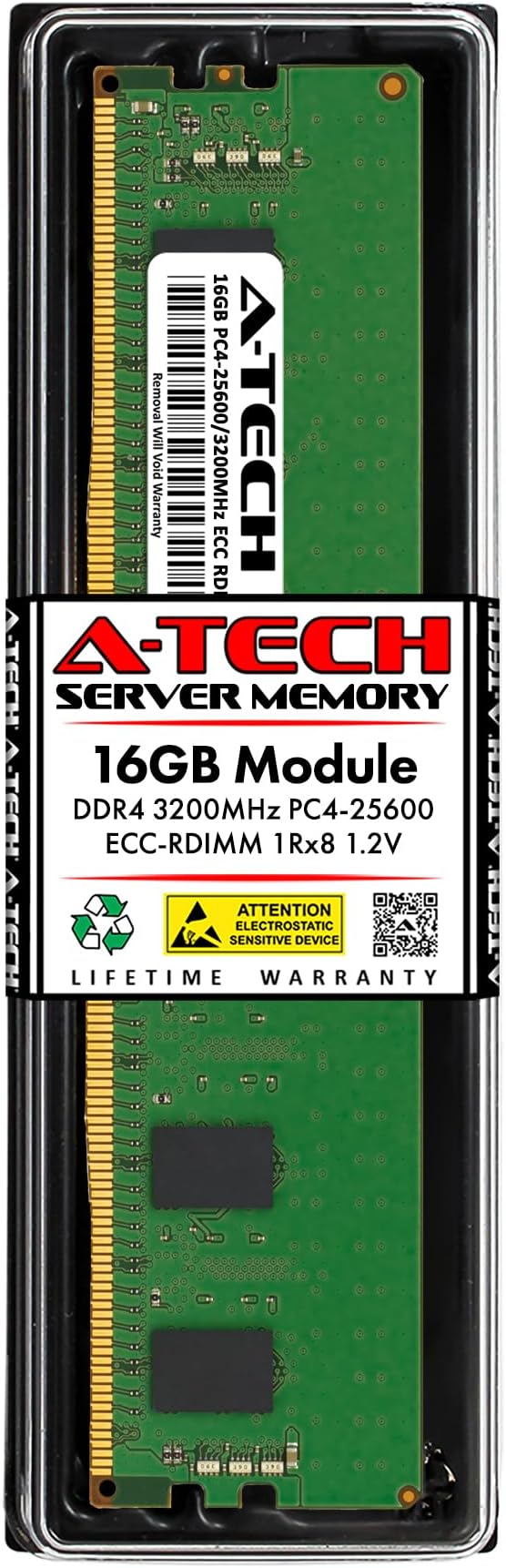
The A-Tech 16GB DDR4 3200MHz PC4-25600 ECC Registered RDIMM is a high-performance memory upgrade module tailored exclusively for select servers and workstations. Featuring error-correcting code (ECC) technology and a single rank 288-pin design, it delivers reliable, fast, and stable memory performance at 1.2V. Perfect for professionals demanding enhanced system capacity and reduced bottlenecks, this module is backed by a limited lifetime warranty and expert support.


| ASIN | B0DYL2Q33H |
| Additional Features | Ecc, Registered Memory |
| Best Sellers Rank | #93 in Computer Memory |
| Brand | A-Tech |
| Column Address Strobe Latency | CL22 |
| Compatible Devices | Server, Workstation |
| Computer Memory Size | 16 GB |
| Customer Reviews | 5.0 out of 5 stars 2 Reviews |
| Data Transfer Rate | 25600 megabytes_per_second |
| Form Factor | RDIMM |
| Manufacturer | A-Tech |
| Memory Form Factor | RDIMM |
| Memory Generation | DDR4 |
| Memory Speed | 3200 MHz |
| Mfr Part Number | AT16G1D4D3200RS8N12V |
| Model Name | Enterprise Series |
| Model Number | AT16G1D4D3200RS8N12V |
| Number of Items | 1 |
| Number of Packs | 1 |
| Number of Pins | 288 |
| RAM Memory Technology | DDR4 |
| RAM Size | 16 GB |
| Special Feature | Ecc, Registered Memory |
| Unit Count | 1 Count |
| Voltage | 1.2 volts |
| Warranty Description | Limited Lifetime Warranty covering defects in materials and workmanship |
N**7
Works as expected
Initial review after 1 hour. Will update if anything changes. Bought A-Tech kit containing two 16GB 3200MHz ECC modules for Dell Precision 5820 workstation with Xeon W-2223 cpu. Existing ECC memory are two 8GB modules supplied by Dell: each 8GB module is a Micron part rated at 3200MHz but the 5820 runs them at 2666MHz system memory. The manual does not document mixing 8GB with 16GB modules but I wanted 48GB total. I kept the two 8GB in DIMM1 and DIMM2, and finally added the two 16GB in DIMM3 and DIMM4. The motherboard has the physical slots out of order with the DIMMx numbering so pay attention (initially I put the 16GB modules in DIMM5 and DIMM6 but my test application ran ~20% slower than final DIMM3 and DIMM4 locations). Make sure the side cover is back in place before booting the Dell 5820. The BIOS picked up the memory had changed and then booted into my OS. All good - Ubuntu 22.04 OS shows 48GB RAM available. Good product.
Trustpilot
2 months ago
2 months ago