Buy anything from 5,000+ international stores. One checkout price. No surprise fees. Join 2M+ shoppers on Desertcart.
Desertcart purchases this item on your behalf and handles shipping, customs, and support to Iceland.
🔌 Connect Like a Pro, Display Like a Boss
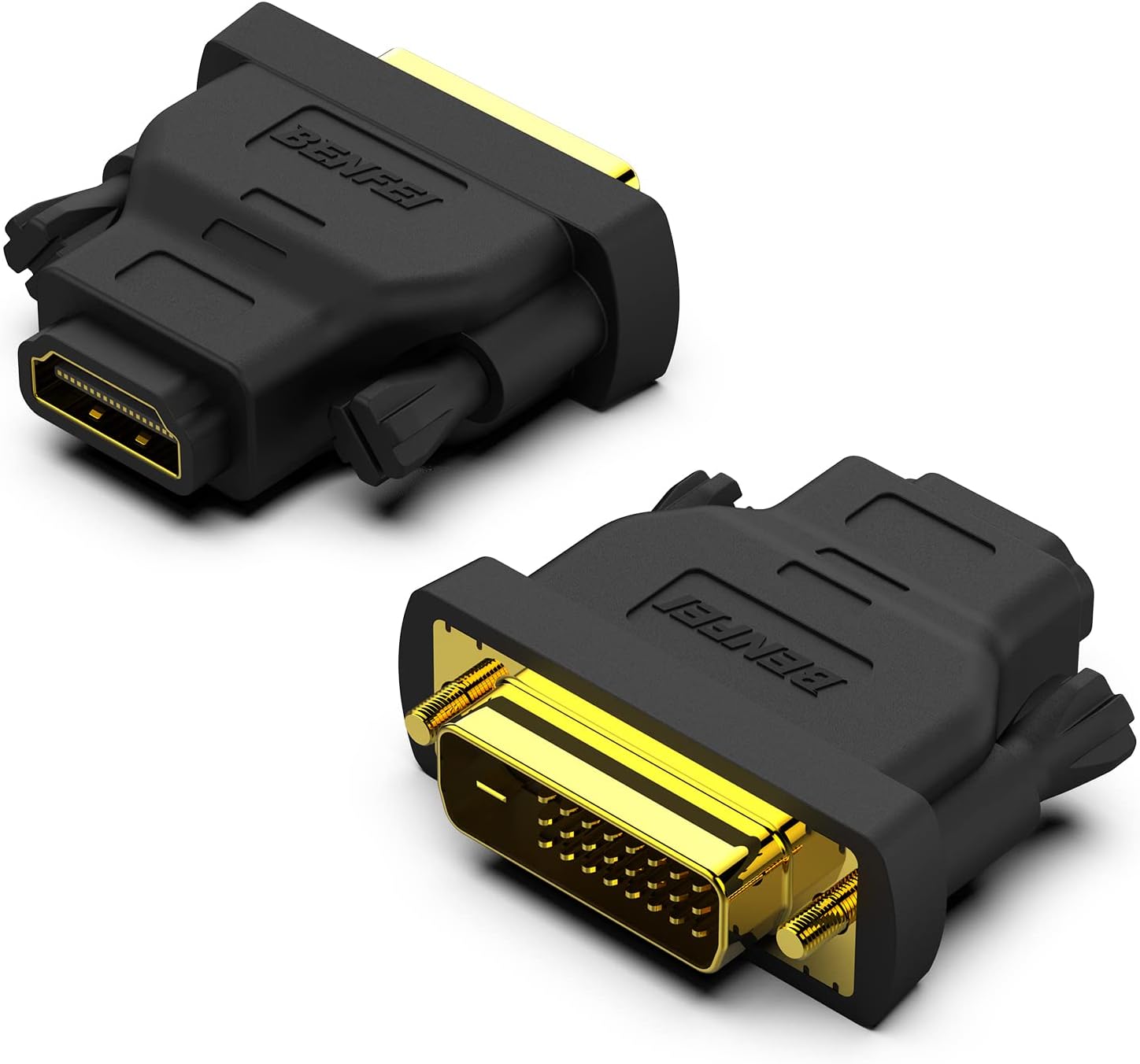
The BENFEI DVI to HDMI Adapter 2-pack offers versatile, bidirectional connectivity between DVI and HDMI devices, supporting crisp Full HD resolutions up to 1920x1200. Featuring gold-plated connectors for enhanced durability and corrosion resistance, these adapters provide secure, stable connections with grip treads and hand-tightened screws. Ideal for professionals needing reliable, high-quality video connections across monitors, projectors, and media players—whether at the office or on the move.


| ASIN | B07CXY79KR |
| Best Sellers Rank | 3,370 in Computers & Accessories ( See Top 100 in Computers & Accessories ) 5 in DVI to HDMI Adapters |
| Brand | BENFEI |
| Brand Name | BENFEI |
| Colour | Black |
| Compatible Devices | Monitor, Projector, Television |
| Compatible devices | Monitor, Projector, Television |
| Connector Type | DVI, HDMI |
| Connector type | DVI , HDMI |
| Country of Origin | China |
| Current Rating | 1 Amps |
| Customer Reviews | 4.6 out of 5 stars 13,512 Reviews |
| Item Dimensions | 10 x 10 x 10 millimetres |
| Item Weight | 0.06 Pounds |
| Item dimensions L x W x H | 10 x 10 x 10 millimetres |
| Manufacturer | BENFEI |
| Manufacturer Part Number | 000184black |
| Model Number | 000184black |
| Number of Items | 1 |
| Number of Ports | 4 |
| Package Quantity | 1 |
| Power Plug Type | No Plug |
| Product Finish Type | Matte |
| Smart Home Compatibility | Not Smart Home Compatible |
| Specific Uses For Product | Computer, monitor, projector, Blu-ray player, TV box, game console |
| Specific uses for product | Computer, monitor, projector, Blu-ray player, TV box, game console |
| UPC | 606682478993 |
| Unit Count | 2.0 count |
| Warranty Type | Limited |
C**G
Excellent DVI - HDMI / HDMI to DVI
Ordered these as I needed a way to convert HDMI to DVI for my new computer PC setup. I currently own a Lindy DVI Switch box with remote, which also has audio feeds for each switch output / input configuration. [i.e one DVI Output with Stereo Jack, and 4 x DVI Input with Stereo jack for each.] My old PC had a DVI on its main board but this new PC does not, the highest output video signal on the new PC was HDMI and whilst my new monitor supports all three video connections (DVI, VGA and HMDI) I found as soon as I plugged my new PC to my monitor using HDMI, it took over on signal input and then made changing over to my input sources on the other devices with only DVI more hassle as I then had to start messing about with input on the monitor to try and get that back to picking up a signal for DVI - The older devices here are a Power Mac G5 and older Mac Mini. The solution here was to use an adapter to get my all back on DVI and using the switch, so it makes it easier to change over. These HDMI/DVI adapters are a great buy, very good quality, solid feel and great connection, so I have no problem with anything to do with these, they are highly recommended and well worth the money as you get two for the price. However for what I needed it for I then hit a snag, the adapters protrude at the DVI end where the thumbscrew wheels are to allow a secure connection. Due to the close proximity of the audio connection for each switch input/output on the Lindy box, it is impossible to plug the adapter and audio jack into the switch, this is because Lindy have got the DVI/Jack/DVI/Jack so close together that any wide based DVI plug will obstruct both from items being plugged into together, so I had to use a hacksaw and take off a tiny bit of the plastic off on the DVI adapter so I could plug both into the Lindy Switch. So if you have Lindy DVI switch, these DVI-HDMI adapters work perfectly but you may need to file off a small piece on the DVI adapter to get them to both fit in the switch together! All in all I can't fault these adapters and they work perfectly, so highly recommended. hence the 5 stars on all.
P**U
Good product and works.
"It does what it says on the tin" good product, sturdy, no issues with it.
M**8
Not for wireless HDMI adapters
Good quality bi-directional adapters. I primarily got these to connect my desktop, which outputs both Display Port and HDMI, whilst my monitor only has DVI-D and Display Port. What I wanted to do is connect up via wireless HDMI adapters. Now, connecting from HDMI from the desktop to the monitor via the DVI-D adapter works great. Flawless with no frame issues. The issue I found is that the very same doesn't work with wireles HDMI adapters. I even tried with another brand and still no signal. Strangely though, the monitor does detect something as when it's unplugged, the monitor would react and go into standby, but when plugged in, it would try and refresh, but no signal. Given this is a 2-pack, I tried the other and still the same result, and the same result when connected to another monitor. Conclusion, this works great when it's cabled HDMI end to end, but fails with an adapter. Must be something in the pin configuration in this particular build that is missing. Also, you can only tighten one of the grub screws, not both, must be a sizing issue.
M**R
Works fine
Two things to tbe aware of: 1. DVI stands for Digital Video Interface; it was intended to replace analogue VGA. Unlike HDMI, neither VGA nor DVI carries audio. IIRC, HDMI stands for High Definition Multi-media Interface and carries both video and stereo audio. 2. DVI is an older standard than HDMI so attempts to convert DVI output to HDMI may not work with some combinations of equipment, regardless of adaptor. I have two laptops with VGA & HDMI outputs and two high resolution monitors with VGA & HDMI inputs. Stiff VGA cables tend to dislodge VGA plug from the laptop as neither laptop has threads for retaining screws (but both monitors do, for both DVI and VGA). HDMI is the obvious output choice. These pair of adaptors solve my problem. The newer of my two Toshiba/Dynabook laptops has a full HD screen (1920 x 1080) but only it’s 13”. For some tasks I need a bigger screen and to be able to extend the laptop’s display onto a 22” monitor. The older laptop is retired out I tried it out of curiosity. These adaptors work well in both monitors. This particular model has the advantage of having retaining screws with cross-heads, so a Philips screwdriver can be used – so much easier in a confined space. On the other hand, it’s a little larger than some rival products, which might be problem where connectors are tightly packed. A word of warning: on both monitors, there’s only just enough vertical space for an adaptor with an HDMI cable plugged into it. The first HDMI cable (a fancy new one with braided cover) didn’t work and when I pulled it out of the adaptor, its plug came to pieces - no wonder it didn’t work! The no-frills one that I tried next (robbed from the BlueRay player) is, I think, an Amazon Basic 0.8 metre, it fits better and works fine.
D**.
Good product, my goof.
Received item quicker than expected. Well package and in good condition. Very good price for the 2 items. Unfortunately I had ordered the wrong connection type and so had to return item, which was also a quick and easy process. My apologies to the sender, but well done on their service and I would happily recommend them.
P**Q
Work brilliantly in many configurations - see list.
They work brilliantly. I tested them in various combinations. The following worked for me: 1. PC-DVID / adapter / HDMI cable / adapter / monitor-DVID 2. PC-HDMI / HDMI cable / adapter / monitor-DVID 3. PC-DVID / adapter / HDMI cable / TV-HDMI 4. PC-DVID / adapter / HDMI cable / HDMI 2-way bi-directional switch / TV-HDMI (with the switch either way round) 5. tablet-micro-HDMI / HDMI cable / adapter / monitor-DVID The only thing I tried that did not work was usng an HDMI-to-VGA adapter. I suspect the HDMI connection supplies power for the H-V adapter and it is not passed through these adapters. 6. PC-DVID / adapter / HDMI cable / HDMI-VGA / monitor-VGA (FAILED)
E**A
If the items are compatible the adapter works well
The adapter enables a computer with HDMI video output to connect to a monitor with DVI input. Since the earlier DVI connection is an older route for connecting the computer and video, its ability to preform the input conversion doesn`t always work. This may be because of an HDMI cable or adapter/socket incompatability (or other things too technical for me to understand!). I tried mine on two different monitors - 1 worked, the other didn`t. The one that did produced a good picture. However at the price they are sold for, not working is a frustration, but a small financial loss.
J**I
good product
i've been using it for couple of months and still standing. fast dispatch. good quality. works fine with the windows operating system
M**N
Great little DVI to HDMI adapter
Initially i was hesitant to order this adapter but when it arrived i was pleased with my purchase. The material used to built the unit is great and it was very easy to install. The long screw inserts easily adapted the monitor casing and securely stays in its place. The picture is great and no issues even used directly or with a USB hub with HDMI connectors.
H**S
Bon adaptateur
Pour modifier un raccordement de câbles
T**S
Sehr zuverlässige DVI-auf-HDMI-Adapter!
Sehr zuverlässige DVI-auf-HDMI-Adapter! Funktionieren in beide Richtungen und liefern ein sauberes 1080p-Bild ohne Störungen. Die vergoldeten Stecker sitzen fest und wirken hochwertig verarbeitet. Ideal für ältere Monitore, PCs oder Grafikkarten. Zwei Stück im Set – top Preis-Leistung. Klare Empfehlung!
B**R
ok
ok
A**R
Funciona correctamente.
El producto funciona sin inconvenientes. Lo he utilizado en 1920x1080.
Trustpilot
4 days ago
2 weeks ago