
DOWNLOAD THE APP


Customer Services
Copyright © 2025 Desertcart Holdings Limited
DOWNLOAD THE APP
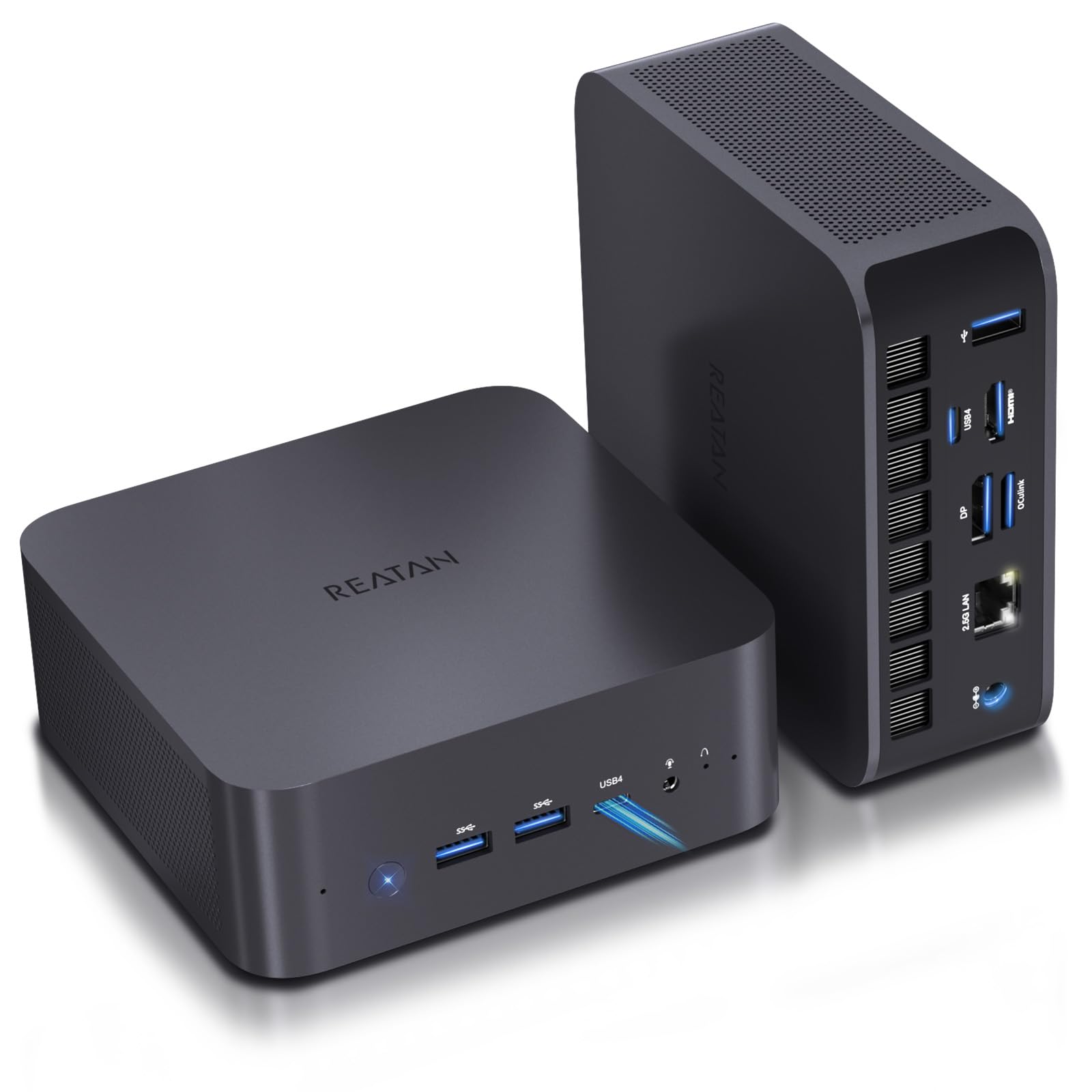
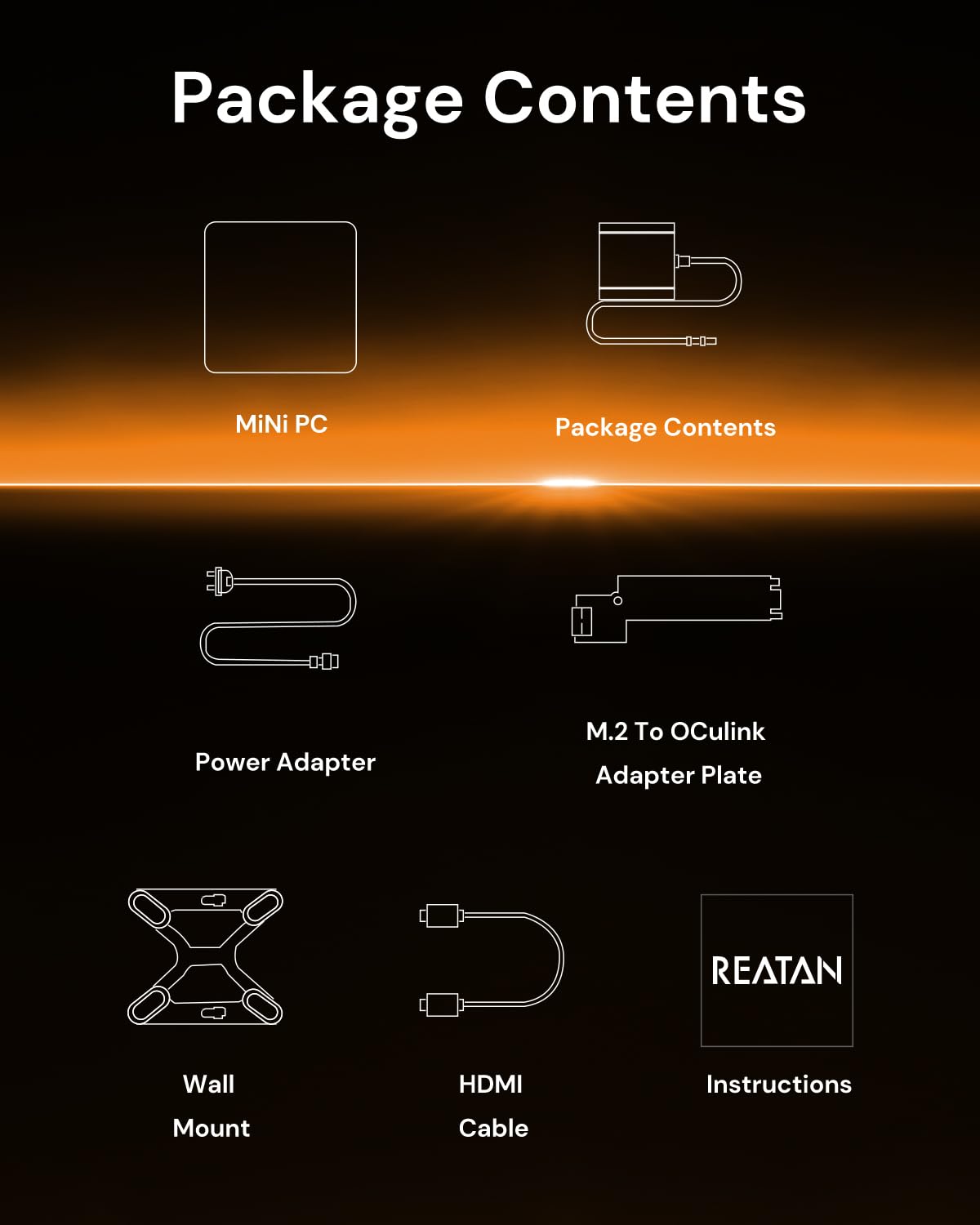
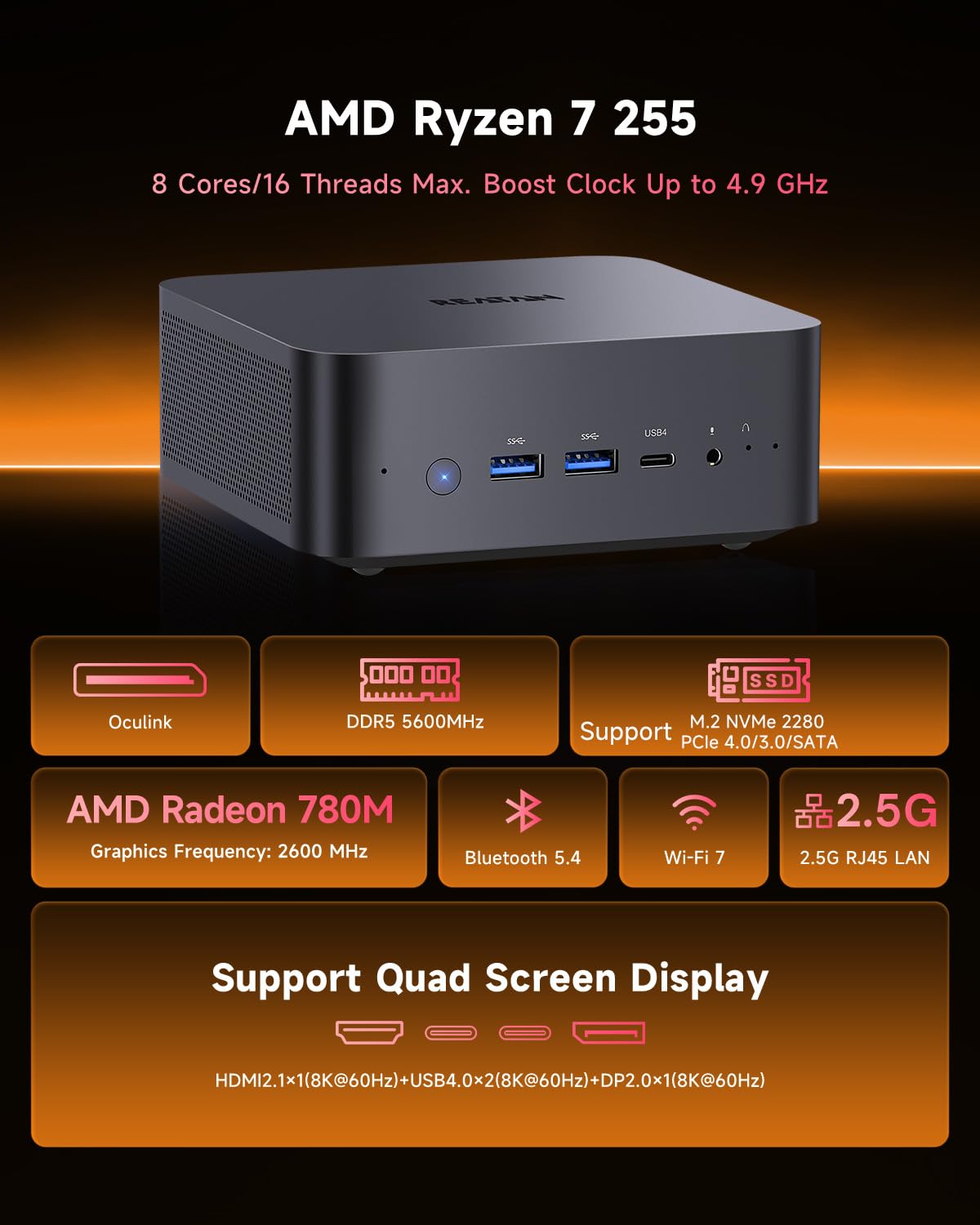
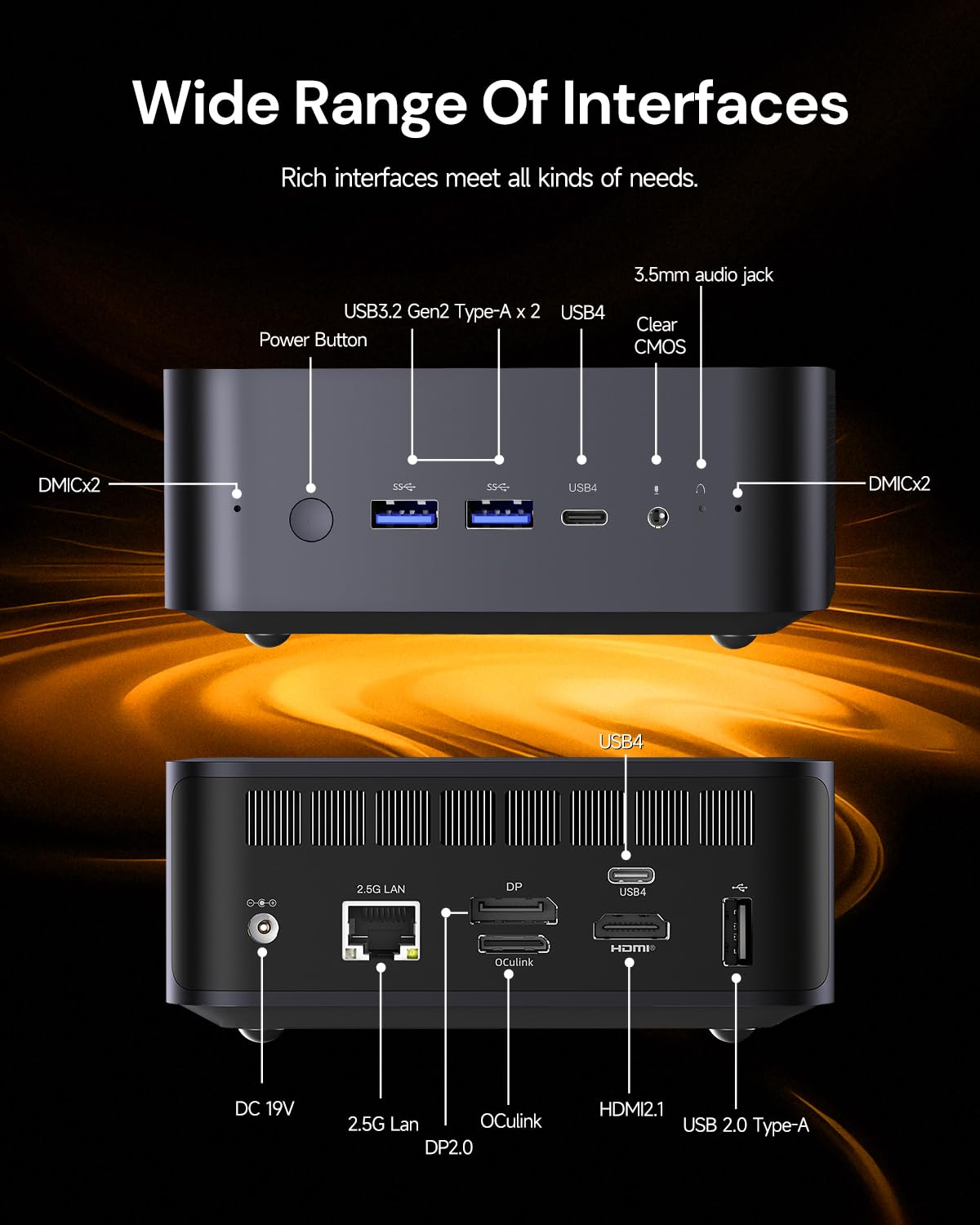
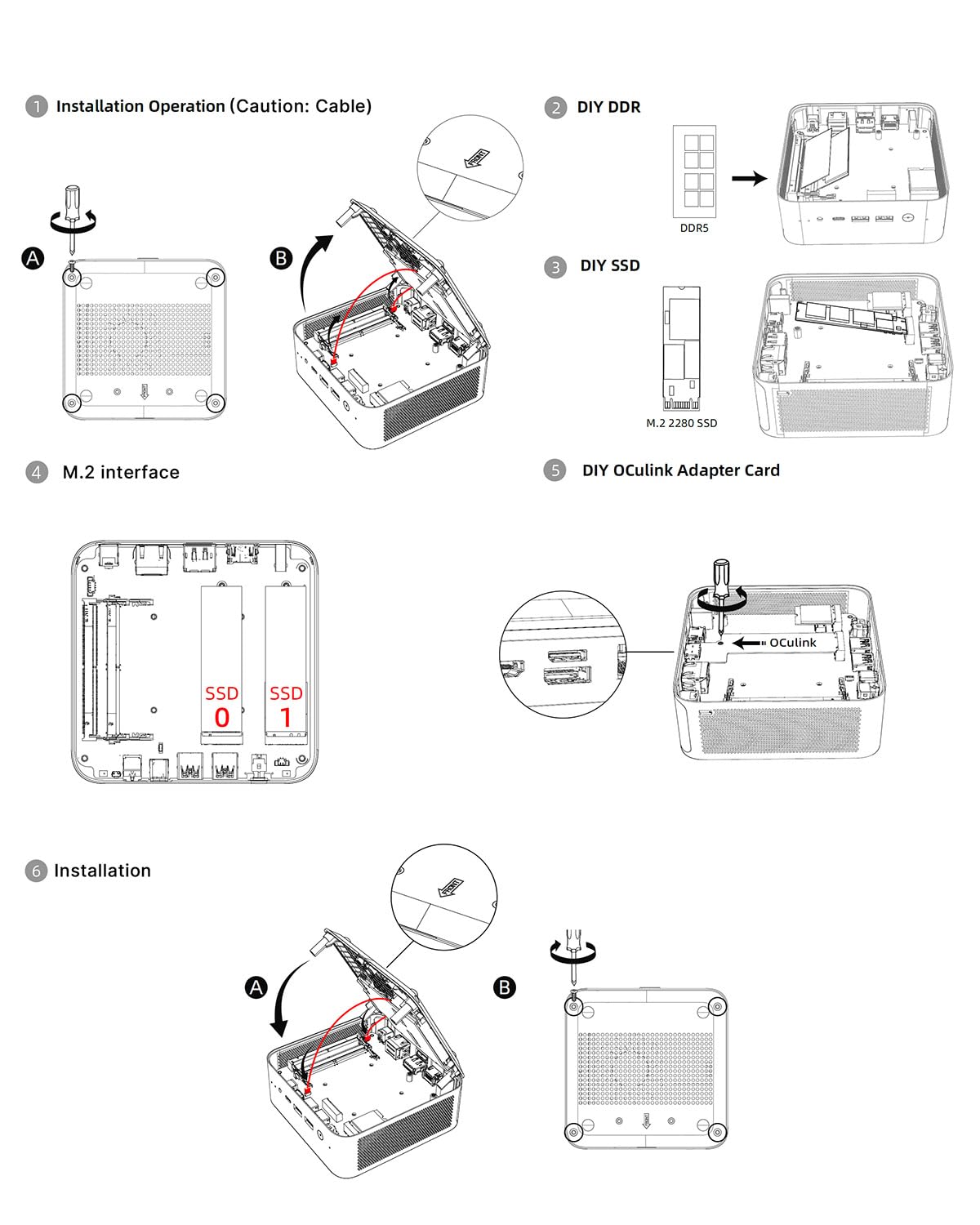
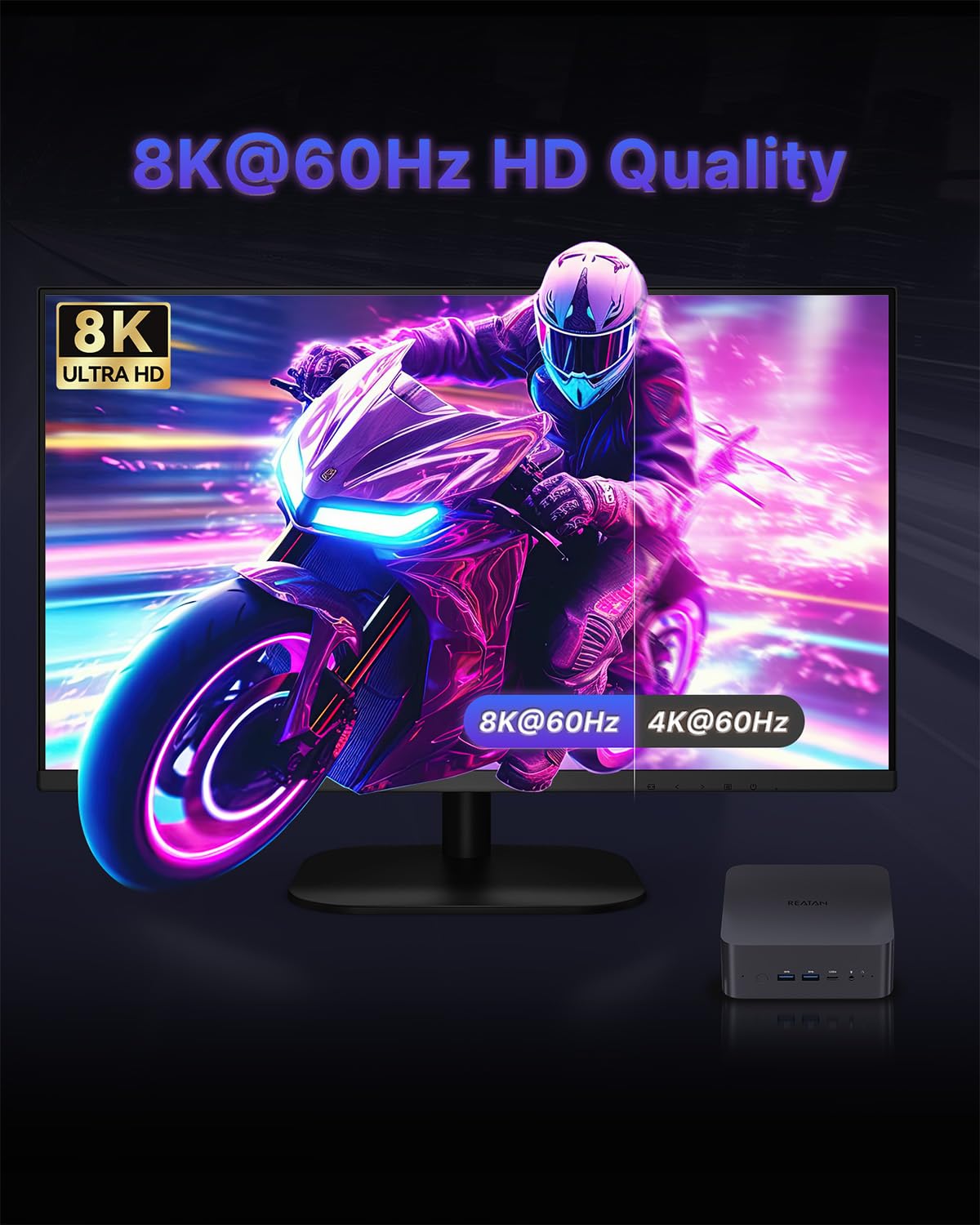
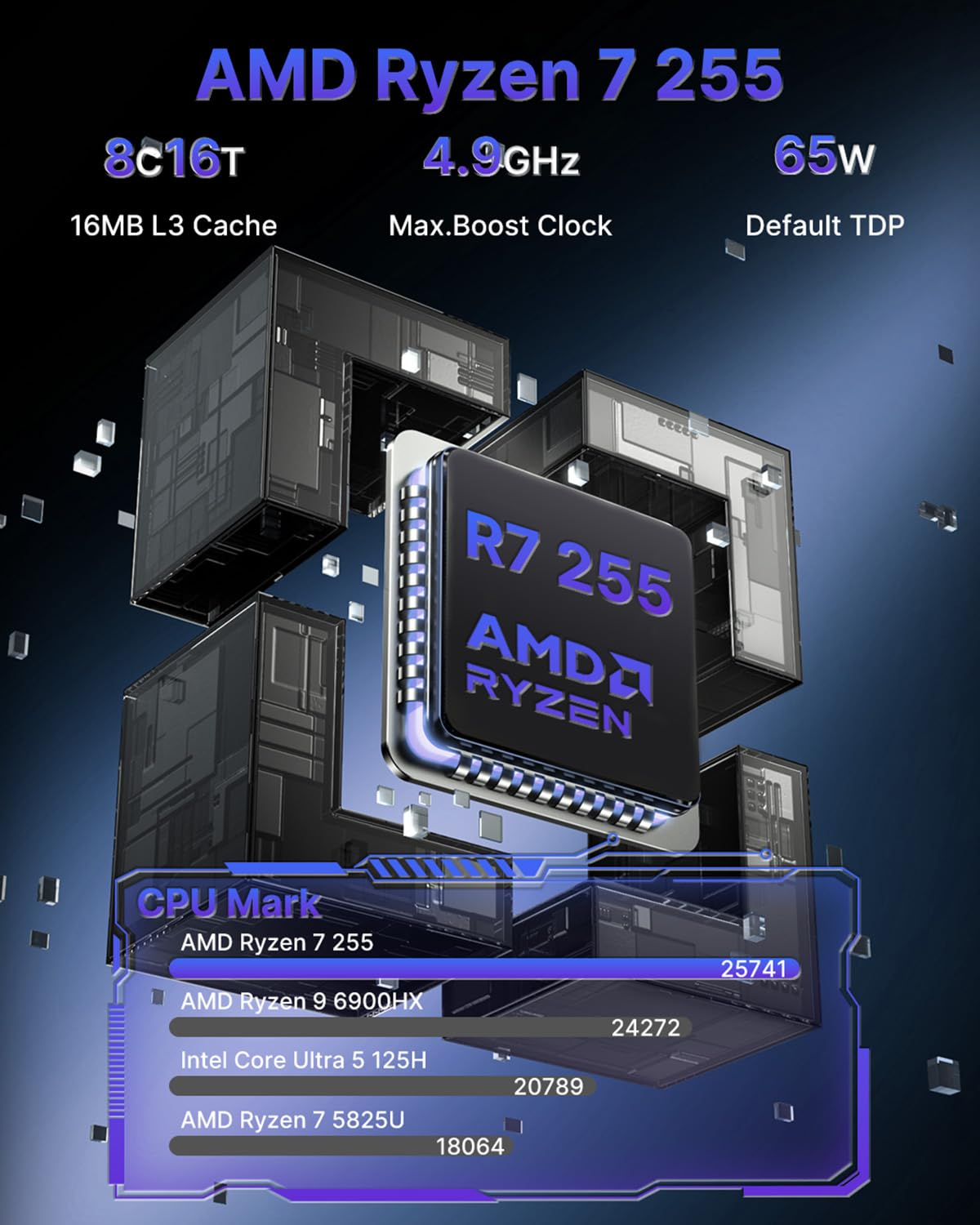
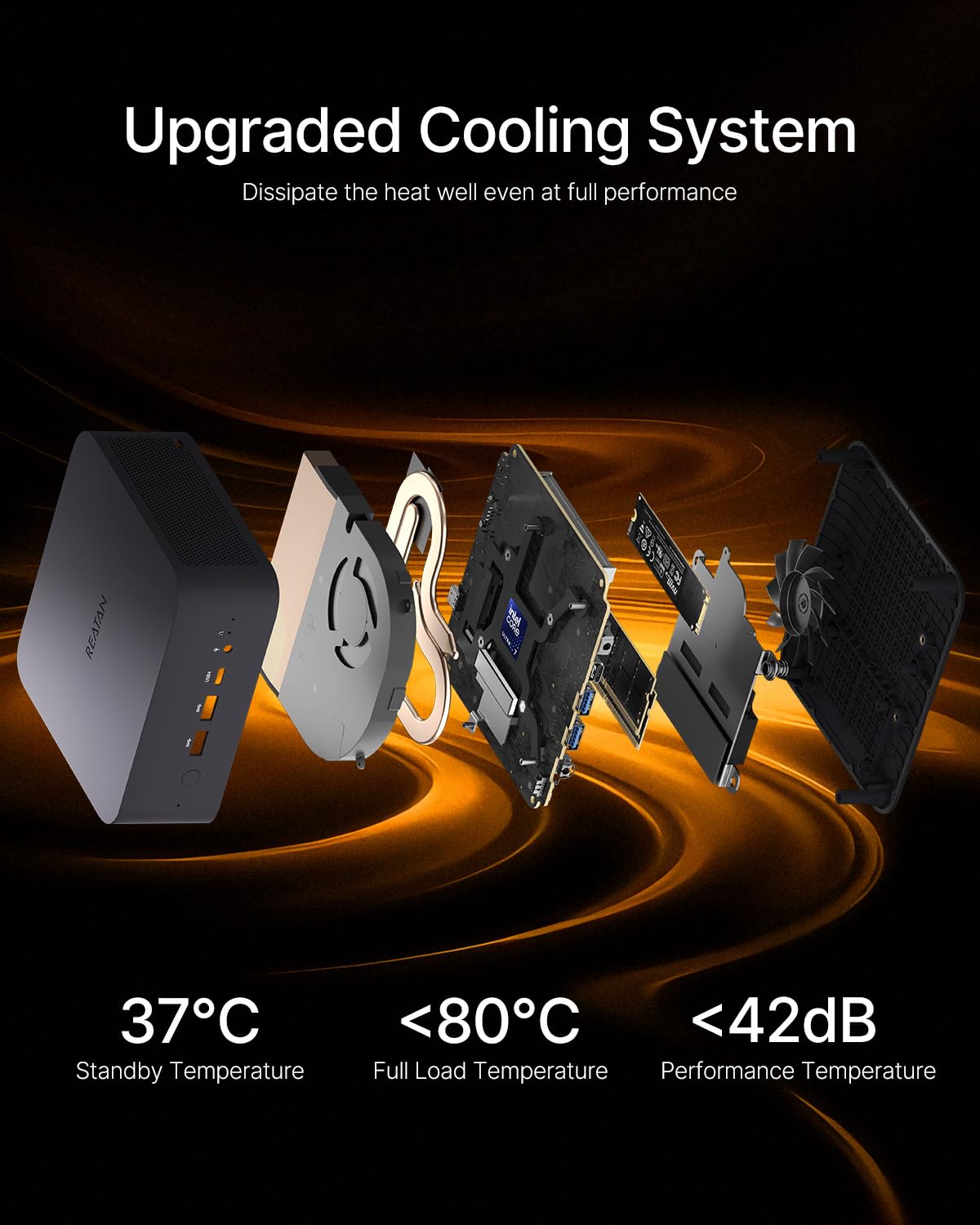
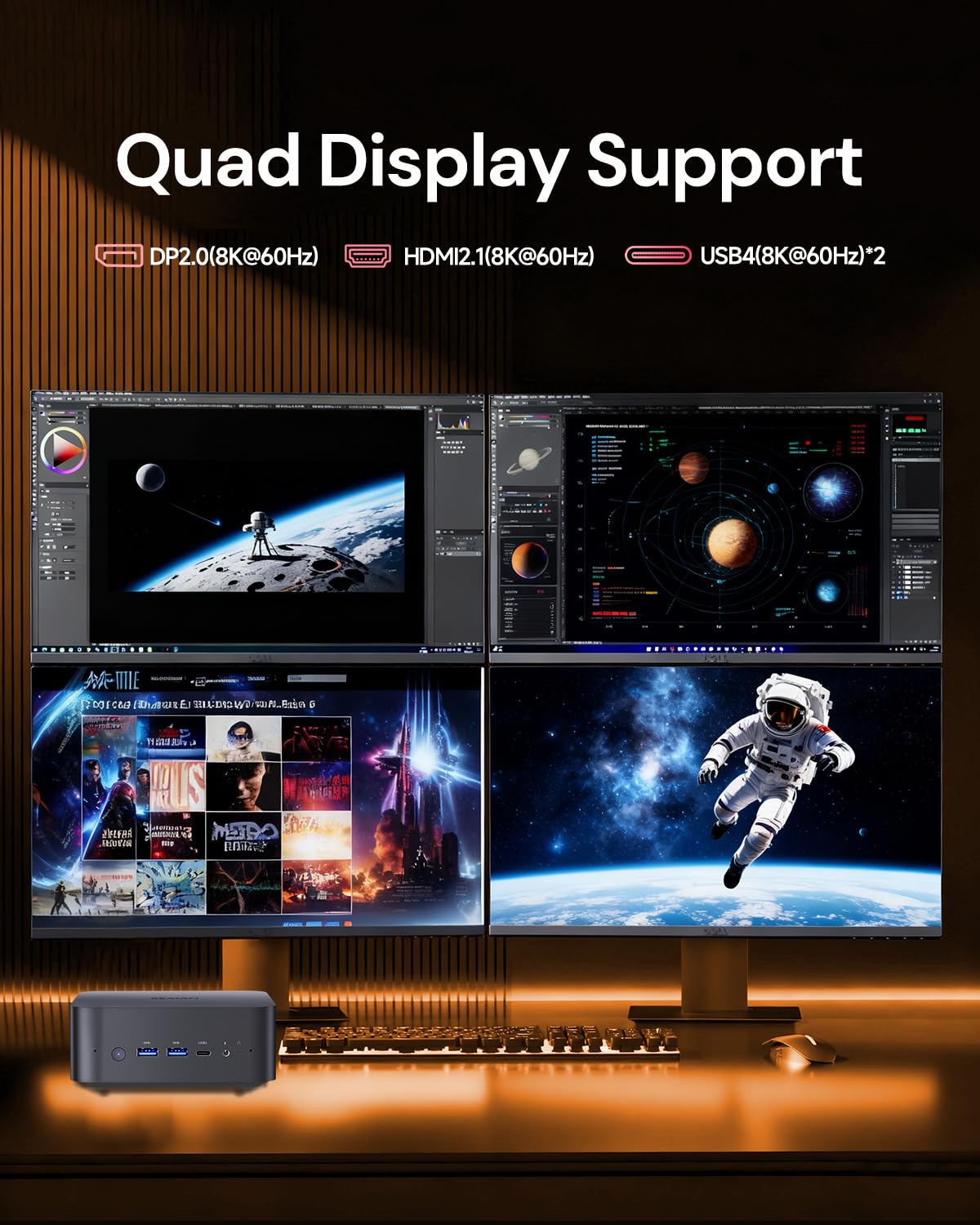
🚀 Compact Powerhouse: Game, Create & Connect in 8K Brilliance
The Reatan X7 AI Oculink Gaming Mini PC is a barebone powerhouse featuring the latest AMD Ryzen 7 255 CPU with Zen 4 architecture, integrated Radeon 780M RDNA 3 graphics, and cutting-edge Wi-Fi 7 connectivity. Designed for professionals and gamers alike, it supports up to 96GB DDR5 RAM and 4TB SSD storage, offers quad 8K display outputs via HDMI 2.1 and USB4, and includes advanced cooling with customizable performance modes. Its compact all-metal chassis blends durability with style, making it perfect for multitasking, content creation, and immersive gaming in a sleek footprint.


| ASIN | B0G2BGVKSL |
| Best Sellers Rank | #14,753 in Computers & Accessories ( See Top 100 in Computers & Accessories ) #534 in Mini Computers |
| Brand | Reatan |
| Card Description | Integrated |
| Chipset Brand | AMD |
| Computer Memory Type | DDR5 RAM |
| Customer Reviews | 4.4 4.4 out of 5 stars (142) |
| Date First Available | November 14, 2025 |
| Flash Memory Size | 8 GB |
| Graphics Coprocessor | AMD Radeon 780M |
| Hard Drive | SSD |
| Hard Drive Interface | PCIE x 4 |
| Hardware Platform | PC |
| Item Weight | 2.79 pounds |
| Item model number | Alloy-X |
| Max Screen Resolution | 7680 x 4320 Pixels |
| Memory Speed | 5600 MHz |
| Number of Processors | 1 |
| Number of USB 2.0 Ports | 1 |
| Number of USB 3.0 Ports | 2 |
| Operating System | OS 11 pro |
| Package Dimensions | 7.2 x 6.22 x 4.49 inches |
| Processor | 4.9 GHz ryzen_7 |
| Processor Brand | AMD |
| Screen Resolution | 8K |
| Series | Alloy-X |
A**E
Excellent machine for Office Productivity and Linux Gaming
Purchased in April 2024. Dual booting Windows 11 for work and Bazzite Linux for personal usage and gaming. Powers dual monitors easily. Windows 11 runs very well with MS Office 365 Desktop (Outlook, Word, Teams, and Excel) all running at the same time, and Zoom Meetings, SumatraPDF viewer with 7-10 PDFs open, and multiple Edge windows with 20-30 tabs. Let me tell you this computer is fast, and handles everything I just mentioned with ease and all of my applications are snappy. Also dual booting Bazzite Linux, and have tested Ghost of Tsushima, Cyberpunk, Still Wakes the Deep, Trepang 2 and a few others, all which run very well ~40-60fps at 1080p. While it is not a $2000 gaming machine and I wouldn't expect it to be, it is a nifty little box that games surprisingly well. I guestimate it would get several hundred fps in games like CS, LoL, Apex, OW. Observations: Build quality is excellent. 10/10 Wi-Fi connectivity was not great, but there are also two concrete walls between the MiniPC and the router. Probably not the fault of the actual module, and ended up running a Cat6. I re-installed Windows from day one (after copying the Windows key) and did not run an anti-virus scan on the default install. IMHO, you should not trust any OEM manufacture's default Windows installation... not HP, Dell, Toshiba, Asus, nor any Chinese brand. Drivers were available from the Reatan website. My Alloy 9 is whisper quiet on the default power mode. The chassis does get hot to the touch, but has not noticeably thermal throttled even during summer months with 90F ambient temp. The UEFI GUI is difficult to navigate and find settings. I would much prefer an ugly ol' traditional BIOS menu.
W**A
Skeptic Turned Believer: Alloy 9 Mini PC
The Alloy 9 Mini Gaming PC is a powerhouse packed into a compact form factor. This little machine has exceeded all expectations, effortlessly handling my demanding workload of crypto node hosting and web development. I've been incredibly impressed by the system's performance. Running multiple crypto nodes simultaneously is a breeze, and the PC remains cool and quiet. Web development tasks, from coding to compiling, are lightning-fast. Even when juggling multiple projects, I haven't experienced any slowdowns or performance bottlenecks. Beyond professional use, the Alloy 9 is a pleasure for casual gaming and web browsing. Games run smoothly, and the system feels incredibly responsive. The compact design is a major plus. It fits perfectly on my desk without taking up much space. The included connectivity options, including 2.5Gbps LAN and USB 4.0, are more than adequate for my needs. Overall, the Alloy 9 is a dream machine that delivers exceptional performance in a sleek and compact package. It's perfect for anyone seeking a powerful and versatile mini PC.
R**T
Good Mini PC, With the Usual Caveats
As many buyers have already pointed out, this mini PC offers impressive performance for its size. Overall, it’s a solid machine. In this review, I’ll focus mainly on the issues and the steps I took to mitigate them. 1. Heat Management This mini PC runs quite hot—which is expected with high-performance hardware in such a small enclosure. I applied several changes to improve thermals: Improved airflow I removed the bottom lid to allow more air to circulate through the chassis. Added an external cooling fan I placed an AC Infinity MULTIFAN S1, Quiet 80mm USB Fan underneath the unit. This slightly elevates the PC and provides a steady flow of cool air from below. Even at its lowest speed, the fan stays quiet during gaming or compute-heavy workloads and makes a noticeable difference in temperatures. Disabled CPU Turbo Boost In the BIOS, I disabled turbo boost under CPU configuration. This limits the CPU to a maximum of 3.8 GHz instead of boosting up to 4.8 GHz. You might assume this reduces gaming performance, but it actually does the opposite. Technical reason: When turbo boost is active, the CPU can briefly draw a much higher power limit, which pushes the entire system toward thermal throttling. The APU (CPU + integrated GPU) shares a common power and thermal budget. By keeping the CPU at a lower, fixed clock, the system stays within its thermal envelope, leaving more power headroom for the integrated Radeon 780M GPU. This results in higher sustained GPU clocks, fewer thermal spikes, and more stable gaming performance overall. In this setup, the TDP holds steady at 45W. Balanced performance mode in BIOS I selected the Balanced performance preset in the BIOS, which helps prevent unnecessary boost behaviour while still keeping the system responsive and stable. 2. CPU Cooler Fan Coil Whine The CPU cooler fan’s coil whine was noticeably loud and irritating, and yes, it isn't the small fan at the bottom causing the coil whine. After some experimentation, I significantly reduced the noise. As shown in the photo, I applied a 4.5 cm × 4.5 cm piece of painter’s tape on a specific spot near the fan housing. This dampens the vibration that causes the coil whine, though it slightly restricts airflow from the top causing device to run slightly hotter than without the tape. I’m planning to replace it with a cleaner-looking solution, such as black electrical tape or vinyl, for better aesthetics.
F**S
Fully lived up to my expectations. I powerhouse!
G**N
With RAM prices skyrocketing, I decided to upgrade my work computer a little sooner than I normally would. I was previously using a laptop, but no longer need the portability so I decided a mini pc would do. I'd never heard of Reatan before, but after a bit of research, I decided to give it a try. So far after a couple of weeks I have had no issues and am happy with this purchase. The system is fast and quiet. I was able to clone my previous laptop's boot drive onto the mini pc's nvme drive. I had a slight issue with the system recognizing the boot drive, but other than that the migration to the mini pc has been smooth. No need to re-install programs, or redo settings, etc. The included nvme drive is the Crucial E100. The RAM is also Crucial - DDR5-5600 SODIMM CL46. Clearly, not the fastest components but still good enough.
K**I
Nutze den Mini PC als Herzstück meines mobilen Zeichentablets und habe mich für den ryzen9 wegen dessen enormen Rechenleistung entschieden. Meine Erwartungen an das Gerät wurden problemlos übertroffen. Erst bei anspruchsvollen Ansprüchen wie das rendern meiner Werke in 2d und 3d hört man den Lüfter atmen, aber auffällig heiß wurde der PC bei meinem Tests noch nicht. Der winzige Form Faktor macht es ideal als mobile PC Alternative zum Tablet oder Notebook, und die Performance überzeugt.
W**U
I am using the Reatan X7 AI for my local LLMs. Although I am using the Oculink with an external GPU, I share some basic benchmarks, Geekbench 6 and Geekbench AI results, with the internal Radeon 780M GPU running at the default system power settings. The mini PC is well built with metal construction on par with the other ones I used. The 120W PSU is the smallest I had, which makes me believe in using GaN technology. The Speccy result shows the 2TB NVMe SSD is by Crucial but I forgot to take photos of the RAM sticks. The internal 780M GPU is using RDNA 3.5 architecture and is fine for games as well. By having up to half of the installed memory allocated for the GPU, I can run some LLMs with larger parameters, although at much fewer tokens per second. The installation of the Oculink card is straightforward with a few M.2 screws are included. A VESA mounting kit is included but I have no use for it. I am surprised to find this mini PC comes with an internal mic array and speaker, which are great for AI voice chat. The 8 Core 16 Thread CPU handles all the tasks with ease. Overall, it is a well-built product. It runs quietly, and I didn't encounter any issues. The best of all, I got it on sale right before the RAM price increases. Highly recommended for learning local LLM and casual 1080P gaming.
M**K
Funktioniert sehr gut. Aber manchmal hängt er sich auf ohne ersichtlichen Grund.
Trustpilot
1 month ago
2 weeks ago