Buy anything from 5,000+ international stores. One checkout price. No surprise fees. Join 2M+ shoppers on Desertcart.
Desertcart purchases this item on your behalf and handles shipping, customs, and support to Iceland.
🔄 Switch Smarter, Work Faster – Stay Ahead of the Curve!
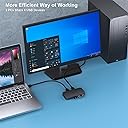
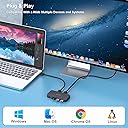
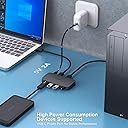
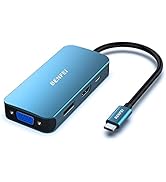
The BENFEI USB 3.0 Switcher enables seamless sharing of up to 4 USB devices between two computers with ultra-fast 5Gbps transfer speeds. Compatible with multiple operating systems and featuring a manual one-click switch with LED indicators, it’s designed for professionals who demand efficiency and reliability. Backed by an 18-month warranty, it’s the ultimate productivity upgrade for multitasking managers.


| ASIN | B0CHY8L11W |
| Amazon Bestseller | #2,966 in Computers ( See Top 100 in Computers ) #7 in KVM Switches |
| Brand Name | BENFEI |
| Color | Black |
| Compatible Devices | Headphones |
| Customer Reviews | 4.1 4.1 out of 5 stars (2,136) |
| Item Dimensions | 20 x 10 x 1.8 cm |
| Item Weight | 0.23 Kilograms |
| Model | 000354black |
| Part Number | 000354black |
| Unit Count | 1.00 Count |
| Warranty Description | 18 Month Warranty |
A**Y
自宅のPCと会社のノートPCを同じキーボードを使用する為に購入。狙い通りワンボタンで切り替えするのでお昼休みに自分のPCに切り替えたりするのに差し返す必要が無くなりとても良い。 本体は軽いためデスクに剥がせる両面テープで固定して使っています。
A**R
動作面特に問題なし 機器を固定するのにマグネットが付いてれば良かったかも
I**O
シンプルで使いやすい。 インプットが背面、アウトプットが前面にあるので、取り外しが頻繁な機器などは取り回しが良い。横とかにポートがあると机の上でコードが乱雑になるが、それが防げる。 選択しているインプットの青ランプが付くが、上面で光も弱めなので少し見ずらいのが私の環境では難点。
-**-
快適です。買って良かった。 切り替えは1秒くらい。 OSが認識する時間だから全然OK。
F**ん
仕事用、家庭用の2台のパソコンを同じマウス、キーボードで使うために購入。 以前は外形が大きいとものを使用してましたが、この商品はコンパクトでいい。 どちらのパソコンに繋がっでるか表示がついていてわかりやすい
P**E
2台のPCで、1つのキーボード、マウスを使うために購入。 切り替え時に微妙にタイムラグはあるものの、ボタン1つで切り替えできることや、本体も小さいので省スペースで使用できます。 キーボードとマウスくらいなら追加電源も必要無いので助かります。
A**ー
2台のパソコンで周辺機器を共有するために、このBENFEI USB 3.0 切替器を購入しましたが、想像以上に便利で、期待をはるかに超える製品でした。 まず、ボタン一つで簡単に切り替えができる点が本当に素晴らしいです。設定もワンタッチで完了し、ドライバのインストールも不要なプラグアンドプレイなので、すぐに使い始めることができました。職場のPCと個人のPCの間で自由に接続を切り替えられ、非常にスムーズです。 性能面でも申し分ありません。USB 3.0による最大5Gbpsの高速データ転送に対応しているため、Uディスクやモバイルハードディスクのデータ転送もストレスなく行えます。キーボード、マウス、プリンタ、スキャナ、USBカメラ、ヘッドホンなど、4つのUSBデバイスを2台のPC間で共有できるのは非常に助かります。Windows 7/10/8/8.1/7/Vista/XP、Mac OS、Linux、Chrome OSといった幅広いOSに対応している点も大きな魅力です。 接続は非常に安定しており、遅延や不具合もほとんどなく快適に使用できています。本体はコンパクトなサイズなので、デスク周りもすっきり保てます。シンプルながら作りもしっかりしており、安っぽさもありません。 さらに、1.5mのUSBケーブルが2本も付属しているため、別途購入する必要がなく、非常にコストパフォーマンスが高いと感じました。 デュアルPC環境をお持ちの方には、ぜひお勧めしたい製品です。作業効率が格段に上がります!また、18ヶ月保証が付いているため、長期間安心して使用できる点も評価できます。
け**ん
もうこれなしは考えられません。 キーボード、マウス、USBメモリなど手元で切り替えられて共有できる便利さって、使うほどにいいって思います。
M**K
Działa bez zarzutu z Logitech G502 Hero + Logitech G915 X. Jedyny wymóg to użycie dołączonych kabli USB 3.0. Jak wymieniłem jeden z kabli na deleyCON 0,5m USB 3.0 - Super Speed 5Gbit/s to były problemy z komunikacją.
L**S
Nice, exactly as described.
L**.
Ho acquistato questo switch perché volevo usare le stesse periferiche su entrambi i pc (un win e un mac entrambi fissi) senza dover scollegare e ricollegare ogni volta. Dopo qualche settimana di utilizzo, ecco le mie impressioni: 🔌 Setup semplice e immediato – collegare i due PC e le periferiche è stato facilissimo, plug & play e senza driver strani da installare. 💻 Commutazione rapida e comoda – basta premere un pulsante per passare da un computer all’altro, con tutti i dispositivi (tastiera, mouse, monitor, hard disk esterno) che vengono riconnessi correttamente e subito. 📈 Funziona bene con più periferiche – posso condividere 2 porte video più USB e tastiera/mouse tra due PC in modo molto efficiente, senza lag evidente o problemi strani. 🖥️ Risparmio di spazio e cavi – la scrivania è molto più ordinata e non devo più avere doppie periferiche, il che è comodissimo se si lavora con più macchine. 👌 Qualità costruttiva solida – il dispositivo è compatto, stabile e compatibile con Windows, Mac senza intoppi. ➡️ Consigliato se usi più PC con le stesse attrezzature e vuoi evitare di cambiare continuamente cavi o avere tastiere e mouse duplicati sulla scrivania. Un acquisto super funzionale per chi ha configurazioni con due computer ma vuole un setup pulito e facile da gestire.
B**K
Lightweight but strong, stable plastic build. I like that the cables are long enough and still perform well. Only complaint is that the button is recessed, rather than sticking out, so it takes some getting used to, especially if you mount it under your desk like I have. Using it primarily for my audio interface, USB eLicenser and mouse and keyboard for seamless switching between my Windows PC and MacBook. Transfer speeds are acceptable when connected to external drives. TAKE NOTE: This device doesn't send enough power for SSDs and portable HDDs to work. Those need to be directly connected to the computer - but self-powered external drives work well with relatively comparable speeds to direct connection. In all, good device, for what I paid for it, best deal out there
B**7
I bought a very similar USB switch about 4 years ago. Then that switch failed the last week of November 2025. It won't switch to the B (second computer), but everything on the first computer (A-Side) retained functionality. So I'm just reposting the picture I posted 4 years ago for the initial review. The layout and setup are the same except for the actual laptop. Originally a Dell Latitude, now it's an HP Probook - but the connections are the same. 80% of the time, the laptop is in use, while the desktop is mainly for personal stuff. I prefer this setup rather than getting the proper branded dock because the office upgrades laptops frequently, and different brands and models are provided. This is a simplistic and relatively inexpensive way to implement switching between two computers that share 4 USB peripherals. Yes, I know there are dedicated KVMs but this setup is good enough for me and is flexible enough to be able to accommodate any laptop changes or upgrades. This newer USB switch is slightly smaller than my previous switch. This also has supplemental power via USB-C while the old switcher had supplemental power provided by a micro-usb cable. In both cases, I do not need to use the 5V power since the mouse, keyboard, headset and webcam are all low-powered. Hub comes with all the necessary cables: 2 x USB A-A, 2 x USB A-C adapters, and a USB A-C power cable. I did not even need to use the new cables, it was a straightforward swap to my old set-up. My only complaint with this Benfei hub is the LED indicator. They are tiny, dim and very hard to see. Not a big deal for me but may be an issue for some people. For reference, my old switch had two x 2mm yellow LEDs; this new one has 2 blue LEDs about the size of a pin-head. Overall, this provides me with the functionality that I need without costing a lot compared to an actual branded dock and KVM.
Trustpilot
2 weeks ago
2 weeks ago