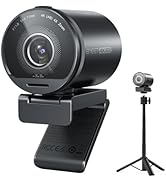
🚀 Elevate your video calls—because your presence deserves the spotlight!
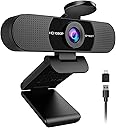
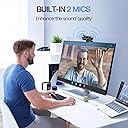
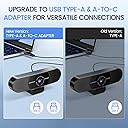
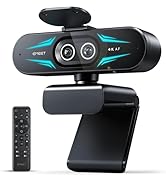
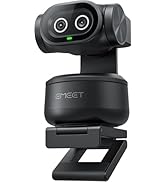
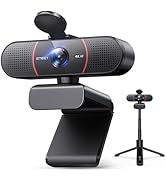
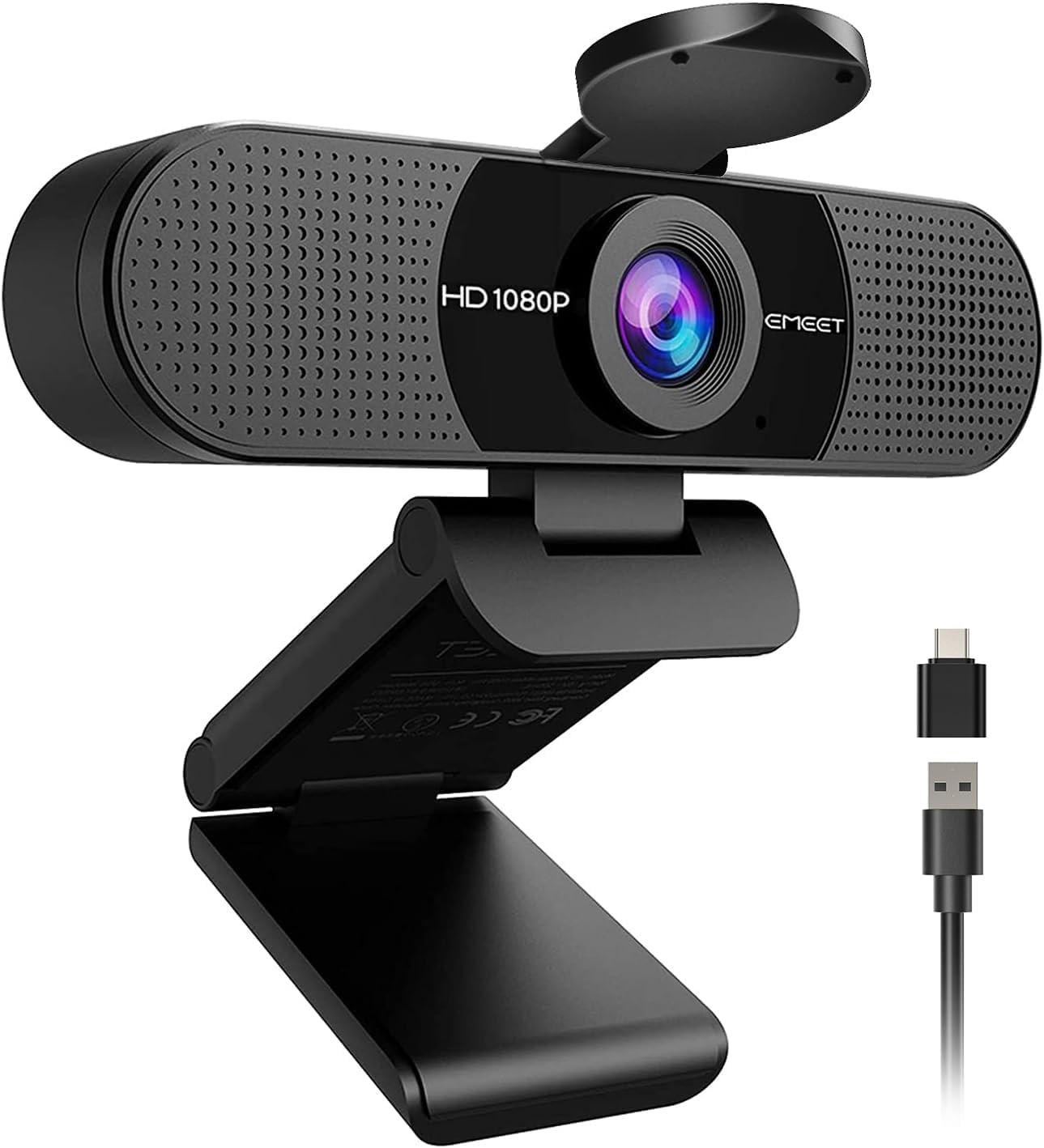
The EMEET C960 2025 Webcam delivers professional 1080P Full HD video with a 5-layer anti-glare lens and a fixed focal range from 11.8 to 118.4 inches. Equipped with dual omni-directional noise reduction microphones, it ensures crystal-clear audio by minimizing background noise. Its advanced low-light correction technology guarantees vibrant, well-exposed video even in challenging lighting conditions. The 90° wide-angle lens captures more participants effortlessly, while plug-and-play USB Type-A and USB-C compatibility make setup seamless. Compact and foldable, this webcam is optimized for home offices and professional streaming in 2025.


| ASIN | B0DSPJPRXD |
| OS1 | Android TV (V7.0 and above), Linux, We recommend using the mainstream operating systems instead of Chrome OS which may not be compatible with all versions and models., Windows (Win 10, 11,Tips: Incompatible with Windows Hello functions), macOS (10.14 and above) |
| おすすめ度 | 5つ星のうち4.4 1,915 レビュー |
| アスペクト比 | 16:9 |
| カラー | ブラック |
| サポートするオーディオ形式 | AAC, MP3, PCM |
| サポートする画像形式 | Mjpeg |
| ディスプレイ最大解像度 | FHD |
| バッテリー付属の有無 | いいえ |
| ビデオカメラの種類 | Webカメラ |
| ファイル形式 | AVI |
| フォトセンサー技術 | CMOS |
| フォームファクター | ウルトラコンパクト |
| フラッシュメモリタイプ | ご利用いただけません。お使いのPC/Macにお任せください |
| ブランド | EMEET |
| ブランド名 | EMEET |
| メーカー名 | Shenzhen eMeet technology Co.,Ltd. |
| レンズの最短焦点距離 | 500 ミリメートル |
| レンズの最長焦点距離 | 3000 ミリメートル |
| 互換デバイス | ノートパソコン、パソコン、Android TV。 |
| 内蔵メモリータイプ | ご利用いただけません。お使いのPC/Macにお任せください |
| 写真センサーテクノロジー | CMOS |
| 品目の寸法 (D x W x H) | 12.4奥行き x 6.7幅 x 5.2高さ cm |
| 商品の追加説明1 | USB。 |
| 商品の重量 | 0.16 キログラム |
| 型番 | C960 2025 Version |
| 対応オーディオ形式 | AAC, MP3, PCM |
| 手ブレ補正 | いいえ |
| 最大焦点距離 | 3000 ミリメートル |
| 有効動画解像度 | 1080 ピクセル |
| 画面サイズ | 3.8 インチ |
| 画面サイズの単位 | 3.8 インチ |
| 通信・接続インターフェース | USB |
| 静止画の有効解像度 | 1080 ピクセル |
M**R
This camera is awesome
bought this as a “just get something cheap that works” webcam… and it completely overdelivered. I’ve used it for Zoom calls, Teams meetings, and even a couple YouTube recordings — and every single time someone asks, “Wait, what camera are you using?” That’s when you know it’s good. The video quality is shockingly crisp for the price. It’s true 1080p, not that blurry, washed-out “technically HD” look. Even in less-than-perfect lighting, it still makes you look clear and professional (huge win if you’re working from home like me). But what really surprised me? The microphone. Most built-in webcam mics sound like you’re talking through a tunnel. This one doesn’t. The dual mics actually pick up your voice cleanly without making you sound robotic or distant. I stopped using my separate mic for casual calls because this one is just… easier. Other things I didn’t expect to love: • Plug & play = literally 10 seconds to set up • Works with EVERYTHING (Zoom, Teams, FaceTime, Google Meet, even my Switch) • Wide enough angle without making your face look distorted • Comes with USB-A AND USB-C option (no adapter hunting) • Stays securely mounted — no awkward slipping mid-call Is it a $200 professional camera? No. But here’s the thing — for 95% of people, you don’t need that. This does the job extremely well without overcomplicating anything. If you’re upgrading from a laptop camera or an older webcam, this will feel like a massive glow-up overnight. Simple. Clean. Reliable. Way better than it has any right to be at this price. Highly recommend.
I**K
RECOMMEND
The video comes out clear in 1080p, and it makes a huge difference for things like calls, streaming, or recording. The built-in microphone is actually decent too, which is a nice bonus when I don’t feel like using a separate mic. The design is simple and clean, and it sits nicely on top of my monitor without any issues. Overall, it’s reliable, looks good, and gets the job done really well. I’d definitely recommend it to anyone looking for an affordable but solid webcam.
A**A
Good price and quality
Good video quality. Great Audio quality. Affordable price and works perfect in my Lenovo laptop
J**K
Great Webcam for the Price (Occasional Brief Blur)
Overall I’m very happy with this webcam for everyday video calls and meetings. The setup was incredibly easy—just plug it in and it works right away without installing anything. The video quality is clear and the wide viewing angle is great for Zoom, Teams, and other calls. It’s a solid upgrade from the built-in laptop camera. The microphone also works well. People can hear me clearly without needing a separate mic, which makes it convenient for quick meetings and calls. The privacy cover is a nice extra feature too. The only small issue I’ve noticed is that the video occasionally goes blurry for a second and then refocuses. It doesn’t happen often and it corrects itself quickly, but it’s something I’ve noticed during longer calls. The camera uses a fixed-focus lens designed to keep objects within a certain range sharp, which generally works well for normal desk distance.  Even with that minor quirk, it’s still a great value for the price and works perfectly for everyday work calls, virtual meetings, and online chats. If you want an affordable, simple webcam that’s easy to use, this one gets the job done. Helpful tip: Make sure the webcam is plugged directly into your computer rather than a USB hub—this can help keep the video feed stable.
R**.
Good value webcam
Easy to use and works as advertised with no problems installing. Affordable, I've received no complains from my co-workers while in used during video meetings at home. Sounds, video is adjustable based on TEAMS software. I use it on Windows 11 desktop, and video looks good enough for the price I paid for.
Trustpilot
3 weeks ago
4 days ago