Buy anything from 5,000+ international stores. One checkout price. No surprise fees. Join 2M+ shoppers on Desertcart.
Desertcart purchases this item on your behalf and handles shipping, customs, and support to Iceland.
🚀 Elevate your video presence—because your image deserves the spotlight.
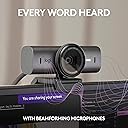
The Logitech MX Brio Ultra HD webcam delivers professional-grade 4K video at 30fps or smooth 1080p at 60fps with advanced AI enhancements for superior image clarity. Featuring dual noise-reducing microphones, fine-tuneable lighting controls, and a unique Show Mode for sharing your workspace, it’s designed for seamless collaboration and privacy with a built-in cover. Compatible across Windows, macOS, Chrome OS, and Linux, and certified for top conferencing platforms, it’s the ultimate tool for millennial professionals who demand sharp visuals and crystal-clear audio in every virtual interaction.


| ASIN | B0BFJ4CRKD |
| Antenna Location | Indoor, Office, Home, Video Conferencing, Streaming |
| Are Batteries Included? | No |
| Best Sellers Rank | 3,971 in Computers & Accessories ( See Top 100 in Computers & Accessories ) 27 in Webcams |
| Box Contents | MX Brio, Mount clip with removable adapter, USB-C to C 3.0 cable, User documentation |
| Brand | Logitech |
| Brand Name | Logitech |
| Camcorder Type | Webcam |
| Colour | Graphite |
| Compatible Devices | Personal Computer, Laptop, Tablet, Smartphone |
| Customer Reviews | 4.4 out of 5 stars 1,016 Reviews |
| Effective Video Resolution | 3840 Pixels |
| Exposure Control Type | Automatic |
| File Format | MP4 |
| Flash Memory Installed | 1 MB |
| Flash Memory Type | Micro SD |
| Flash Memory Video Speed Class | V60 |
| Flash memory type | Micro SD |
| Focus Type | Manual Focus |
| Form Factor | Compact |
| Has Image Stabilization | No |
| Image Aspect Ratio | 16:9 |
| Image Capture Speed | 60 fps |
| Image Stabilization Type | Digital |
| Item Weight | 0.79 Pounds |
| Lens Type | Prime |
| Log Gamma Curve | Logarithmic (Log) |
| Manufacturer | Logitech |
| Maximum Aperture | 1 Millimetres |
| Maximum Display Resolution | 3840x2160 (4K UHD) |
| Maximum Focal Length | 50 Millimeters |
| Maximum aperture | 1 Millimetres |
| Maximum focal length | 50 Millimeters |
| Minimum Focal Length | 1 Millimeters |
| Model Name | Logitech MX Brio |
| Model Number | 960-001545 |
| Network Connectivity Technology | USB |
| Operating System | MacOS, Windows, Chrome OS |
| Photo sensor technology | CMOS |
| Product Features | Low Light |
| Screen Size | 0.27 Centimetres |
| Sensor Type | CMOS |
| Shooting Modes | Low Light |
| Style Name | Minimalist |
| Supported Audio Format | AAC, MP3, PCM |
| Supported Image Format | JPEG |
| UPC | 097855187307 |
| Unit Count | 1.0 count |
| Video Capture Format | MP4 |
| Video Capture Resolution | 4K |
| Video capture resolution | 4K |
| Water Resistance Level | Not Water Resistant |
| White Balance Settings | Auto |
| Zoom | Digital |
A**R
Excellent
Great ok VC calls with wider angle
J**H
Great 👍🏽
Great webcam so far. Been good for recording talking heads videos
U**2
Best quality camera
Really high quality and well built. It’s a nice weight and balances well on each monitor I’ve used. Easy to set up and control via Logitech software and it’s made of high quality materials. It does feel a little difficult to direct the camera based on the weight and rigidness of the cable, but it’s fine.
I**N
Overall, good quality but...
The only downside, which is quite major from my point of view, is that it doesn’t have a good fastening system.
D**D
Awesome Webcam!
Bought for my son and he loves it. Brilliant specked item and it delivers.
R**.
Quality webcam
Premium look, quality camera image and support with g-hub software
B**E
Brilliant.
I am absolutely thrilled with my Christmas present of the Logitech Webcam. It is a wonderful piece of kit. Expensive I know it was but worth it.
J**Y
No Windows Hello Support
Doesn't support Windows Hello despite being a top of the range webcam.
C**N
Excellente caméra !
Très belle qualité d’image, grande netteté et très facile d’utilisation. Je cherchais un rendu professionnel à petit coût pour mes vidéos YouTube, et elle est parfaite !
C**O
The best “professional work” webcam I’ve personally used, especially for virtual backgrounds
I bought the Logitech MX Brio after spending years using a mirrorless camera setup (Lumix GH3 + prime lens) as my desk webcam. I work remotely full-time and spend most of my day in video calls (99% in Microsoft Teams), so my priorities are a little different from the average streaming-focused review. What I wanted was: • excellent image quality at normal desktop distances • reliable performance in Teams • strong virtual background segmentation • stable autofocus/exposure • easy to set up For my use case, the MX Brio has honestly been excellent. The biggest surprise was how good the image looks in real-world meetings. Yes, my GH3 (and other mirrorless cameras) can still produce a more cinematic image in ideal conditions, but in Teams specifically (where video is heavily compressed and usually capped at 1080p), the practical gap is much smaller than people think. As far as the camera is concerned, what matters most is consistency and signal quality, and this camera delivers both. The MX Brio handles exposure transitions smoothly, autofocus has been reliable, and image sharpness is very good without looking overly processed. Logitech also seems to have improved color handling compared to some older Brio models that could occasionally look harsh or over-sharpened. Where this webcam REALLY shines is virtual background and portrait segmentation. I use a virtual background almost 100% of the time, and this camera consistently gives cleaner edge separation than several other webcams I’ve tested. Good lighting absolutely helps, but the MX Brio seems to provide a very clean image feed that works well with Teams’ background processing. A few other things I appreciated: • solid low-light recovery without becoming a smeary mess • flexible field of view options • sturdy physical build • built-in microphone • easy mounting and positioning There are a couple tradeoffs worth mentioning: • Logitech’s software ecosystem is still a little fragmented (Logi Tune, G Hub, etc.) • if you are primarily a streamer/content creator, there may be better options depending on your workflow • this camera, like any, benefits significantly from proper lighting and good positioning. It's worth it to invest in a couple lights and proper mounting system But for a professional desk setup focused on video meetings, presentations, collaboration, and hybrid work, I think Logitech understood the assignment here surprisingly well. This is the first dedicated webcam I’ve used where I no longer feel tempted to drag a mirrorless camera back onto my desk.
A**O
Avaliação câmera digital
Funcionando bem com excelente qualidade e chegando no prazo sem problemas.
B**K
Logitech MX Brio Ultra HD 4K Webcam - Exceptional Audio & Video Quality
Logitech MX Brio Ultra HD 4K Webcam is setup with my M2 Ultra Mac Studio workstation and connected to my 32" Apple Pro Display XDR screen (which does not have an integrated webcam). Great product for regular use in video conference meetings - the audio and video quality are exceptional!
F**N
Logitech MX Brio: A Stunning Leap Forward
## **Logitech MX Brio Ultra HD 4K: The New Gold Standard for Video** If you haven’t upgraded your webcam in a few years, the **Logitech MX Brio** is a startling reminder of just how far imaging technology has come. Gone are the days of grainy, "good enough" video calls. We are officially in the era of ultra-crisp, professional-grade production sitting right on top of your monitor. ### **Crystal Clarity & Visual Fidelity** The jump to **Ultra HD 4K** is immediately noticeable. The clarity is staggering—it picks up textures and details that older 1080p sensors simply smudge away. Whether you’re in a high-stakes board meeting or recording content, the image looks expensive. It handles difficult lighting with ease, ensuring you don't look washed out when the sun hits your desk or like a shadow when the lights are low. ### **Pro-Grade Audio** Usually, webcam microphones are an afterthought, but the audio here is surprisingly **clear and crisp**. It manages to isolate your voice while minimizing that hollow, "bathroom" echo common in cheaper units. While dedicated mics still have their place, for 95% of users, this audio quality is more than enough to sound professional and authoritative. ### **Total Software Control** Where this camera really shines is the **Logitech G HUB or Logi Options+** integration. The level of control is deep: * **Fine-tuned adjustments:** You can tweak ISO, shutter speed, white balance, and exposure. * **Field of View:** Crop in for a tight headshot or widen it out to show your workspace. * **Show Mode:** A clever bit of tech that lets you tilt the camera down to show your desk, automatically flipping the image so your viewers can see your sketches or notes correctly. ### **The Verdict** It’s incredible to see how much technology has shifted in just the last few years. We’ve moved from "webcams" to "miniature cinema cameras." The **Logitech MX Brio** isn't just a tool for Zoom calls; it’s a high-performance piece of hardware that brings professional studio quality to a plug-and-play format. If you value how you show up in the digital world, this is the upgrade you've been waiting for.
Trustpilot
2 weeks ago
3 days ago