Desertcart purchases this item on your behalf and handles shipping, customs, and support to Iceland.
🎬 Own the Live Stream: Pro Multi-Cam Power in Your Hands
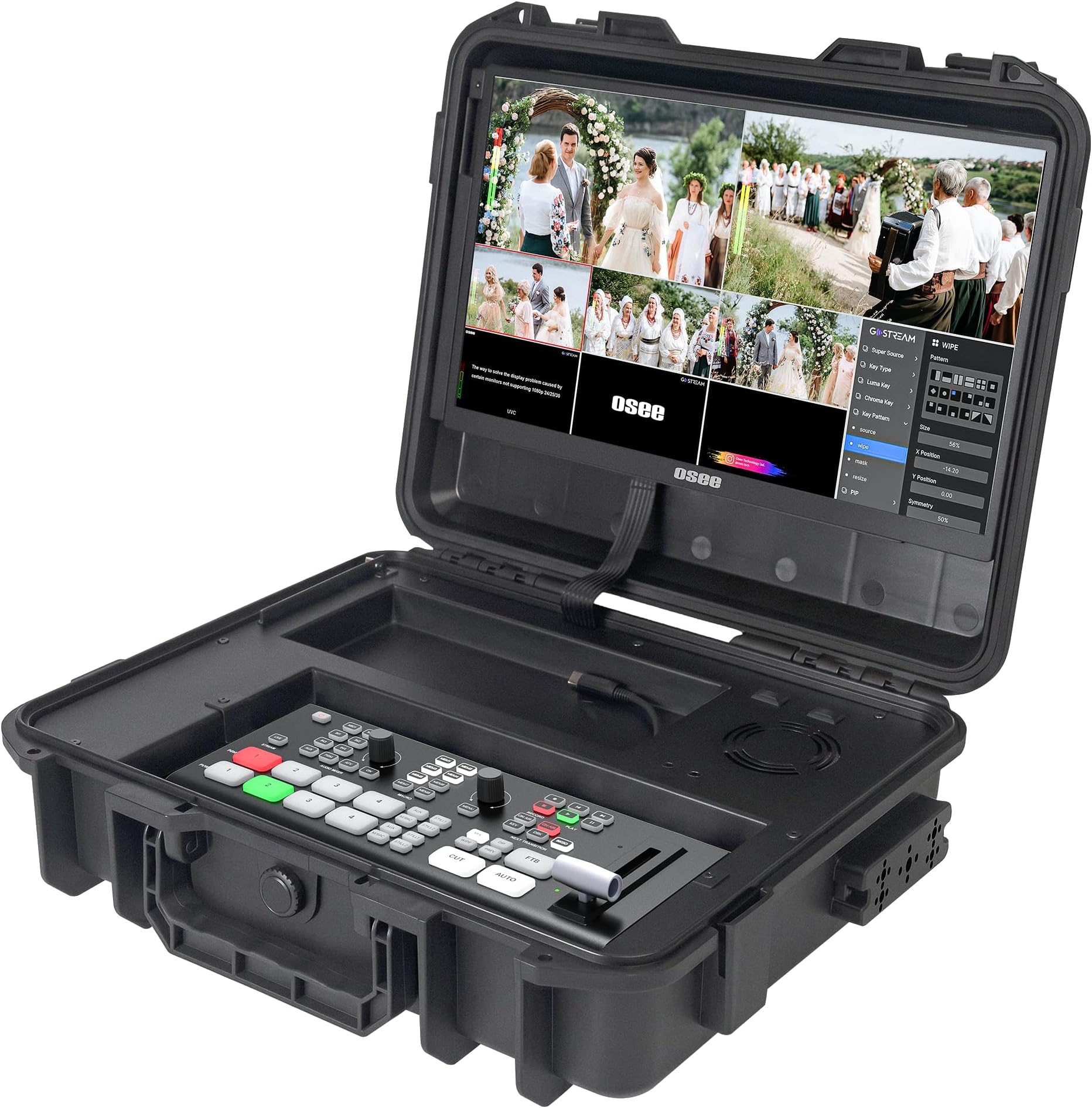
The Osee GoStream Duet Kit is a professional all-in-one live streaming solution featuring 4 HDMI/SDI inputs, a vibrant 14-inch Full HD touchscreen, and versatile power options. Designed for portability and expandability, it supports major streaming platforms and offers robust connectivity, making it the ultimate choice for millennial pros who want to elevate their live content with ease and style.


| Asin | B0DQBQDXHF |
| Brand Name | osee |
| Cable Type | HDMI |
| Color | black |
| Compatible Devices | Blu-Ray Player, DVD Player, Gaming Console, Laptop, Monitor, Personal Computer, Projector, Television |
| Connector Type Used On Cable | HDMI, USB Type-C |
| Customer Reviews | 4.7 4.7 out of 5 stars (28) 4.7 out of 5 stars |
| Manufacturer | osee |
| Model Number | duet kit |
| Number Of Ports | 8 |
| Product Warranty | 1 year |
| Upc | 769293552398 |
User
This is awesome!
This works awesome. Does exactly what it's supposed to. A little bit proprietary to figure out, but it's very similar to other video mixers. The audio was a little confusing settings-wise, but I also don't use video controllers super frequently. It's a nice unit, and if you're trying to do some basic live streaming it's perfect. I just use the HDMI output to a laptop to run the stream. And let's not forget to mention the case that it comes in. It's very well built and looks professional. I DJ weddings, and I'm using this as a medium to start offering live streaming for ceremonies, and other random events that people may have that they want live streamed. It's an added service to my repertoire, and this thing makes incredibly easy to do.
User
Recibí lo qie pagué
Top
User
Set Up may be TOO COMPLICATED for the entry level user.
I prematurely returned this item. The instructions are not very clear on how to connect the device to an external computer. After watching several YouTube tutorials, I finally figured it out — but honestly, those steps should have been included by the manufacturer from the beginning instead of turning setup into a scavenger hunt across the internet.The customer service/contact process also was not very seamless. Finding a direct support number or clear way to get assistance should be much easier for end users.That said, once you get past the initial technical headaches, the device actually seems like a pretty solid option for getting a podcast or live video setup going. The manufacturer just needs to improve the onboarding instructions and customer support accessibility so users can spend more time creating content and less time playing “guess the setup process.”
User
Sturdy works well but colors are off
I bought it for the functionality and the space saver, but you need good vision to read the settings, the menu is tinny, the color quality is weak if I compare it to the HDMI output, colors are off and sometimes It looks like the camera is out of focus but is actually the screen. But overall it does what is supposed to do and It works fine.
Trustpilot
2 months ago
2 days ago