🚀 Elevate your home network to WiFi 7 — speed, security, and coverage that keeps you ahead of the curve!
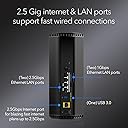
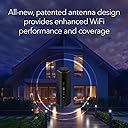
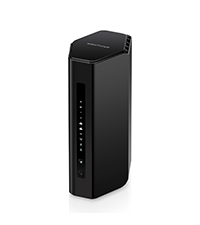
The NETGEAR Nighthawk BE9300 WiFi 7 Router delivers cutting-edge tri-band wireless speeds up to 9.3Gbps, covering 2,500 sq. ft. and supporting 100 devices simultaneously. Equipped with a 2.5 Gigabit Ethernet port and advanced security features via NETGEAR Armor, it’s designed for professionals and tech-savvy households seeking future-proof, high-performance connectivity with easy app management.


| ASIN | B0DK7Q5SCN |
| Item model number | BE9300-1AZPAS |
| Manufacturer | NETGEAR |
| Package Dimensions | 27.41 x 18.21 x 18.11 cm; 1.79 kg |
V**D
The NETGEAR Nighthawk BE9300 is quick, reliable, and easy to set up. Coverage is strong and stays stable throughout my home, even with lots of devices streaming and gaming at once. It’s pricey, but the performance upgrade is worth it if you want top-tier WiFi 7.
J**T
I used to have an old Netgear Nighthawk R6700 wireless router that was about 9 years old that worked great in a single family, one story home of ~2000 sq feet. However, it just started to get too old, the wireless was starting to get finnicky by randomly dropping connections, and it was time for a replacement. After some research, I decided to get the Netgear Nighthawk RS300 (BE9300) wireless router. The setup was extremely easy, as I just plugged it into our cable modem, used a hard wired computer to connect to it, and went through a browser-based simple setup page that took 2 minutes. Once that was done, we were up and running. I opted to use the same SSID broadcast name for this router, and all my old devices were able to see it and connect to it automatically without me having to go into those devices and having to tell it to connect. I also liked the feature of where it automatically detects the best frequency channel to connect by, either via 2.4Ghz, 5Ghz, or 6Ghz frequency bands. It was neat that I didn't have to set up SSID broadcasts for each band. Overall, the router seems to work excellently. I'm getting as good, if not better range over 5Ghz and 2.4Ghz than my old Nighthawk, and it's been rock solid running nonstop for a few weeks now without a single hiccup. The fact that it comes with 2.5Gbit ethernet ports is a nice future proof, as my home is hardwired and I'm currently only 600Mbit internet, but looking to upgrade to 2Gbit fiber in the near future, and my old router only had gigabit ports. I have not yet tested the 6Ghz band functionality, but just wanted that feature over the slightly cheaper RS200 so that when we do upgrade our devices over time, we have that option. For now, couldn't be happier.
D**Y
Title: Glad I made the upgrade Description: I had the Netgear Nighthawk R8000 for many years but with adding more devices to my home I wanted to upgrade. Decided to upgrade to the BE9300 and what a difference. I have over 70 items connected, never drops the connections like the previous model. Easy to identify the items and using Parental controls is super convenient. You can tell the CPU of this unit is quality as the interface is quick loading. The companion App is great as well as it's easy to monitor activity while at home and while away which is a great feature. Even though this doesn't have external antennas like my Netgear Nighthawk R8000, the range of this BE9300 is equal or better. Overall pleased and highly recommend. If you're on the fence of upgrading your router, pull the trigger and you'll be happy you did. I went with the BE9300 since I knew I had over 70 items connecting and wanted room to expand a little bit. I'd recommend getting this unit or the one above if you have this many items connecting to your network.
H**D
My buddy was having trouble with his cable modem. Even one of his two televisions was having trouble streaming. The cable company sent to guys by his house and after checking things they told him that he needed a new router and recommended this one. I went by this afternoon to set it up for him. One thing we weren't expecting was the need of a smartphone with a current version IOS on it to use to install the router. My old iPhone 6s+ just didn't cut it. So, we did it the old fashion way...with a computer. We got it hooked up and checked his internet speed...I haven't seen him grin that big in a quiet a while!!!! LOL And, the flakey television wasn't flakey anymore. It fixed his problems, no doubt and he's a happy camper!!!!
C**S
Beats out Asus of similar class I have mostly bought Asus products as they have been excellent. Before buying the Netgear BE9300 I purchased the Asus RT-BE92U, ignoring some of the negative reviews. The negative reviews was correct, the wi-fi range was much limited and TV buffering in this day-and-age is unacceptable. I promptly returned the Asus and bought the BE9300 Netgear; the difference was significant. The BE9300 is far superior than the BE92U Asus. The only thing the Asus had that the Netgear does not is the AIMesh function which I did not care that much for. Netgear BE9300 is a great choice for a fantastic router that is around $200.
Trustpilot
2 months ago
2 weeks ago