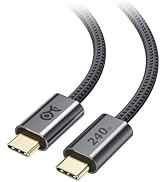
![Cable Matters 40Gbps USB 4 Extension Cable - 1.6ft / 0.5m, Supports [8K@60Hz/4K@240Hz Video, 240W Charging, 40Gbps Data Transfer] USB C Extension Cable, Thunderbolt 4/5, Nintendo Switch 2 Compatible](https://m.media-amazon.com/images/I/710QJ3cdWHL.jpg)

⚡ Extend your power, speed, and vision—because your setup deserves the best.
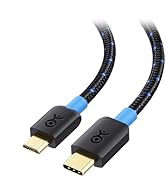
The Cable Matters 40Gbps USB 4 Extension Cable (1.6ft) is a premium USB-C/Thunderbolt 4 compatible extension that supports ultra-fast 40Gbps data transfer, 8K@60Hz and 4K@240Hz video output, and up to 240W power delivery. Designed for professionals demanding seamless connectivity and high performance, it ensures durable, reversible USB-C compatibility and flawless extension of high-resolution displays and charging capabilities.


| ASIN | B0CP9WH1BV |
| Best Sellers Rank | #61,872 in Computers ( See Top 100 in Computers ) #4,161 in USB Cables |
| Item model number | 201404-0.5m |
| Manufacturer | Cable Matters |
| Package Dimensions | 20.6 x 15.7 x 1.3 cm; 30 g |
S**P
It is working as expected. I connect usb c hub to it. Only issue is manufacturing year was 2014.
い**し
0.5mを購入しました。 ケーブルで迷ったらCable Matters製を購入しておけば間違いありません。 延長先のUSBハブにて4K60HzのHDMI出力及び、10Gbpsでのデータ転送ができています。 この延長ケーブル自体は8K60Hz出力や40Gbpsにも対応しているので将来的にも流用し続けられます。 他の延長ケーブルだとM.2 SSDのデータ転送中に途切れる事が多かったのですが、 こちらは全く途切れる気配がなく流石といった所。
A**B
Cable works with Nintendo Switch 2 dock. See photo reflection on Swich 2. No overheating issues with the Switch 2 so far. Brought cable as kids were quite harsh docking and undocking. You will need to push down the usb c shield inside the dock to expose the male part of the usb c connection. Then while holding down the shield line up the female end of the usb c cable and push it on. After this connect the usb c male connection into the Switch 2. Definitely recommend this, buy it!
R**.
Works perfectly with the Switch 2. Fast, with no signal degradation, which is exactly what you want where large amounts of data have to travel very fast between a modern console and your TV. Also, Nintendo uses proprietary technology in their consoles. When you add cables like these into the chain of data, the Nintendo Switch 2 dock essentially gives the cable a ‘handshake’ before allowing it to transmit data - which is why you can’t just use any USB-C cable. Cable Matters is the gold standard for pro-grade cables without a ludicrous price tag. It has become one of my go-to-brands and you can actually trust their specs. The cable is stiff, and that’s also by design. It’s what you’re looking for with a cable like this. More and thicker copper wiring and heavy duty shielding to not cause interference with your WiFi and Bluetooth. If you have to go with a longer cable, I wouldn’t go past 3ft tops for the Switch 2 as an extension cable from the dock to the console. I went with 1.6ft because it’s around the ‘ideal’ length with the least risk of signal loss for the Switch 2.
A**M
Nach dem kompletten Systemwechsel in Apfel-Universum habe ich keine Behsl-Displays mehr, sondern außer dem als TV genutzen großen Gaming-Display nur noch meine Studio Displays. Beim Aufsetzen eines Fallback-Systems basieredn aus einem Mac Mini musste ich deshalb jedes Mal eines der Studio Displays umstecken, was wegen der Verkabelung meines Arbeitsplatzes ein Problem war. Dann bracht mich jemand auf die Idee, das Original-Thunderbolt-Kabel eines der Displays durch eine Kombination aus einem kürzeren Thunderbolt-Kabel und einer Thunderbolt-Verlängerung zu ersetzen, so dass die Verbindungsstelle günstig platziert werden kann und so das Umstecken des Displays auf einen temporär am Arbeitsplatz betriebenen Macs einfacher wird. Außerdem erspare ich damit den Anschlüssen merines Displays und meines Thunderbolt-Hubs das Umstecken. Wenn also mal eine Steckverbindung in Mitleidenschaft gezogen wrid, dann nur die eines oder zweier Kabel. Für so etwas nimmt man dann natürlich ordentliche Kabel wie die intel-zertifizierten von Cable Matters und ... ... es funzt. - 30cm TB4-Kabel plus Verlängerung zwischen TB4-Hub und Display --> O.K. - Original-TB4-Kabel des Studio Display plus Verlängerung zwischem Mac Mini und Display --> O.K. Die Fertigungs- und Materialqualität der Kabel von Cable Matters sind ohnehin 1a. Von mir eine klare Empfehlung
Trustpilot
3 days ago
1 month ago