


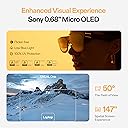
👓 Elevate your reality—carry a 147" theater in your pocket!
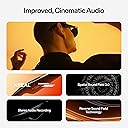
XREAL One AR Glasses combine the cutting-edge X1 spatial computing chip with a stunning 147" 50° FOV Micro-OLED display and ultra-low 3ms latency for seamless immersive experiences. Designed for professionals and gamers alike, these lightweight smart glasses deliver expert-tuned Bose audio, adjustable lens transparency, and native 3 DoF tracking. Compatible with a wide range of devices via USB-C, they redefine portable productivity and entertainment with no extra apps or adapters required.






| ASIN | B0DNFFXG65 |
| Additional Features | 3 ms Ultra Low M2P Latency Experience, 32:9 265" Ultrawide Screen, 50°FOV 147" Spatial Screen, Adjustable IPD, No More Blurry Edges, XREAL X1 Chip, Native 3 DoF |
| Age Range Description | Adult |
| Band Material Type | Resin |
| Best Sellers Rank | #49 in Video Display Glasses #19,621 in Home Theater Accessories |
| Brand | XREAL |
| Built-In Media | Cleaning Cloth, Detachable USB-C Cable, Nose Pads (Small/Medium/Large), Protective Case, XREAL One AR Glasses |
| Color | Black |
| Communication Feature | Video Call, Voice Call |
| Compatible Devices | Smartphone, Game Console, Personal Computer, Tablet |
| Compatible Phone Models | All Android Devices, All IOS Devices |
| Connectivity Technology | USB |
| Customer Reviews | 4.2 out of 5 stars 410 Reviews |
| Display Type | OLED |
| GPS | No GPS |
| GPS Geotagging Functionality | No GPS |
| Human Interface Input | Buttons, Touchscreen, TrackPoint pointing device |
| Item Weight | 84 Grams |
| Manufacturer | XREAL |
| Maximum Display Brightness | 5000 Nit |
| Metrics Measured | head tracking device |
| Model Name | X1111 |
| Model Number | XREAL One Pro |
| Operating System | Windows |
| Resolution | 450 x 450 |
| Screen Size | 147 Inches |
| Shape | Rectangular |
| Special Feature | 3 ms Ultra Low M2P Latency Experience, 32:9 265" Ultrawide Screen, 50°FOV 147" Spatial Screen, Adjustable IPD, No More Blurry Edges, XREAL X1 Chip, Native 3 DoF Special Feature 3 ms Ultra Low M2P Latency Experience, 32:9 265" Ultrawide Screen, 50°FOV 147" Spatial Screen, Adjustable IPD, No More Blurry Edges, XREAL X1 Chip, Native 3 DoF See more |
| Style Name | Minimalist |
| Supported Application | Messages, Phone, Time Display, Video Record, Voice Assistant, Voice Control |
| Unit Count | 1.0 Count |
| Warranty Description | 1 Year Warranty |
| Warranty Type | Limited |
| Water Resistance Level | Not Water Resistant |
| Wearable Computer Type | Smart Glasses |
K**E
I HAVE FOUND MY PERFECT PAIR!!!!!!!
I’ve tried a few pairs and researched for days and days trying to find just what I was looking for and that turned out to be the XREAL One. These are exactly what I’ve been searching for. They’re so comfortable, with a design that actually works for real-world use. Unlike the Viture which had some impressive features (but did not execute them nearly as well as these) but I felt as if I was wearing a pair of kids glasses, the XREAL One fits across my face perfectly. I can see clearly and immerse myself without getting distracted by the movement of everything around me. I have never thought of myself as having a big head or wide face (round yes but not too wide) until I put the viture glasses on my head and cound see around every part of them no matter how they were positioned or what nose pads I wore nothing worked(not to mention they looked really stupid being so narrow on my face). I wanted something that I could actually wear outside if I wanted and it not scream AR glasses. Honestly, the xreal one glasses are very similar to the size and shape of a lot of my sunglasses so I am quite comfortable wearing them around. Also, if you have ever owned or seen the viture glasses these are not as bulky at the top and do not stick out as far (which i have seen reviews about these being bulky). Honestly, maybe you can tell these are not regular glasses, but if you have seen me with my usual sunglasses on, these would not make you turn your head and think they were not one of my normal pairs! So what I was looking for I thought was simple to come across but apparently not so much. I get bad migraines, and a lot of the time it helps to dull them if I can lay down flat (and i know this sounds weird) and keep my eyes focused on something such as a tv. Also i'll lay flat if I feel like I am getting a migraine to hopefully prevent it which is no fun just staring at the ceiling. So, I have a projector (or 3) and my PSvr and VR2 headsets but those are a lot of hassel sometimes, not to mention the vr headsets are HOT and you get sweaty real quick. So what I wanted was something that had decent quality but would not break the bank, that I could blackout the light easily, the screen was a decent size and clear, the sound sharp, the glasses were comfortable and easy to use, and I really wanted something that I could pin a tiny screen to the corner of my vision and still see through the glasses. All of those things I mentioned were do-able with other cheaper glasses but no easily and not without a seond device! I had looked at the air 2 pro version of xreal (and actually accidently ordered them first without realizing I ordered the wrong ones) but to do what I wanted I needed the beam thing. So with the viture neckband or the air 2 with the beam, it came out to more money than these glasses which DO EVERYTHING by themselves and very easily might I add!!! The display is sharp, vibrant, and super responsive. I love how I can pin a small screen in the corner for casual multitasking or go full cinema mode with a screen size that honestly feels ridiculous—in a good way (the Viture does not compare here at all with screen size). Being able to swap modes with a quick button press is a game-changer. Plus, I can still use just my phone—no second device needed. That’s HUGE. I am a Samsung user and currently use a Fold 6. I love DEX and have been a long time user and it is the reason I will never go back to any other brand!! Anyways, using Dex this is flawless and does not drain any more battery than wireless streaming of Dex to a tv or computer. I know I meantioned you can do everything without a second device but I forgot to mention that you also do not need a seperate app to do any of these things. I did nto even see a need for the Nebula app when connecting these to my PC or Mac. Everything worked flawlessly unlike the other glasses like the viture which needed the spacewalker app/program (HORRIBLE AND BUGGY). The menu of the glasses is easy to get to and navigate not to mention has everything you need right there with just the little 3 buttons on the glasses themselves. The glasses integrate well with everything I need, and while a few minor things like a built-in pause or volume rocker shortcut would be nice, the overall experience is unbeatable. Between the screen quality, ease of use, and overall flexibility—these are absolutely worth the extra money and I can not hype these up enough. If you’ve tried other AR glasses and walked away disappointed, these are the redemption arc. I'm obsessed. Dont't even consider the others just buy these!!!!!!
C**E
Perfect for watching movies on an airplane
I had the previous generation xreal glasses and they were very good with a few annoying problems. This generation Xreal one fixes all of the problems with the previous generation and add more features. One of the most useful features is the ability to pin the virtual screen to real world space meaning you can move your head to the right and you see the image being left on your left side as your face turns away from it. While this is required for augmented reality, even for a more practical use, which is watching a movie on an airplane on a virtual 100 inch plus screen it is very handy to be able to turn your head slightly away to focus on something in the real world, merely by moving your head without having to fumble for your phone to hit the pause button or taking off your glasses completely. In fact, a feature in these glasses that is combined with the screen being to the physical direction is the ability for the glasses to turn off the black background temporarily when you shift your head away from where the screen is. When you are watching something on the virtual screen, it is very useful for the glasses to enable their black filters which prevents outside light from coming through the virtual screen. This was something that the old generation had as well, but this new generation can now toggle that black filter automatically as you turn your head to look away from the virtual screen, making the glasses be completely see-through to where you can see whatever you are looking at. Another cool feature is a virtual big screen meaning that not the entire entirety of the virtual screen is visible at the same time. So for example, in normal virtual screen mode, you don’t have to move your head or your eyeballs really to see the entire screen because all of it is in your field of view. With the big screen feature turned on the image is projected onto a virtual screen that is bigger than the LCD panels in the glasses, which would simulate the type of experience that you would have in the movie theater if you were sitting toward the front of the theater. Where you only see about 60% of the screen directly in front of you and you have to turn your head left or right to see the rest of the screen. This is actually a more natural way for us to view things because in the real life you tend to turn your head, slightly left or right or up or down as you’re looking around. And finally a third feature of these glasses, which is a little bit more advanced to get into but nonetheless very cool is if you have a video game that is capable of turning on virtual reality mode using “side-by-side“ then these glasses can actually act as VR glasses not just AR glasses. I have done this successfully with the video game called elite dangerous where turning on side-by-side 3-D mode creates a screen that is essentially 19 20 x 1080 x 2 meaning it’s actually 38 40 x 10 80. The left half being your left eye and the right half being your right eye. Using settings that are built right into the glasses you can enable this mode and it will split that very wide signal coming from your video game into a left eye and right eye allow allowing you to see full 3-D imagery as you are navigating your way in the video game. This is exactly what VR glasses costing hundreds of dollars more will also do, but in a much more compact and cheaper set of glasses. I highly recommend anyone that travels to buy these glasses to have a huge screen to watch movies on or do computer work on a flight and for anybody else that wants to have a portable large screen experience right from your phone or laptop anywhere you happen to be even if that is in your bedroom.
D**.
Xreal One Glasses paired with the Beam Pro for exercising
I purchased the Xreal One glasses at first, along with the adapter to be able to connect to my iPhone 15 Pro Max, and a portable charger. My primary and pretty much only use case for the glasses was to help me take my mind off of doing laps in my backyard to get my daily steps in. For the first couple of days, I used the iPhone as the hosting device, and it worked decently well. However, it certainly took a sizable toll on the phone's battery and being that it's 21ish months old, the battery isn't what it used to be. So I decided to pull the trigger on the Beam Pro device to use for my daily laps, and since I have an outdoor Unifi network, 5G wasn't necessary. I've worked in IT for 28 years, so I've been around the block with technology, gadgets, and such. On first impression, I found the visual quality to be quite good. The comfort of the glasses is good, and it was straight forward to get them set up, and also updated. The image stabilization is also very good when walking, and I run these in follow mode pretty much all the time. The sound is ample and clear, and I have not so great hearing in one of my ears, so I was pleased with that as well. When it comes to pairing them with the Beam Pro, I'm not taking photos or videos. I am exclusively using these glasses for entertainment and courseware on a variety of apps. I'd say thus far, I've mostly used YouTube and Netflix, and I have been really surprised how much simply having something to watch has helped me not really think about the steps I'm getting in. I simply make my laps and then look down at my iWatch to see I've already got 4500 steps in. Before the Xreal One glasses, I was always looking at my watch to track my progress, but with the glasses, I simply don't care as much. I have gotten in more steps which has required less mental motivation to do those steps. I do feel, and I want to caveat this by saying I'm not a long-term power user of these glasses, but at this point I like the combination of the Beam Pro with the glasses. I feel the usability is better, and I like how I can better size the screen and position using the Beam Pro. There are quirks to the device though, and once I have a YouTube video playing, I always make sure to first lock out the Beam Pro touch controls which is easy with a press of a buttom on the screen. I Then hit the side button to turn the display off, and then put the Beam Pro in my pocket. It rarely gives me any weird behavior, though occasionally I'll get a popup about the laser pointer that I click on Do Not Show Again, which doesn't appear to be persistent outside of that session. Learning how to reset the pointer with the long-press of the home button is important as you change positions, such as standing up or sitting down. I also paired a RII i4 mini bluetooth keyboard with the Beam Pro to allow easier entering of information when I want to search for something. I normally try to get things set up before connecting the glasses, just using the screen on the Beam Pro. That helps me get into my walk quicker with less hassle. I will also state that with the Xreal One's connected to the Beam Pro, it looks like you can get somewhere between 2-2.5 hours of run time without using any energy saver modes. I paid attention today and after an hour of use, the Beam Pro was down to 64% battery. Lastly, one thing I worried about was comfort or eye strain, but I can report, at least with video content, I've had no issues. It's clear, detailed, and has not posed any issues for me. In addition, with how I set up the screen to be more located in the top/right porition of the display, it leaves a little more area for my left eye to help me navigate while walking. I do not find the cord to be troublesome at this point provided I drape it over my left shoulder, behind my arm, and then down into my left front pocket connected to the Beam Pro. Would I buy these again? Yeah, I think I would. I've been using them every day for over a week now and I see no signs of that changing anytime soon. The fact it helps me exercise more is huge, and for my video content use case, I think they're quite good. The four star rating is due to some of the quirks which I feel could be better implemented, but all told, these things are pretty dang solid. I will touch on having connected them to my WIndows 11 laptop, in a pinch I could use them for productivity, but as other reviewers call out, text quality, and uniformity across the entire display is not what I'd consider great. It is usable and I could use it in a pinch, but I feel video content is where these glasses really shine, at least for me. I would not call the overall experience highly refined. There are some quirks and clunkiness here and there, but most can be adapted to so that your experience is as opitmal as possible. I also feel that this is a decent chunk of change to spend for something to wear while walking, but for me in my late 40's, I need to get into better shape and anything I can do to help me exercise more at this point is a win, and thus far, this has exceeded my expectations in how it helps me pass the time. We all buy things for different reasons and I wanted to lay out why I bought these.
N**K
I can see the future!
I cannot begin to describe how amazing these glasses are! I love using them around the house, though my main reason for getting them was to use during travel. They have blown me away and far exceeded my expectations. This lightweight set of glasses provides a wondrous AR experience without the need for a bulky headset. I have the ability to play Xbox games, Steam games, etc. on a 147+" screen while flying somewhere! I can watch movies on my own personal movie theater-sized screen and just tune everything else out! I can use them as a secondary monitor/display for my work laptop and keep my work confidential. This tech is just unreal. The display is bright with a fantastic refresh rate; movies, shows, games, etc. all pop and look amazing. The Bose sound is awesome and very detailed (though I usually use a separate Bluetooth headset when I'm in public spaces). They are exceedingly comfortable and easy to wear for long flights. The menus and navigation all become second nature very quickly and you have the ability to resize the screen, anchor it, adjust volume, adjust transparency and more all on the fly. They are super easy to use. So far, I've used them with my Pixel 9 Pro XL phone, a Surface Laptop Studio, a Logitech G Cloud, a Legion Go S, a Steam Deck, and more devices. All I had to do was plug them in, they just work without the need to install or configure any additional software: Step 1) Plug them into a device using the supplied USB C cable. Step 2) Be amazed, enjoy your content. Overall, it straight up feels like I'm in the future when I'm wearing these. If you travel a lot, have a partner or kids using your TV all the time, or just love gadgets and want a high-quality product that is rad, you cannot go wrong with these. Protip: If you have horrible vision and normally wear glasses like I do, the prescription inserts are a must-have. If you have solid vision or wear contacts most of the time, probably not something you need to worry about.
A**W
Great headwear for those that can utilize it properly
Really happy for whoever this works for but I just can't get them to work. I think my eyes just don't jive well with AR and VR headsets. It's almost the same situation I found myself with the oculus quest 2 where despite the high resolution screens being pressed to the eyeballs, the edges would always feel a bit blurry and outside of moving pictures/games/videos/etc, text would always be a pain in the butt to read and sift through. It was the same experience with these glasses albeit with less facial heat dissipating since my face isn't sealed into the visor like it is with the quest 2. In this case no matter how much adjusting I did, from physical with the nose pads and legs, to virtual by changing the IPD, text strength, brightness, screen size, and more, I could not get these glasses to be both comfortable and practical and for the price I'm paying, I'm not going to settle for "ok?" In terms of feeling and usage. I work remotely, doing a lot of visual studio code. I'm used to my 34 in ultrawide moniter. The ultra wide mode on these glasses is absolutely nothing like my actual physical screen. I don't know how they're marketing it like using a Samsung 32:9 ultrawide cause it just doesn't feel like that at all. Feels like staring at a 32 in that's virtually curved. Not great. Also topping out at 1080p doesn't help as even at that close distance, convoluted settings aside, my eyes just couldn't stop focusing on the distracting blurs and rough edges of the text. Code on visual studio gave me a headache after trying for an hour. Also since I have a Samsung, fold 6 to be precise, I could only use these glasses in Dex mode which is not as user-friendly as simply mirroring your phone to the glasses and using it as so, like how it is with iPhones. So that sucks. Also doesn't work with switch 2 so if you were hoping for that functionality, keep waiting. Never planned on using this for my PlayStation so not testing that and I don't have a mobile gaming handheld like an ROG Ally. Used to but sold it. I'm sure these would have been nice on those but again, not for my use case. All in all, they're probably the best this AR glasses scene has to offer and the sound is great for what it is, brightness as well. I didn't suffer from random reflections as the prisms you're looking through are bent at an angle but that wasn't an issue. And being able to pin the screen so it's not following you around is a must, I don't know how these other companies don't incorporate that from the getgo. All in all, premium device but I think it's time to admit to myself that VR/AR headsets/glasses just aren't for me.
S**X
Great product with many use cases.
This headset is light with great resolution. Since it's powered by the device it's connected to, you don't need to worry about the battery life. There are so many use cases for this product and following are my use cases: 1. Use Xreal One as a display while working on a train. Working on a train with laptop display isn't comfortable. It creates so much strain on my neck. Now with the Xreal One, I can just rest my head on the headrest and relieve my neck from strain. Furthermore, there isn't much light going out of the headset so this doubles as a privacy screen. 2. Use Xreal One as a giant display on a long haul fight. Load up movies on your phone or tablet and just enjoy the cinematic experience the whole flight. I haven't test the shade mode on a flight but it does dim out quite some when I test at home. Never be bothered again by the curious passenger sitting next to the window who decides to open the shade every 15 minutes. 3. Use Xreal One as a camera display. I own a sony video camera plus dji gimbal and the Sony App allows me to use my phone as a monitor when I shoot videos. Connect the phone to Xreal One and now I have a HUD monitor. This is such a strain relief for my back and neck. I no longer need to shoot video in awkward posture holding the handle of the gimbal and keeping my head down trying to view the shoot. Also, the anchor feature works very well. Once you anchor it to a location, it doesn't move at all even if you move your head "violently". This is the killer feature for my wife who's very sensitive to 3D motion sickness. She can wear this for hours without feeling sick.
T**R
Not worth it for price and no accessories.
Xreal Blurry on edges no matter what I do. Never is actually a clear picture. Accessories required for use with anything but a steam deck or phone, but no first party accessories. Can't play games and charge steam deck without sketchy accessories. With only Usb c, barely works and hard to find things to use it with. Basically unusable on anything but a steam deck or similar without accessories, and with the inability to charge at the same time, I have had my steam deck shut down on me due to low power. Hard to even get it updated as you require a pc with USB c display connection, which would require a 2020 or newer laptop. That or you can download chrome to your steam deck desktop and get it updated or otherwise I never would have been able to. I like it, it's really cool when first using it, but the blurry edges I cant fix, and general suck of the device and lack of accessories, along with being $120 more than the cheapest steam deck for what is basically just a steam deck accessory is ridiculous. It appears the cost is a requirement for this kind of tech, and that ruins it. Xreal One is the first Xreal I would recommend, but I also barely can and I wouldn't recommend it to anyone who isn't aware of these issues and able to accept them, likely due to being traveling too much or just having $500 to burn without concern. If I was homeless, I would run this and my steam deck. I put in my Xreal for return and have been testing it out further to see if I really want to keep or return since I have all the weird accessories and I do appear to enjoy the experience a little bit more than playing on my monitor. Would I buy it now with the knowledge I have, no, but I have the device already... I've realized the Steam Deck simply isn't powerful enough to not have blurry edges in it's games. I tested primarily with Elden Ring and it's far better on my gaming desktop with the Xreal. That still means I'll dislike using the glasses on the one device they really should be used with other than phones or a $1200 steam deck clone.
E**G
Big Upgrade from the Xreal Air!
I originally purchased the Xreal Air a while back and already thought the product was a great addition to my daily routine in terms of ease of use and capability. The Xreal One's feel like the jump from the iPod to the iPhone. -Much better form factor, smaller and more compact... Nearly indistinguishable from regular sunglasses -As with the Air, only a single usb c cable is needed to to power the device... no batteries or external power at all! -the built in UI and OS make the product super easy to use and customize -The ability to switch from the screen following you to staying in place is an absolute game changer -Sound feels way more surround now and much higher quality... makes viewing media way more immersive -turning any video on youtube or streaming movie to a theatrical experience is absolutely bonkers -all of these improvements make it feel way easier to go on a walk with these or use them on an exercise bike or treadmill since you can move the screen off to the side. This really is paving the way for AR devices, totally worth the buy!
A**H
I Just Stepped Into a New World!
I was all set to experience this new tech , and it still blew my mind! Everything works great. However, I’m taking one star off to suggest improvements in the design and wearing comfort.
D**A
Good AR glasses
First time using AR glasses. I was a little surprised at the FOV being only at 50 degrees, but after using it for sometime, I got used to it. I’ve encountered no issues so far. They’re great for an extra screen for productivity purposes. I can open 3-5 windows with the ultra wide. Although, it’s a little blurry, but that’s expected with early generations of AR. While outside, it can be a little hard to see if it’s bright. In other words, you can see beyond the screen. But if it’s night time, it’s bright enough to block your vision.
C**N
Süper fiyat süper ürün
Süper ürün ama uygun fiyata ki ben 25 bin e aldım dikkatli olunması gereken husus cep telefonu için aliyosaniz type c çıkışı nin video out özellikli olmasi sart
A**V
Çok hızlı ulaştı amazona teşekkürler
Türkiye’den vergiler dahil sipariş verdim, 2 günde elime ulaştı. Daha önce VR kullanan biri olarak söyleyebilirim ki bu ürün çok konforlu, hafif ve her yere taşınabilir. Görüntü kalitesi 1920x1080p 120Hz ile gayet akıcı, ses kalitesi de tatmin edici. Şeffaf mod sayesinde etrafı rahatça görebiliyorsunuz. Ultra wide modu pek beğenmedim çünkü fps düşürüyor ve görüntü kırpıyor. Oyunlarda GeForce Now ile, filmlerde ve özellikle Netflix’te çok keyifli. Kafa takip sistemi mükemmel çalışıyor, ekstra ekipman almaya gerek kalmıyor. Genel olarak her yerde dev bir monitör taşımak gibi, VR cihazlarının hantallığı olmadan keyifli bir deneyim sunuyor.
S**E
My second pair, they are wonderful for eBook reading
I had the previous generation for 2+ years, but unfortunately broke them. They are great for ebook reading (more comfortable than laptop or tablet eReaders) and I highly recommend them
Trustpilot
1 month ago
1 week ago