🎉 Elevate Your Home Theater Experience!
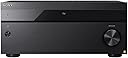
The Sony STR-AZ3000ES is a premium 9.2 channel A/V receiver designed for audiophiles and home theater enthusiasts. With 120W per channel, it supports advanced audio formats like Dolby Atmos and DTS:X, ensuring a cinematic experience. Its 8K HDMI capabilities and seamless integration with smart home systems make it a versatile choice for modern entertainment setups.


| ASIN | B0C5S37CVW |
| Item model number | STR-AZ3000ES |
| Manufacturer | Sony |
| Product Dimensions | 53.34 x 43.18 x 27.94 cm; 14.86 kg |
J**.
I replaced my Pioneer SC-LX901 with this because I needed eARC support for my new TV. I did a lot of research before I pulled the trigger on this receiver. There is something magical about Sony’s 360 Spatial Sound Mapping. No other receiver can touch this tech. A good tip though, let the auto set up calibrate the speaker distances and leave it. Except for speaker size, of course, if you have a powered sub, set them to small. This will also set the speaker heights and distances from the screen. I had imaging issues at first with SSM turned on. You have to go back and, with a tape or laser measure, manually set distance from screen, listening position, screen and speaker heights, and speaker distances from the screen. That fixed everything and it sounds amazing! I’m running a 5.1.2 set up with front Dolby enabled speakers and it sounds like a full 7.1.4 system. Can’t recommend highly enough!
T**.
As my Sony DA4ES was 23 years old it was time to upgrade as component video wasn’t solidly supported in TV sets anymore in 2024. It’s all HDMI, that standard won out. This was the ideal choice for me from a connectivity perspective. In the 20+ years of using the DA4ES this AZ3000ES replaces I never once used the pre amp outputs of the 4ES. The built in power amp stage has always been sufficient for my 6.1 setup and so getting this with only amplified speaker outputs for running it as a 5.1.2 is just the right fit. It gives me the option of adding front heights in the cieling (if Atmos becomes more available in normal BD or FullHD streaming) and having a 5.1.4 system. But as is it solves my key problem - switching between 6 HDMI input sources, without the complex cabling and remote control macros that an external HDMI and optical audio extractor requires. So much easier and more reliable to control with a programmable remote control. One annoyance , that is just a change of how to use it I suppose, is the way it displays the audio mode. I’ve gotten used to the blue LED that lights up in the DA4ES when a multichannel decoding is detected and enabled. The AZ3000 does it by illuminating specific tiny lettering in the front display , which is useless when sitting 8 feet away from it. So there isn’t a quick and easy way to spot if its matrix decoding a stereos signal (aka Dolby ProLogic ) or getting discrete 5+ channel decoding of Dolby Digital /Dts/Atmos/etc. The way it’s done now is you can enable some on screen display of the audio decoding in effect and see it on the screen. Just not as instantly visible as a distinct colored LED would be. Because the lighting of the matrixed vs discreet deciding text all looks alike from the couch as a light blue blur in the front panel display a 1/2 inch left or right of each other. It’s a gripe at a high level I know. The one annoying flaw, which may be fixable in a future firmware update is the 360 Surround Sound mapping software mode which creates virtual speakers out of the setup of physical speakers you have. When enabled , that mode does soils much more room filling and enveloping , I like the general sound stage it produces. So it can make my 5.1.2 setup sound like a 7.1.2, however the software signal processing has an issue with producing a hiss from channels without a string discreet signal in the decoded content. So for me the hiss that comes out of the rear surround speaker left that is just 2 feet from my head is distracting when no audio is playing - such as in menus and silent scenes. Turn off the 360SS mode and the surrounds go silent immediately. With 360SS on , the hiss is there. After about 10 seconds of waiting the receiver does mute the surround speaker , but that just shouldn’t need to happen. If there is silence to a channel , that speaker should be silent and it hissing.
T**T
love this things. big, powerful..
7**A
I love it. It takes time to learn all of the features and how to switch inputs but before you know it it is very easy. Beautifully designed with all of the features that you could ever need. I did have a problem with it automatically turning back on after about ten minutes. With the Very professional advice and help from SONY we figured out my tv was sending a signal to turn it on. SONY's customer support w this was absolutely Amazing!!
B**F
Great receiver, sounds good, great 4K video. I'd give it a better rating except for the fact there's no model app to allow you to control the receiver from your mobile device. Last I checked it's 2024 and every other receiver I've ever owned lets me control the settings and volume from my iphone in the last 10+ years. Come on Sony, step up your game! Very disappointing.
Trustpilot
5 days ago
2 months ago