


๐ Power your productivity with speed and range that keep you ahead of the curve!
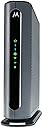
The Motorola MG7700 is a DOCSIS 3.0 cable modem and AC1900 dual-band Wi-Fi router combo, delivering up to 1000 Mbps modem speeds and 650 Mbps wireless speeds. Featuring Power Boost technology for enhanced Wi-Fi range and 4 Gigabit Ethernet ports, it supports cable plans up to 800 Mbps and is certified by Comcast Xfinity, Cox, and Spectrum. Ideal for professionals seeking reliable, high-speed internet with significant rental fee savings.


| ASIN | B07BRZ2KW5 |
| Antenna Location | Security |
| Antenna Type | Internal |
| Best Sellers Rank | #3,077 in Computers & Accessories ( See Top 100 in Computers & Accessories ) #10 in Modem Router Combos |
| Brand | Motorola |
| Built-In Media | Cable Modem Router, Power Supply, Ethernet Cable |
| Color | Black, Grey |
| Compatible Devices | Smartphone, Tablet |
| Connectivity Protocol | Wi-Fi, Ethernet |
| Connectivity Technology | Ethernet, Wi-Fi |
| Control Method | Touch |
| Controller Type | App Control |
| Coverage | Extensive Wi-Fi coverage |
| Customer Reviews | 4.3 out of 5 stars 11,527 Reviews |
| Data Transfer Rate | 1 gigabits_per_second |
| Frequency | 5 GHz |
| Frequency Band Class | Dual-Band |
| Global Trade Identification Number | 00855631006354 |
| Item Dimensions L x W x H | 8.6"L x 2.9"W x 9"H |
| Item Type Name | Cable Modem/Router |
| Item Weight | 18.14 g |
| LAN Port Bandwidth | 10/100/1000 megabits per second |
| Manufacturer | Motorola |
| Maximum Upstream Data Transfer Rate | 8 megabits_per_second |
| Mfr Part Number | MG7700-10 |
| Model Name | MG7700 modem |
| Model Number | MG7700 |
| Number of Antennas | 3 |
| Number of Items | 1 |
| Number of Ports | 4 |
| Operating System | ZyNOS |
| Other Special Features of the Product | Internet Security, LED Indicator |
| Router Firewall Security Level | basic |
| Router Network Type | Wi-Fi 5 |
| Security Protocol | firewall |
| Special Feature | Internet Security, LED Indicator |
| UPC | 855631006354 |
| Unit Count | 1 Count |
| Warranty Description | 2 year manufacturer |
| Wi-Fi Generation | Wi-Fi 5 |
| Wireless Communication Standard | 802.11ac |
| Wireless Compability | 802.11ac |
T**E
Great Modem/Router!
The Motorola MG7700 is an awesome modem/router. It replaced an older Netgear N450 modem/router that kept dropping its WiFi connection, and had to be rebooted constantly. The Setup of the MG7700 was very easy, and it did not even require calling Comcast to get it configured. I just went to the activation website and put in my Comcast account information. The MG7700 was connected to the Comcast network within 15 minutes (150 mbps plan). The MG7700 improved the WiFi connection to all of my N and AC wireless devices. I live in a 2400 square foot house and I have multiple RING security cameras around the perimeter of the house. The connection between the MG7700 and all of the RING devices is fast with no dropped connections ever. I also have 3 Rokus, a Samsung Smart TV, a Honeywell thermostat, 3 cell phones, 2 laptops, a tablet, 2 Echo Dots and 3 Amazon smart switches connected intermittently to the MG7700 throughout the day. They all stay connected with outstanding WiFi speeds. In fact my Acer laptop connects by AC wireless at 866 mbps. Most of the N wireless devices connect around 156 mbps, and everything stays connected without any drops. I also have 3 desktop computers (1 is a server) and 1 network printer connected to the 4 ethernet ports with no connectivity issues at all. I have been a Network Administrator for over 20 years, so setting up the MG7700 was really easy for me. For those that need help there are many online websites that show how to "tweak" the settings in the MG7700 for the best Wireless connectivity. Trust me the suggestions do work to maximize the WiFi connections. For security purposes I highly recommend changing the MG7700 user name and password. Also change the SSIDs and their security keys, along with the default IP address of the MG7700. Lastley, make sure that the firewall is turned on. This will keep those prying eyes off of your home network. I have used many Motorola products over the years, and they have all worked great. The MG7700 is no exception. Those individuals leaving bad reviews either do not know how to setup a WiFi router correctly, or just received a lemon (it happens). I highly recommend the MG7700 to anyone that wants a fast, secure and reliable home network. Update: it is now 4.5 years later (08/11/23), and the Motorola MG7700 is still working as well as it did when it was brand new. I have had no issues with this modem/router whatsoever. The internet speed (now upgraded to 300 mbps), and the wired and wireless connections are still as fast and stable as ever. The only very rare internet lapses are on the ISP's side. The only addition I have made to the MG7700 is attaching a USB powered, 120mm computer chassis fan to the outside of the MG7700 (blowing air on the motherboard/transceiver chipset side). This helps to keep the MG7700 cool 24/7. Heat is the worst enemy of a router, and all computer equipment in general. Keeping the MG7700 cool will keep connections stable, and greatly increase its longevity. As I originally stated in this review 4.5 years ago, the Motorola MG7700 is a great product, and I highly recommend it (and its newer successors) even more now. Update 2: Well, after 5 years and 3 months of flawless use this Motorola MG7700 finally (partially) stopped working. The 5 ghz wireless transceiver completely quit working. However, the cable modem and 2.4 ghz wireless transceiver still work fine. With the planned-obsolescence of these modem/router combos being about 3 to 5 years, I have no complaints at all, as this Motorola MG7700 has indeed performed flawlessly during this entire time. I have recently replaced this Motorola MG7700 with a Netgear Nighthawk CAX30 modem/router combo. The CAX30 was very easy to setup with Xfinity, and it is working great so far. I will leave an honest, detailed Amazon review for the CAX30 after it has been in use for a while, but So-far-so-good.
M**S
WHAT A DIFFERENCE!!!!
Although I ordered and received the Motorola MG7700 last September (2018), I just now installed it this week (last week of December 2018). Why so long, you ask? Well, because I'm old and techy-impaired, and this stuff scares me. So there. I have been using, for several years now, a $13-per-month modem and router provided by Comcast, my internet provider. It was a cheap piece of crap, but worked (somewhat) for my needs. In the past couple of months, though, my wife's ability to access the internet on her laptop from various locations in the house have been spotty to nonexistent, at best. No, she wasn't happy about that at all to the point she was threatening to call Comcast and have them send out a service rep. Now let's stop right there for just a minute. The last thing I want in my house is a Comcast Service Rep. In fact, I am convinced that to be a Comcast Service Rep you are required to be a convicted felon, straight out of the penitentiary. Not good. The last Comcast Service person I had at my house, Vernon, was so impatient to leave that, in the middle of the job, he handed me the equipment and asked me if I minded finishing the job myself. I stood there stunned and in disbelief as Vernon explained that "the games" were on TV that day and he wanted to go watch them with his friends. I told him to just leave. Insert image here of me in my front yard, standing and staring with my mouth open, holding a big roll of coax, as the Comcast truck pulled away. UNBELIEVEABLE! Anyway, back to the Motorola MG7700. .... this week things came to a head with connection issues on my old modem/router that I dragged out the new Motorola modem/router and proceeded (cautiously) to install it. I carefully disconnected the old Comcast router and modem (it was actually two separate pieces). Then I followed the well written set-up instructions that came packaged with the Motorola MG7700 and hooked everything up. The hard part, for me, was calling Comcast/Infinity Tech Support to completed the set-up from their end. They seem to be oblivious to the fact that not everyone is a computer geek and tend to ask questions that are WAY over my head. Well, they were true to form and what would have taken a 10-year-old only minutes, took me two phone calls and well over an hour. I suspect both phone reps with whom I dealt are both heroin addicts by now. FINALLY, though, the planets came together and the Motorola MG7700 is working BEAUTIFULLY! The difference in connectability from any location in the house is SOLID! Plus, internet browsing speed is BLISTERING compared to what it was formerly. I am ECSTATIC, my wife is ECSTATIC, and we both couldn't be happier with the results. For our needs, the Motorola MG7700 24x8 Cable Modem Plus AC1900 Dual Band WiFi Gigabit Router with Power Boost solved all our connection/speed issues and was worth every penny it cost. HIGHLY RECOMMENDED! GET ONE!
C**.
Works very well!
This router was a huge step up from my rented Xfinity/Comcast router. I was paying 14 dollars a month for the subpar router they sent me! I had that renter router for 5 years (that's about 660-700 dollars gone)! At $183 for the Motorola MG 7700, this baby will pay for itself! First let me establish a baseline. I live in a 5 story, narrow town house. What I needed was a router that could not only give me the Mbps I paid for (300 Mbps), but also penetrate VERTICALLY. My previous router would give me speeds of about 100-150 at most and only penetrate 1 floor. That was extremely frustrating as it meant my top two floors required an extender. When the MG 7700 arrived I called Comcast to change it out and they did it within 15 minutes. It was very easy by phone. There seems to be a way with the app but I didn't want to take any chances. Now I will say, at first with the MG 7700, I was actually getting speeds <100Mbps. I was flabbergasted! Did I waste my time and energy and have to switch back to the rented router? NO! Read the troubleshooting pages and watch a few youtube videos about this! I am no IT person but I was able to figure it out myself. But of note, I did have very slight experience dealing with a wireless router before so I knew about how to deal with configuration sites etc. If you are someone who doesn't even know how to access the 192.168 ----(etc) address for configuration then this may be a bit confusing for you. First I tightened all the connections, including the Co-ax connection Second, I changed the channels and bandwidth of 2.4Ghz and 5Ghz bands. -->It helps to get a "wifi analyzer" from the app store and see which Wifi's around you are using which channels. There is a great youtube video that talks about strong and weak signals and what to look for if you just youtube search what I put in quotes. Once I changed the channels and bandwidth my speeds are now consistently 240Mbps - 270Mbps. This is within the 80% expectation of the speed I pay for so I am now getting my money's worth! There are somethings that are out of your ISP's control and somethings that are out of the modem's control. If you live in an apartment complex or a block with LOTS of wifi signals, they can interfere and slow down your signal. An hour of research was all I needed to go from 60Mbps speeds to 270! For this modem, I will say, I was disappointed that I couldn't get mid range channels for the 5Ghz. I can only do 36-44 and then 149-161. There was no 100-148 capabilities that I could see. Luckily, most of the interfering wifis around me use channel 36 for their 5Ghz (yours may be different!) so I changed to a higher number channel and that was what brought on the faster speeds. As for penetrance. I keep my modem on the 2nd floor and it definitely penetrates 1 floor up and 1 floor down extremely well. This modem/router would be PERFECT for 3 story homes. It penetrates 2 stories up..ok. At 2 stories up, my speeds go down 50-70Mbps so the signal is clearly weaker. At 3 stories up, the speeds go down to 5-10Mbps. So it still penetrates well but not to the exact amount that I wanted. But hey, it is better than before and I only paid $183 for this so I can't complain! Good luck!
S**A
Still last 8 months later!
I specifically bought this because I did not like paying money to Spectrum for a modem and a separate router device. I was worried about failure but it still is going strong eight months later. It does sometimes drop in speeds and cuts out, but I blame Spectrum for throttling speeds and the bad service. The equipment from Spectrum was bad and basic they basically controlled everything and you only had rudimentary control over settings. I am glad I did not rent the equipment. I was hesitant for purchasing this because I was afraid the modem would not even last a year but it has I switched from 200mbps to a 400mbps connection and its still going strong if I ever need faster then 800 I will upgrade down the line but so far the modem met my low expectations. Cons: Sometimes the wireless connection drops out but I attribute that to the bad drivers on my old laptop. I run a couple of rokus and around early in the AM the provider does slow my connection. This is only noticable to my father who streams cricket matches in the living room. Other thoughts: The only con I can think of at the time is that Amazon lost the package in transit and I had to wait three weeks and ultimately had to reorder it. I never did get the first package and had to get a refund for the modem and other items I ordered. I remember going to the facility and dropping it off. The equipment and connection only worked after I registered the device for those three weeks I had no service from Spectrum and was annoyed at Amazon.
B**C
Great router!
I've had this router for about a week now and I have to say I'm elated with the performance. Not only have I been pulling what my internet provider actually advertised as my internet speed, I've also gone over what they claim during multiple speed testes from varying sources. I'm paying for 60mbps, and regularly getting 65-70 with this modem. Since it was installed I have seen marked improvements in my streaming quality, gaming quality, and download times. The frame rate on my security camera used to be horrible in Night Vision mode. Now it's almost as good as the regular camera. Downloading game updates on my PS4 takes less than an hour, when before it could literally take days. (I upgraded my internet too, so it's a combination of the router and the higher speed in this instance, but it's a world of difference). It takes no time to load maps for online play, and there has been zero lag thus far. I'd almost think this was a gaming router if I didn't order it myself. Generally I'm running more systems than my internet is rated for. I'm supposed to be able to run about 4 or 5 things without issue at my speeds. I regularly have two smartphones, a security camera, my PC, a laptop, and a tablet all going at once. And on a rare occasion you can add the PS4 to the pile. So far, there hasn't been a single issue with lag, or speed dropping. So on to the actual unit itself. It's a sleek looking tower that compliments my electronics nicely. I love the contrast between both the blue, and green lights, but also the blue and green lights to the grey and black casing. Not only does it pop nicely, but it makes it easy to tell what's going on with the lights from a distance. It's larger than my old router, but it's slim profile takes up minimal space on a shelf. Setup was a breeze. It only took a few minutes from unboxing to actually using, and the majority of that was getting Comcast to connect it. As far as cost goes, this was a worthy investment. Not only has my performance improved, but by they time I'm done with my contract with Comcast, this unit will have saved me close to $60. Save money and get better performance? It's not even a question. I'm really glad I made the purchase, and I can't really imagine why anyone wouldn't be.
J**N
Keeps breaking down
When I first got the Motorola MG7700, I was pleased with it. My cable company had no problem activating it once I set it up. We connected WiFi stuff that had been having problems on our cable rented modem. Plugged in 3 ethernet connected computers. Everything was hunky dory. Then, after about 1 month of use, our connection went down. Contacted the ISP, they said everything was fine on their end. The indicators on the modem said we were connected. But all our devices, ethernet and WiFi, were unable to get to the internet. Since I still had the old modem, I reconnected that one - we were back in business. WiFi wasn't great (one of the reasons we had gone with a new one) but back in business. So, I called customer support for the Motorola. The guy who helped me guided me through about an hour of steps, checking a bunch of settings in the Motorola, re-setting it to factory default, unconnecting and reconnecting things, and we finally got the connection up and running again. His name was John, and he was wonderful. He said since the modem had been connected for as long as it had been, and the settings we had gone through were what they were, most likely it wasn't the ISP but the modem that had a problem. Said he would put a bunch of notes in the case and if I had the problem again, they would replace the modem, because that's what seems to be the problem. One week later (yesterday), it died again. Called the Motorola service people again. NEW guy I talked to insisted it was the ISP that was the problem, and that I needed to call them and re-activate the modem. He admitted that since the modem HAD worked for a while that was a wierd thing to have happened, but insisted it couldn't be the modem. We went through the whole procedure of re-setting the modem to factory new again, and unplug the thing again, unscrew it from the connection to the ISP again, and nothing was done other than that. Yeah, we got it working again, but HE said if it went down again it was the ISP. I asked if I could somehow call the ISP BEFORE it goes down again to fix whatever he thinks is wrong. He said yes, I should do that. So, I called the ISP. They could see nothing wrong, but I finally got them to deactivate then reactivate the modem as the second tech guy had insisted was the problem. They said they had never had that problem with this brand and model of modem, and didn't see that it would do any good, but they would do it since I asked them to. It's been about 5 hours now. Modem is working at the moment. But I am expecting it to go out again. I have had more than a few modems in my lifetime, and this is the first one I've had so much trouble with. I'm disabled, and having to deal with constantly re-setting and unplugging the modem is a pain (literally). I went with this modem to save some money on renting from the ISP, but this is not worth it. I can't even bring in the old modem so I can stop renting the stupid thing because I need a backup for when this new one dies . . . NOT a happy camper. Not thrilled that the second tech support guy basically devalued everything the first one said and blamed the ISP. Not happy that I've had to re-set this stupid modem I believe it's 3 times (or is it 4?) since I set it up only a month and a half ago. At this point I would not purchase a Motorola Modem ever again. Addendum: Have called product support 7 times. Sometimes I'm on hold for over 45 minutes and they hang up on me. Sometimes I talk to someone who still insists it's the ISP. ISP says they show that they are connected properly with the modem. They've resed the stupid thing over and over again - sometimes it works, sometimes it doesn't. Have to constantly hit the "factory reset" button when it dies. The 7th time I called Motorola product suppoer, I finally got someone who said they would send me a new one. Now, THAT process is a pain too! They want a credit card number, in case I don't return the old one. They say I have to pay to send the old one back, and that I better make sure I pay for tracking becuase it might not get there. Whole process is a pain in the butt. I am even more unhappy now. Downvoted this thing to 1 star due to their product support. I would suggest not purchasing this POS. New Addendum: These idiots want to put an amount "on hold" for the new modem. An amount that is MORE than we paid for the modem in the FIRST PLACE! Never dealt with such a bunch of jerks! The customer support person didn't say they were going to do that. In fact, he specifically said there would be no charge if we turned in the old one within 30 days. But no charge is NOT the same as "we will put a hold on your credit card for $184.99. I am NOT authorizing this crap! Don't trust them at all at this point. Buyer beware!
L**H
Worth Every Penny
I formerly rented a brand new Xfinity DPC3941T modem/router for a month while temporarily searching for a good, new modem/router to purchase. Not only does this Motorola MG7700 modem/router save me $11/month ($132/year) in Comcast rental fees, but its performance drastically exceeds that of its predecessor. Beforehand, multiple smart devices around my house (i.e. HP wireless printer, NEST thermostat, RING doorbell + camera, Apple TV, and various cell phones + laptops ) would intermittently disconnect or experience issues reconnecting to the internet network (even though the internet network is listed as available and strong). Worst of all, these devices would face limitations in functionality. At first, I thought the latter issue was due to technical problems associated to independent devices themselves. Little did I know, I was wrong. It was due to the Xfinity modem/router. Ever since I switched to the Motorola MG7700, it has solved everything! Whereas my HP wireless printer was only able to print documents through wifi, but send any scans or access previously inputted email addresses via wifi, it can now. Likewise, my family's Apple TV is able to access ALL subscribed channels and networks now instead of only Netflix and Youtube. Beforehand, it kept running into "unavailability issues" connecting to the Amazon Prime, ABC, NBC, PBS, and FOX streaming services. It was utterly frustrating... Despite multiple hours invested into researching and troubleshooting these individual problems, there was no successful, permanent solution - just temporary workarounds that occasionally worked. I had to reboot the Xfinitiy modem multiple times a week for all of the wifi-dependent deivices to work or register the network (despite being set to automatically connect to the specified wifi network). The Motorola MG7700 built-in router sends out strong, reliable signals that have remained uninterrupted to this day. All of the aforementioned devices have been working optimally since I replaced the Xfinity modem/router. While the Xfinity router download speeds were alright, the Motorola one is significantly faster. The set up was simple, straightforward, quick and I experienced no issues activating it remotely with Comcast. All in all, this Motorola modem/router is the best I've encountered so far (and that goes for past modems/routers my family has used prior to the Xfinitiy one).
C**S
Worked well.
Good option to monthly cable company rental.
Trustpilot
1 month ago
3 weeks ago