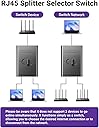
🔀 Switch Smart, Stay Connected – The Power-Free Network Gamechanger!
The VCELINK Network LAN Switch is a compact, power-free RJ45 selector hub that enables manual switching between two Ethernet networks at gigabit speeds. Featuring physical isolation to prevent IP conflicts, durable nickel-plated connectors, and compatibility with PoE and CAT5E/CAT5 cables, it offers a reliable, plug-and-play solution for professionals needing flexible, interference-free network control without software dependency.


| ASIN | B0D1R414PF |
| Best Sellers Rank | 12,463 in Computers & Accessories ( See Top 100 in Computers & Accessories ) 76 in Network Switches |
| Guaranteed software updates until | unknown |
| Item model number | M241-1P-DE |
| Manufacturer | VCELINK |
| Product Dimensions | 5.7 x 4 x 2 cm; 40 g |
A**K
Definite knowledge
This is a great little device for allowing you to switch between networks. Sometimes I want physical switch for testing and not to have to rely on software. This clicks into place and you know for sure which cable you are connected to. Can be used to allow the kids to use the pc without having access to the internet or you can switch between your homephone broadband and a 4g router etc.
B**B
Good function and form
Good Simple slide switch to send Ethernet signal down one of two cables Looks good Seems well made
C**S
Does the job well
Feels slightly lightweight but works really well.
N**)
Great little gismo that just works - recommended
In between switching over from VM to a different ISP I had an overlap of services for about a month. I continued using my old ISP along side the new one and was able to switch between the two with this gismo very easily without unplugging the lan cable from my PC. This switch works perfectly and reliably on my computers and just makes and easy job of it.
A**W
Works perfectly, both for switching and for isolating networks.
I tested this to switch between networks and also to provide switchable airgap. It doesn't exactly what it says on the box
O**W
Good Switch
Item as described, strong compact build. Extremely easy to setup, plug and play essentially. Once setup, I ran some internet speed tests and there was little to no difference with the switch in situ.
K**L
Great
Great bit of kit. I’m now able to split my LAN cable between my PC and PS5 with a flick of the switch
M**N
Ethernet switch
Works great switch between cbox and amazon firestick Highly recommend
ペ**ん
この製品は【 切替器 】であって【 2台同時使用はできません 】お間違え無く。
A**I
Esegue in modo eccellente il suo lavoro, Switch forse un po duro da azionare. Passaggio istantaneo da una connessione all’altra. Io l’ho usato per passare la rete dal pc alla ps5 e lo uso quotidianamente con ottimi risultati. Ad oggi lo avrò azionato 250/300 volte senza nessun problema. Da valutare la durata nel tempo ma visto il costo sono molto soddisfatto. Sarebbe carino ci fosse il modo di rinominare le uscite in modo integrato nello switch ma nulla che un etichettatrice non possa risolvere. Promosso
M**O
📝 DESCRIPCIÓN Conmutador mecánico RJ45 de 2 puertos que permite elegir manualmente qué dispositivo recibe la conexión de red. 👉 Alternativa similar en Amazon: https://amzn.to/4rPTTPP 👉 Switch en Amazon de 2 puertos: https://amzn.to/45198vs 🧾 ESPECIFICACIONES • 1 entrada RJ45 + 2 salidas • Gigabit 1000 Mbps • Funcionamiento bidireccional • Conmutación manual A/B • Carcasa ABS • No requiere alimentación • Tamaño compacto 📦 CONTENIDO • Conmutador RJ45 • Interruptor selector A/B • Carcasa ABS 💶 PRECIO Ayer: 8,99 € 🟢 PROS • Sencillo de usar • No requiere alimentación • Tamaño pequeño • Cambio rápido A/B • Económico 🔴 CONTRAS • No funciona como switch • Un único dispositivo activo cada vez ⸻ 8️⃣ VALORACIÓN Este dispositivo necesita una explicación clara, porque mucha gente lo compra pensando que es un switch, y no lo es. No reparte la conexión en dos, ni permite que dos dispositivos naveguen a la vez. Es un conmutador mecánico: tienes una entrada y eliges si va a la salida A o a la B. Y también funciona al revés: puedes conectar dos entradas y seleccionar cuál de ellas quieres enviar al dispositivo final. En mi caso lo uso porque tengo dos conexiones de red distintas. Una viene del router principal y la otra de un router configurado con VPN. La tele solo tiene un puerto de red, así que utilizo este cacharro para elegir hacia dónde conectarla dependiendo de lo que vaya a ver: si quiero ver fútbol, selecciono la línea con VPN; si quiero ver Netflix, pongo la línea normal para no tener bloqueos. Con un clic lo tengo todo configurado sin tener que entrar a cambiar ajustes en la tele. Su ventaja es la simplicidad: lo colocas entre la tele y los dos cables de red y solo tienes que mover la pestaña para cambiar de conexión. No requiere alimentación, no se calienta y no tiene latencia porque no procesa nada, simplemente conmuta el cableado interno. Es importante insistir en que no divide la red. Si alguien lo compra pensando que con un solo cable va a dar conexión a dos dispositivos simultáneamente, se llevará un chasco. Solo permite tener una conexión activa por vez. También me resulta útil porque evito que los niños entren a la configuración de la tele y cambien cosas sin querer; con este sistema solo pueden mover un interruptor. Funciona bien para casos muy concretos: alternar entre dos routers, dos configuraciones o un router y un switch secundario. Si necesitas repartir la señal, lo adecuado sería un switch real, no este tipo de conmutador. ⸻ ✅ CONCLUSIÓN Un conmutador mecánico RJ45 pensado para cambiar manualmente entre dos redes o entre dos dispositivos sin tocar configuraciones. Perfecto si necesitas alternar entre una línea con VPN y otra normal, o si buscas algo simple, sin alimentación y muy fácil de usar. No sirve como switch para repartir Internet, pero cumple muy bien su función cuando entiendes para qué está diseñado. 👍 RECOMENDABLE (si sabes qué estás comprando) ✳️ Espero que mi comentario ✍️ te haya podido servir de ayuda 😃
S**O
EXCELLENT ITEM! Very small and purpose built. Works for me at 2.5Gbe although not advertised to do so. Would love a device like this with connections on one side.
E**T
Nutze den switch für mein Home Office Setup. Habe nur einen LAN Stecker, aber meinen Privat, sowie Firmen Laptop auf meinem Schreibtisch. Keine Steckdose mehr frei, weshalb ein Hub (benötigt 5v anschluss) nicht in frage kommt. Splitter reduzieren das Tempo. Mit dem Switch kann ich bei der Arbeit den Laptop nutzen, oder den eigenen Rechner in der Freizeit, dadurch bin ich nicht mehr darauf angewiesen immer den Stecker ein- und auszustecken. Soweit funktioniert es super.
Trustpilot
5 days ago
3 weeks ago