Desertcart purchases this item on your behalf and handles shipping, customs, and support to Iceland.
🚀 Future-Proof Your Home Network with Deco 7 BE25 – Speed, Coverage & Security in One!
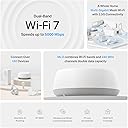
The TP-Link Deco 7 BE25 is a cutting-edge WiFi 7 mesh router delivering ultra-fast dual-band speeds up to 5Gbps, seamless whole-home coverage up to 2,600 sq.ft, and support for over 150 devices. Featuring AI-driven seamless roaming, 2.5 Gbps wired/wireless backhaul, and robust security with TP-Link HomeShield, it ensures a future-proof, reliable, and secure smart home network. Easy setup and app management make it ideal for busy professionals demanding top-tier connectivity.


| ASIN | B0DKVKLJX3 |
| Antenna Location | Home |
| Antenna Type | Internal |
| Best Sellers Rank | #8 in Computers & Accessories ( See Top 100 in Computers & Accessories ) #1 in Whole Home & Mesh Wi-Fi Systems |
| Brand | TP-Link |
| Built-In Media | 1 Deco BE25 Unit, 1 Power adapter, 1 RJ45 Ethernet cable, Quick Installation Guide |
| Color | White |
| Compatible Devices | Gaming Console, Personal Computer, Smart Television, Smartphone, Tablet |
| Connectivity Protocol | Wi-Fi, Ethernet |
| Connectivity Range | 2600 square_feet |
| Connectivity Technology | Ethernet, Wi-Fi |
| Control Method | App, Remote, Voice |
| Controller Type | App Control, Voice Control |
| Coverage | 2600 square foot |
| Customer Reviews | 4.1 out of 5 stars 269 Reviews |
| Data Transfer Rate | 2882 megabits_per_second |
| Frequency | 5 GHz |
| Frequency Band Class | Dual-Band |
| Item Weight | 1.1 pounds |
| LAN Port Bandwidth | 2.5 Gbps |
| Manufacturer | TP-Link |
| Maximum Upstream Data Transfer Rate | 1441 megabits_per_second |
| Mfr Part Number | Deco BE25(1-Pack) |
| Model Name | Deco BE25(1-Pack) |
| Model Number | Deco BE25(1-Pack) |
| Number of Antennas | 2 |
| Number of Ports | 2 |
| Operating System | RouterOS |
| Other Special Features of the Product | Alexa Compatible, Guest Mode, Internet Security, Parental Control, Remote Access |
| Router Network Type | hybrid |
| Security Protocol | WPA-Personal, WPA2-Personal, WPA3-Personal |
| Special Feature | Alexa Compatible, Guest Mode , Internet Security, Parental Control, Remote Access |
| UPC | 810142820332 |
| Warranty Description | 2 Year Manufacturer |
| Wi-Fi Generation | WiFi 7 |
| Wireless Communication Standard | 802.11.be, 802.11ac, 802.11ax, 802.11g, 802.11n |
| Wireless Compability | 802.11.be, 802.11ac, 802.11ax, 802.11g, 802.11n |
R**L
Fast, Reliable WiFi Coverage Throughout the House
This TP-Link Deco router has been a fantastic upgrade for our home network. Setup was quick and straightforward, and within minutes we had fast, reliable WiFi throughout the house. The coverage is excellent, with a strong signal even in rooms that used to have weak or spotty WiFi. Streaming, video calls, online gaming, and connecting multiple smart devices all work smoothly without interruptions. I also appreciate the clean, compact design,it blends in nicely without taking up much space. The connection has been stable, and we've noticed faster speeds and fewer dropped connections since installing it. If you're looking for an easy-to-set-up mesh router with excellent coverage and reliable performance, I highly recommend this one. It has made a noticeable difference in our home's WiFi!
C**L
Straightforward installation
Easy to install, 2 level house no problem, strong signal all over
B**N
Fast, easy setup, many settings. Replacing old main unit failed
Generally I'd say setup was a breeze and the settings are easy to use. A lot about this system is plug & play. My ethernet backhaul set up automatically without doing any work. I've had no outages in the past month. Replacing the old "main unit" failed miserably, I ended up needing to factory reset everything... The app crapped out and gave a non-recoverable error and useless support advice. That aside, this router is a beast and my wifi speeds are better than ever.
A**N
No noticeable improvement
They work OK but measuring speeds is more variable than I would like so saying one brand is faster than another is suspect. Still, after dozens of upload and download tests on two cell phones, three TVs, a PC and a borrowed laptop, there was no improvement with a four "point" Deco 7 wi-fi system over my 6 year old Google mesh system.
J**Y
Skip these. Problems from day one.
Here's my experience. Pros: Good range, Small and doesn't use much space, dual band, has IOT network for cameras and such, quick reset process. The Cons: The plug for item stopped working after 3 days. Setup was sifty. It will fail most of the time and then work FINALLY. The UI (User Interface) is garbage. Fair warning there is no individual bands nor anyway to split them. Meaning 2G and 5G are combined. You can disable one or the other and even both. While on that topic. If you disable your 2G band then your guest and IOT 2G bands automatically disable also. 🤦♂️ Same for 5G bands. These decos will only create a mesh network with other decos. If you have any tp link archer routers and wanted to add this to the archer mesh network it will not work nor is it compatible. Deco routers work with deco routers only. Archer routers work with other archer routers when creating a mesh network. No interoperability.
C**W
Great router and even better app to go along with it
Works great and has improved our Wi-Fi throughout our house. I also appreciate the app as it allows me real time monitoring of who joins my network and has virus protection built-in on the app
J**.
BE25 And X20 hybrid Deco Mesh
I originally purchased a TP-LINK X20 mesh system and connected it to my ISP's router with a 1 GB plan and it was a major improvement over the previous router and Wi-Fi extender combos. I have approximately 2,000 ft² where I used four X20s satellites and the main unit. I realized after a while that my system would be better if it used the TP-LINK BE25 as my main unit considering the better connectivity and strength of signal with Wi-Fi 7 versus Wi-Fi 6. I connected it to the router and it worked perfectly with the X20s. My initial configuration was to make the ISP router the workhorse and the main unit as an access point. However, I decided at some point that I wanted to remove the ISP's router from the system (it was somewhat finicky) and directly connected the ONT to the BE25 2.5 gb port after changing it from an access point to router mode. I had purchased a multi-gigabit switch so I was able to also connect the other 2.5gb port of the BE25 to that switch which allowed me to connect CAT5e and cat6 devices as well as a MoCa adapter for my TVs. That switch allowed a full throughput and no bottlenecks. I am very happy with this hybrid system and with the BE25 as the main router. I totally understand that what I've done is not necessarily what most people would do but if you want a reliable and powerful Deco mesh system that works great I would strongly consider the BE5000 (BE25).
D**S
Deco good.. used lacking.. no cable or manual..
The deco itself was fine but buying it used was lacking... There was no E Ethernet cable or manual in the package... Luckily I only had to add it to a network that was already set up and I had a cable for what I needed to do. Otherwise, I would have had to buy one, and at that rate would have cost more than a new one.
A**Z
Excelente
Lo compré para reemplazar un modelo M5. Fácil de configurar, un alcance excelente y la velocidad de wifi de mi laptop mejoró ya que usa WIFI7. El tamaño es mayor al modelo que tenía antes, pero se ve muy bien por su diseño. Cero desconexiones de equipos personales y IOT de casa que los separa en otra red para seguridad
U**E
Muy buen producto
Funciona muy bien, se mantiene la velocidad en toda la casa y no se perciben los cambios entre todos. Recomendable
M**L
Essential Upgrade for Bell Giga Hub Users! WiFi 7 Stability in Downtown Condos
I have a 3Gbps fiber plan with Bell in a 600 sq. ft. downtown Toronto condo. Even though I’m using Bell's latest Giga Hub 2.0 (WiFi 7), the signal struggled because the modem is tucked away in the laundry closet. After testing the TP-Link Deco BE25 (WiFi 7), the improvement in stability and speed—especially upload—is staggering. The "Battle of WiFi 7" (Real-World Benchmarks): I ran side-by-side tests from my living room, and the results speak for themselves: * Bell Giga Hub 2.0 (WiFi 7): 1133 Mbps Down / 220 Mbps Up. * TP-Link Deco BE25 (WiFi 7): 1490 Mbps Down / 1451 Mbps Up. * Wired via uGreen 2.5G Switch: 2279 Mbps Down / 2358 Mbps Up. The most shocking part? The Deco delivered over 6 times the upload speed compared to the Giga Hub 2.0. In a condo environment with lots of interference, having a symmetrical 1.4Gbps connection over WiFi is incredible for my NAS backups and trading sessions. Pro Setup Tip: To maximize performance, I set the Deco to Access Point mode and disabled the WiFi radios on the Bell Giga Hub. This prevents signal "noise" and lets the Deco’s WiFi 7 tech handle the traffic efficiently. * Pros: * Incredible Upload Speeds: Solves the common "slow upload" issue on ISP routers. * WiFi 7 & 2.5G Ports: Perfectly matches high-tier fiber plans (3Gbps+). * Condo Friendly: Overcomes the "modem in a closet" problem common in Toronto. * Stability: No more quality drops during 4K streaming or video calls. Cons: * Requires Permanent Wired Connection: Unlike some simple extenders, the main Deco unit must be physically connected to your modem via Ethernet at all times. This can be a limitation if your modem is in a tight spot (like a laundry closet). * Port Limitation: Since one of the ports is dedicated to the modem, you are left with only one extra 2.5Gbps port for your other devices (I solved this by adding a uGreen 2.5G switch). Final Verdict: If you are on a high-speed Bell plan, the Giga Hub 2.0’s placement is likely limiting your potential. Adding a Deco BE25 isn't just an "extra"; it's how you actually get the speeds you’re paying for. An absolute must-have for power users.
M**L
Menos alcance que un Deco M5
Lo compré para actualizar un Deco M5. Encontré que su alcance es menor que el M5. Si no tienes dispositivos MLO, recomiendo mejor adquieras un Deco XE75 que tiene wifi6 y mucho mejor alcance
J**E
Velocidad de internet en toda mi casa!
Solución total a la velocidad de internet en mi casa, es muy fácil de instalar y ahora sí estoy usando el total de los megas contratados, llega perfecta la señal hasta lugares donde tenía pésima señal. Recomendado ampliamente.
Trustpilot
1 day ago
5 days ago