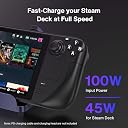
Desertcart purchases this item on your behalf and handles shipping, customs, and support to Iceland.
🎮 Elevate your gaming setup—dock, charge, and dominate in 4K glory!
The iVANKY 8-in-1 Docking Station is a powerhouse accessory designed for ROG Ally, Steam Deck, and Legion Go gamers. Featuring a 4K@144Hz HDMI 2.1 port, 1Gbps Ethernet, three USB 3.0 ports, and a 100W USB-C charging port, it ensures seamless connectivity and rapid charging. With support for ROG Ally’s 30W Turbo Mode and a durable design backed by a 12-month warranty, this dock transforms your portable gaming device into a full-fledged desktop experience.

| ASIN | B0DG2TPLG6 |
| Best Sellers Rank | 2,976 in Computers & Accessories ( See Top 100 in Computers & Accessories ) 29 in Docking Stations |
| Brand | IVANKY |
| Brand Name | IVANKY |
| Colour | Purple |
| Compatible Devices | ROG Ally, Steam Deck, Legion Go |
| Compatible devices | ROG Ally, Steam Deck, Legion Go |
| Country of Origin | China |
| Customer Reviews | 4.5 out of 5 stars 1,685 Reviews |
| Hardware Interface | HDMI |
| Hardware interface | HDMI |
| Item Highlight | 8-in-1 Hub Docking Station, 1 Gbps HDMI Ethernet, USB-A 3.0 100W Charging USB-C Port for Valve Stream Deck, with 100W Charger |
| Manufacturer | iVANKY |
| Number of Items | 1 |
| Number of Ports | 6 |
| Number of ports | 6 |
| Product Warranty | 2 years |
| Total HDMI Port | 1 |
| Total USB Ports | 3 |
| Total USB ports | 3 |
| Wattage | 100 |
O**N
Did exactly what I wanted it to do
The iVANKY 4K@144Hz ROG Ally Dock has been an absolutely fantastic accessory and has worked flawlessly from day one. The build quality feels premium, sturdy, and clearly designed with handheld gamers in mind. It’s compact enough to fit neatly into my setup while still offering all the ports and connectivity I could need. Video output is excellent—running 4K at 144Hz looks incredibly smooth and sharp, whether gaming, browsing, or using the ROG Ally as a desktop replacement. Connection stability has been rock solid, with no dropouts, flickering, or connection issues. What really impressed me was how reliable it was when I used it to install SteamOS on my ROG Ally. The dock handled everything perfectly—USB devices, external storage, display output, and network connectivity all worked exactly as they should, making the whole installation process smooth and hassle-free. It genuinely turned the Ally into a proper mini PC setup. Charging passthrough works great, the ports are well laid out, and everything just feels plug-and-play. Overall, this is a high-quality dock that delivers excellent performance, reliability, and versatility. If you own a ROG Ally, this is easily a 5-star accessory and highly recommended.
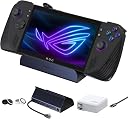
D**6
Great replacement dock
Bought this as a replacement after my Legion dock died after only about a month. So far I’m really impressed with the iVANKY dock. It was easy to set up and worked straight away with my handheld and monitor. The 4K 144Hz support is a nice bonus and everything feels solid and well made. The extra ports are useful too, especially when using it as a proper desktop setup. Hopefully this one lasts a lot longer, but so far it’s been a great replacement and I’m very happy with it.
M**N
Works with Xbox ROG Ally X20
Works with my Xbox ROG Ally X20 perfectly. It is great value, amazing quality and it very stable with my X20 installed. It charges my X20 with the built in usb-c cable. It has a hdmi and 3 usb-a's on the back also a usb-c for power. This is half the price of my previous dock and is of much better quality *****
G**V
Ok for price
Works ok, had a couple of random disconnects
K**G
Perfect for Legion Go S.
I bought this dock to use with my Lenovo Legion Go S Z2E and straight out of the box it works perfectly. I use the 65 watt charger that came with my Legion to plug into the dock and the dock itself then allows my Legion to sit nicely in position while its being charged or used. Apart from the port to plug your charger into, there are an additional 3 USB type A ports to plug in peripherals and also an HDMI 2.1 port for monitor connection and an ethernet port should you want to connect to your network wired. I currently use two of the USB ports for a mouse and keyboard and I have also used the HDMI port to hook up to my monitor. In use, the streamlined nature of the Steam OS on the Legion make this a very easy plug-and-play solution. As soon as I power up my device, it connects straight away to my monitor. Things are even better when you go into desktop mode as the OS knows that you are docked and it immediately treats the screen of the Legion as an extended desktop screen! The only thing that I have had to set up 'manually' was the audio output as in docked mode the audio defaulted to the Legions speakers rather than the HDMI audio from my monitor. Overall a highly recommended solution for docking your Legion Go S, especially if you wish to take full advantage of the desktop mode offered by Steam OS.
R**G
they are perfect for my Lenovo legion go 2S
I have purchased 2 if these and they are perfect for my Lenovo legion go 2S unfortunately one stopped working. I contacted the supplier and I had a brand new one on my doorstep the next day. Fantastic customer service. You can buy with confidence. 100% recommend.
S**M
Some USB-PD related issues, but overall functional with the right supply. A good purchase.
This dock is pretty plug and play and feels well made with plenty of IO ports, but there are some important caveats when I tried it with an ROG Ally: When used with a Dell Laptop 130W USB-C supply, it charges the battery, allowing for 30W Turbo mode. When used with the OEM ROG Ally 65W supply, it charges the battery, allowing for 30W Turbo mode. When used with an Anker A1383 65W Power Bank, it charges the battery, allowing for 30W Turbo mode. When used with an Anker 317 100W USB-C supply, it seems to succeed but slowly discharges the battery, while still allowing 30W Turbo mode for some reason. It gives no warning like you see when you use an inadequate supply (the i over the battery indicator in Armory Crate). I'm unsure of why the USB-PD arbitration results in some chargers failing to deliver the required power, but it seems to be an issue of compatibility between the firmware of the supply and the dock itself, as the Anker 317 is capable of charging an ROG Ally directly without issue when there's no dock in the middle. It's also not a matter of overall power, as the 65W capable power bank was able to run the Ally in 30W Turbo while also charging through the dock. This product works, provided you have the right charger (it does work with the stock ROG Ally 65W supply).
Y**A
Works well during short ownership period
Hooked up an Asus Ally to a 144hz monitor running at 30W and 100W charger and works well, can't comment on longevity.
P**E
Produit non adapté à un rog xbox ally X + chargeur problématique
Produit non adapté au ROG XBOX Ally X, la version xbox avec ses poignées plus imposantes pose un sérieux problème, le dock ne retient pas le ROG. Qui plus est, le chargeur acheté avec, n'est pas exclusif au territoire français et l'adaptateur fourni pour l'embout de la prise ne permet pas la charge. Donc cela fait quand même beaucoup, à éviter pour un ROG ally XBOX + une prise pas destinée au marché français, je ne saurais que trop conseiller de prendre un chargeur sans adaptateur, donc ne pas prendre de chargeur chez eux. Le service commercial iVANKY a été très "classe", ces derniers m'ont remboursé les 7 € pour l'embout d'adaptateur au courant européen, et ce, alors que je ne leur demandais rien, preuve s'il en est, de leur sérieux. Concernant la problématique de maintien de la rog xbox ally X, vous devrez utiliser le support carton fourni avec (même si ce n'est pas idéal, notez que le problème ne concerne que la version xbox). Note mise à jour.
N**.
Parfait pour le prix (19.99), cable ultra solide.
Fonctionnement plug-and-play dès le premier branchement .(steam OS 3.5.7 sur SD OLED ) Ecran reconnu en branchement à chaud pendant un jeu/ sur l'interface steam du mode jeu/ en mode bureau/ en sortie de veille/au démarrage. A fonctionné même juste alimenté par le steam deck (émulation sur Yuzu ). Manette ps3 branchée en USB (déjà appairée en bluetooth mais batterie déchargée pendant une session de jeu) reconnue instantannément. Le cable est tellement renforcé/épais qu'il est limite trop rigide. Ma steam deck semble rester chargée pendant les partie de jeux avec le chargeur d'origine (45w) qui alimente le dock. Pas encore essayé le port ethernet. Dès "coques" pour les joysticks offert dans la boite (2 noirs et 2 blancs ). franchement, je ne vois pas pourquoi on voudrait payer plus ?
R**O
Simple install and good quality
Works well with my steamdeck. Hdmi not included. Highly recommend, the quality is great
B**H
Works great and does a lot for the size
I got this to use with my handheld and it works great. Its a little dock that lets you plug the handheld in and play on the tv, and the picture comes through nice and clear. It has the hdmi port for 4k and it charges at the same time so the battery doesnt run down while you play, which was the main thing I wanted. Theres also a bunch of usb ports on it so you can plug in a controller or a keyboard or whatever else, and an ethernet port if you want a steadier connection than wifi. It even came with little caps for the joysticks to keep them from getting scratched up. It works with a lot of different handhelds too, not just one kind, and theres a turbo mode for the ROG Ally that gives it a little extra power. Its easy to set up, you just plug it in and it works, no messing around with settings or apps. For something this small it does alot, and I use it all the time now. Really happy with it.
H**A
Great dock for Asus Rog Ally
Its a great dock, good build quality, has ethernet, hdmi and 3 USB-A ports alongside power delivery port which are good enough for attaching additional gamepads, mouse/keyboards to operate Asus Rog Ally as a full desktop pc. Its just plug and play and offers good sturdy stand for rog ally. I got it for around Rs. 5650 with card offers on sale and for this price or around 6k I think its worth it. I am able to use Turbo 30W mode of rog ally on this using rog ally's adapter but a adapter upto 100W could also be used with this (this doesn't come with any power adapter). Also, I have a 150Mbps connection and using the lan cable I am able to see it using full bandwidth.. I have also tried copying files using Lan from another computer to this and I am able to see 100MB + (Megabytes) per second data transfer speed which is great.
Trustpilot
1 week ago
5 days ago