Desertcart purchases this item on your behalf and handles shipping, customs, and support to Iceland.
🚀 Elevate your digital domain with UGREEN’s ultimate NAS powerhouse!
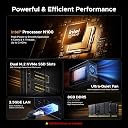
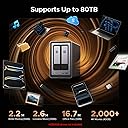
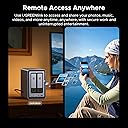
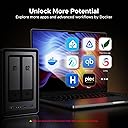
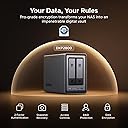
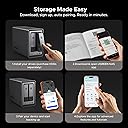
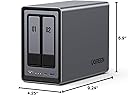
The UGREEN NAS DXP2800 2-Bay is a diskless, high-performance network storage system designed for advanced home users, creators, and remote workers. Powered by an Intel N100 Quad-Core CPU and 8GB DDR5 RAM, it supports up to 80TB of storage with dual HDD bays and M.2 NVMe slots. Featuring 2.5GbE networking, AI-powered surveillance, and cross-platform compatibility, it centralizes data management, media streaming, and home security in one sleek, dust- and shock-resistant unit backed by a 2-year warranty.
| ASIN | B0D22HBFK1 |
| Additional Features | Dust Resistant, LED Light, Shock Resistant |
| Best Sellers Rank | #1 in Network Attached Storage (NAS) Devices |
| Brand | UGREEN |
| Built-In Media | Power Adapter, Quick Start Guide, Screwdriver Kit, USB Cable |
| Color | Grey |
| Compatible Devices | Desktop |
| Connectivity Technology | SATA |
| Customer Reviews | 4.6 out of 5 stars 945 Reviews |
| Data Transfer Rate | 334 megabits_per_second |
| Digital Storage Capacity | 80 TB |
| Enclosure Material | Plastic |
| Form Factor | ATX |
| Global Trade Identification Number | 06941876239641 |
| Hard Disk Form Factor | 3.5 inches |
| Hard Disk Interface | Serial ATA |
| Hard Disk Rotational Speed | 7200 rpm |
| Hard-Drive Size | 80 TB |
| Hardware Connectivity | Ethernet, SATA 6.0 Gb/s, USB |
| Hardware Platform | x86 |
| Installation Type | Internal Hard Drive |
| Item Weight | 2.58 kg |
| Manufacturer | UGREEN GROUP LIMITED |
| Mfr Part Number | DXP2800 2-Bay |
| Model Name | DXP2800 2-Bay |
| Model Number | DXP2800,2-Bay (Diskless) |
| Number of Items | 1 |
| Read Speed | 312 megabits_per_second |
| Special Feature | Dust Resistant, LED Light , Shock Resistant |
| Specific Uses For Product | Business, Multimedia, Personal, Gaming |
| Unit Count | 1 Count |
| Warranty Description | 2 Year Manufacturer |
K**G
Perfect for my uses
This NAS is a game changer for anyone who wants to build their own cloud storage or media server. First, I want to point out that I'm not an expert when it comes to NAS devices or Docker. I used AI a lot to help set up my Docker containers, but it wasn't always correct, so I still had to do quite a bit of troubleshooting. That's not a problem with the NAS, it's just something to keep in mind if you're new to Docker or self hosting. This NAS can hold two HDDs and two SSDs. I have mine set up with the SSDs running the operating system and apps, while the HDDs store my media and larger files. So far, this setup has worked great. The operating system is very user friendly and easy to navigate. UGREEN includes quite a few built in apps, including Photos and Theater, along with several others. The Photos app is very similar to Google Photos and does a great job organizing pictures. It also has AI features that can recognize faces and locations. The Theater app works fine, but if you're planning to build a media server, I think you're better off installing Jellyfin through Docker. It offers more features and worked better for me. The build quality is excellent. The unit feels solid, cooling has not been an issue, and performance has been great. I upgraded from a WD My Cloud EX2, and the difference is huge. Everything is much faster, there are more features, and it's much more flexible. For the most part, the NAS is quiet. I don't spend much time in the room where it's located, so I can't really say how loud it gets under a heavy workload, but during normal use I barely notice it. I honestly haven't found any major downsides yet. I've only owned one other NAS, the WD My Cloud EX2, so I can't compare it to a lot of other brands. If you're coming from a WD My Cloud though, this is a huge upgrade and well worth the money. I would definitely recommend it to anyone looking for their first NAS or anyone wanting to upgrade from an older model.
W**E
Excellent NAS – Finally a Reliable Network Storage Solution!
After wasting countless hours troubleshooting the GL.iNet Brume 2 and Brume 3, switching to the UGREEN NASync DXP2800 was a breath of fresh air. Setup was straightforward, file sharing with my Mac works great, and performance is significantly better. I use it for storing large files, streaming 4K movies through Infuse, and running applications like qBittorrent. The operating system is user-friendly, packed with useful features, and makes managing network storage much easier. I initially had an issue with the NAS not turning back on after a power outage, but discovered there’s an automatic power recovery setting. Overall, I’m extremely satisfied with this purchase. If you’re looking for a dedicated NAS instead of struggling with router-based USB storage solutions, the DXP2800 is absolutely worth considering.
A**H
Ugreen NASync DXP2800: The Best Value for a Home Media Server
The DXP2800 is a powerhouse for families moving their data off expensive cloud subscriptions like I have done. For anyone running Plex for home media server and Immich to replace google photos, this 2-bay unit delivers incredible performance at a stellar price. Key Highlights: Plex & Immich Heaven: The Intel N100 CPU handles 4K transcoding and Immich’s AI-heavy tasks effortlessly. It’s perfect for creating your own private, fast, and secure media cloud. Massive & Fast Storage: Supports two large SATA drives (up to 30TB each) and includes two M.2 NVMe slots. Put your app metadata and database on the SSDs for instant responsiveness. Premium Build: The aluminum chassis feels solid and durable, far superior to competitors' plastic designs. Easy Setup: UGOS Pro software is user-friendly and makes setup a breeze, even if you’re new to NAS systems. Docker support expands functionality hugely. The Caveat (The Noise): The only real drawback for large media libraries (like my 16TB drives) is the chassis can amplify HDD vibrations during heavy writing. Quick Fix: Placing the unit on a silicone mat or adding some felt pads inside the bays silences this minor quirk immediately. Verdict: This NAS is an absolute winner. It has the hardware to crush any home media task and is easily the best self-hosting solution I've used. A must-buy if you want to take ownership of your digital life!
K**E
Excellent NAS, well worth the money and effort.
I ordered this not sure what to expect. I was pleased with the device. None of the drives I installed are on the certified list, but all of them are working just fine. It is fast, the 2.5gps network port makes data transfers very quick. The device does support media serving with no additional software required. It will work with Plex, but I don't see it as worth the effort. My devices have been very reliable, in the almost a year I've owned this NAS it has functioned perfectly. It was very easy to set up, no problems installing any of the four drives (2 M.2 & 2 HDD).
A**S
Excelent device, I'm very happy!
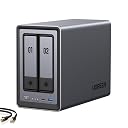
I'm new to NAS devices. I always dreamed of having my own home server to store old family photos from digital cameras and access them from anywhere without having to pay for a lifetime cloud service. The same goes for my music—dozens of CD albums from years ago that I can still listen to anywhere. It's like my own personal Spotify. This little NAS solves all my problems. I used it for a month and a half with hard drives from old PCs in RAID 1 while I waited for an 8TB Seagate Red (for NAS) drive, which I've now installed. Now I can add my entire anime and movie collection. Honestly, I couldn't be more thrilled. The UGOS operating system comes with some native applications; the best is the Theater app for watching movies and TV shows. It's like streaming! The photo app is good (it has face recognition) and the music app is so-so (it could be improved). Anyway, if you don't like any of the native apps, you can install other application options via Docker. I haven't done it yet because I think it's best to use NVMe SSDs for Docker, and I haven't installed one yet. To access the NAS from your phone, the Android app isn't available on the Play Store in my country, Venezuela (I don't know why), but you can download the APK from their website, and it updates automatically without problems. There's also an APK available for Android TV, although currently it only works for streaming. This NAS has more features that I haven't explored yet, or haven't tested much. I find its HDMI port rather useless and don't use it; it doesn't display an interface, it's just a streaming output that you have to control with your phone. I haven't used other more technical file-sharing functions much, but they are included, such as DLNA for multimedia, SFTP, SMB, and others. User management is very intuitive; you can create user accounts for each family member, whether they live with you or not. User security includes 2FA with Microsoft Authenticator, which is optional but recommended. It supports RAID 1 technology, which slightly improves speed. Physically, it's small. I've included a couple of US coins in the photo for size comparison. It's slightly heavy due to its aluminum casing. The trays are plastic and easy to handle. I like the elegant design. In short, I'm very happy!
P**B
Very high quality hardware, but instructions leave a LOT to be desired...
The UGreen 2800 NAS is an exceptionally well built, very high quality unit that comes well packaged with quality connectivity cables. However, even if you have been working with PCs the better part of your life do not be expecting a simple 'plug and play' setup. If you are not technologically adept or able to navigate your way through setting up devices to communicate with each other through your home or budiness network, I'd strongly suggest you don't attempt to set this up without the aid of someone who can. The connection of the unit itself is straight forward. Drives load easily and connecting instructions up to the formatting of the drives are fairly clear and easy to understand. But that is where 'easy to understand' takes a holiday for what I would guess is probably 65% of the people who buy this thinking it's going to be like plugging a USB cable in between your PC and a desktop storage drive. A NAS is a computer, not a simple data storage device. The instructions that come with it cover nothing about setting the unit up to properly communicate with your PC through your home network. You are going to have to find out how to do that through your own research. When you have finished familiarizing yourself with the formatting and setup process for the hard drives in your NAS (drives are a seperate purchase and you need to check for their compatibility with your NAS on UGreen's site) be prepared to take VERY careful notes the whole way through the setup process. All the passwords, network addresses, administrator info...write down everything about the setup in detail as you will be using that information to set things up later. I personally found the UGreen site somewhat difficult to navigate, but what you will need to do is go there initially for instructions and app downloads. Even then, you will want to have your AI equipped search engine handy to research the plethora of additional questions that will come up for everyone but a person who has worked with this technology at work or been exposed to it by an associate. UGreen needs to get a layman who is NOT an engineer to write a soup to nuts set up manual covering all aspects of both PC, Mac and mobile device setup and connection of everything to your network so all devices can find and communicate with the NAS and each other. That manual will also need to be written so a kid can understand it. UGreen (like all NAS manufacturers and most You Tube video producers) seems to be of the opinion that producing exhaustively detailed setup instructions on any mental level below that of an IT expert would somehow 'insult' the average user's intelligence. And as most of you will find out, nothing could be further from the truth. This review has already turned into War & Peace, so I will not attempt to leave such a set of instructions here (although I produced one for myself). Still, UGreen really needs to develop one and INCLUDE that manual with the purchase of the device or at the very least on a very obvious spot on their website. If such instructions exist, I was unable to locate them. The best advice I can give is for people new to NAS system technology is to download the UGreen NAS desktop app to your PC or MAC and their mobile app to your phone. Everything you will need to get the NAS to find your PC, Mac or phone through your network is in those apps. It is just a real pain to get all the details correct so it will function. The good news is, once you figure it out, it does practically run itself. The bad news is, unless you are very persistent and have a good AI model search engine to assist you, you may have a lot less hair left once you get to that point. Please note...the UGreen NAS product itself is five stars all the way...my four star rating is due solely to the lack of simplified instructions that anyone could follow.
M**D
Worth every dime!
Absolutely worth the buy! Connects to the network and stays reliably connected at all times! Easy to register, set up and manage remotely and is simplified solution for all your storage needs! I was able to disregard an entire box of thumb drives SD card, external hard drives and other media due to this incredible all-in-one solution for digital storage. I had a great experience installing the drives as they easily slid into the trays and have stayed securely in the NAS and performing well! You will want to ensure you keep an eye on the dust buildup in the rear fan as it can get quite extensive and built up back there
P**.
Best bang for your buck! One of the best purchases in my life!
After a few months of using it, I can confidently say I’m absolutely thrilled with this little NAS! It’s incredibly powerful for its price and is actually more capable than some $700 models from Synology (one of the top leaders in the NAS market). I loved it so much that I even bought another one as a gift for a friend (the one who also used an external USB drive attached to his router and having issues with it), and he’s very happy with it too. To maximize performance, I purchased a 5 Gbps USB-to-Ethernet adapter from UGREEN ($23), connected it to the NAS, and plugged the Ethernet cable into the adapter instead of the NAS’s native port. This upgrade gave me 5 Gbps speeds, allowing me to transfer files to the SSDs in the NAS at over 500 MBytes/s. Since my router doesn’t support high speeds, I also added a TrendNet 10Gbit switch (model TEG-S762) with 4 x 2.5G RJ-45 Base-T Ports and 2 x 10G RJ-45 Ports. I connected both the NAS and my main PC to this switch (to the 10G ports, of course), enabling them to communicate directly through the switch instead of the slower router. While the number of 1-click installable apps is limited, the NAS includes a Docker app. With Docker, you can install virtually any application from thousands of available containers. To install apps, I ask Grok AI for the correct docker run command, which installs and starts the desired container. Using this method, I’ve been able to install everything I need. The NAS’s UI allows you to easily add users and configure remote access, so you can access your NAS from outside your local network with minimal setup. For torrent downloads, qBittorrent is natively supported, meaning it can be installed with just one click. I now download torrents directly on the NAS instead of keeping my PC running overnight for large downloads. The downloaded files are, of course, available to all devices on my home network. I share storage using the SMB (Samba) protocol. This is typically the default protocol for sharing folders, so don’t let the term SMB intimidate you—you won’t need to do anything special or complex to share folders. And the shared folders are immediately & reliably accessible from all my PCs & other devices. The transfer speeds are consistently fast, and I’ve had no issues with shares becoming unavailable. This is a huge improvement compared to the constant problems I experienced when using external drives attached to my router. I suspect this reliability is due to the NAS supporting the latest SMB protocol versions and supporting them well. The NAS also allows you to connect and share external drives via USB, which is a handy feature. It has a good number of USB ports - 4, including 2 x 1 Gbps ports. One feature I find absolutely essential is the NAS’s built-in Music app. It lets you maintain a music library, create playlists, and automatically updates the library whenever you copy new music to the designated folder. Thanks to the NAS’s remote access feature, I can listen to my music library from anywhere in the world, not just at home. As someone who listens to music for a few hours a day, I absolutely love this feature! The UGREEN NAS is excellent for managing documents. For example, if I’m at a doctor’s appointment and realize I forgot my insurance card, I can easily open the UGREEN app on my phone, access the document stored on the NAS, and share the necessary information. Similarly, when I return purchases (e.g., from Amazon or Walmart), I take photos of the return receipts with my phone and save them on the NAS in the /documents/returns folder with descriptive filenames like HeadphonesSennheiserHD820return.jpg. This system keeps everything organized and easily accessible. How does UGREEN NAS compare to other competitors? The main competitor - Synology - likely holds the largest share of the NAS market. However, its hardware falls short for the price. For example, the Synology DS725+, which costs twice as much as the UGREEN DXP2800, has less RAM and slower and fewer USB ports. Even worse, Synology NAS devices lack a dedicated system drive. This means you’ll need to install and configure the operating system on the drive(s) you install in the NAS. If a drive fails or needs replacement, you must reinstall and set up the operating system from scratch. I’m speechless—how much has Synology saved by omitting a small 32GB system drive, like the one UGREEN includes? Maybe $5–10? It’s absurd. UGREEN DXP2800 uses eMMC for its system drive. eMMC (Embedded MultiMediaCard) is a type of flash storage commonly used in mobile devices due to its low power consumption, which is typically 2–10 times lower than that of SSDs. While eMMC is usually slower than SSDs, it outperforms HDDs in both sequential and random access. Sequential read speeds range from 150–400 MB/s, and write speeds range from 100–250 MB/s. For random reads and writes, eMMC is significantly faster than HDDs, offering 50–500 times higher IOPS (Input/Output Operations Per Second). The IOPS difference does not directly translate to MB/s, but it’s closely related. For 4K random reads/writes, eMMC typically achieves ~10–120 MB/s, while HDDs achieve ~0.3–3 MB/s. Turning to other hardware specifications, no 2- or 4-bay Synology NAS matches the CPU power of the UGREEN DXP2800. The only Synology model with a comparable CPU is the 8-bay DS1823xs+, which can be yours for a mere $1,900 :) In comparison, Synology’s offerings look underwhelming next to UGREEN’s. There’s simply no contest. NAS devices are typically designed for low energy consumption, and the UGREEN NASync DXP2800 is no exception. According to UGREEN's official email, the power consumption for this model is as follows: Idle: 9–10W Disks Running: 16–27W Full Load: 51W When operating the DXP2800 without HDDs, the typical noise levels in different fan modes (adjustable via Control Panel > Hardware & Power) are: Quiet Mode: 29–34 dB Default Mode: ~40 dB Full Speed Mode: Potentially exceeds 50 dB These noise levels are quite low and barely noticeable in a quiet room. For comparison, my nearby mini-PC is significantly louder than the NAS when both are running. Of course, noise levels can be much higher if you install a very noisy HDD :) The DXP2800 maintains relatively low temperatures. Currently, under light workload (mainly just running qBittorrent), my NVMe and SATA SSDs are all in the 32–36°C range, while the CPU stays around 52°C. Initially, I was very concerned about the lack of space for NVMe SSD heatsinks. However, heat dissipation is managed effectively through a thermal pad between the SSDs and the aluminum chassis, which draws heat away from the bottom of the NVMe SSDs. It’s also important to note that the DXP2800’s M.2 slots use PCIe 3.0, which limits speed (still very fast for NAS use) but results in significantly lower temperatures compared to faster slots. An NVMe SSD in a PCIe 4.0 slot typically runs 5–15°C hotter than in a PCIe 3.0 slot, while a PCIe 5.0 slot can increase temperatures by 10–30°C for the same SSD. For peace of mind, I tested the NVMe SSD temperatures during extended full-load conditions, and they never exceeded 42°C—a very safe temperature for SSDs. Final Thoughts: After months of use, I’ve experienced zero issues with this NAS. It’s reliable, powerful, and packed with features that far exceed my expectations for its price. I’m absolutely happy with it and highly recommend it to anyone looking for an affordable and capable NAS solution.
A**T
Excelente, pero…!
Excelente para uso doméstico. Solo no adquirir los discos duros!!! Son muy frágiles para ser enviados por mensajería. Dos veces devolví los discos duros externos y mejor compré personalmente en tienda!
M**L
The Best Investment for Apple Users! A Game-Changer for Cloud Storage
I’ve been following the UGREEN NASync series since its Kickstarter days, and as soon as it hit Amazon Canada, I didn't hesitate. After nearly a year of daily use, I can confidently say this is one of the best tech investments I’ve ever made. The "Apple Tax" Solution: The real value of this NAS became clear when I bought my new MacBook. As many know, upgrading internal storage on a Mac is incredibly expensive. By using the DXP2800 as my personal cloud, I was able to buy the base model laptop and store all my heavy files, photos, and media on the NAS. I can access everything from anywhere in the world, saving me hundreds of dollars in hardware upgrades. Performance & Reliability: Even with the stock 8GB DDR5 RAM (I haven't felt the need to upgrade yet), the Intel N100 CPU handles everything smoothly. I primarily use it for: Automatic Photo Backups: It syncs my phone photos instantly, allowing me to keep my phone storage free. Media Streaming: It serves as a flawless movie hub for my home. Fast Connectivity: The 2.5GbE port is a must-have. A great pro-tip: if you need even more speed, you can use one of the USB ports for an extra ethernet adapter! Software & Build: UGREEN has been very consistent with software updates. The app is intuitive and improves every month. The build quality is premium and feels like it was designed to last. It’s quiet, efficient, and fits perfectly on my desk. Pros: Significant long-term savings on phone/laptop storage. Easy M.2 NVMe and RAM upgrade paths. Solid 2.5GbE performance out of the box. Consistent software improvements. Cons: As a "light to moderate" user, I haven't found any real flaws. It does exactly what it promises. Final Verdict: If you want to own your data and stop paying for monthly cloud subscriptions or overpriced hardware storage upgrades, this is the way to go. Highly recommended for families and small teams!
A**A
Buen equipo
Excelente marca muy intuitiva para los que no sabemos mucho de servidores y lo que me gustó que es muy potente con la configuración de memorias que trae por defecto solo hay que buscar un buen disco duro que sea rápido
M**E
Replaces Google Photos and paid cloud storage. Only you see your saved data, without monthly fees.
An easy way to back up music, photos, videos and documents. I've got 2 x 8TB NAS HDD installed in RAID 0 configuration for a total of 8TB of redundant storage. Remember the 3,2,1 rule of data backup: have 3 copies of your data. Two copies on a NAS drive that's mirrored onto a second drive, and one copy of your data stored on a flash drive or external hard drive. If one drive fails (in RAID 0), you have a mirror copy on the other HDD. Replace the failed HDD and your data will automatically be mirrored to the new drive for seamless data storage. One data backup is really no data backup, if that device fails. This unit also functions extremely well as a media server. It has an HDMI output to watch backed up videos or images directly on your TV. The app controls volume, subtitles, playback speed, etc. With the app, you can access your stored media anywhere, as long as there's wifi or a data connection, and you can select the resolution of playback via the app if your network is slow, or you want to save on data fees from your cellphone provider. Forget Google photos and the monthly fees, and gain the confidence that only you can see your saved data. Automatically backs up pictures and media when you connect to your home wifi, or through your data connection on your smartphone if you don't care about using the data. It's crazy that people trust their private data storage with big corporations. The device setup and drive installation is easy. The NAS unit consumes very little power and has active fan cooling. You can setup your very own personal cloud storage without the attached fees. You could select a different RAID configurations to have greater storage capacity, but RAID 0 is by far the safest. If you can't afford two NAS HDDs at first, the unit works fine with just one HDD. The internal RAM and CPU are more than powerful enough to handle your data. Watch stored videos on your connected TV or smartphone through the Ugreen app. The unit has USBA and USBC data ports. I would highly recommend this NAS drive to anyone wanting to break free of the monthly fees for Google Photos or cloud storage. Know EXACTLY where your data is saved. Make the investment. You won't regret it!
A**N
Good for Plex server
Excellent unit, superb build quality. Ugreen once again offer is more bang for your buck than any other NAS manufacturer. Good build quality, excellent performance. At this price range, the legacy brands give you a quarter of the ram, much weaker CPU, in a plastic box. Absolute garbage compared to this. The App Store is growing, and has everything out of the box most people are going to need in a NAS. But you also have docker which takes care of anything that’s not available on the App Store, it can be set up through docker. I am running it as a Plex server and it’s being fantastic, no issues whatsoever. I can confidently recommend this to anyone that wants a quality NAS with good performance at an affordable price.
Trustpilot
1 day ago
3 weeks ago