Buy anything from 5,000+ international stores. One checkout price. No surprise fees. Join 2M+ shoppers on Desertcart.
Desertcart purchases this item on your behalf and handles shipping, customs, and support to Iceland.
🎮 Level up your game with pro precision and style — don’t get left behind!
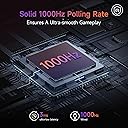
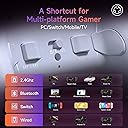
The EasySMX X20 is a versatile wireless gaming controller engineered for competitive and casual gamers alike. Featuring a pro-grade 1000Hz polling rate, dual-stage Hall-effect joysticks that resist drift, and durable mechanical buttons, it delivers precision and longevity. Its adjustable trigger locks and 6-axis gyro motion controls provide tailored gameplay across PC, Switch, Steam, and Android platforms. Dynamic RGB backlighting elevates your setup with immersive visual feedback, making the X20 a top-tier choice for multi-platform gaming enthusiasts seeking performance and flair.


| ASIN | B0DDHBT724 |
| Additional Features | Ergonomic, Multiuse, Rumble, Wireless |
| Best Sellers Rank | #1,866 in Video Games ( See Top 100 in Video Games ) #43 in GEM Box Microconsole #86 in Nintendo Switch Controllers #119 in PC Game Controllers |
| Brand Name | EasySMX |
| Button Quantity | 24 |
| Color | white |
| Compatible Devices | Windows |
| Compatible Video Game Console Models | Nintendo Switch |
| Connectivity Technology | 2.4G Wireless, Bluetooth and Wired |
| Controller Type | Gamepad |
| Customer Reviews | 4.0 4.0 out of 5 stars (3,147) |
| Hardware Platform | PC |
| Item Dimensions | 6.5 x 4.7 x 2.7 inches |
| Item Type Name | video game controller |
| Item Weight | 11.2 ounces |
| Manufacturer | EasySMX |
| Manufacturer Part Number | EasySMX X20 |
| Model Name | X20 |
| Model Number | X20 |
| Package Quantity | 1 |
| Power Source | Battery Powered |
| Warranty Description | 12 Months |
J**E
Pleasantly surprised!
I ordered this controller to replace my current OEM Xbox controller. Pros: What made me choose this were the extra M1-4 buttons on the back of the controller, as well as the extra QOL functionality and compatibility with multiple device types. Initial impressions are that this controller does NOT feel cheap. It feels more premium than my ORM Xbox controller. All of the buttons and triggers have a satisfying, but not annoyingly loud, click. The RT and LT buttons have a neat trick which allows you to turn either (yes - individually or both) trigger into a smooth, longer travel press (like the OEM Xbox controllers) or into a short travel press similar to the RB and LB buttons. This switch can be made in real time with a physical switch on the controller, located near each trigger but comfortably out of the way. You will not easily find yourself accidentally switching them to different travel. The color and vibration controls are intuitive and can be changed on the fly at any time as well with shortcuts built into the controller itself. You can also turn off the RGB if you want to conserve battery life or just isn’t your thing. The Hall joysticks are held on with a magnet, and easily are removed for cleaning by just pulling up. But I can confidently say there is no danger of the joystick head coming off when you don’t want it to during more intense gameplay. I attempted to push hard in all directions to see if this would happen and had no feeling that i could make it happen. Cons: If I had to make any suggestions for improvement, I would say…. The dedicated C (color) button and Screenshot button placements should be swapped with their partner buttons - Screenshot with Select and C with Start. This would make transitioning from using a traditional Xbox controller much simpler for more people. I’ve been using it for a few hours and have found that I need to retrain myself to place my thumbs a bit higher on each side of the controller to hit these buttons, because i keep hitting the C and Screenshot buttons which are located where I am already naturally activating the Select and Start buttons to be. The USB C port for charging and wired use is a great choice, but the port itself is recessed inside of a hollowed out area that makes some USB C cables unable to fit inside and connect to the port. It seems you either must use their included cable, which to be fair is of reasonable quality, or own another USB C cable that happens to be able to fit inside of the recessed hole that the port lives in. Just raise this port up to be level with the rest of the controller body so all USB C cables can be used. Small nitpick, but because of how the A, B, X and Y buttons display their letters, if I or anyone else (perhaps a person not as familiar with game controller layouts) needed to peek down and look at the button letters, it is not possible to read the letters on the buttons without tilting your controller to be directly facing your eyes. As in, they cannot be read properly from a diagonal angle, which most people tend to be relaxed back in their chair or couch with their hands down near their lap. So this means you MUST tilt the controller toward your eyes when looking down, opposed to just looking down. Making these more pronounced and readable from an angle would just be a niche but easy QOL change to improve the design, Overall, great first impressions and seems very much like a great value when compared with the competition - particularly from big brands like Xbox, Razer, etc.
R**L
The Best In It's Class and Price Point
I have been using this controller for awhile now and it's probably the best one I have used at it's price point. I have used it on the Switch OLED, Switch 2, and on PC via the included Dongle as well as via Bluetooth. Connection to the dongle from my couch to the HTPC in the TV stand are great. I always struggle with Bluetooth being stable so the 2.4Ghz is nice. Being able to set the back buttons to something has allowed me to actually play insect glaive on MH Wilds. The ability to lock the triggers is perfect for some Mario Party mini games. Let's talk about the elephant: the clicky buttons design. They are actually key switch instead of a membrane button. First off, they will last significantly longer than the modern 1st party controllers from the likes of Xbox, Nintendo, etc. They will make a noise but, for me, I have PC gamed on louder mechanical keyboards in the past. I would rather have the click for long term reliability of key switches over membrane alternatives any day. I can see why they are not for everyone but if you're focused on the game, the noise generally fades into oblivion. Your SO listening to it is another story, luckily mine games to. The Hall Effect Joysticks are also built to be more immune to stick drift unlike Nintendo's $85, switch 1 recycled, switch 2 slop controllers. The only negative I would wish for is the ability to wake the Switch 2 like it did the Switch OLED but that's a Nintendo problem and not an EasySMX problem. The controller sits comfortably in my hand just like any of the last 2 generations of Xbox controllers I've used. Good news is this one didn't have the buttons wear out within a year or two of moderate use; at least not yet anyway. I think it is worth even the full price but I see this controller on sale for $10 bucks off a lot. They even sell one with a protective case for a few bucks more that is worth picking up if you game on the go a lot like I do. This controller also won the employee favorite controller tournament over at Linus Tech Tips after a lot of consideration earlier this year (Jan 2025) and I can see why.
A**3
Solid third party controller for the price
As far as wireless PC-friendly controllers go, I've been very impressed with this one. I've been able to set it up via Bluetooth and use it on several platforms, from my Android phone, to my PC, to an ASUS ROG Ally X, all without issue. It has interfaced seamlessly with Steam and other third party launchers like HoYoPlay with minimal or no configuration needed. It actually works better as a controller with my ROG Ally than the built-in one, though they both do separate things well enough. For the controller build, it's very sturdy and doesn't feel cheap. I haven't had an XBOX since the 360, but it feels just about the same in my hand as those controllers did, if not a bit better because the bumpers on this controller don't feel like they're flimsy and barely held on. It's comfortable to hold, and the location of the 4 additional buttons on the back/bottom of the controller are easy enough for me to reach if needed. The sticks are a great value, as they are consistent and reliable. They can be set to 2 different heights based on the angle they're turned when you place them on the stick's ball joint. I've owned the controller for about 6 months, and while I'm not a particularly frequent gamer, I haven't ever dealt with any stick issues or drift. The sticks themselves or only held on by gravity and a token amount of friction between the bottom of the stick and the ball joint, and while you need to be careful during transport, they've been reliable when gaming and haven't come off the controller or anything like I originally feared. If they do pop off, you might need some trial and error again to make sure you've replaced the stick at your preferred stick height, since as far as I know there's no easy way to tell how you've set it at just a glance. The trigger buttons are solid as well. The LB/RB bumpers seem to be pretty decent quality, though I don't have much frame of reference since I haven't owned many XBOX-style controllers. The trigger buttons can either be pressed as they usually are, or locked in place and "clicked" like a mouse button. Anecdotally, it feels to me like the locked mode requires more force to click than if the button is used as a trigger, but YMMV. That being said, there are a few negatives that stopped me from giving it 5 stars. This is a personal preference of mine, but the ABXY face buttons feel a bit mushy and require being pressed down relatively far before triggering a button press. They're mechanical, but I wish they were a bit firmer or the actuation point was a bit higher vertically on the controller. As someone with CTS, my right thumb has occasionally had an issue providing enough force for the X button to register in more fast-paced games like Silksong. The d-pad face buttons are serviceable, but I wouldn't use them for anything that relies on the d-pad heavily for movement. Mentioning Silksong again, I use the stick for control in that game due to how much better the HE sticks feel compared to the d-pad, even for 2D platforming. The other buttons are fine, they aren't pressed frequently enough to really impact my review. Programming the back buttons is a bit unintuitive, but once you figure it out it's pretty easy to do. It's done by holding down the "C" button along with the button you want to program, waiting for the vibration, QUICKLY (and that's the key part) pressing the button (or combination!) you want to use, and then pressing the C button/programmed button again to set the action. If you wait for a couple seconds to program and set a button/combination after putting it in "programming" mode (the first vibration), then the input ends up really glitchy and useless and will need to be reprogrammed. To un-bind the button or combination you already set, put it back in programming mode, press the button (without "C") to clear the set button, and "set" the programming. That all said, if it's programmed properly it works flawlessly; I personally use a "down + attack" combination on my left grip button for Hollow Knight, Silksong, and other similar platformers, and it works perfectly. However, due to the way I hold the controller, the right grip button gets pressed on accident fairly frequently, and I keep that one unprogrammed for that reason. It would be awesome if the grip buttons had a lock or something that prevents them from being pressed on accident. Also, if mapping your controller buttons via software is something you prefer, then I'm sorry to say it's nowhere to be found. I'm not sure how the controller's firmware is updated either. Finally, the RGB and battery: I'm not a fan of the always-on RGB, personally. It works fairly well to let you know if the controller is on or off, but I feel like the battery would last a bit longer if the RGB could be disabled. Right now, it requires fairly consistent charging when used in Bluetooth mode. When wired, you need a cable that can handle transmitting power too or else the controller won't work. I lost the dongle shortly after purchase, so I can't review how well that works or not. If you like to game in a darker room, the RGB intensity can be a bit distracting. As far as I know, I haven't been able to find a way to dim or outright disable the RGB settings. Overall, in a vacuum I'd say this is a solid choice for controller, however there are a couple small "personality" quirks that haven't let me commit to using this controller permanently. I'm making a fairly large leap to the new Flydigi Apex 5, which is in a completely different price/operability bracket, so I won't be able to make an apples-to-apples comparison there either. This will make a solid backup controller in case anything happens to the new one, though, and I won't be bummed if I end up having to use it again at some point in the future.
D**K
Third Party controllers are *good* now - but this one might not be the best
Updating review after 6 months ownership. The left stick base is starting to shift around, almost like it's trying to lift out of the controller? It feels gritty as I move the stick around unless I press it back in. The A button is double-pressing every time I press it, and the range frustrations have got me at my wit's end - inputs just stop responding if I'm more than like 2-3 feet away, a problem my wife's 8bitdo Ultimate 2C doesn't have (which cost LESS THAN HALF THE PRICE...) I have tossed the controller into my backpack a couple times to go visit a friend, so if that little bit of travel was enough to cause this much unreliability, I cannot recommend this controller. It's a shame - I otherwise *really really* like the way the controller feels, but it's just too frustrating to use. Original review below, at only around 1mo ownership: Let me start with the bad points, cause there's only two, but they're worth noting if you plan on buying one of these. 1. Wireless connectivity: Using the included dongle seems to have some range or other transmission issues. If I'm just at my desk with my computer about 2 feet away, it's no problem, but I like to use my Steam Deck in my living room for some couch gaming. From that distance (about 9ft?), I get some flaky connection causing my inputs to stick or not register. It seems that over enough distance, even having the controller and dongle obstructed by a table or my leg is enough to cause connection issues. For that reason, I went with a really really long type C cable I happen to have, but that leads into point no. 2... 2: EasySMX decided to make the type-C connector on this controller recessed, sunken deep into the plastic. Most of the type-C cables I have, have a housing too big to fit into the recess for the port. I suppose this does at least protect the connector from being strained during some "gamer moments", but it does mean that I have to find the specific cable that came with this controller if I want to charge it, or at least make note of the cables I have that do fit. I ended up modifying my longest type-C cable by shaving the housing down to make it fit this controller. With those negatives aside, the rest of the controller is so good that I can only take a star away for those points. Note that I'm primarily a mouse & keyboard player, and I just use this controller for specific games that feel better on one (emulated console games, Monster Hunter, BeamNG.drive, GTA, Cyberpunk 2077, etc.) The face buttons have such a nice feeling click that no first-party controller can match. Being able to flip the rear triggers from full-travel analog to short-travel digital is great - I don't play many shooters, but I do play a lot of driving games, RPGs, and emulated PS2 games, so being able to choose one or the other is really nice. The sticks feel good, although I don't notice much difference between the adjustable heights. Some things that I feel are more "meh": -I'm not a huge fan of the RGB, but it almost looks strange with it off, so I've left it on the default, it's inoffensive enough to my eyes. -The rear paddles. I appreciate that they're not bound to anything by default, and I appreciate that they *can* be bound completely from the controller, with no PC software required. However, the process to bind them is awkward enough that I'm not going to remember it, and I can imagine that if I were to use them, I'd want to set "profiles" for different games (like shift up/down buttons for a racing game, or maybe a "sniper"/"slow look" button for an FPS). If there was a program available to visually pick a button and configure its binding, I'd probably find them more useful. -Other settings of the controller - RGB color/pattern/speed/brightness, vibration motor strength, etc. Again, I appreciate that they can be set from the controller itself without software, but I again also wish there was a software UI to see all the settings available and adjust them from a computer, because I've had to keep the manual around just so that I can reference what settings I can change and how to change them. I feel like if you were changing them often you'd probably commit it to muscle memory eventually, but an "easy mode" would still be nice. Battery life feels fine, but I do wish there was more of a charge indicator status beyond "fine", "low", and "dead". Maybe another button combo could use the "player indicator" lights to show battery status? Overall, with a couple caveats, I'm amazed how great this controller is. It's light, it feels good to use, with features rivaling the premium first-party offerings (Xbox "Elite", PlayStation "DualSense Edge") at a way lower price. Heck, this is even cheaper than the *standard* Xbox controller while being an objectively better experience. This ain't the Mad Catz "here bro, here's your controller" from our childhood, this is actually something good.
H**U
The best controller I've used so far
If tried out Razer's Wolverine or SCUF's Envision but thought they were too expensive, this controller gets you mostly there but for a much lower cost. Pros: - Every button is clicky. Whether they're mechanical or not, I'm not sure, but nothing feels mushy - Face buttons have a short throw and the clickiness gives a positive response. It's really nice to rapid fire a button if you need it. - Being able to change if the triggers have a long throw or a short throw is nice, and the short throw mode is amazing for games that don't need the analog function of the triggers. - You don't need software to configure the controller - Battery life is pretty decent (I got about 20 hours in total) Neutral (for me): - It can be confusing at first to change the RGB or rumble strength, but once you figure it out, it's not too bad. - Some rough textures, especially on the macro buttons and the thumb sticks Cons: - Face buttons are backlit with no way to turn it off. - Thumb sticks can pop off, but are held magnetically and the magnets don't feel like they're the strongest. They're not so loose that they come off all the time, but if you throw it in a bag, they're likely to pop off. - The USB-C port is recessed and some of my cables don't fit in it.
R**A
100% Worth it.
The EasySMX S20 controller has quickly become one of my favorite gaming accessories. It feels solid in the hands, the buttons are responsive, and the overall design makes long gaming sessions comfortable and enjoyable. For its price range, the quality genuinely exceeded my expectations. I did encounter a minor issue with my initial unit, but I was blown away by the customer service. I reached out to their support team, and they were incredibly quick to respond. Within just 24 hours, I had a brand-new replacement in hand no hassle, no waiting. This level of customer care really stood out to me and makes me feel confident in my purchase. Overall, I’m thoroughly impressed with both the product and the service. The EasySMX S20 is a great controller that performs well, and the customer service just adds to the value. Highly recommend!
A**R
Adequate for the price, but very poor battery life.
Face buttons are nice that have mouse switches, solid d-pad, again mouse switches, solid bumper's and triggers, not the best I've seen but for the price pretty good, The build quality doesn't feel the best, again serviceable for the price,l. Excellent wireless connectivity, you turn it on, It connects right away, Very plug and Play. Mine came with a sticky stick. It gets stuck in a certain position. The biggest sin of this controller is the battery life. It does not last long. It dies within a single play session, and takes forever to charge, to the point where I play with this controller wired more than I do wireless.
D**N
Great Support, better product.
Customer Support is good, First controller had some issues and now being sent another one without sending this back. So A+ for that. paddles feel good, the bumpers are awesome with the "mouse-click" feel just makes it a lot more enjoyable. The hall effect sticks could use some touchup as they have a kind of "bump" feel when scrolling due to the adjustable height, covers for the thumbstick covers come off nicely for easy swaps, I love the hot swap ability for the buttons. different profile designs just a click away, its all really nice. All in all I recommend this product for a cheap alternative to spending $225 on a scuff controller.
D**L
Gute Preis-Leistung
Für den Preis alles gut. Läuft wie beschrieben. Nutze es mit PC, einfach Plug & Play: Uplay, Steam etc. erkennen den sofort. Bei der Ausgabe mit dem bunten Griffen ist der bunte Plastikeinsatz an den Kanten nicht ganz sauber eingesetzt/verarbeitet. Aber hält alles und stört Null. Wie beschrieben, für den Preis kann man da nicht mehr erwarten, also Top Preis Leistung.
T**F
Super sympa ma fille adore !
Super manette ! Ma fille l'utilise sur sa Switch et elle en est super contente ! La manette est parfaitement compatible, aucun souci de connexion, sur switch . Elle fonctionne nickel pour tous ses jeux, de Zelda à Mario Kart. 🎮 Ce qui m'a vraiment séduit, c'est le design. Les couleurs sont discrètes et élégantes, pas trop flashy comme certaines manettes gaming. Le toucher est agréable, avec une prise en main confortable même pour les petites mains. L'éclairage RGB sur les joysticks et les poignées est vraiment joli sans être too much, avec 7 couleurs au choix. Ça donne un petit côté moderne sympa sans faire sapin de Noël ! La technologie Hall sur les joysticks, c'est un vrai plus : ça évite les problèmes de dérive qu'on a souvent avec les manettes classiques. Et la batterie tient largement 8/10 heures, parfait pour les longues sessions de jeu sans avoir à recharger toutes les cinq minutes. Le fait qu'elle soit compatible avec PC, Switch, Android et iOS, c'est pratique si vous avez plusieurs supports à la maison moi c'est switch uniquement . Seul petit bémol : le D-pad est un chouïa mou, pas idéal pour les jeux de combat très techniques. Mais pour le reste, c'est du solide et vraiment joli ! 🌟
S**H
Affordable Hall Effect and Low Latency Wireless Controller
Great value controller with Hall effect sticks and triggers. The controller has mech switches so the tactile feedback is good. One plus point no software required just plug and play. To change any settings just use the button shortcuts to adjust brightness turbo mode etc.
N**E
Great little controller
A little small, but overall a great wireless controller. The USB C charger makes a works of difference, and if the thing is totally dead it becomes a (short) wired controller. Havnt tried it it with any game systems but it works for pc right out of the box. Feels sturdy but I wouldn't rage throw it across the room.
ع**ي
ماله برنامج ولا دعم
فنان وكل شي بس ماهو مدعوم من ستيم يتعرف عليه كأنه يد xbox 360 والازرار الخلفية ماهي حقيقية يعني ماهي مسجلة من m1-4 لازم تحطها اي زر على اليد ولا ما تستفيد منها
Trustpilot
5 days ago
1 month ago