


⌨️ Elevate your game with compact power and triple-mode freedom!
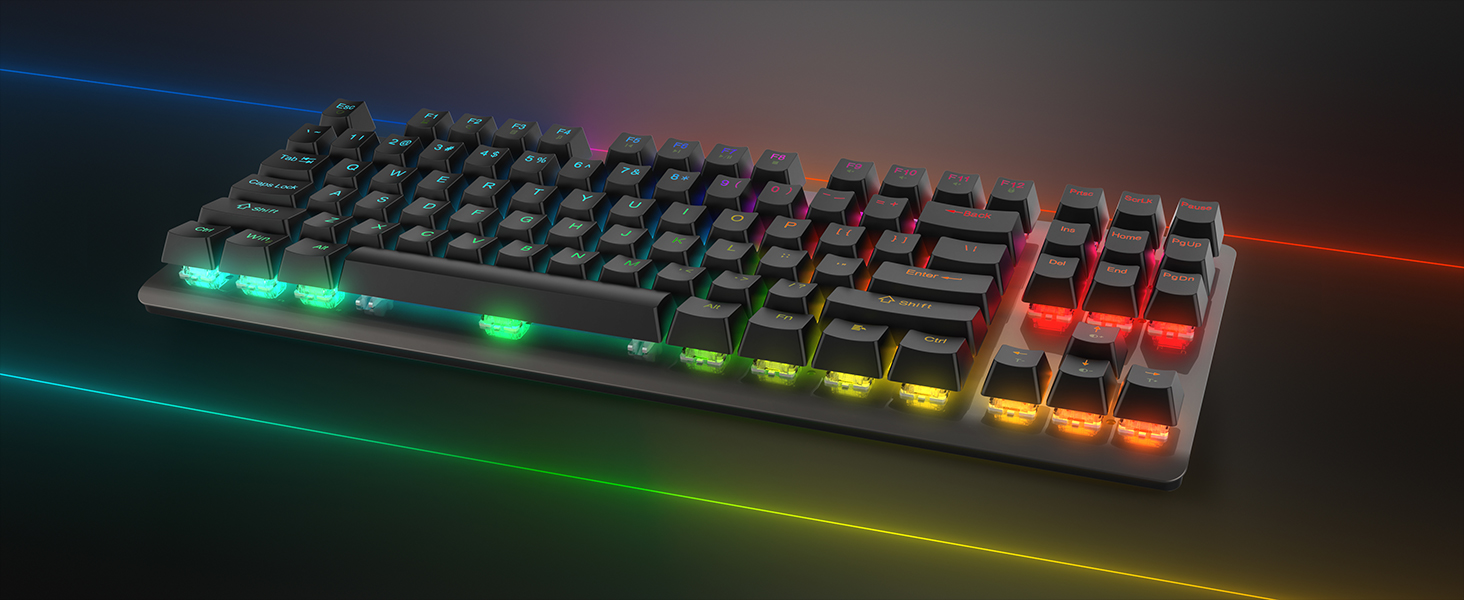
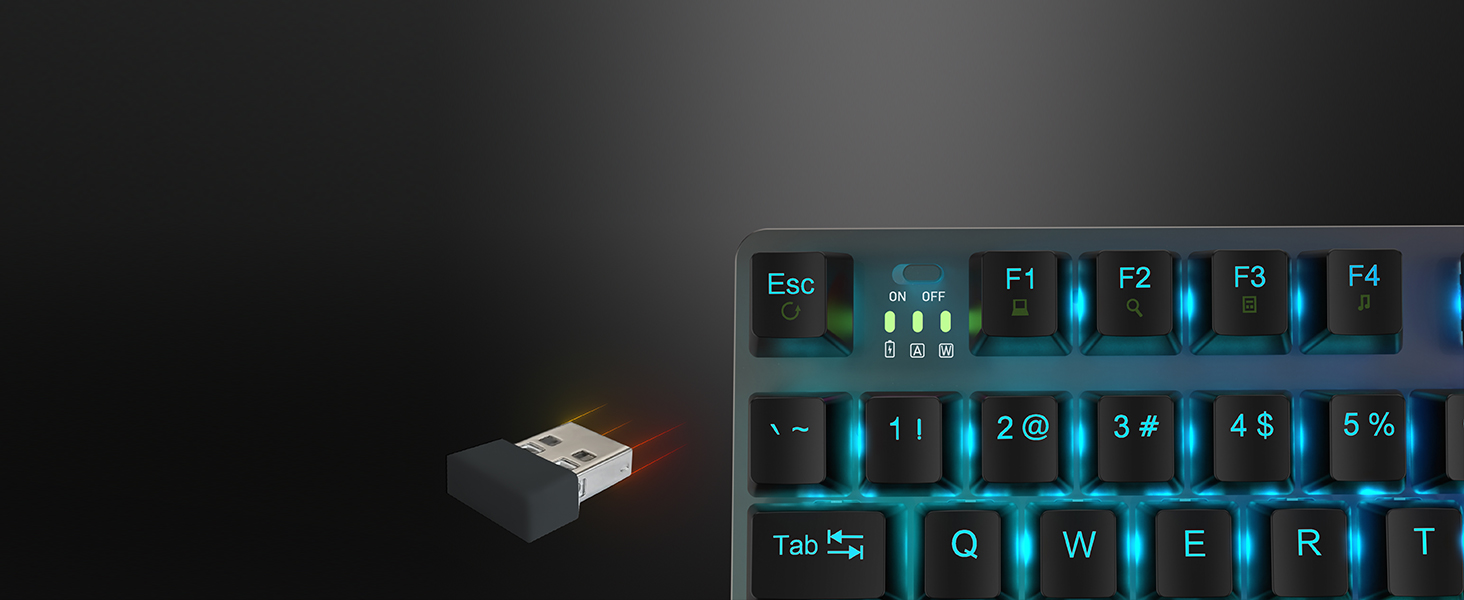
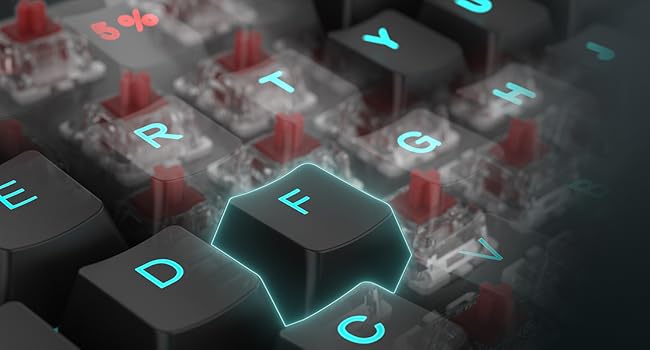
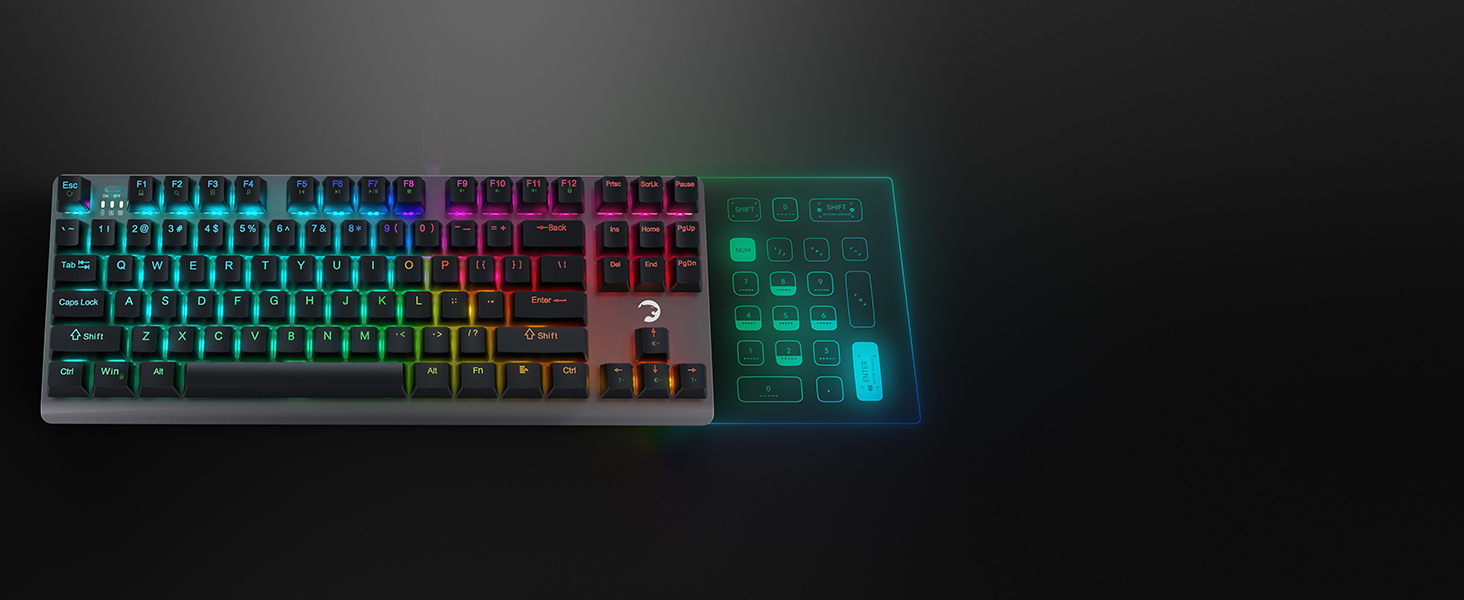
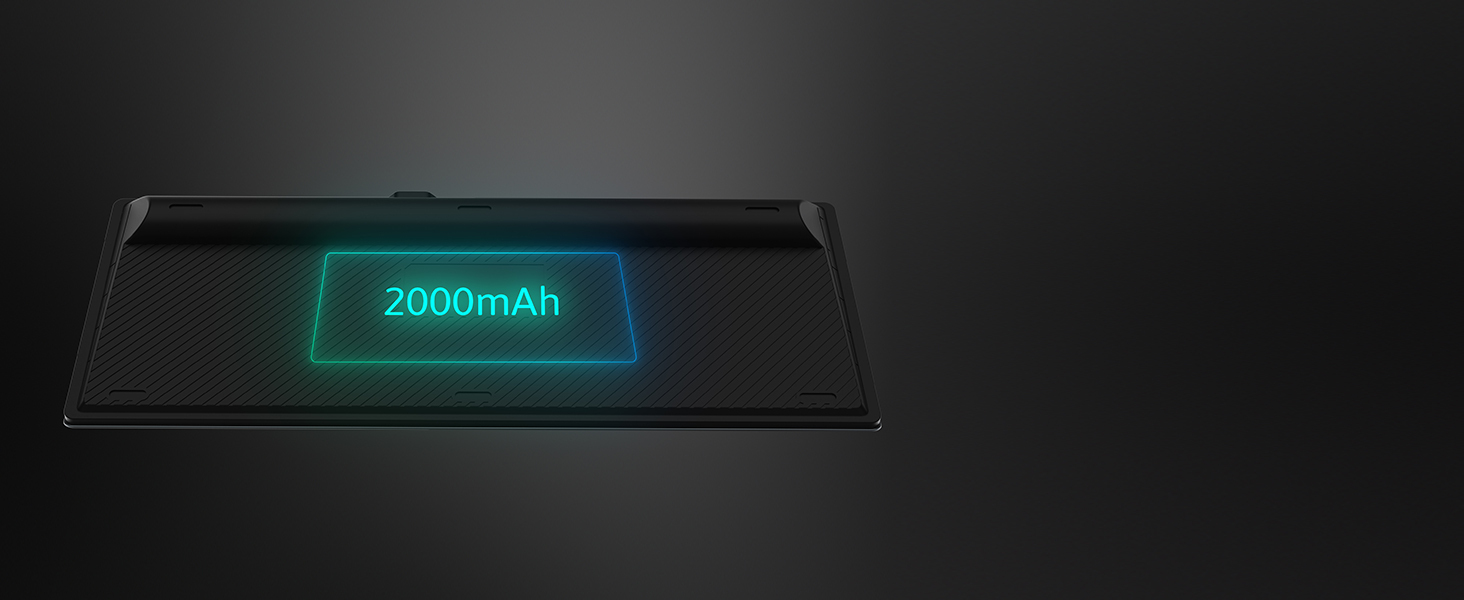
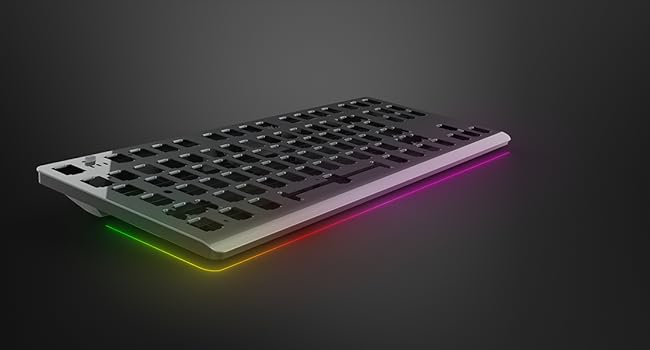
The GAMEPOWER EVA 7 TKL Mechanical Gaming Keyboard combines a space-saving 87-key layout with versatile wired, 2.4GHz, and Bluetooth 5.1 connectivity. Equipped with durable tactile Red switches rated for 60 million keystrokes and customizable per-key RGB lighting, it delivers precision and style. Powered by a 2000mAh battery, it supports up to 80 hours of wireless use, making it perfect for professionals and gamers seeking performance and portability.






| ASIN | B0D48YBK2N |
| Additional Features | Ergonomic, Portable, Programmable Keys |
| Antenna Location | Education, Gaming, Student, Video Editing |
| Best Sellers Rank | #6,599 in Computer Keyboards |
| Brand | GAMEPOWER |
| Built-In Media | USB Cable |
| Button Quantity | 87 |
| Color | Black |
| Compatible Devices | Gaming Console, Laptop, PC, Smart TV |
| Connectivity Technology | Bluetooth, USB-A , Wi-Fi |
| Customer Reviews | 3.3 out of 5 stars 29 Reviews |
| Enclosure Material | Acrylonitrile Butadiene Styrene, Metal |
| Hand Orientation | Ambidextrous |
| Item Dimensions L x W x H | 14.04"L x 5.39"W x 1.7"H |
| Item Type Name | Gaming Keyboard |
| Item Weight | 500 g |
| Keyboard Backlighting Color Support | RGB |
| Keyboard Description | Gaming |
| Keyboard Layout | QWERTY |
| Manufacturer | GAMEPOWER |
| Model Name | EVA 7 Red Switch |
| Model Number | CKCKGMP0011 |
| Number of Batteries Required | 1 |
| Number of Keys | 87 |
| Power Source | Battery Powered |
| Recommended Uses For Product | Education, Gaming, Student, Video Editing |
| Special Feature | Ergonomic, Portable, Programmable Keys |
| Style Name | Red Switch |
| Switch Type | Tactile |
| UPC | 850053867545 |
| Unit Count | 1 Count |
| Warranty Description | 3 Year Manufacturer |
L**S
Pretty good once you get it figured out.
At first I was ready to give this a 2 or 3 star review, but after trying once more, I give it a 4. It could be a 5 easily if they just add some instructions. After first pairing this with the phone and the tablet. I was switching back and forth between the 2 and the pc, which is great. Then I left it alone and it timed out, and turns off. That's fine, a simple key press turns it back on. But when I turned it on with the key press, it wasn't synced with anything. Even the PC dongle. I had to put it into pairing mode again and search for it on my phone and tablet. I couldn't just select from my phones bluetooth list, it wouldn't connect. It's odd, because the first time I paired it, it had the device name as BT 3.0, the second time I paired it, it came up as BT 5.2, and now it works just fine. In between getting it to work the second time, this is where I was ready to give it 2 stars. So, the instructions that come with this only tell you how to pair it, not how to switch between devices, I had to figure that out, which was fine. It tells you to download software and an app for the PC that allows you to customize it, and setup the lighting effects you want. It mentions that this can be done on the keyboard itself, but it doesn't tell you how to do so. This is the issue, the instructions are lacking, a lot. It says that you can go to the website, and I did, but that only shows you the device and let's you download a firmware update. There is no PDF or manual anywhere. I tried YouTube and there are about 7 videos, but all in Russian or some other eastern European language. Even figuring out how to adjust the lighting, I just had to guess until I figured it out. I have other RGB keyboards so that helped. The only issue is that it's not that bright. All of my other rgb keyboards are brighter than this. When your in total darkness it's fine, but in a dimly lit room, it's hard to see the keys or lighting. You either have to be in full lighting, or zero lighting. Once I got it working, it's good though. It's a bit louder than my other 4 keyboards, but the inputs are super sensitive, which can be good or bad. The keyboard quality is good, it feels solid, not metal, but not cheap, and it has good weight because of the battery in it. For the price you can't really beat a RGB keyboard that wirelessly connects to the pc and multiple Bluetooth devices, and can be used wired too. Please see the video review for lighting demo and to see how little you have to press the keys to get a input registered.
J**L
A great introduction to 10-keyless boards that isn't overpriced
This is a 10-key-less mechanical keyboard focused on gaming. I was hesitant to try this out but having other Gamepower products that turned out to be better than expected, I was happy to give this one a shot too. The packaging is clean and to the point - it opens with one simple piece of tape being removed and can easily be resealed. Included in the packaging is the keyboard in a dust cover for shipping, a Gamepower mechanical key keychain, a USB receiver dongle, a keycap remover, some swag stickers with the Gamepower logo, the manual, and a detachable braided USB to USB-C cable that you can use to both charge the keyboard and connect it via USB. The EVA 7 TKL can connect wirelessly via Bluetooth, wirelessly via the USB receive, or via the USB cable. There's a power switch to turn the keyboard off and on when in wireless mode, and the Fn (Function) key plus Escape connects the device wirelessly to the dongle or to Bluetooth. I had no issues whatsoever using the keyboard - it was recognized and working immediately without Windows 11 having to install anything. Per the instructions you can download the software to the website and plug the keyboard in, then run the installer. I did try this with the keyboard connected and the installer never worked - it would recognize the keyboard plugged in and immediately stop recognizing it - but this never affected any functionality. I don't typically go for these gaming specific keyboards that don't have a 10-key/numpad, for a variety of reasons and this is the only one I own. I find the numpad too vital to be chopping off a third of the keyboard. But this one does feel comfortable and doesn't feel tiny like a lot of them do. Unlike many full sized or 10-keyless boards this one does not have adjustable feet. Rather, the back of the keyboard is permanently elevated due to the way it is designed with a rolled back. It's a heavy keyboard too like most mechanicals, so it does not slip or move around unless you make it. I'm not 100% sure what type of switches this board uses. Based on the description I would assume they are Cherry Red's or some version of them. Truth be told I've used them all and can barely tell the difference anymore. For instance right now I switch probably 200 times a day between computers using Romer-G and Cherry Reds and the only difference I notice with these really is the noise. They're about as loud as the Cherry Reds on the G610 which is my main keyboard. The tactile respond feels good, it's familiar. My favorite thing about this keyboard is that unlike many keyboards on the market, at least not yet, I haven't experienced key chattering i.e where one press of a key inputs 2 or 3 or more characters. I look forward to using this keyboard more and am thinking about buying a couple more as backups or spares just in case.
D**Y
Use FN-tilde to enable USB. FN-Ins to toggle RGB modes. And how to get the software to work.
I think the firmware and software for this could have been better thought out. The manual tells you to connect this to a computer to utilize the software - but it won't register as a device since it ships in RF mode by default. Unless you know how to switch it to USB mode - which the manual does not explain, all plugging it in will do is charge it. And then if you figure out USB, the software on the website does not appear to recognize it, so you can't perform any kind of customizations, leaving you stuck with the stock RGB modes.* Wireless modes work as expected per the manual. The blue power/mode indicator lights are far brighter than they need to be, especially relative to the keyboard RGB, which, at its brightest, does not do a spectacular job of shining through the keycaps. It's distracting. To their credit, the legends are larger than I'm used to - a plus for someone with aging eyes. Would be great if they could be more easily seen in the first place though. The keys feel a bit light and hollow. As expected for ABS. *Edit 27 Feb 2025: I went back and forth with the vendor a couple times to see if I could get a version of the software that worked. They kind of just threw up their hands and suggested I return the keyboard. Turns out the version of the software on their site is designed for a specific variation, I assume based on the name of the files and the text on the window when it opens a Turkey-specific variant. It also turns out that the config program itself is kind of just a shell that is configured by a bunch of external files that anyone can edit. Here's what you do: 1. In the directory where the software is installed to, locate the config.xml file. Mine is found inside C:\Program Files\gamepower\gaming keyboard\EVA 7 (TR) 2. Open config.xml with a text editor in administrator mode. Maybe make a backup copy of it first. 3. On the 5th line down (which starts with <mode), change pid="2002" to pid="2001" and hid_interface="VID_1A2C&PID_2002&MI_02" to hid_interface="VID_1A2C&PID_2001&REV_0019" 4. Save config.xml. Start the Gamepower Eva 7 app. Of note here is once I was able to control the RGB, I found that a number of LEDs seemed to have issues with the various color levels not being consistent in intensity. Looks primarily like maybe 13 or so are unable to render blue as brightly as others, resulting in them looking half-red when I try to make them look yellow or white. Maybe this is why red is the default static color?
M**.
Unbelievably sensitive keys
The bad: The keys are absurdly sensitive. Comedically so. Like this is some kind of novelty prank keyboard you would give to someone you don't like. Keys register at perhaps 15% of the overall keystroke? I can easily press keys accidentally just by resting my hands on the board. This is bordering on completely unusable. The marketing says the switch type is "Linear&Clicky" give me a break. Its not clicky at all. There is no appreciable click when the switch is pressed. You can easily "push" keys by barely touching them. Its bordering on touchscreen with no haptics if that gives you an idea of what it is like. Like how you can just tap on a pane of glass and your phone picks up the keys? Its almost like that. I've never had a keyboard like this before. It bills itself as "mechanical" but I don't think it actually is. I had a mechanical keyboard once and it didn't feel like this. There is no spot in the keyboard to store the USB wireless dongle. That's a strange choice. It has a USB C charging cable and a USB A wireless adapter so they cannot fit together. Not sure what they were thinking with that one. Its very heavy, presumably due to the giant battery. 80 hour runtime is nice, but I have a cheap Logitech wireless keyboard with a runtime of 2 entire years off 2 AA non rechargeable batteries, so this is way worse than the competition. I tried the software and it doesn't even work. It said "connected" for about 2 seconds then switched to "please connect the device." Its connected to my computer via the provided USB cable so I guess it just flat out doesn't work. I tried several USB ports and same result. This is a shame because a lot of the fancy controls seem to be locked behind that software. There is some kind of macro recording button on here that doesn't seem to do anything when I push it. I cannot switch on the RGB lighting, etc. The good: I like the angle on it. the size is nice. Full size keys are a real treat compared to my older keyboard with low profile keys. It looks nice. I like the build in media controls. I'm using it to type this review right now so it kind of works. I think I could eventually get used to it. For all of my complaining I can type on it pretty fast though. I do like the longer travel on the keys vs the low profile I normally use. Overall I would say you should stay far away from this keyboard unless you like extremely sensitive keys.
A**S
The kid liked it. Past tense.
Edit - So, after figuring out that the keyboard has the windows and left ALT keys swapped, tried to use the software for this keyboard to maybe fix a settings error. Insert frustration here. The software will not register the keyboard as connected no matter how many different configurations the keyboard can connect on. The wired, nope. The WiFi, nope. The wired? NOPE! Oh yeah, and there are no select-able options on the software, which has an awful lot that it unpacks when you install it. If you don't show a keyboard connection, you don't get to select anything except exit. The keyboard is connected and typing and it still shows no connection on software. Tried finding help online. The website has the same circle of nothing. Unless you want to give the company a lot of your personal information before you even see what kind of support may possibly be available. Yes. They have no FAQ or troubleshooting guides. Just downloads of software that does not help unless you have figured out how to get it to say your keyboard has connected. Followed all of their instructions from the small manual that they provided and cannot connect on 2 different computers. Cannot resolve the buttons mapped incorrectly. Have even tried all of the FN+blah blah commands that youtubers and tech sites recommend, but this is apparently unchangeable for my keyboard at this time. Due to the lack of customer service options available and the frustration of the software and keyboard not functioning properly at all, I will not rate this higher than a 1 star. Original review- I got this keyboard for me, but my kid has confiscated it. He likes the feel of the mechanical keys. The keyboard is heavy enough to not move around too much when gaming over wireless connection. He likes the size. I let him take it because I thought it had the side number keys when I ordered it, but the image that shows the keys was a bit misleading and I didn't look closely enough. Not sad about ordering as the kid thinks it is pretty great. The price point isn't bad either considering it can connect through wire, wifi, or Bluetooth.
A**T
Great hardware, held back by software/firmware
This is the first mechanical keyboard I owned, so my experience level with them is low, but so far I am really liking it. Solid, heavy base, excellent keypress response and an open design that makes cleaning the thing a breeze (sometimes literally). Typing on this thing has ben a joy once I got used to the great sensitivity of the switches. Even tried some light gaming, and after a few accidental ability uses and move commands due to being used to a keyboard that required much more force to actuate, the experience was also very pleasant. The keys are not clicky but not silent either, with no noise dampening features I can notice, but still quiet enough to not be annoying. The rgb backlight is also nice and pleasant on the eyes. The package also included a keycap tool, wireless dongle, keychain with a key (clicky switch instead of a linear one like the keyboard itself has in my case), instruction manual, and some stickers. That said, this is all using the keyboard in wired mode and without custom macros. Wireless bt pairing ranged from annoying due to having to re-pair every time I turned the device off and on, to frustrating as software failed to see the keyboard entirely, to troubling as after failing to pair it decided to disable my laptop built-in keyboard for some reason, and I had to log in to windows using usb external to restore default settings. And no, after experiencing this much jank I am not going to try using the custom software in hopes that things will be better, too many bad experiences with bugs, crashes and slowdowns even with various rgb and macro software from much bigger brands already, and those looked a lot better on paper than this thing's software does. The dongle does work better for devices you can plug it into, so I had to resort to that for my laptop and lose a usb port for it when I do so. That is annoying since I often find needing to use that port and was hoping I could use the keyboard in bt mode with it without a "pick the lesser of two evils" situation. Also the power led on the front is VERY bright, to the point I put a tiny bit of electrical tape over it because of how distracting it was. Overall I am still giving this thing a 4* because I feel the basic keyboard itself is just that good (and a friend who is more experienced with these agreed), but this is only assuming wired and maybe dongle use, they do not raise the price, and not dealing with the custom software or wireless. Overall great hardware for the price with potential to be 5* if they fix the software.
A**N
Don't let the low price fool you, this keyboard is good.
If you don't mind being without a number pad, you cannot do much better than this keyboard without spending 3x the amount. You have to forego the integrated functions that some of the major brands have (like LED and media controls). The keyboard has a great feel and is made with quality materials. The LEDs are not very bright, nothing like in the photos, a little understated if anything. I don't look at my hands much when using my keyboard and don't really care much for frilly stuff, spend that money on faster RAM. Without the integration to control global settings makes the LEDs even less important to me personally. The keys feel 2-stage. There is definitely a detente, subtle it may be, and if you can master that press depth, typing and other input speeds go up noticeably. Finally, one of the best features is the multiple methods of connection. Wired with the included USB-C cable (braided), a 2.4 Ghz dongle, and internal Bluetooth. The keyboard charges with the USB cable and has lasted at least 50 hours of use on the initial charge.
A**R
Decent Keyboard, horrible software
Out of the box, it comes with a nice, braided USB cable along with some goodies- a few stickers and a keychain. The tactile feedback of the keys is nice and is fairly silent, so I was pretty excited to try it out. I believe by default it attempts to connect via wireless 2.4 GHz, which is the included USB dongle. In order to connect via USB wire, you have to use the keyboard shortcut (Fn + `) to switch to USB mode. Once I selected that, it was off to the races. A side note -- if not using the USB dongle, it would have been great if there was a place to dock the dongle within the keyboard somewhere, perhaps underneath the base like other keyboards and mice that I have used over the years. I would like to say that the keyboard lighting is awesome, but unfortunately the software does not detect the keyboard at all. I have followed the instructions as noted in the included manual, but I am unable to get it to recognize the keyboard at all. So, I guess the keyboard is still usable, but I am not able to set up macro keys or the lighting effects.
S**T
Oyun severler için ideal
Klavye gayet güzel.
Trustpilot
1 month ago
1 month ago