Buy anything from 5,000+ international stores. One checkout price. No surprise fees. Join 2M+ shoppers on Desertcart.
Desertcart purchases this item on your behalf and handles shipping, customs, and support to Iceland.
🚗 Capture Every Moment, Own Every Mile!
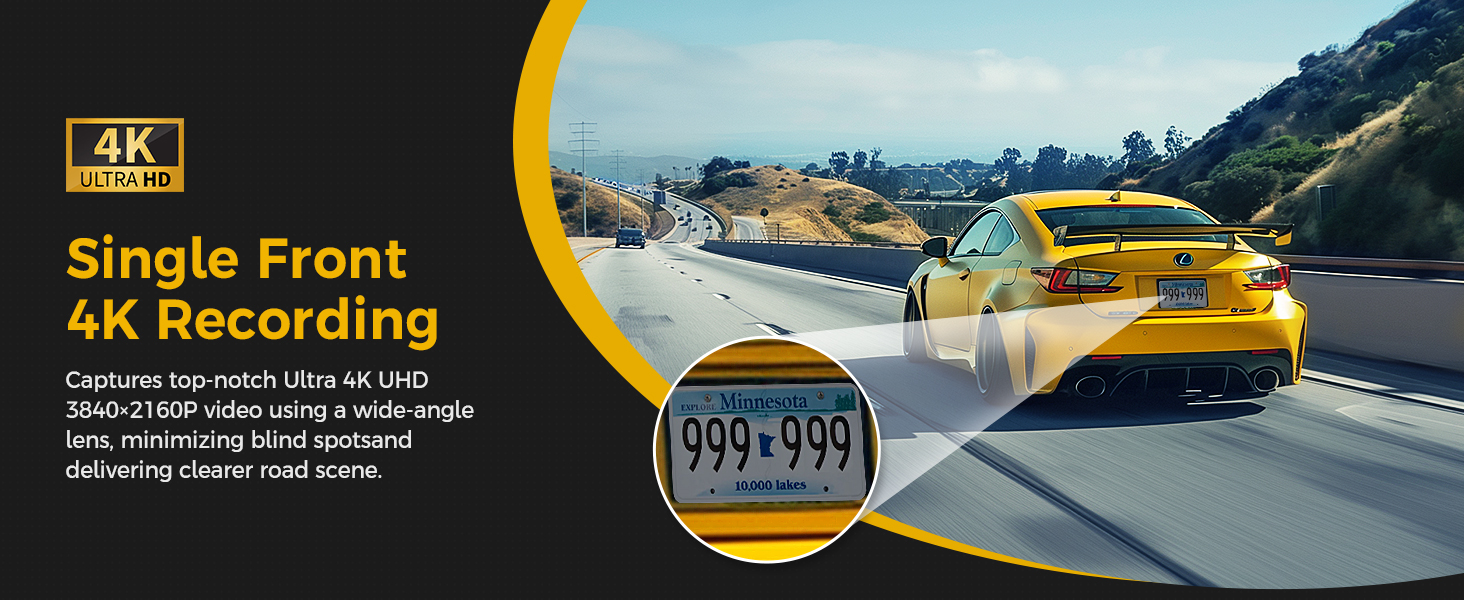
The GKU D600Pro is a dual dash cam system delivering ultra-high-definition 4K front and 1080P rear video with a 170° wide-angle lens and advanced night vision. Featuring built-in 5GHz WiFi for rapid video transfer, GPS for precise location and speed logging, and a compact design with a 1.47” IPS screen, it ensures seamless app control and easy installation. Enhanced with 24-hour parking monitoring, G-sensor triggered incident locking, loop recording, and support for up to 256GB microSD cards, this dash cam is engineered for professional-grade vehicle security and peace of mind.


| ASIN | B0D49D6NKT |
| Are Batteries Included? | No |
| Auto Part Orientation | Front & Rear |
| Auto Part Position | Front, Rear |
| Battery Cell Type | Lithium Metal |
| Best Sellers Rank | 199 in Electronics & Photo ( See Top 100 in Electronics & Photo ) 2 in Car On-Dash Mounted Cameras |
| Box Contents | 1 x Cigar Car Charger (USB-C Port, 3-meter ), 1 x Crowbar & 5 x Cable Hiding Clips & 1 x User Manual, 1 x D600Pro Dash Cam Front (with 64GB SD Card), 1 x Rear Camera (with 6-Meter Extension Cable), 2 x Adhesive Tapes & 2 x Electrostatic Film |
| Brand Name | GKU |
| Colour | Deep Black |
| Compatible Devices | Smartphone |
| Compatible with Vehicle Type | Bus, Car, Minivan, SUV, Truck |
| Connectivity Technology | Wi-Fi |
| Control Method | App |
| Country of Origin | China |
| Customer Reviews | 4.3 4.3 out of 5 stars (9,747) |
| Display Type | LCD |
| Field of View | 170 Degrees |
| Flash Memory Supported Size Maximum | 256 GB |
| Flash Memory Type | microSD |
| Frame Rate | 30 fps |
| Included Memory Card Size | 64 GB |
| Item Dimensions D x W x H | 4.8D x 9.5W x 3.5H centimetres |
| Item Type Name | dash cam front and rear wireless wifi |
| Item Weight | 300 Grams |
| Manufacturer | GKU |
| Manufacturer Part Number | D600Pro |
| Maximum Aperture | 1.8 f |
| Model Name | D600Pro |
| Model Number | D600Pro |
| Mounting Type | Windshield Mount |
| Optical Sensor Technology | CMOS |
| Other Special Features of the Product | 4K Front &1080P Rear, Built-In 5G WiFi & APP Control, Built-In GPS, 64GB SD Card Included, Max Support 256GB, Type-C Port, G-Sensor, Automatic Incident Detection, Loop Recording, Night Vision, WDR Tech, Compact Design, Screensaver, Parking Monitor, Time-lapse Recording, Super Capacitor |
| Product Warranty | 1 year manufacturer([email protected]) |
| Real Angle of View | 170 Degrees |
| Screen Size | 1.47 Inches |
| Supported Standards | JPG, TS |
| Video Capture Resolution | 2160p |
A**K
Superb Dash Cam
I’ve been using this dashcam for a while now and overall I’m really impressed. The picture quality is excellent—especially the front camera with its 4K resolution, which captures sharp and clear details both during the day and at night. The rear camera is also solid and provides good coverage, making it a reliable setup for all-around recording. Installation was straightforward and hassle-free. The whole setup took me around 30 minutes, even without much prior experience, which was a pleasant surprise. One thing to note is that the 4K front camera does take up storage space quite quickly. However, with the loop recording feature enabled, it automatically overwrites old footage, so it’s not something you need to worry about in day-to-day use. Overall, it’s a great dash cam with high-quality recording, easy installation, and dependable performance.
S**O
Good product
Good price and good product, easy to install, great resolution.
A**N
Very good camera, Not so great app
The camera itself is great, Was simple to settup. Good price. Nice and discreet in my car. Only thing that lets it down is the app. It requires you to connect via wifi which is weird, why not just bluetooth ? And the playback is god awful . I thought the camera was broken when I tried to play a recording back from the cameras own storage on my phone. BUT! Once I downloaded the file from the camera. The picture was clear and great! So overall if you just want a good camera that isnt going to rip you off financially then this is it. Just the app is a bit crap and the wifi connected playback is also crap.
A**P
Neatly compact dashcam with fine image quality, great price too
My top priorities when I was looking for a dashcam were, 1- small and compact, I wanted a dashcam that would be hidden away from my view, not one of those that so clearly look like a camera stuck on the windscreen 2-good image quality, obviously, and I work with great cameras, so I didn't want to be disappointed. I was 'upgrading' from a standard HD dashcam (a Bestsee x9) which was great for the price, but I was curious about 4k quality 3 -not cost too much! Because I just wanted something to get the job done, not Netflix level! This GKU already had some good reviews, has got very good specifications and features, was very similar in compact design to the Bestsee, and was a very good price! You could say it was a bargain for a 4k front and HD rear dashcam kit. It also came with a generous 64Gb microSd card ready fitted, so it was literally ready to go, just stick on your windscreen, plug it in, and off you go. The required GKU Go app was very easy to find on Play Store, very easily connected to the dashcam, and is simple to use. The app' offers several settings and options for the camera, like the 'on screen' recorded information (like a time stamp etc), recording loop length, and in-car sound recording. The first setting change I made was to the 'start recording' voice announcement from the camera, slightly annoying, a simple beep would have been better. The volume can be turned up or down, or off, on this feature, so I turned it off...sorted. The front camera unit itself is nicely compact, so it's perfectly hidden behind my rear view mirror, and the plain design means it's almost hidden from outside too. It looks like part of the car's mirror fitting. This is exactly as I wanted it to be, as you can see from the pictures. I simply have the USB-C power cable hanging down, it doesn't bother me, rather than tucked around the windscreen. The kit does come with power cable plenty long enough to tuck away, and tool to help with this. This cable ends with a power socket plug (with a USB socket usefully on it). I might have preferred a USB connection cable, which apparently the seller offers to send you on request. The camera has proved to be great, coping well with bright summer sunshine, no lens flare, and has very good 4k resolution, a noticeable improvement on my standard definition previous dashcam. See the video clip attached. The included card loop records about 8 hours of driving apparently, so easily a full working days worth. I've fitted an Amazon 128Gb card which I already had, so thats loads of recording... As it's summer, I've yet to see night time footage, but the lens is said to have a f1.7 wide aperture design, I'm sure it'll be absolutely fine, especially under street lamps. The LCD screen on the back is useful and good quality too, and can be set to be on all the time whilst recording, or turn off after a short period. And also, the dashcam records GPS location too, which can locate video clips to a map when viewed in the app. So with the options of time, speed, and location being recorded, you really are fully covered. This might be particularly useful for businesses on their company vehicles, or just for making notes on a holiday road trip..? I haven't fitted the rear camera yet, but it's a neatly small unit too, with plenty of cable to reach from rear to front in a car, and really is a bonus to have it included with such a low priced dashcam kit. So I hope my thoughts on the GKU600Pro are useful for you, I'm very pleased with it, it comes complete ready to go, very easy to set up, and does the job perfectly for not much money. I have no need for more expensive dashcams, it's all here and will be in my car for years to come. Recommended!
G**D
This is a really good dashcam - 5 star recommendation
I have had dashcams for my car for a while now, but wanted to get a good quality 4k one for a while with a front and rear camera. I looked around and decided on this set up. It was neatly packed and contained everything you need for set up, including the all important micro SD card as well as the roof lining tool to be able to lift the roof lining to hide the wires. I was a little nervous to start with as I was concerned that the dash cam would need a separate 12v socket but handily it runs as a spur off the main dashcam. You can run just the main camera if you wish. My advice in terms of set up and siting would be to make sure that you really clean your windscreen on the inside where you want to site your camera - in my case I put it on the passenger side, behind the mirror, so it is really unobtrusive. Once you've cleaned your windscreen, be a little careful with the electrostatic sheet you then apply. It's easy to get bits of dust and air underneath it so definitely take care when you apply it, and apply it with a soft cloth. I was in a bit of a rush so used the edge of a credit card, and it scratched the sheet badly so had to throw it away and use the one that was supplied for the rear camera. Once you get going, set up is very easy. Again, just make sure when you are positioning the dashcam, ensure you are happy with the way it is lined up before you remove the cover off the glue pad. If you're working by yourself to fit it, just peel a corner of the glue pad back to start with to check your trial position. The rear one is easy to fit, but as I have a hatchback it's better to fit it to the roof lining rather than the rear glass. The glue pad for this again seems to be more than sticky enough to do this, and then you just have to 'chase' the power lead from the unit through to the front camera via the lining and the door pillars - but again this is pretty easy to do. Once they are installed, setting up the cameras with the wifi connectivity is very straightforward - I did have a bit of a problem to start with as my phone wouldn't pick up the 5G wifi signal, it would only pick up 2.5G - and so it wasn't connecting properly, but I spoke with customer services and they helped me to resolve the issue. Once you're connected you can then adjust all your camera settings as you wish. There is not a 'parking monitor' hardwire option with this camera - but I understand that you can purchase a hardwire kite from the vendor. I think the video quality from the front camera is excellent (I did try to upload a video, but unfortunately as I had set the GPS on, I appear to have fallen foul of the community guidelines as shared personal information so have removed the video - but the 4k quality is very good and even on a dull, wet day which is when I trialled it, it was easily able to pick up registration plates). The rear camera is NOT a 4k, but is a perfectly usable 1096. It shows as a picture in picture on the small screen on the back of the camera, but it records a separate feed on the micro SD. All in all - really pleased with this purchase, and thoroughly recommend it
P**T
When the package arrived it was well packed and sealed. A good, strong box with items individually bagged. It would seem that everything had been thought of and was included to make installation easy. There was an abundance of wire, two cameras, some clips for wire, spare sticky pads , some "antistatic" film stickers, and even a small plastic "pry bar" for easing the car trim apart. The only thing I needed to add was some wipes to clean the windscreen. To be honest I was daunted by the thought of installing the rear camera as I had never done this type of thing. An inspection of the internal car trim made me realise this would be fairly straight forward after all. With solely the use of the small included pry bar and a 60cm length of stiff wire to use as a guide on the rear door trim I completed the install in less than an hour, I did stop for a mug of tea halfway so am guessing the time. Connecting to the app was straight forward again and I was pleased to find the camera connected to my phone whenever it (the car) was started. Picture quality was better than my cars built in reverse camera. Overall I am very happy with the value, quality, ease of use. The instruction booklet was an added bonus - in several languages and with clear instructions and colour photos. It was well produced. The component parts were of good quality and the whole package well presented. It was easy to install in a neat and tidy fashion and quicker than I expected due to everything needed was in the box.
A**ー
Installation was very easy, even for someone with little technical knowledge. I followed a few YouTube videos from other users and had it set up quickly. The dashcam is compact and doesn’t block my view, but the video quality is very clear for both day and night driving. Connecting to the app and downloading videos to my phone was simple, and I was able to save clips easily. Overall, this dashcam works well and offers great value for money. Highly recommended.
J**Z
I recently purchased the GKU Two Channel Dash Cam, and I couldn't be more impressed. From unboxing to installation, everything was simple and straightforward. I installed this in my 2012 Toyota Prius in under an hour. The lengths and outer diameter of the provided cables made it easy to conceal everything neatly behind the interior trim. The final install looks clean and professional—like it came from the factory. After using it for a couple of days, I realized I wanted to hardwire the unit for a cleaner setup and to take advantage of parking mode. I reached out to GKU's support team via their listed email address, and they responded quickly and helpfully, offering a couple of hardwire kit options and guidance on how to proceed. That level of responsiveness gave me even more confidence in my purchase. Both front and rear cameras deliver crystal-clear video - far better than I expected at this price point. Setup was quick, and the user interface is intuitive. The loop recording and G-sensor features work seamlessly, and I love that it automatically locks important footage in case of sudden movements or accidents. The included SD card was a nice bonus too! Overall, this dash cam delivers incredible value for the price. Between the solid hardware, high-quality video, easy installation, and great customer support, I highly recommend the GKU to anyone looking for a dependable dual-channel dash cam.
M***
Great dash cam with clear video quality and easy setup.Compact design, reliable performance, and excellent value for money.
W**E
Bonjour à tous…. Cela fait maintenant 10 jours que le système DashCam D600 de GKUTech est installé à bord de mon véhicule et j’en suis pleinement satisfait. Tout d’abord, le kit et les accessoires d’installation sont très complets. Vous disposez d’une caméra frontale ( , vue avant avec grand angle de champ, résolution max en 4 K, installée derrière le rétro intérieur ) , la seconde est installée au milieu de la vitre arrière , résolution max en 1080, si je ne m’abuse, mais sans préjudice de lisibilité et précision des vidéos ou images enregistrées…les détails des véhicules me suivant sont parfaitement indentifiables, notamment les plaques d’immatriculation. L’installation par elle-même ne nécessite pas d’outillage particulier. Dans le kit il est fourni un accessoire type « pied de biche », en plastique ( donc à manier avec un minimum de précaution, quand même ), qui permet de « glisser » les câbles de connexion aux caméras et la prise d’alimentation principale ( type allume-cigare standard) sous les « revêtements internes de votre véhicule ( plaques de revêtement des portières, plaque de plafond-vehicule ou réglettes internes des montants portières et pare-brise)….des petits crochets-guides câbles sont fournis pour fixer la partie du câble de la caméra arrière « flottant » ; avec suffisamment de « mou » pour permettre l’ouverture et la fermeture de votre hayon arrière sans problème de pincement ou détérioration du câble-camera AR. Au final le câblage des caméras est dissimulé derrière les éléments de revêtement interne de votre véhicule sans être visible, ni se « balader » n’importe où. La longueur des câbles fournis est largement suffisante pour un véhicule de tourisme standard ( pour info ma voiture est une Ford Fiesta ). Pour des véhicules au gabarit et longueur plus conséquents, le fabricant peut fournir une « rallonge » des câbles de connexion si nécessaire. Il est à noter que la prise allume-cigare possède un connecteur femelle USB-A standard, ce qui fait qu’une fois branchée pour le système Dash-cam, vous pouvez aussi alimenter la recharge de votre mobile ou autre accessoire devant être alimenté en USB-A….on prendra garde, néanmoins, à ne pas trop solliciter l’amperage de sortie sur la prise allume-cigare ( nota, je ne connais pas l’amperage maxi admissible en faisant fonctionner les caméras ET un autre accessoire alimenté sur le même circuit, donc méfiance entre les possibilités de branchement multiples ). Personnellement je m’en suis tenu à utiliser l’alimentation allume-cigare uniquement pour les caméras , le GPS étant une application disponible de série sur mon véhicule et mon mobile ( si besoin était ) est rechargé avec un « power-bank » annexe. Lors de la coupure du contact, une option interne à la prise d’alimentation des dash-cam ( rappel, prise se connectant sur l’allume-cigare ) se coupe automatiquement a l’extnction moteur. Ce qui fait que vous ne risquez pas de « décharger » votre batterie lors d’un arrêt prolongé de votre véhicule. Pour que le système hisse continuer à fonctionner en mode « surveillance parking » il faut acheter un kit de câblage dédié, prévu par le fabricant ( disponible sur Amazon ou sur GKU-Tech.com ) pour un prix inférieur, approximativement, à 30€. Ce câblage viendra se connecter sur vos emplacements libres sur votre tableau fusibles principal sur les connecteurs alimentés en permanence, contact véhicule coupé. Lors de votre redémarrage, le système se met en marche / enregistrement automatiquement. Vous n..avez pas besoin de déclencher manuellement la mise en route du système. Les durées des séquences vidéo enregistrées peuvent être paramétrées sur des intervalles de temps entre 1 et 3 minutes ( a définir dans le menu paramètres de l’application permettant de « lire » les vidéos ou photos sur vos mobiles ( tel ou tablettes ). Pour cela il faut télécharger et installer sur votre mobile ou tablette ( Android ou iOS ) l’application « JarvisCam ». Cette application dédiée vous permet le parametrage de vos caméras, la lecture de vos vidéos enregistrées. Pour l’enregistrement des vidéos de votre système Dash-cam une carte mémoire Micro SD est fournie d’origine ( capacité 64 Go ) dans le kit et pré installée dans la caméra principale ( Cam AV ). La capacité mémoire des cartes admissibles par le système est de 256 Go . Si vous optez pour une carte mémoire d’une capacité supérieure à celle d’origine, vous devrez l’insérer dans le logement prévu dans la Cam principale . A l’aide de l’application « JarvisCam » vous devrez la formater avant usage. A l’insertion d’une nouvelle carte mémoire le système vous informera que la carte insérée est « non reconnue »….n’en tenez pas compte, il est normal que la carte ne soit pas reconnue car il faut la formater avant usage , insérée dans la caméra et formatée avec l’appli « JarvisCam » Voilà, ce je pense de ce petit système de Caméras embarquées que j’ai trouvé excellent en terme de rapport qualité / prix et facilité d’installation / usage. En espérant que cela vous sera utile si vous envisagez de vous équiper d’un système analogue.
Trustpilot
2 months ago
1 month ago