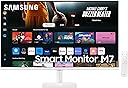
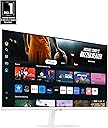
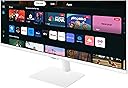
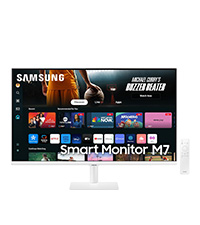
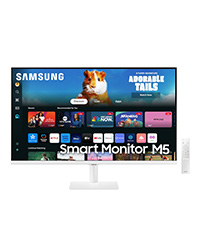
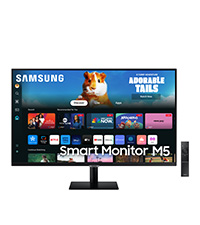
๐ Elevate your workspace & play zone with Samsungโs all-in-one 4K Smart Monitor!
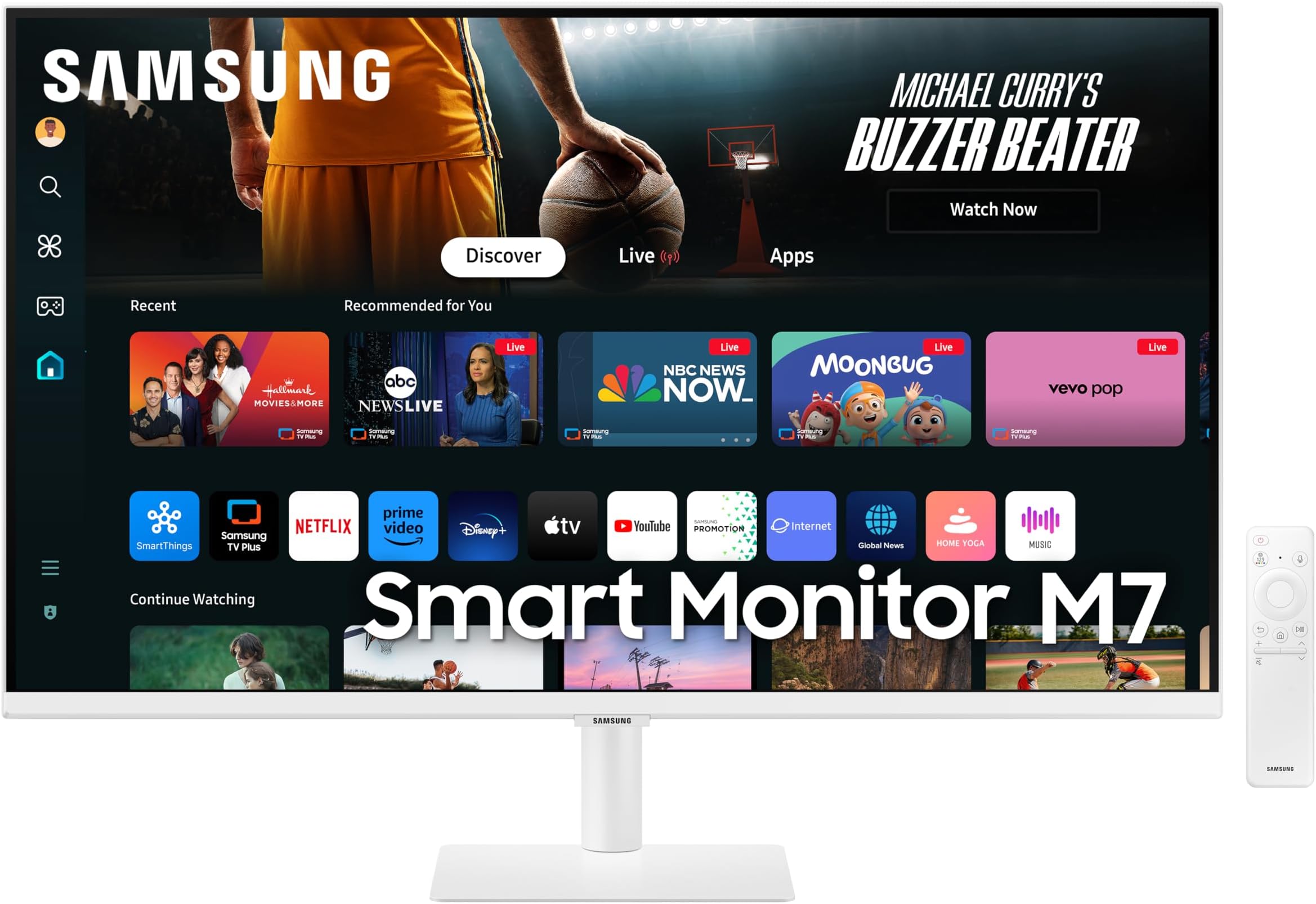
The Samsung 32-Inch M7 Smart Monitor combines stunning 4K UHD HDR10 visuals with smart TV streaming, multi-device control, and a built-in gaming hub. Featuring USB-C connectivity, multiple ports, and an eco-friendly SolarCell remote, itโs designed for seamless productivity and entertainment in one sleek, modern display.


| ASIN | B0D1DV85QH |
| Adaptive Sync | G-Sync |
| Additional Features | Built-In Speakers, Height Adjustment, High Dynamic Range, Multiple Voice Assistance, USB Hub |
| Aspect Ratio | 16:9 |
| Best Sellers Rank | #144 in Video Monitors |
| Brand | Samsung |
| Brightness | 300 Candela |
| Built-In Media | Batteries, Power Cable, Remote Control, Stand |
| Color | White |
| Color Gamut | 0.72 |
| Compatible Devices | Android, Desktop, Mac, iPhone |
| Connectivity Technology | Bluetooth, HDMI, USB, Wi-Fi |
| Contrast Ratio | 3,000:1 |
| Customer Reviews | 4.2 out of 5 stars 495 Reviews |
| Display Resolution Maximum | 3840 x 2160 Pixels |
| Display Technology | LED |
| Display Type | LED |
| Hardware Connectivity | 802.11 b/g/n, Bluetooth 5, HDMI, USB 3.0 Type C |
| Has Color Screen | Yes |
| Image Contrast Ratio | 3,000:1 |
| Item Dimensions D x W x H | 76.2"D x 28.2"W x 20.4"H |
| Item Weight | 15 Pounds |
| Manufacturer | Samsung |
| Model Name | M70D |
| Model Number | LS32DM703UNXZA |
| Mounting Type | Desk Mount |
| Native Resolution | 3840x2160 |
| Number of Component Outputs | 2 |
| Picture Quality Enhancement Technology | HDR10 |
| Power Consumption | 60 Watts |
| Processor Count | 1 |
| Refresh Rate | 60 Hz |
| Resolution | 4K UHD 2160p |
| Response Time | 4 Milliseconds |
| Screen Finish | Matte |
| Screen Size | 32 Inches |
| Screen Surface Description | Matte |
| Shape | Flat |
| Specific Uses For Product | Gaming, Multimedia, Personal |
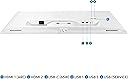
| Total Number of HDMI Ports | 2 |
| Total USB 2.0 Ports | 2 |
| Total USB 3.0 Ports | 1 |
| Total Usb Ports | 3 |
| UPC | 887276833804 |
| Viewing Angle | 178 Degrees |
| Voltage | 240 Volts |
| Warranty Description | 1 Year Manufacturer |
| Warranty Type | 1 Year Manufacturer Warranty |
F**K
Stunning 4K Picture, Brilliant Smart Features, and Exceptional Value โ A True All-In-One Monitor
I purchased the Samsung 43" M7 Smart Monitor, and Iโm honestly blown away by how much this one screen can do. Itโs rare to find a monitor that combines a beautiful 4K display, true smart-TV functionality, and serious productivity tools โ especially at this price point. Samsung really delivered a complete setup here. The 4K picture is the real showstopper. The clarity is incredible. Text looks razor-sharp, movies and streaming content pop with HDR10, and the colors are rich without being oversaturated. Whether Iโm working, watching, or gaming, the screen quality is consistently crisp and detailed. This is easily one of the best 4K panels you can get in this size for the money. The Smart TV features make this more than a monitor. The built-in apps and Samsung TV Plus turn it into a full entertainment hub immediately, no extra hardware needed. You can stream everything you want straight from the screen โ Netflix, Prime, YouTube, live channels โ and it runs smooth and fast without any lag. USB-C connectivity is a huge win. With a single USB-C port, I can plug in my laptop, charge it, transfer data, and extend my screen โ all at once. No adapters, no clutter. Samsung also added HDMI and USB-A ports, so the monitor handles multiple devices cleanly without swapping cables. Multitasking is excellent. Being able to control multiple devices with one mouse and keyboard is a serious productivity boost. Dragging content between the Smart Monitor and my Galaxy device feels seamless and natural. Samsung got this right. Gaming Hub is a surprise bonus. Instant access to cloud gaming โ without needing a console or PC โ is impressive. The response is fast, the picture is clean, and the entire experience feels modern and premium. The SolarCell remote deserves special praise. No batteries required. It charges from sunlight or indoor lighting, and it feels great in the hand. This alone is genius design and deserves recognition. Accessibility tools are excellent. Features like screen magnification, color shifts, and audio descriptions show real attention to inclusivity. This is something most brands overlook. Price point is unbeatable for everything you get. A gorgeous 43" 4K monitor + full smart TV + cloud gaming hub + USB-C workstation โ all for this price โ is honestly one of the best values in its category. Bottom Line: This Samsung M7 Smart Monitor delivers premium picture quality, serious productivity tools, powerful entertainment features, and eco-friendly design โ all in one device and at a very competitive price. Itโs a perfectly balanced display that works as both a high-end monitor and a modern smart TV. Highly recommended. This is the future of monitors.
M**N
Great
I bought this for a second monitor in my studio to show client photos, and to replace the TV I was using. This has great colors and the viewing angle looks so much better than the TV did. Set up was easy. The VESA mount is solid and it is holding great on my existing mount. The sound isnโt bad, but I really donโt use it for any sound when Iโm just taking photos. The built in tuner to get my shows is nice for down time. Itโs a great size and lightweight.
A**R
Perfect All-in-One Monitor
I purchased this monitor twice, and it has exceeded my expectations both times. The design is sleek and modern, making it a great addition to any setup. Itโs incredibly easy to use, with no need for additional streaming devicesโeverything is built-in. The main reasons I chose this monitor were its slightly larger size compared to a regular monitor, built-in Bluetooth, quality speakers, and the variety of pre-installed apps like YouTube, Netflix, Amazon Prime, and Apple TV. It provides a seamless viewing experience without any hassle. If youโre looking for a versatile monitor with great features, this is a perfect choice!
B**D
A monitor doubling as a smart TV
I originally purchased a Samsung gaming monitor, and was shocked when it arrived and did not have a USB-C port, a USB-A port or an HDMI port. Rather, it came with a displayport. I thought that a gaming monitor would offer more options, not less. I could find no way to connect it to my laptop without an adapter, even though my laptop has an HDMI port, a USB-A port and two USB-C ports. The lack of a commonplace USB-C port was an instant deal-breaker. USB-C is the port most used for connections currently. I returned the gaming monitor. First, the ports on this monitor: This monitor refreshingly comes with a battery of conventional ports, and the ways by which I can connect it to my laptop are endless. HDMI ports are now the de facto preferred means of connecting a laptop to a monitor because of its ability to facilitate the transfer of high resolution video and audio (it used to be VGA). This monitor comes packed with three USB-A ports, one HDMI port and one USB-C port. A USB-C to USB-C cable and an HDMI to HDMI cable are supplied. This means that one can connect peripherals like a mouse or keyboard directly to the monitor. The monitor comes with a slender solar-powered (the first I've ever seen) remote control which facilitates switching between the monitor and the "smart TV." It offers access to all the usual apps, including Netflix, Amazon Prime, etc. Because these apps are already on my laptop, including them in the monitor is somewhat redundant. But it means that the monitor does not have to be connected to anything to be its own viable source of entertainment. The remote control even has a dedicated Netflix, Disney+ and Amazon prime buttons. The smart TV personality of the monitor also offers a bevy of free shows even without the use of an app. It permits tuning into live TV channels. Any user who is already in the Samsung environment will enjoy a synergy that comes from using other Samsung branded equipment. Connecting the TV to my Samsung account was a breeze; the TV generated a QR code which, once I scanned it with my phone's QR reader, found my account and logged me in to the TV during setup. Any Samsung phone can be used to control the monitor through the Smart Things app. Importantly, the monitor permits the use of the DEX capability which allows Samsung phones to be used as a desktop computer on a monitor or even TV. The 32 inch screen size is in fact, the largest monitor I have ever used. Most office monitors are no more than 24 inches. My home office desk is just big enough to accommodate the 32-inch, which looks a lot bigger than it sounds. I would not want a bigger one. The cons: The graphics on this monitor are not as good as I expected, considering the fact that this monitor is being touted as one that can handle gaming. It is certainly more than good enough for my routine work-related tasks. But the videos are not quite as crisp as expected, given the credentials of this monitor. I also feel that the speakers are a missed opportunity. I measure quality audio by clean bass. While the monitor's speakers are much louder than my laptop's, they could have incorporated a richer sound to boost the monitor's multimedia credential. However, the more expensive gaming laptop, which I returned, had no speakers at all. So there's that. Speakers and cameras are not yet commonplace additions to monitors. To conclude: This monitor is best described as a jack of all trades, and master of none. It handles work-related tasks with remarkable ease, and if one has a break at work, provides endless entertainment at the beck and call of the user. The video is not quite as crisp as one would expect of a gaming monitor, but that is not its strength. For the price, this might well be as good as it gets. I would recommend.
M**L
Didn't work as a monitor
I bought this just to use as a second monitor for a Lenovo desktop PCI and a Lenovo laptop PC. It was incompatible with both. Neither of them could detect it properly, even though a Samsung tech support person insisted that it was "plug and play" and the monitor's diagnostic tests had clean results. I spent eight hours attempting to get it to work, including four of five hours on the phone and messaging with Samsung and Lenovo technical support. My Lenovo laptop has all the most current updates, including device drivers, BIOS, Windows 10 updates. I'm giving up and returning it to Amazon. This model, by the way is a 43" version. The model number on Amazon's product detail page was LS43DM703UNXGO. This is the same as the "model code" on the back of the monitor, which said the "model" was S43DM702UN and the "Type No." was S43DM702U. (Confused? I don't blame you.) Calling this device a monitor seems to be a misnomer. It's more of a complex smart TV that purportedly can be used as a monitor. The remote control is handy, but the user interface appears complex and confusing. For example, its guide to hooking up to a PC -- which appears in an illogical location in the menus -- says that if the connection doesn't work, go to Home > Menu > Connected Devices > Sources > Edit Menu. But there is no such path; there was no "Sources" selection under "Connected Devices."
L**A
Work & Play, Perfectly Balanced
It honestly feels like having both a TV and a workspace in one. The picture quality is super crisp, colors look rich, and the large screen makes multitasking really comfortable. What I like most is how easy it is to switch from work mode to chill mode โ one minute Iโm editing, the next Iโm watching a show without needing any extra device. The sound is decent, the remote is rechargeable (no batteries needed!), and the setup feels clean and modern thanks to the USB-C and extra ports. Overall, itโs a great option if you want a stylish, practical screen that does it all.
N**T
Excellent for desktop monitor too
Excellent value, great resolution and perfect desktop monitor. I donโt use it for gaming etc โฆI use it as a standard desktop monitor for things I read like stock charts etc. Note: By default my laptop set the scaling to 300%. Adjust the scaling to desired levels to get optimal display. It does not have a display port (should have read that before ordering). My desktop has an nvda card with 4 mini display ports. So had to order some cables There are three or so usb ports unsure what u cd use it for. If one were to connect input devices but thatโs redundant for me at least cos I wd stream It does have a usb type c for display cable connectivity to desktop and two or so hdmi cables. Comes with hfmi and usb c both ends both cablesโฆwhich for me wasnโt useful. Not a big deal there are many cakes available that has whatever u want on each end. I ordered a type c to mini display port cable, as well as hdmi to mini display port Replaced my lg display that I paid over 500 and I accidentally dropped and broke it oh well Totally worth it though I was skeptical whether it was a good display monitor for desktop. Again if u donโt adjust scaling on pc u will return it as not good. If u adjust it, itโs very crisp and perfect. This is critical
D**E
Really nice hybrid PC monitor/smart TV
Wanted to give this display a try after reading some promising reviews; the idea of a "smart monitor" was interesting to me. I've purchased and used several Samsung displays throughout the years and have been happy with them. This device seemed like a good fit for a home office where having a larger TV was not an option. The picture quality is great, and the sound is rather clear for a display. Not sure I'll use much of the streaming content available but having that capability/flexibility is really nice. I would certainly recommend this to anyone who was in the market for a good quality display where space might be limited. It's priced reasonably well, and is packed full of features. The signature Samsung quality is present in this model and, unlike traditional smart TV's, this could be used as a remote-less computer monitor for closer viewing angles. It's a nice idea for those of us who might use HTPC's, laptops, or other small form factor PC's in our living rooms or home offices.
B**_
Really good as a TV !
โข The screen quality is really good, the 4K is not perfect, but it's definitely the best screen you can have for 500 bucks (or less..?) 4/5 โข The sound is impressive, immersive and really good ! 5/5 โข The OS included with the TV is really really good, it detected my Xbox Series with the logo on it ! Don't need to program it btw ! Not at all 5/5 The best reason to buy this tv is for the really solid & minimalist stand and the slim design ! Don't think it's better than the other TV at the price, but the very slim screen and the stand is a must for a studio or for gaming But for a PC monitor it's just not it...
J**N
This is my worst purchase in amazon ever
The item is not functioning well, the screen keeps flicking after powering on, i tried to unplug and plug again but still the issue persist, now, my refund take so long, i cant order new one since i didnt receive my money back
B**K
Great monitor/TV
love this smart monitor works great good sound great picture very happy. The only thig i didn't like was the stand a little wonkie. and you cant adjust much. But iam going to buy on of those after market stands or mount on wall so no problem. All so no ethernet connection. But stiill very pleased with purchase . It allso has ark so you can get a soundbar for it to make sound better for movies etc.
E**4
Awesome Black Friday Deal
Using this monitor mainly as a TV, replacing a 19" 1080i Insignia TV purchased from Future Shop basically a decade ago. Got this one on sale from Amazon, and must say for the functionality combined with the picture quality it was a great deal. It has built-in Wi-Fi and Bluetooth, along with support for various apps (I assume it runs anything a Tizen-based Samsung Smart TV would) such as Prime Video and Spotify. The monitor box includes the monitor, power cord (no external power brick), remote (internal battery with USB-C charging port and a mini solar panel in the back for charging), HDMI cable, and USB-C cable. The monitor has a USB-C port, three USB-A ports, and two HDMI ports (one of them ARC). Important thing to keep in mind for some folks: the building of the monitor's stand requires you to screw in three Philips screws, and a screwdriver is not included. They are not thumbscrews either. When you set up the TV, it gives you the option to perform the setup using the included remote (which is fairly intuitive except I could see some people might have trouble with the volume/channel rocker switches), using the Samsung SmartThings app as a virtual remote, or by plugging in a USB keyboard/mouse. Using a media keyboard (it was a Microsoft-branded 2.4GHz wireless keyboard with built-in touchpad) also worked for me. The setup also asks you to create a Samsung account (optional), link your Prime Video account (optional), and accept the Samsung Terms and Privacy Policy (not optional, unless you want to use this as a dumb monitor). Important thing: You do not need to click the lower two checkboxes for the Samsung legal agreements. Only the higher two checkboxes for Terms and Privacy Policy which are required. The lower two are only to enable personalized advertising(tracking) on the device. This monitor has an interesting pseudo-"Live TV" feature called "Samsung TV Plus" which has a channel guide with many options to pick from. It seems like the channels are run or sponsored by media publishers and studios. And completely free. Pretty cool to have this considering it's otherwise designed like a monitor and has no coaxial connector. You could also use an app like Plex or Jellyfin (I think Plex is officially supported on Tizen however you need to sideload Jellyfin) and set up your media server with a tuner card if you wanted to watch OTA channels. Also tested out Samsung DeX on this monitor using a Samsung S20 Ultra and the monitor's included USB-C cable. After plugging in the phone and an external keyboard/mouse, I selected the "PC" connection option from the home screen. The desktop environment appeared near instantly. I've never used DeX before so the seamless experience was appreciated. Picture-wise, I am not very knowledgeable of display technology, and it looks good to me. Even better after completing the "Smart Calibration" which is done by opening the SmartThings app on a compatible phone, and holding it close to the display as it cycles through white, gray, red, blue and green colors. Being 4K resolution, the picture is crisp and holds a lot of detail. The display looks good even viewing from the side, like I tried from a 45 degree angle and it was clear. The display is matte and not very reflective. Audio-wise, the built-in speakers sound just like average TV speakers. Not bad, just lacking in bass. Keep in mind there is no 3.5mm or optical output on this monitor. So it seems your external audio source will need to either support Bluetooth or HDMI ARC. Overall: great deal, big value and I hope it goes on sale again because I'd definitely buy another one.
D**N
Great monitor
Great monitor. Great quality. My computer store said you couldn't buy them this size. I love the dual purpose of computing and movies
Trustpilot
1 month ago
2 months ago