
DOWNLOAD THE APP


Customer Services
Copyright © 2025 Desertcart Holdings Limited
DOWNLOAD THE APP


🚀 Compact power, limitless productivity — the mini PC that means business.
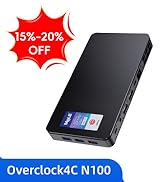
The MeLE Mini PC Overclock4C is a Reddot-winning ultra-compact desktop featuring a 12th Gen Alder Lake N100 CPU, 16GB DDR4 RAM, and blazing-fast PCIe 3.0 NVMe storage up to 512GB (expandable to 4TB). It supports dual 4K HDMI displays plus a full-function USB-C port with PD 3.0 charging, making it perfect for office, education, and home use. Its fanless design ensures silent operation, while rich connectivity options and an unlocked BIOS cater to professional multitasking and industrial applications.







| ASIN | B0D1XFJBJX |
| Best Sellers Rank | 23,221 in Computers & Accessories ( See Top 100 in Computers & Accessories ) 139 in Desktop PCs |
| Guaranteed software updates until | unknown |
| Item model number | Overclock 4C |
| Manufacturer | MeLE |
| Package Dimensions | 21.6 x 12.6 x 7.1 cm; 700 g |
D**S
Fast for fluid every-day computing, and takes a 2TB NVMe drive!
I've bought a fanless Atom compute stick from Mele before, years ago. From China. So I felt I could trust their design/product. I've only had this a few days ... but as I was confused from reviews and product descriptions about what SSD it can take, I wanted to say here I can use a 2TB NVMe drive ... the socket's keyed for NVMe ... not SATA. On the model I bought anyhow. I just wanted a "back-up" + "ancillary" machine. I tend to RDP Virtual machines running on slightly heftier though mobile-CPU based servers ... I like small powerful devices that sip energy rather than gulp it. So as an "ancillary" machine, I have it plugged into a 13" 1080p USB C powered touch screen ... powering the screen from this PC via USB A port to USB C, which is also the "touch" connection, and using a full HDMI cable. I RDP my general VM for email etc. But I also have the Spotify App on there, and Plex client as I have a Plex server (I have a lot of personal "server" services running on other small machines in VMs/containers etc.). I can KVM to it with my mouse/keyboard, although I also use Microsoft's "Mouse Without Borders" which works really well in Windows 10. I checked compatibility for Windows 11 before purchasing ... I think this machine looks OK for that. Using Web browsers is fine too ... and fine for other video streaming etc. I'm an Office 365 account holder so I wanted to be able to store up to 1TB of OneDrive data on here too. I'm running Windows from the built-in eMMC though ... it seems fast enough for that, but I have created a Windows page file partition on the NVMe SSD. And I wanted dual boot - though still to set that up, though left some space free for it. I leave some space ... made some space on the eMMC, as I'm not sure how wear algorithms work on these chips and whether leaving some space might be helpful. I don't know. Just belt & braces approach. Bitlocker runs just fine on it. I chose to bitlock the entire partitions in one go though ... as I preferred to let it do it rather than possibly slow the CPU down a little more during operation later. I fitted a WD Blue SN550 2TB High-Performance M.2 PCIe NVME SSD from Amazon for £175 at time of writing which seemed the best bang for my buck from a reliable vendor, as far as I could see. This machine is unlikely to benefit from performance pedigree per se, but it's the reliability and running cooler when maxing-out the data transfer rates, at a competitive cost, that interests me. I'm using wired internet - not tested the WiFi or bluetooth yet. With the NVMe in, it gets a little warm if using the Plex client, but not hot. It goes to sleep nicely with a push of the front button. The sound is OK - using the wired socket. I use a USB powered Hart Just Mixer - mixer which is another product that I really like. (Though I use anti-ground loop thingies on a couple of the audio leads to get rid of hum/noise if powering the mixer, especially, from a USB source sharing a ground-plane with any of the audio inputs/outputs). In every day use the machine, including web browsers, feels fast/responsive, even with multiple tabs and apps open. -- As a back-up machine, I wanted the dual 4K option, because I like using at least 2x monitors for software development. One only 1080p landscape, but the other, a very wide screen, in flipped-portrait mode. And then I RDP my work VM. It's a backup to my Dell XPS that's my everyday driver, though it's nice having an ancillary machine while my XPS focuses on work. This machine is plenty fast enough to not notice much difference for everyday tasks. For back-up purposes, I can plug it into my "admin" vlan at home ... and I also have edge, chrome and firefox installed with no issues and running well. I'm saying all this to highlight how versatile this machine is ... as everyday computer, but also a handy thin-client and administrative machine. It uses so little power it could run on a decent UPS for ages! It doesn't give off much heat. I haven't tried anything heavier on it ... e.g. any Development / creative stuff. I'm sure it'll run vscode ... but I don't expect it to be a great experience though perhaps adequate for light Dev tasks, and I don't expect it to compile very fast. I don't expect it to play games unless streamed games which I expect will run quite well on it (ToDo). Maybe if I had no choice but to run a Dev environment on it, my impression is that I could maybe get by very slowly (e.g. running Web API servers with debugger attached and maybe Node proxy / front end React server, refreshing (recompiling) the Node stuff on save etc. and maybe running a heavy-database like SQL Server ... this sort of meatier load probably won't run too well on this machine, and might even knock it over, but using vscode or similar (I'm mostly Microsoft based and creature of habit though migrating a lot of stuff to Linux actually) ... anyway ... using something like VScode ... it could probably get by. If you're a front-end Dev maybe and the backend/database is running somewhere else. Occasional Photoshop etc. might be OK if not doing any crazy rendering. It is a 4x processor machine so I imagine multi-threaded work will benefit from that ... the J4125 does support VT-D ... Hyper-V etc. if you want Microsoft's Sub System for Linux and Docker desktop running etc. ... I'm pretty sure it will be OK for light tasks using those sorts of technologies. I do actually have a J5005 based NuC running Open Media Vault (including with LUKs encrypted drives), Plex Server in a docker container, and quite a few other services in Docker containers including IoT etc. and OpenVPN in case my main router goes down etc. ... and I have actually used an Ubuntu based container with a desktop, in the container, that I could RDP before too ... so I suppose I shouldn't be surprised at just how pleasantly powerful Intel's more modern Celeron chips are. This machine is a light duty machine. What's amazing about it is just how good it is, for such little volume, and such little energy. And a reasonable price. -- I had no issues finishing the Windows set-up and updating it to a more recent version. You can set it up with a local account if you like (while Windows 10 anyway ... not 11). If you want bitlocker, you have to enable it. (It is Windows 10 Pro). No crashes or freezes or anything so far. The only caution I have is that the USB C power socket isn't a Power Delivery one. There's a sticker on the device warning you of this, advising a 26V max input limit, and advising to use the included 12V 2A plug. The plug doesn't seem too cheap ... happy with that. And I'm powering a monitor from it too, via USB on this machine. But still ... I took the sticker off the heat sink facing, and I hope I don't forget in the future. I wish it was a Power Delivery socket. I've probably forgotten key things I meant to say that's actually relevant lol. Oh well. My impression at least, is that machine is a very decent every day (modern Windows / Web / Streaming) PC that could hide behind your monitor and add maybe £25 per year to your electricity bill if maxing it out 24/7 all year. Or something like that. Maybe less if you have "economy 7" equivalents etc. It's just amazing. Amazing.
M**D
Excellent tiny silent mini pc
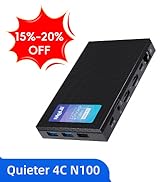
This tiny mini pc makes an excellent little home media server that can run quietly out of site anywhere near a suitable network connection, for the home. It is also a capable small desktop computer to run typical basic tasks such as web browsing or messaging including email. In my case on opening the package, the first task was to boot up a Linux install system, and repartition the nvme drive, to remove the filesystems associated with Windows, including the recovery partition, and then install Arch Linux. With the appropriate storage allocated to the operating system, boot and efi areas, this still leaves around 300GB for user files, and in the future adding storage remains an option if needed. As a small home media server the system can be accessed remotely, when run as a headless computer, to update the system, and add media files for viewing on a smart TV, or phones and laptops. Having been warned from user reports of possible high temperatures, I was monitoring CPU temperatures during normal operation and they have remained barely above 30C though the cpu is not being pushed to high usage levels by the tasks I have been requiring it to perform. As a passively cooled system with no moving parts, this makes for an optimally chosen system hardware, and the external ports and ethernet work without problems, with drivers automatically in place in existing Linux current kernels. Overall I am very happy that I bought this small computer, and it does everything I need. Users who are relying on Windows may find performance may be different to when the system is using only Linux, but from my experience of this Quieter 4C it works entirely as expected.
J**N
Very good device that is stylish, well put together and well featured, but a little Expensive
(Update not mentioned in the earlier review): Two of the larger USB3 A ports are actually 3.1/3.2 Gen 2, ie 10Gbs per second, not 5, with the third and the USB-C being 5Gbps! This is not mentioned on the advert, but a definate bonus! This is a long review, party because I have noticed there is very little independent reviews on this particular version of the device on the broader internet (There are plenty for its earlier brother the Quieter 3Q, but very little for the Quieter 3C, which is the model I have). The 3C swaps one of the full size USB ports for a USB-C port ( 3.1/3.2 Gen 1 5Mbs) with DP and Power Delivery (can be powered by a PD USB power supply, power bank, or monitor/hub), and replaces one of the HMDI with a mini DP port. It can also drive three screens at the same time(HDMI, DP and USB-C) unlike the 3Q which can only drive 2 with its two HDMI ports. Firstly, one of the very few external interviews suggest that their version of the 3C is slower than the 3Q (though they did have a pre release version). In my tests, and comparing with a friends 3Q, I didn’t see any difference in performance between the two practically (caveats later). I purchased this device as a “second low power mini - PC” to use as an alternative to my Main Ryzen based PC, which whilst extremely powerful for gaming and productivity, uses a heap of power even when idle, or just browsing the web, and sometimes doubles up as a space heater. I needed something small yet not a laptop for space reasons. It needed to be able to do Web browsing, watch You Tube, run office, and other “Home admin” tasks, yet still be capable enough to run some offline astronomy related analysis overnight. Physical: The device is small and very sleek, as can be seen from the description, its shape is a smaller than a large smartphone (such as the Note 10, or iPhone pro) and about as thick as a Tape Cassette case. Although the outer case is plastic, rather than metal (there is a steel frame inside) the “plastic seems to be made of a material that can dissipate heat well, far better than it looks on paper, though probably not as good as metal, however, the plastic does allow the internal antennae to work well. The top surface is ridged (it doesn’t have any holes, despite what it looks like in pictures) which does increase the surface area. CPU: The 4 core Celeron N5105 is not going to win any performance crowns, but it’s definitely more than ample for running Office, Chrome, Firefox and the usual medley of non-demanding apps, and even some less demanding games. It doesn’t feel sluggish in normal use. It’s definitely more powerful and yet more efficient overall than the J4125 usually found on these mini PCS. It handles 1080p videos extremely well. 4k can vary depending on the source, and I find most 30fps SDR streams play fine, but when you hit 60fps and HDR, some sources such as YouTube struggle, whilst many of my 4k HDR demo files in H265 seems to be fine. Internal eMMC Storage: Its internal eMMC is no way near as fast as an NVMe drive, and benchmarks slower than a SATA 3 SSD (more closer to a SATA2 interface I would suspect), but it is very power efficient, and in practise, with most applications its snappy enough. You CAN fit an NVMe drive into it (though bear in mind its PCIe 3, and only 2 channel, so no point putting in a super-fast super power hungry and super expensive PCIe 4 inside), and bear in mind that it will slightly increase the power usage. Memory It’s has 8GB Single Channel 2900 Mhz LPDDR4, soldered in and not upgradable. Not a lot, and may not benchmark highly but more than enough for its use case. OS: It comes with a very clean full version of Windows 11 Professional (not home), that does not have any bloatware installed just plain Windows, and surprisingly comes with a sensible OOBE experience with a lot of “default” windows phone home stuff disabled, including the requirement for a Microsoft account! It certainly does seem quite clean, with no “value added store apps”, I have checked for malware as well as any unusual network connections). I did blank and reinstall Windows as I wanted a clean H22 install, and found the “default” Microsoft experience as slightly worse in terms of the requirement for a Microsoft account, and additional MS store apps added like Microsoft Solitaire! The BIOS correctly contained the OEM license for Windows 11 Professional, and therefore the installer did not ask for the product key. I have installed Linux MINT in a dual boot config with GRUB and it worked fine. It doesn’t default to Secure Boot (though can be enabled if desired) BIOS: Biggest Surprise, it’s a fully featured Bios with almost everything but the Kitchen sink in terms of settings and configuration. You could tweak this a lot, though the CPU does not offer much overclocking capabilities, and the hardware does have some protection to avoid some settings. Be very careful, as I don’t see any way of clearing the CMOS easily if a wrong setting locks up the POST. Cooling: This is passively cooled. As such it does get quite warm and under load can get very warm, though not too hot to touch. Under normal use (streaming, web, office). I have not seen any Thermal throttling from the CPU (using HWInfo). Under continuous sustained and heavy load the CPU package can reach 73+, which is still below the CPU thermal throttling, but the hardware may induce some power Throttling at this point as I see the CPU switch from boost 10W to 8W a little quicker (about 20 seconds) under sustained load than some other computers with the same CPU, regardless of thermals. However, I have not observed any runaway heat. I have tried placing a large finned aluminium heatsink and fan on top of the unit, and that did drop the temps significantly under heavy continuous load, but I don’t think it’s necessary for normal use cases. Also note it is possible to play around with PL1/PL2 and boost times in the BIOS, which you might want to try at your own risk as long as you have adequate cooling. Power Usage: Using my Macbook Pro USB C power supply, I have a USB Ccable that can tell you the current power consumption via a small LED display on the Cable. It measured 3 Watts on idle, and 13 Watts under load, very respectable figures and is perfect for my use cases This is with 2 screens and the built in eMMC drive (no NVMe installed) Conclusion: A surprisingly good, reliable Mini Computer that is quiet and sleek, with Windows 11 Professional and no bloatware! Not the most powerful and not the most featured, but great for many people who need a PC for web/office/streaming, to hide out of sight. I would have given it 5 stars, but I do feel it’s a little expensive for what it is, so giving it four stars, though its really more of a 4 and a half stars.
J**E
Absolutamente ningún problema ni con el sistema operativo ni con las aplicaciones que he instalado. Lo uso para controlar un telescopio por escritorio remoto y cumple perfectamente. Optimizando el sistema operativo puedes conseguir un consumo de cpu sostenido del 5%. Eso si, no se le puede pedir capacidad gráfica o de cálculo. Aunque no se dice, incorpora una placa para montaje vesa. Quitaría media estrella por la alimentación. Con 2 Amperios no se puede suministrar mucha energía a los puertos usb.
C**.
I've been using two of MeLE Mini PC Stick PCG02 Pro N5105. This new model is superb compared to what I've been using. I'm really happy with its performance and component upgrade options. Thanks.
A**Z
Les ordinateurs sans ventilateurs de Mele sont vraiment top. J'en ai 3 de différents modèles et ils fonctionnenet tous très bien à pleine charge. Sans un bruit et ça ne chauffe pas plus que ça. Je recommande pour un petit PC de salon ou pour du Home Lab. Ca tourne avec ProxMox sans problème.
D**B
Très silencieux Bonne performances pour bureautique et web "simple" Port usb-C PD/DP très pratique : se branche avec un seul câble sur un écran Usb C Power delivery, pas besoin du câble secteur
J**5
Perfekt für ruhige Orte, wenn einem die Rechenleistung genügt. Wird allerdings ziemlich warm unter Vollast - hier ist es ratsam, zusätzlich einen Kühlkörper mit Wärmeleit- Paste oder Pads zu montieren...
Trustpilot
3 weeks ago
3 weeks ago