Desertcart purchases this item on your behalf and handles shipping, customs, and support to Iceland.
โก Elevate your workspace with the ultimate Thunderbolt 4 powerhouse!
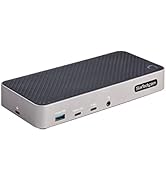
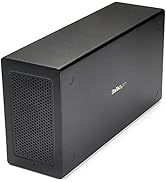
The StarTech Thunderbolt 4 Dock is a universal, driverless USB4 and Thunderbolt 4 docking station designed for Windows and macOS. It supports up to four 4K 60Hz displays on Windows with Intel 12th Gen+ CPUs and dual 4K 60Hz displays on MacBooks with M3/M4 chips. Featuring 17 ports including HDMI and USB, it delivers 40Gbps data transfer and 98W power delivery to charge laptops and peripherals simultaneously. Engineered for enterprise reliability, itโs ideal for mixed-device environments and future-proofing professional workspaces.


| Asin | B0CTTR34K9 |
| Best Sellers Rank | #5,419 in Computers & Accessories (See Top 100 in Computers & Accessories) #387 in Laptop Docking Stations |
| Brand | StarTech.com |
| Color | Space Gray |
| Compatible Devices | Apple MacBook Air M1/M2/M3/M4, Apple MacBook Pro 13 M1/M2/M3, Apple MacBook Pro 14 M1 Pro/M2 Pro/M3 Pro, Apple MacBook Pro 16 M1 Pro/M2 Pro/M1 Max/M2 Max/M3 Pro, Apple MacBook Pro 15 2019/2018/2017/2016, Apple MacBook Pro 13 2020 Intel/M1, Apple MacBook Pro 13 2021 M1 Pro/M1 Max, Apple MacBook Air 2022 M2, Apple MacBook Pro 14 2021 M1 Pro/M1 Max, Apple MacBook Pro 16 2021 M1 Pro/M1 Max, HP Spectre x360 13-aw0000/13-df0000/13-af0000/13-ap0000/13-ba0000/14-ea0000/14-df0000/14-cd0000/14-bc0000/14-bd0000/15-df0000/15-eb0000/15-bl0000/15-ds0000/15-ch0000, HP Elite Dragonfly G2 2B5G1AV/2B5G2AV/2B5G3AV, HP Elite Dragonfly G3 3B5G1AV/3B5G2AV, HP EliteBook 830 G7 Intel/AMD, HP EliteBook 830 G8 Intel/AMD, HP EliteBook 840 G7 Intel/AMD, HP EliteBook 840 G8 Intel/AMD, HP EliteBook 850 G7 Intel/AMD, HP EliteBook 850 G8 Intel/AMD, HP Envy 13-ba0000/13-df0000/13-ap0000/14-eb0000/14-df0000/15-df0000/15-cd0000/15-bc0000, HP Envy x360 13-bd0000/13-dq0000/13-cb0000/14-bd0000/14-ce000 |
| Customer Reviews | 4.4 4.4 out of 5 stars (47) 4.4 out of 5 stars |
| Hardware Interface | HDMI, MicroSD, Thunderbolt, USB, USB 2.0 |
| Item Dimensions L X W X H | 3.8"L x 8.3"W x 1.4"H |
| Item Highlight | Driverless USB4 and Thunderbolt, Up to four 4K 60Hz on Windows, Dual 4K 60Hz on M3/M4/M5 MacBooks, Intel/AMD/Snapdragon |
| Item Weight | 7.04 ounces |
| Manufacturer | StarTech.com |
| Mfr Part Number | 132N-TB4USB4DOCK |
| Model Number | 132N-TB4USB4DOCK |
| Number Of Items | 1 |
| Number Of Ports | 17 |
| Total Number Of Hdmi Ports | 2 |
| Total Usb Ports | 7 |
| Upc | 065030899277 |
| Warranty Description | 3-Year |
| Wattage | 180 |
User
Works well, wish it was a bit less plastic.
This dock does exactly what it claims to do, and functionally I have no real complaints. It runs a dual-monitor, two-PC setup without hiccups, handles Thunderbolt 4 bandwidth properly, and has been stable in daily use. Displays connect cleanly, peripherals behave as expected, and charging works as advertised. From a pure โdoes the jobโ standpoint, itโs solid.The ports are all in good positions, it was obviously well thought out and is easy to populate - nothing is too close to anything else like some of these.That said, itโs hard to ignore the price relative to the competition. Compared to a lower-priced UGREEN dock I own, this one feels noticeably less premium. The StarTech enclosure is mostly plastic and feels a bit rickety, especially if youโve handled all-aluminum docks. Nothing is actually broken or unreliable, but the tactile experience does not match the price tag.I use the UGREEN dock at home and this one at work, and in real-world operation they perform similarly. This StarTech dock works perfectly fine, it just doesnโt feel like a premium piece of hardware. Youโre paying more for branding and specs on paper than for build quality.If you need a Thunderbolt 4 dock that can reliably drive a dual-monitor setup and you care about clean aesthetics on your desk, this will do the job without drama. Just be aware that itโs probably a bit overpriced for what it physically is, even though it performs exactly as it should.
User
Works flawlessly!
This dock was recommended for my new MacBook Pro. I powered it on and connected various devices, and everything worked flawlessly. I highly recommend this dock to anyone buying a new MacBook and planning to upgrade their other devices later.
User
Thunderbolt 4 dock for dual monitors that just works
Bought it as a replacement for a Plugable Thunderbolt 3 dock, which worked fine with my old Intel MacBook Pro, but had annoying occasional wake from sleep issues with my newer MacBook Pro M2. This one has almost identical features (importantly the many ways of connecting 2 monitors) and for now, works beautifully. Will update if issues arise. It is plastic, but still looks solid. There is a brand new Thunderbolt 5 version if you have a newer MacBook that supports it. That one has an additional USB-C port on the front, which is the only thing I kind of miss from the Plugable.
User
2 Macs, 1 hub, 3 screens
I did research for about 2 weeks to find the perfect dock for my two MacBooks. I read a lot of reviews of more expensive docks and least expensive docks and there were always negative reviews of how there were issues with connecting multiple screens to the dock. I found that this dock was new and at that time had zero reviews and I took a chance on it and I am glad I did as it served my needs. I plugged in my microphone, my 4k camera, my two studio monitors, Ethernet, apple keyboard and my two screens to my M2 Max and my M1 Max MacBook and both worked flawlessly with the supplied thunderbolt 4 cable. I also have an Android tablet connected through Duet for an extra screen. In total I am running five displays including the one from my laptop and this has no issues whatsoever. I literally connected everything and it just worked. So if you are researching the best dock for your MacBook, I would stop your research and just get this. Yes, it's expensive but it's definitely worth it and avoids headaches of other docks that I read that had connectivity issues or Internet issues.
User
Does not function as multi touchscreen monitor hub
Does not function as described
User
Dock that just works....awesome
Excellent, works out of the box with no fuss. Works with both my Macbook and my windows computer for all the ports I need. Tried Pluggable but it only halfway worked. Will buy StarTech from now on.
User
Computer Cable May be Undersized.
TBT4 cable that came with the dock could not support the bandwidth for a 34" widescreen display at 3440 x 1440p resolution at 60Hz. After switching to a cable that can support upto TBT5 bandwidth have had no issues. Tested all cables and confirmed it was an issue with the computer to dock cable that came with the dock.Either bad cable or the cable that comes with the docking station is not sufficiently sized. 2025 M4 Macbook Pro, Alienware AW3423DW
User
Works with Several Mac's
Worked exactly as I needed. I use a laptop pc which can be easily connected with 2 monitors with no issues even without this item. However Mac's are a bit more complicated to link with additional monitors. I have tried this item with a M1Pro chip, M4 chip and M4Pro chip, and each time I was able to use two external monitors separately in addition to the mac's screen lid open, so having three separate screens, and all of these items only using 1 USB C port of each of the Mac's..and all three I did not have to install any additional software which was something I did not want to do.
User
More money, but only one that can handle heavier set-ups without glitching.
Immediately works without a fuss.Where my Anker APEX 12in 1 TB4 90W failed (USB failed) or that the Plugable TBT4-UD5 couldn't handle (can't do even 3 screens even with USB-C 10GbPS port) , the Star-Tech 132N-TB4USB4DOCK could do without breaking a sweat.I load my TB4 hubs to the gills with 3 x 27" monitors and a 4th travel monitor, with keyboard, mouse, webcam, Jabra, Senheiser gaming headset and all, and it connects easily to my Lenovo with the TB 4 cable with ease.I have always been using high-end hubs all my life and Star-Tech is bland, boring, looks pretty sad design-wise, but at the end of the day, it always delivers.I shouldn't have spent time with Anker or Plugable and gone direct with StarTech all along. Glad i finally bit the ($$$) bullet. The extra price is worth your sanity.
User
Exactly what I needed
Very powerful and works just as intended. It got fast ports and display experience is amazing, worth the price.
User
Windows and Mac compatible
Great docking station, great IT support. Works with windows and Mac no drivers required.
User
Ports Galore!
Today's laptops have minimum ports, so it's great to get 6 USB-A ports for keyboard,mouse,and game controller, etc . It could use extra USB C ports in my opinion. Also easily powered my laptop.
User
Really Happy With This
Only caveat is to ensure is if using 4 displays like I am is to use native Display Port and HDMI cables and monitors. Don't try and use DP to HDMI cablles or adapters as the monitors won't return from power saving so device requires a power cycle in that situation. However with the right cables and monitors it works superbly, no complaints at all so far. I get 4 fully functioning monitors running off my Lenovo laptop using thunderbolt 4.
Trustpilot
1 month ago
2 weeks ago