Desertcart purchases this item on your behalf and handles shipping, customs, and support to Iceland.
๐จ๏ธ Elevate your home office with pro-level prints and wireless easeโbecause your creativity deserves the best.
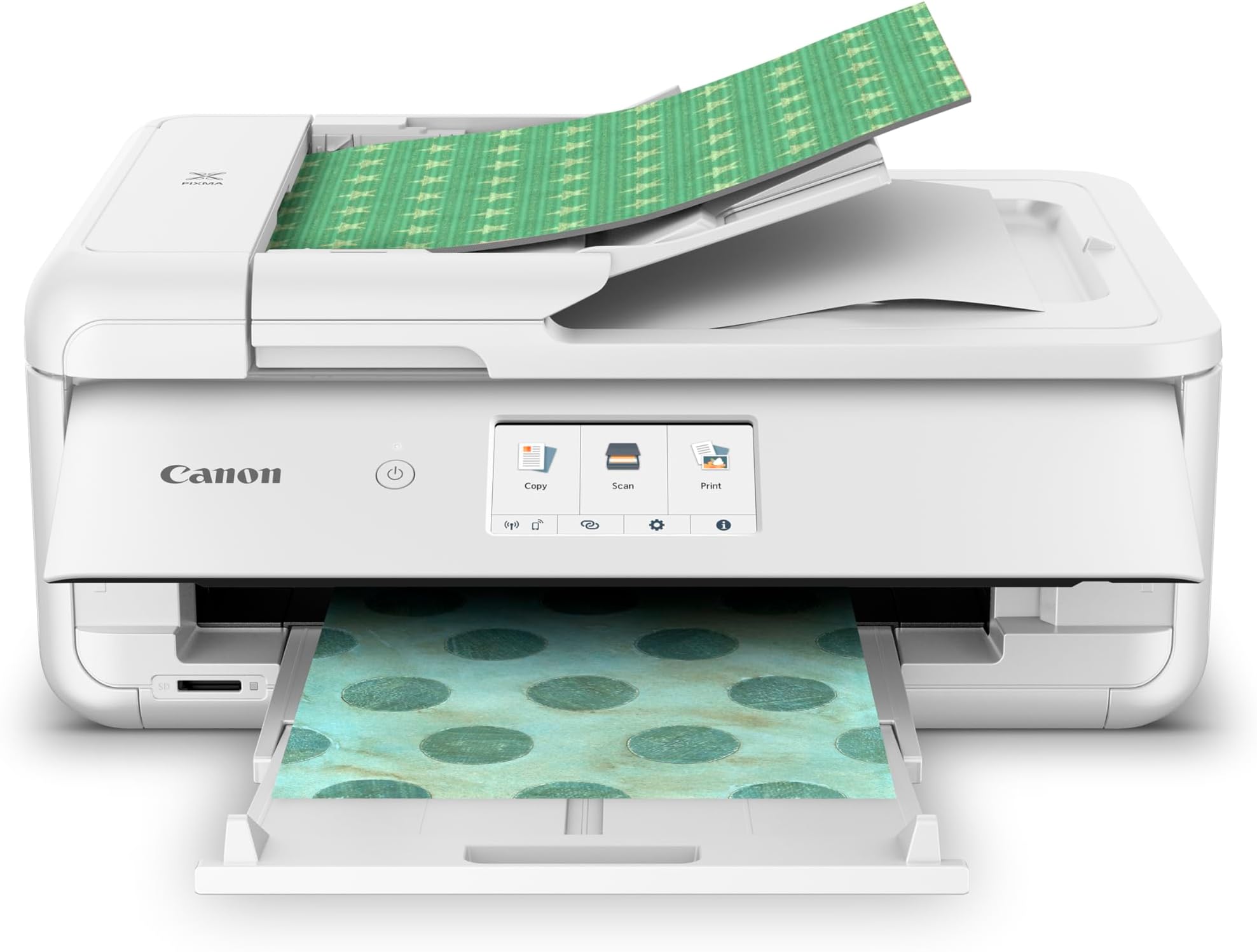
The Canon PIXMA TS9521Ca is a compact, wireless all-in-one inkjet printer designed for home and small business use. It delivers high-resolution prints up to 4800 x 1200 dpi at fast speeds (15 B&W, 10 color ppm), supports a wide range of media sizes including large 12โx12โ cardstock, and features convenient auto duplex printing and a 20-sheet auto document feeder. With a user-friendly 4.3โ touchscreen and seamless mobile device compatibility via Wi-Fi and the Canon PRINT app, it combines professional-quality output with effortless connectivity.


| ASIN | B0CX69SZMB |
| Additional Printer Functions | Copy, Scan |
| B&W Pages per Minute | 15 pages_per_minute |
| Best Sellers Rank | #19,784 in Office Products ( See Top 100 in Office Products ) #32 in Ink Tank Printers |
| Brand | Canon |
| Built-In Media | Inkjet Cartridges, Paper |
| Color | White |
| Color Depth | 24 bits_per_pixel |
| Color Pages per Minute | 10 pages_per_minute |
| Compatible Devices | Smartphones |
| Connectivity Technology | Ethernet, USB, Wi-Fi |
| Control Method | Touch |
| Customer Reviews | 3.9 out of 5 stars 340 Reviews |
| Display Type | LCD |
| Duplex | Automatic |
| EU Spare Part Availability Duration | 1 years |
| Hardware Interface | SDXC |
| Ink Color | Black |
| Item Dimensions D x W x H | 18.5"D x 14.5"W x 7.6"H |
| Item Type Name | Inkjet Printer |
| Item Weight | 25.4 pounds |
| Manufacturer | Canon USA |
| Maximum Copy Resolution Black and White | Up to 4800 x 1200 dpi |
| Maximum Copy Resolution Color | Up to 4800 x 1200 dpi |
| Maximum Copy Speed Black and White | 15 pages_per_minute |
| Maximum Media Size | 8.5 x 14 inch |
| Maximum Print Resolution Black and White | Up to 4800 x 1200 dpi |
| Maximum Sheet Capacity | 100 |
| Maximum print Resolution Color | Up to 4800 x 1200 dpi |
| Model Name | PIXMA TS9521Ca |
| Model Number | 2988C052 |
| Model Series | PIXMA TS9521C |
| Number of Trays | 2 |
| Other Special Features of the Product | Epeat Qualified |
| Output sheet capacity | 200 |
| Paper Size | 3.5โ x 3.5โ, 4โ x 4โ, 4โ x 6โ, 5โ x 5โ, 5โ x 7โ, 8โ x 10โ, Letter, 11โ x 17โ, 12โ x 12โ, Legal, U.S. #10 Envelopes Supported Media inches |
| Power Consumption | 14 watts |
| Print media | Paper (plain) |
| Printer Connectivity Type | Ethernet, USB, Wi-Fi |
| Printer Output Type | Color |
| Printer Type | Inkjet |
| Printing Technology | Inkjet |
| Processor Count | 1 |
| Resolution | 4800 x 1200 |
| Scanner Type | Sheetfed |
| Series Number | 9521 |
| Special Feature | Epeat Qualified |
| Specific Uses For Product | Home office, small business, mobile printing, auto duplex printing |
| Total Usb Ports | 1 |
| UPC | 013803378429 |
| Unit Count | 1 Count |
| Warranty Description | 1 year manufacturer |
| Warranty Type | Limited |
| Wattage | 14 watts |
B**Y
Great purchase!
I am really satisfied with my new Canon printer. I haven't tried printing on 12x12 cardstock yet, but I am happy that it can do that! I had been fighting with my HP for the past year and put off buying a new one, because I am not techy, but this was easy to set up! It works great - prints 110 lb. cardstock with ease and no issues with printing on my printable vinyl for use on my Cricut.
J**N
Colors and lines are great!
I just got this printer today and so far Iโm extremely satisfied. The set up was very easy. Plug and play. I did some test prints compared to my last Canon Pixma MG3600 series and the results were amazing. The colors on my MG3600 was very over saturated and lines were not as crispy as the TS9500 series. I also did a test print on cardstock and the quality was great. I do a lot of crafts for birthdays and printing on cardstock was a need. The printer also looks great and fits on my shelf nicely. Itโs not any bigger than my last printer. Thumbs up so far!
A**N
Good luck getting it to work.
I must have set on like 10 different printers in the last 6yrs, including 5 Canons and other brands. I am not green in this. They all took less than 15mins to set up, connecting to WiFi and worked. The instruction on this one is AWFUL. Something is wrong with the WiFi part of my printer, but the instruction is so bad I wasted over a day before I am confident to call Canon to verify. THEY ARE OF NO HELP, GOING AROUND AND AROUND. Finally she said it's my wireless router's problem, It's a T-Mobil, she said I have to call T-Mobil to get the info. I return this printer, I think the wifi is defective, I can connect using USB in a heart beat, but not the wifi. Looks to be a good printer, BUT only if I can get it to work. Good luck if you have to trouble shoot. The printer can detect my T-Mobil router, but I don't have option to key in the password and thereby failed!!! Every printer I set up can just key in the password and be done with it.
L**C
UPDATED REVIEW - Better! UnsureโฆBut have always loved Canon Products...
**UPDATE 8/31/25 - Increase in stars - I figured out the issue of the 5100 Error Code - It causes an issue if you have anything sitting on top of the printer (extra paper, a book, or anything of weight). It pushes down on the top document feeder and somehow misaligns the inside pieces, to cause the ink carriage that goes back and forth inside to not operate correctly, and it cannot get back and forth to print (it would make a terrible grinding & clicking sound that we couldnโt figure out)โฆ Not sure why it happens, but now we just ensure that the top is free of paper or anything extra before hitting print, and it seems to work without issue. Great print quality that Iโve come to love with Canon PIXMA, and nice to have the document feeder for the copies now! Just wish Canonโs QuickStart Guide stated not to set anything on top. I didnโt see an issue, but quickly realized it was. Just wanted to share my findings, in case anyone is experiencing the same issue, and needs a solution! Original Review - Mixed feelings. I have always been a Canon owner, Cameras and printers. This is my third Canon PIXMA Color Inkjet Printer. I just wanted an upgrade of a similar type, to include a top-feeder copier and paper cassette that holds a little more paper. All of my previous wi-fi models with flatbed scanner have lasted many many years each. They are easy to set up, are a good value for print quality, and they are all-in-one. This new TS9521Ca has been a little finicky. It always pops a 5100 Support Code for no apparent reason (although it is after it makes a terrible sound, and I know I have removed all the orange tape). I think I have figured out that itโs when the paper tray is pushed in sometimes that it will do that. Sometimes the print head ink/ carriage wonโt move when I open the lid, but I am able to move it by hand to try to troubleshoot. Iโm still trying to isolate why it does it and will likely have to call Canon Support if it happens again, so that I can hopefully get a replacement or fix. I bought extended warranty, but that doesnโt kick in until after the first year. I want to love it like the others because it prints amazing, and works great. Itโs just the error codes making me a bit nervous and frustrated with lost time messing with it, as itโs tough on my small business. I have only had it for two months, and itโs already errored twice. Will update if anything changes significantly.
B**A
Prints 12x12 paper, easy to navigate
Great printer I got it because I can print on 12x12 paper . The color is very good. I love it!
J**M
Great for Decals
Great printer for decals and every day printing . Not difficult to set up.
J**S
Ink Hog
Canon, do better. After I printed a grand total of one 8x10 photo on this brand-new printer my color inks displayed half-gone. After printing 7 black-and-white documents ALL of my color ink (I've not printed a single color document yet) are all empty! This is a brand new printer. It is designed to "use" up your color ink to force you to buy more, even when you don't print anything. I can't believe there hasn't been a class-action lawsuit for this immoral business practice. The printer is also finicky. It has to have everything in exactly the right place or it refuses to print. The display panel thing has to be tilted up far enough for it to print... but I don't want it tilted up, I want it flush so it doesn't stick out into my walk path. If you open the main tray, it gives you a warning message that you have to click every time to tell it that you didn't put too large of paper in it. The rear tray is cumbersome, takes up lots of space, and collapses on itself easily. Whenever I print I have "use last used settings" selected but no matter what I do, it defaults to "scale media to fit" instead of scale @100%. So every time I print anything I have to manually change this. It prints fast, but it's also LOUD.
T**R
Great for 12x12 printing
Prints perfect for 12x12 edge to edge (and all other sizes). Printer feels a bit flimsy, light plastic and all but it does the trick. Uses up ink like crazy so be sure to couple this with the 3rd party ink suppliers.
Trustpilot
2 months ago
1 week ago