


๐ก Light up your smart home with the longest reach and zero hassle!
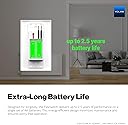
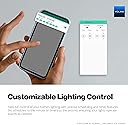
The YoLink FlexSwitch is a cutting-edge, battery-powered smart light switch that operates without a neutral wire. Leveraging LoRa technology, it boasts the industry's longest wireless range of up to 1/4 mile, perfect for challenging locations like basements and outbuildings. With up to 2.5 years of battery life, voice assistant compatibility, precise scheduling, and built-in over-temperature protection, it offers a seamless, secure, and maintenance-free smart lighting solution.




| ASIN | B0CJBZDZDR |
| Actuator Type | Push Button |
| Best Sellers Rank | 1,156,101 in DIY & Tools ( See Top 100 in DIY & Tools ) 16,586 in Switches & Dimmers |
| Brand | YoLink |
| Circuit Type | 1-way |
| Colour | White |
| Connectivity Protocol | LoRa |
| Connector Type | Wireless |
| Contact Material | Copper, Brass, Stainless Steel |
| Contact Type | Lighting and Electrical Load Control |
| Control Method | Remote, Voice |
| Controller Type | Android |
| Current Rating | 5 Amps |
| Customer Reviews | 4.4 4.4 out of 5 stars (391) |
| International Protection Rating | IP00 |
| Item Dimensions | 46 x 44 x 107 millimetres |
| Manufacturer | YoSmart |
| Material | Plastic |
| Model Number | FlexSwitch |
| Mounting Type | Wall Mount |
| Number of Positions | 2 |
| Operating Voltage | 120 Volts (AC) |
| Operation Mode | manual |
| Switch Type | Temperature Switch |
| Terminal | Quick-connect" Or "Spring-loaded |
| UPC | 810121540978 |
| Unit Count | 1.0 count |
| Wattage | 1385 watts |
V**K
Exactly what I needed to turn on a hall light. This switch does not require a neutral wire to operate but uses a battery driven relay switch. Reliable and integrates well into the Yolink environment. Works well within Home Assistant to create more robust home automation.
K**N
Since this package was inexpensive, I bought it to try out smart home system. The package arrived a day earlier. It included a YoLink hub, a plug mini switch, a door sensor, and a water leak sensor. All parts seemed well constructed. The installation was quite straight forward and all parts worked properly as described. The yolink app interface on my phone was quite clean and it showed the statuses of all three sensors on one screen. The hub was the communication central for all sensors. The plug mini worked as a remote-controlled power switch that I could control on/off through a slide switch on my phone screen. The plug does have a manual on/off pushbutton switch on the side. The door sensor worked just like a regular magnetic alarm switch that I could monitor its status on my phone. The water leak sensor was a square pad that had electrical terminals on both sides that I could use to detect water leak from the ceiling or on the floor. The leak sensor construction seems waterproof but I have not tested it. I ran into installation problems at beginning because I made two mistakes as a result of not reading the hub installation guide careful enough. First I installed the wrong app from the google play store. There were two apps in the store: the yosmart app and the yolink app. I searched "yosmart" and installed the yosmart app, and off course it didn't work. After that I searched "yolink" and installed the yolink app, the hub installation was very easy. I do recommend to read and follow the hub user guide first before installation. After the mini plug installation, I could install the other two sensors without reading the user guides. Second I encountered wireless connection problem because my phone selected the 5GHz wifi frequency band automatically. After I set my phone to use the 2.4GHz band manually, the connection worked with no problem. I did ran into two minor problems that I was sure if they were caused by my side. I downloaded the user guides in pdf using my mobile phone easily. However, for reason unknown I was not able to download the pdf guides by typing in the address links of the user guides on my windows 10 PC, I got "emply file" error message. I had no problem following the same steps with android phone. I ended up transferring the pdf user guides from my phone to my PC as I preferred to read them on bigger screen. Another problem concerned with the user guide QR-code for the water leak sensor. My phone camera could not decode the QR code, both the one printed on the packaging box and the one on the quick start guide included with the sensor. I ended up typing in the user guide address link directly on my phone as the link was the same as the other sensors, except the sensor model number in the link. I had no problem with the user guide QR codes for the hub, the plug, and the door sensor. I could read all the user guides on PC by searching with the key "user guide"; however, they were shown in the smaller screen ebook format, and not the in pdf format that I could read with full screen. Since I have not used the system long enough, I could not comment on the reliability of the system at this time. For now I give it 5 stars as everything worked as stated; I do not think the minor problems I encountered are sufficient to knock one star off. I will update in the future as necessary.
H**Y
Easy configuration, good app, I configured it to turn off when a yolink water sensor (sold separately) detects water
R**B
I was looking for something to monitor the temps of the refrigerator and freezers following a 12 hour power outage. Obviously I needed something which didn't require opening the fridge door. (My modem and router are on UPS's.) Also, another friend was gone for 4 days and his main refrigerator stopped working. The ice melted, the freezer contents melted and he had to move out of his house for the repairs. I found these YoLink products and thought I'd give them a try because their claim is a longer range (even through things like metal refers and freezers), WAY more range than typical devices, and minimal battery usage. They're are RIGHT! These things work through my metal refrigerators and through the metal on the chest freezer. I now have accurate reporting AND the ability to set parameters for alerts. In digging more into YoLink, I found they are a US based company. They also have home automation devices that also share long range connections. I have many home automation devices on my SmartThings hub (Zigbee and Z Wave). I bought a few YoLink outlets to see how they performed. I had connectivity to the YoLink outlets over 800' away in our barn!! They didn't quite reach the street 1400' away though. I'd love to have full automation all the way to the street for holiday decorations and more. I found YoLink can have more than one hub on the same network so I bought a hub for my barn. Bam! Works!! (The barn has a long range WiFi antenna which picks up the house's WiFi.) This is a brief recap. Hope it helps. Their devices are less expensive versus Zigbee or Z Wave devices. Although I have not dug into elaborate programming yet (like doing things when you arrive home or leave or temp/weather related automations), it appears this cold be a viable, better and cheaper replacement for ZigBee and Z Wave automation devices. Hope this helps everyone!
H**D
In the past couple months, I've been trying some YoLink devices because of their range and because some have the ability to do things when there is no power. I put this particular plug on my refrigerator so I could monitor the energy usage. I discovered to my surprise that it has the ability to return to a pre-determined state in the event of a power outage or a "blip" in the power. I don't want my refrigerator staying off on a power interruption as some others do but return to the "on" state. I tried it and it works. I found the setup quite easy, too. BTW, I have absolutely zero connection to the company or Amazon but am just a happy customer.
Trustpilot
3 weeks ago
1 day ago