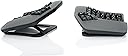
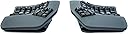
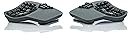
⌨️ Elevate your typing game with ergonomic innovation and wireless freedom!
The KINESIS Advantage360 Professional is a premium split ergonomic keyboard featuring a patented contoured design with adjustable tenting for maximum comfort. Equipped with quiet Kailh Box Pink mechanical switches rated for 50 million presses, it offers a smooth and durable typing experience. The keyboard supports Bluetooth wireless connectivity with updated firmware for reliable multi-OS compatibility and is fully programmable through open-source software. Designed for professionals seeking to reduce strain and boost productivity, it comes with backlighting, premium accessories, and a 3-year warranty backed by US tech support.


| ASIN | B0CT444BH6 |
| Batteries | 2 Lithium Ion batteries required. (included) |
| Best Sellers Rank | #268 in Computer Keyboards |
| Customer Reviews | 4.3 4.3 out of 5 stars (333) |
| Date First Available | January 23, 2024 |
| Item Weight | 3.2 pounds |
| Item model number | KB360-PRO-KLQ |
| Manufacturer | Kinesis |
| Product Dimensions | 15 x 8 x 3 inches |
Z**R
Good, bad, and the awesome
It's been about twenty years since I first used a Kinesis and haven't used one since. For the past 14 months I've been using a Moonlander split keyboard. It's a decent keyboard, but the options for tenting are very poor unless you invest in more hardware purchased from their site. They do offer excellent support, though. I'd had the keyboard for about six months when the right side thumb cluster hinge broke. They sent me a replacement for free. Back to the Kinesis. I write A LOT. I'm a full-time author so I bang out hundreds of thousands of words per year. I'm in my mid-fifties, and fingers and wrist hurt all the time because of poor ergonomics and cheap keyboards. The Kinesis Advantage 360 is kind of amazing. It has true tenting, and the concave nature of the pieces means you can comfortably rest your palms on the outside and only move your fingers. Since I have used a split ortho board for over a year, this was not a huge learning curve. The keys are laid out well, but I had to change a few. I like the CTRL and ALT on the left side on the bottom row. I moved those keys using the ZMK software which is not really friendly. You have to have a Github account, fork builds, and then use the key mapper to generate new firmware. Each piece of the keyboard them must be connected via USB. Copy the corresponding builds to each piece and then swap key caps. I'm happy with the four or five keys I moved and have this looking almost exactly like my Moonlander layout. Bluetooth has worked perfectly on my PC. I've had zero issues so far. I hit a key in the morning and my PC wakes up. I leave the backlighting off. After two weeks of heavy use, the batteries are still going strong without a recharge. I purchased the palm pad separately. Why aren't these included with this very expensive keyboard? Come to find out, they might not be needed depending on your hands. I find them okay, but I will probably switch back to using the palm rests without the pads. They are comfortable and all, but I'm making more typos with them installed. This is a very expensive keyboard, and it will not be for everyone. There is a learning curve. When I initially switched to a Moonlander, my WPM dropped to about five words per minute. I'm a slow and not very accurate typist, but after this short amount of time I'm up to about 70 WPM with a 98% accuracy rate. This is fantastic for my old hands. Overall, this is a technical board that requires an understanding that the interface software is far from user friendly. Remapping keys will be challenging. I find that the key caps get oily from my fingers rather quickly, which is a weird thing to write, but it's true. So far this has not affected my typing, but I feel like I need to wipe them with a cloth a few times a week. Lightly textured key caps would have been perfect on this thing. Even with these negatives, I feel this keyboard beats the Moonlander by a mile. This is a true ergo keyboard and so far I love typing on it. The Gateron brown switches feel really nice. Negatives aside, this is the best keyboard I've ever owned. I look forward to many years with this thing.
T**R
Pricey, but worth it.
Great product, learning curve is 1-2 weeks before getting back to your pre-kinesis typing speed, build quality is very high, Bluetooth connectivity is great w Apple products (using MacBook Pro M1-M4), curiously kinda sucks with windows though with random intermittent disconnects (easily fixed by plugging in USB cables) I purchased these in a last ditch attempt to help my carpel tunnel and was pleasantly surprised with almost immediate relief. Even w the weight and size of these I find myself making excuses to bring this with me on business trips due to how much they help/correct my wrist and finger pain and numbness. The only downside is as a coder you will feel the unavoidable draw to NeoVim..
B**B
Almost perfect keyboard
This keyboard is miles above the standard qwerty staggered layout keyboards. Typing on this for the last ~10 months has been extremely comfortable and has reduced my shoulder and wrist pain caused by regular non-split staggered keyboards. If you are on the fence just buy it and give it a solid try for at least 1-2 weeks. The process will be painful trying to learn the new layout. Do some typing tests and learn the proper home-row finger placement to take full advantage of this board. While I do highly recommend this keyboard if you are typing on a keyboard a lot, there are some issues to be aware of. The main annoyances of this keyboard are the Bluetooth connection, connection issues between the two halves of the boards, and double key-pressing issues. I ended up having to RMA my board because the double-pressing issue became so bad. I still have the same issue after RMA occasionally though Kinesis has recently put out a new firmware that claims to fix this. If this keyboard used a 2.4ghz USB dongle in addition to the Bluetooth, and the double pressing issues were fixed this would be the perfect keyboard. Update: Kinesis latest firmware has fixed the Bluetooth issues making this keyboard even better
A**Y
Perfect Ergonomic Solution for Comfort and Productivity
The KINESIS Advantage360 Professional is hands down the best ergonomic keyboard I’ve ever used. The split design allows for perfect hand positioning, and the mechanical keys feel incredibly responsive and satisfying. I’ve noticed a significant reduction in wrist strain and shoulder tension since switching to this keyboard. The programmability of each key is a game-changer for productivity, allowing custom layouts that suit my work style. The tenting and tilting options let you adjust it exactly to your comfort level. It's a solid investment for anyone serious about ergonomics and efficiency. Highly recommended!
D**S
$500 for CONSTANT connectivity issues
Just get the wired version. It's a very cool and comfortable keyboard but it is not worth the headache of getting this thing to connect when it decides to stop working once a month. I've update the firmware several times and even sent it back to the manufacturer to try and fix the problems. I wouldn't mind the issues as much if I could use it in a wired mode but that isn't an option. The usb ports can only be used for charging. I also think there isn't enough clear documentation on how to configure the key customization with ZMK, let alone how annoying it is to use the github repositories to compile the files for the key configuration.
V**M
It took me ~ a month to get used to the keyboard, but now I love it. Something that it pushed me to do is to use right fingers to type certain keys. Also I feel a bit more efficient after I started to use VIM motions with the keyboard almost everywhere - magic.
J**S
Steep learning curve - I bought this during a flare up of tendonitis in my new job caused by having to use a latop for a week, so I can't speak yet for preventative qualities, but I also have shoulder issues from arthritis and immediately from day one I could feel my shoulders were far more relaxed. After a few weeks of use I am becoming more proficient, it starts to become easier to use as you train yourself to let more fingers share the load, and it definitely feels more natural. It is expensive, but so is being unable to work. It's that simple.
E**A
Saved my wrists. Once you get used to it, the strain on your wrists and forearms disappear. A bit pricy but worth it if you type a lot. Would be five stars but it bugs out sometimes, needing to be unplugged and replugged in (macros stop working)
D**Y
This keyboard is awful. Nearly 1000 dollars and you have to use a janky fork of a GitHub repository to change anything.
R**Z
Llego un día antes, original y sin ningún rasguño. Que decir del teclado, kinesis es sinónimo de calidad y tecnología, teclado bluetooth ergonómico perfecto para mi túnel carpiano.
Trustpilot
4 days ago
1 month ago