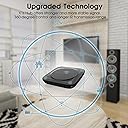
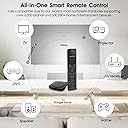
🎮 One Remote to Rule Them All — Elevate Your Smart Home Game
The SofaBaton X1S is a cutting-edge universal remote that integrates IR, Bluetooth, and WiFi control for up to 60 devices. Featuring a powerful hub with dual IR blasters, customizable one-click activities, and voice control compatibility with Alexa and Google Assistant, it streamlines your home entertainment setup. Its backlit tactile buttons, raise-to-wake display, and app-based 'Find My Remote' function ensure ease of use and convenience. Designed for the tech-savvy professional, it offers a future-proof solution with a continuously updated device database supporting over 6,000 brands and 500,000 models.


| ASIN | B0CTGX2LCY |
| Batteries | 1 Lithium Polymer batteries required. |
| Best Sellers Rank | #7,763 in Electronics ( See Top 100 in Electronics ) #381 in Remote Controls (Electronics) |
| Customer Reviews | 3.5 3.5 out of 5 stars (413) |
| Date First Available | January 29, 2024 |
| Item Weight | 1.32 pounds |
| Item model number | X1S |
| Manufacturer | SofaBaton |
| Package Dimensions | 8.98 x 5.43 x 2.6 inches |
S**S
One remote to rule them all
7/12/2025 UPDATED Review - It has been a few weeks now and I am upgrading my review to 5 stars. The more I interact with the Sofabaton, the more I like it. In fact, in some ways it is better than my Harmony Hub which I replaced. Yes, there are some intricacies to programming it. But so was the Harmony. In fact the Harmony was actually harder because you had to manually enter in the device and model number. Programming sequences in the Sofabaton is easier. Programming and creating custom commands is easier. I was able to program it to control the volume on the TV and the Bose without switching devices. Very cool for when I switch to my bluetooth headphones. Just make use of the short and long press. If you are looking to buy this and out of the box have it control five or six different devices then you will be sadly disappointed. Of course there are trade offs and nothing is perfect. But, considering my alternative is having 5 remote controls on my nightstand, this is perfect. And no I wasn't paid for this review. I was looking for something to replace my Logitech Harmony Hub which they of course stopped supporting and it stopped working. I have a Roku, AppleTV, FireTV, TV and Bose soundbar. I wasn't able to find anything that could control them all with just one remote. Mostly because FireTV was bluetooth. Once I got this set up, it works perfectly. It isn't as intuitive to set up as the Logitech was. Connecting devices is extremely easy and fast. You don't have to look up codes. Just point the remote at the hub and press buttons and presto it programs that function. One big miss for me in the out of the box settings/button is that there isn't anything for Source/Input to switch between devices. At first it was very frustrating as I didn't know you could add commands. It took me a lot of time figuring out how to program it so it would change inputs. To me that is one of the most important functions if you are going to program activities. Once I figured out how to program it to change the source, setup was a breeze. I also did have trouble connecting it to the Bluetooth of the FireTV, but I am not sure if it was the FireTV or the hub. It eventually connected. Setting up activities is extremely easy. If it weren't so difficult to program Source/Input, I would have given it five stars. I am three days in and it works perfectly. Switches between components seamlessly. If you are looking for a replacement for a Logitech Harmony this will do the trick. You just need to power through the setup.
B**H
A remote that can’t change channels?
This “universal” remote is almost none of the things it claims to be. Despite boasting the ability to connect to IR, Bluetooth, and WiFi devices it struggles to perform the most basic operations. My setup, Sony Bravia, Onkyo AVR, Firestick, and Xfinity X1, defeated the device. It couldn’t control the X1 properly (up and down arrows work but not left and right) and there is no obvious way to change channels! The Firestick also struggled. Some aspects of control work but not others. The same thing for the Sony Bravia. The killer for me was that after playing around with the device for 8 hours I couldn’t even create a “Watch TV” activity. It is astonishing to me that this device continues to be sold as a universal remote when it cannot control one of the most popular TV series, a popular streaming device, and a very common set-top box. The reality is that each of these technologies presents difficulties that the Sofabaton does not address. The sadly discontinued Harmony Hub cleverly worked around most of these challenges, certainly much better than the Sofabaton. With the “right” combination of devices this Sofabaton might have worked, but with my combination (which consists entirely of modern—last two years—devices) it was a total failure. It may be that no option for controlling my setup from a single device exists, except going the $$$ system integrator route. The other approach would be to buy a Sony AVR and go totally down the Bravia Sync route, but I’m not there yet. And would that control the Xfinity XG1? Meanwhile, I have reverted to my Harmony Hub, which at least covers 95% of my needs, and am returning the Sofabaton.
S**.
Best available activities-based universal remote control - but only for the tech-savvy
Pros: Slick Remote with intuitive interface Unlimited device control Able to control complex activities Stellar customer service Cons: Programming can be exasperating No ability to transfer setup to another remote Hub compatible with only one remote at a time If you need a replacement for a Harmony remote or otherwise have a complex home theater setup with multiple devices, SofaBaton is really the only game in town when it comes to universal remotes. I’ve owned several Harmony remotes over the years and their products evolved to the point that they could literally program themselves. SofaBaton’s remotes aren’t nearly as simple to set up and programming requires a lot of patience. Ultimately, that patience is rewarded with an exceptionally functional remote without any of the limitations of Harmony’s last-produced models. Before purchasing the X1S, I’d suggest looking at the U2 remote, which is adequate for most people. It incorporates IR and Bluetooth control, but not WiFi, and can control virtually as many devices. It lacks the ability to control activities, but with a little macro programming, it can effectively switch all of the necessary inputs to initiate a given activity. One can use multiple U2 remotes simultaneously, giving multiple users control. What it can’t do is control IR components inside a cabinet, nor can it keep track of the existing state of all of the devices and seamlessly switch between activities. Switching activities must therefore be done manually. The extra time and effort needed to program the X1S is well worth it if you have a more complex setup. The biggest drawback is that the hub can only be paired with one remote at a time. I keep an older U1 remote handy so that others can control the volume, pause playback and so on. A second major drawback is that there’s no way to share device and activity setups between SofaBaton remotes. The U1/U2 and the X1/X1S don’t even seem to share the same online code library, which is crazy. I’ve found that functions that are available for the U1/U2 for one device may be unavailable or function differently on the X1/X1S remotes. It’s evident that SofaBaton uses a crowdsourced code database, but I can’t fathom why they haven’t consolidated them into a single database to use with all of their remotes. Given that nearly all modern home theater components have associated smartphone apps and a voice control API compatible with Alexa, Siri and/or Google, I can’t fathom why more effort hasn’t gone into WiFi control. Harmony’s hub-based models were literally able to scan one’s entire WiFi network and identify all connected devices that it was capable of controlling. They downloaded all of the control codes and set themselves up, leaving the user to identify devices not on the network and to program the activities. With SofaBaton, one must enter each brand and model of each device manually for each and every remote. When a button doesn’t function as intended, SofaBaton does have a “Fix” procedure that allows one to use alternative code sequences from their database, and that usually works, but Harmony did a much better job of refining their database to match individual models within a brand. Perhaps SofaBaton just doesn’t have a large enough user base to support that yet. When all else fails, there is a learn function that allows one to program a button with the IR signal from the original remote. That approach isn’t available for Bluetooth or WiFi devices, however. The one area where SofaBaton outshines all other companies is in their customer service. You can live chat with a technical support person, or send a text to tech support, or initiate a support ticket, all from their website or right from the SofaBaton app. The response time in answering a text or email request has never exceeded a few hours - not days or weeks. I cannot emphasize enough what a revelation it is to get rapid, competent tech support on the fly. Contrast that with Logitech Harmony, where one must first search through the FAQ, then post a question to the user community, and even then, it can take days to get a response to simple question about a feature that doesn’t seem to work as intended. In summary, the X1S remote can be frustrating to set up and it’s not nearly as polished a product as similar Harmony remotes. With Logitech pulling out of the universal remote business, SofaBaton is now the only real game in town. Although I’ve yet to find a function that Harmony could do that the SofaBaton X1S cannot, programming it can be exasperating. That said, customer service is exemplary. For the tech-savvy individual, the X1S is well worth the time and effort put into it.
A**H
i bought SofaBaton X1S Universal Remote and I was expecting it to work with my Vseebox V5 Pro. but it didn't work and I had to send it back returned it to the salon it's a failure it doesn't work it works with infrared but it doesn't work with Bluetooth. So for those who are looking for Bluetooth remote control expecting it to work with S1X Remote, don't be too optimistic it's available
Trustpilot
2 weeks ago
1 week ago