We remain fully operational. Our teams are working around the clock to ensure your deliveries continue safely.

DOWNLOAD THE APP


Customer Services
Copyright © 2025 Desertcart Holdings Limited
DOWNLOAD THE APP
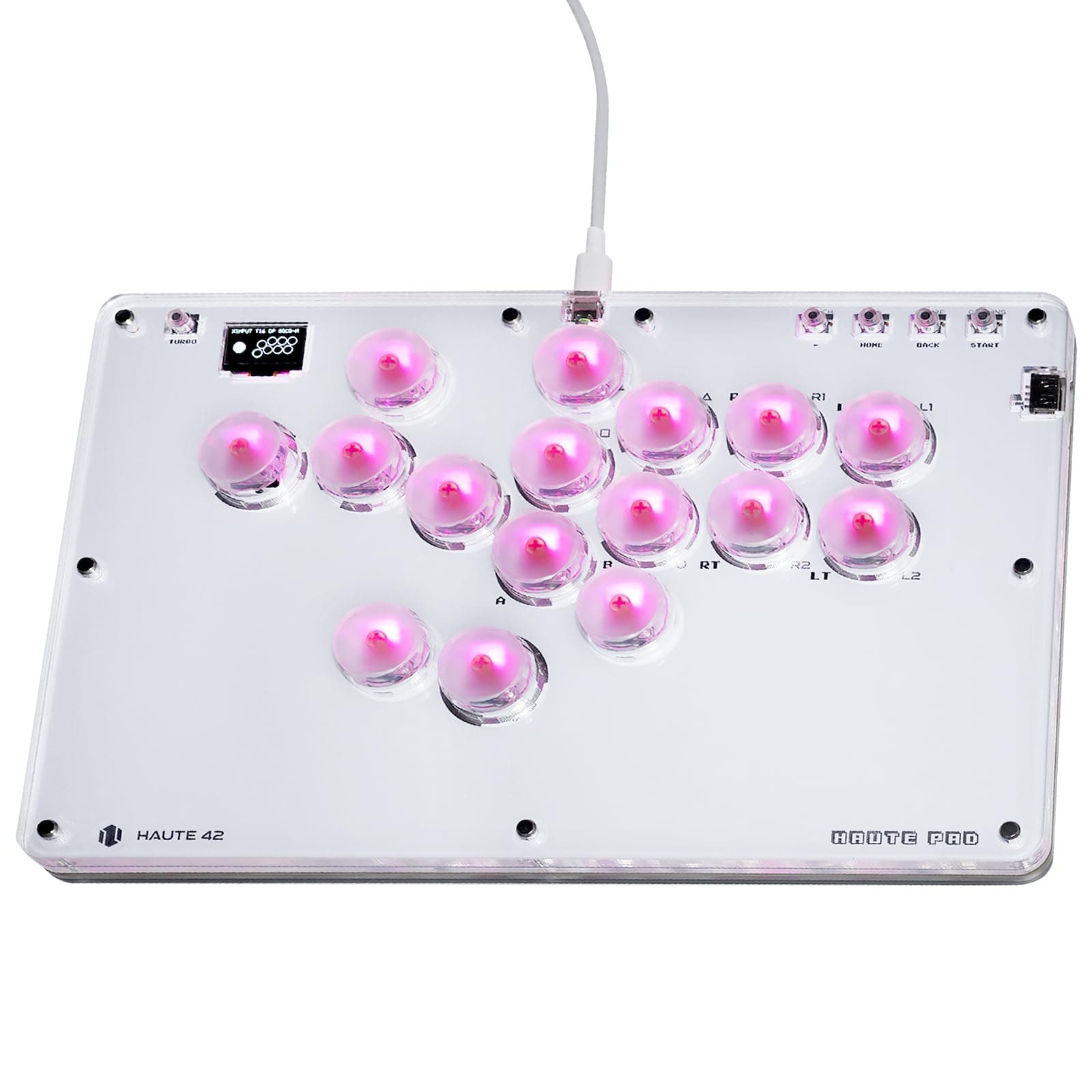
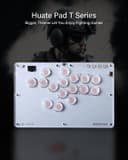

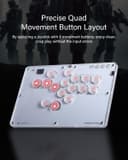
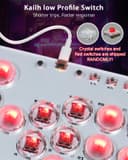
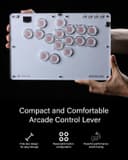
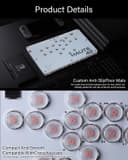
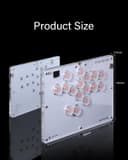
🔥 Level up your fight game with the ultimate leverless arcade stick!
The JZW-Shop Haute42 Leverless Arcade Stick T16 is a slim, 16-button arcade controller designed for multi-platform compatibility including Switch, PC, PS3/PS4, and Steam Deck. Featuring ultra low latency Kailh switches, hot-swappable buttons, customizable RGB lighting, and advanced functions like SOCD cleaning and turbo mode, it offers professional-grade precision and personalization in a portable, acrylic chassis. Perfect for serious fighting game enthusiasts seeking a versatile, high-performance controller at a competitive price.


| ASIN | B0CRRHM3Q9 |
| Additional Features | Ergonomic |
| Best Sellers Rank | #9,312 in Video Games ( See Top 100 in Video Games ) #92 in PlayStation 4 Gamepads & Standard Controllers |
| Brand Name | JZW-Shop |
| Button Quantity | 16 |
| Color | White |
| Compatible Devices | Nintendo Switch, PC, Playstation 2, Playstation 3 |
| Connectivity Technology | USB |
| Controller Type | Keyboard |
| Customer Reviews | 4.4 4.4 out of 5 stars (131) |
| Hardware Platform | Gaming Console |
| Item Weight | 1.12 Kilograms |
| Manufacturer | JZW-Shop |
| Model Name | T16 |
| Package Quantity | 1 |
W**N
A budget stick that puts most expensive controllers to shame
The fact that Haute42 was asking so little for a leverless pad that offers so much feels like a dream come true, especially if you are like me looking to give these controllers a shot for fighting games. Not only does this stick have every accommodation for your button needs, L3, R3, and Touchpad, just to name a few, all with the option to use a normal hitbox layout if you are already familiar, but also offers a more traditional WASD if you prefer that, say if you are coming from mouse and keyboard on PC games, which a lot of us have. There is also a built-in display, which you can customize the splash screen to be whatever you want, and also serves as a way to display the controller mode it is in, what the movement buttons are acting as (DPad, L Stick, or R Stick), what your SOCD setting currently is, and even acts as a button check, so you can just plug it in and use the stick itself to check if your buttons are working ok. Speaking of the buttons, to change them is a unique way to set them up. You have to press and hold the start button as you plug it into a PC, then in your browser, you type "http://192.168.7.1" to access the software that runs the stick. From there, you can change the LED mode, what each button does (no button is exempt, so go nuts), update the firmware, and so on. Just make sure you click save at the bottom left and then reboot at the top right of the window, then click reboot as a controller for your changes to work properly. This stick also gets points from me because it is a universal* stick. While the guide for what button to push for what mode is printed on the back, essentially guaranteeing immediate access to that information at all times, a bit of a setup is required depending on the console. While PC and Switch are plug-and-play, getting this to work on a PS4 requires some extra steps as long as you select the correct mode. Essentially, you need to rip the verification files from a genuine DualShock 4 controller and then put them into the stick software. While Haute does not provide you with those files or the means to dump them from a controller, they will show you how to upload those files once you do get them. You are just on your own on how to get them. All of this is to avoid the PS4's artificial 8-minute time out on controllers Sony does not explicitly approve of. I cannot speak to the compatibility to a 9th gen console due to not having either system, so look elsewhere for that kind of information. Artwork and key switches/button caps are also fully customizable, but what the T16 comes with out of the box is 30 mm red linear switches. This essentially means that there is no noticeable click halfway through the button press. It is just a smooth glide down to the bottom. The buttons are also super quiet and the button caps are super soft and smooth to the touch, compared to traditional keycaps/Sanwa arcade parts, which feel very harsh and plastic-y to the touch. Essentially cutting down on any finger pain you might have by extensive use. This stick comes with a full documentation paper, a key switch puller, a USB-C cable, a spare red linear switch, and in my case, 8 rubber feet instead of the listed 6. These can be placed anywhere alongside the bottom of the stick to avoid slipping around if you play it on a desk. Portability-wise, while I do have pictures of the measurements of the length and width, the height is also roughly a half inch. The actual size, save for the height, is only barely bigger than the size of normal printer paper, essentially making sure it fits in most bags for transportation purposes while offering plenty of wrist room for those who need it. The actual outside is made of acrylic. Offering something reasonably durable and lightweight. It does not compare to metal, and there is a chance you may hear it snap, likely due to it trying to settle outside of the box and in normal use. If that happens, your stick will likely still be 100% functional. Acrylic is not exactly easy to break by accident. There are other models, S16 and M16, that offer everything I have mentioned so far, but cheaper and smaller. If you are on a tighter budget and/or do not need that much wrist room, I would look to those rather than this. I have done nothing but sing praise of this thing. That is not to say I think this is flawless. The aforementioned acrylic shell does make it easy for your wrist to stick to it if you sweat a lot, but there is no apparent tournament lock switch to disable start/select/home. While you can set these buttons to do nothing on the settings page, it is not as seamless as just flicking a switch to disable them on the fly. This puts you in a situation where you would have to often enable and disable the long way around if you use this for tournaments and personal use. Otherwise, this fits right in with the tournament standard with built-in SOCD Neutral settings, and while it does offer Turbo, you can remove that from the labeled button, essentially perma-disabling Turbo. All and all, I do not think I can recommend a 16-button controller from Haute42 enough, and while this review is centered around the T model, 99% of everything mentioned here does apply to the rest of the 16 class sticks. All of these are stuff that brands like the Razor Kitsune or even Hitbox struggle with, while asking for at least 2-3 times the price. I cannot recommend these sticks enough. Buy them on sight.
M**U
A solid place to start leverless.
This item is about the size of the Razer Kitsune. Aside from the acrylic creaking with minor pressure this "stick" is solid. Nothing is 3d printed, art is easily installed and there is plenty of support on the discord. If you want to play ps5 fighters you can find instructions on the Haute 42 page for compatibility options or you can use a converter like the brook wingman. I'll definitely look into the m16 when it drops.
A**N
Great product
Been playing fighting games since SF2 days with sticks and pads but took a long break due to PC games being way easier to access and online play. Now that fighting games are coming to PC with controller options, I wanted to give these controls a shot since I had problems with sticks for as long as I can remember. It's taking awhile to adjust and adapt, but the product itself is stellar. I had so many issues with other vendors with shipping and availability (not to mention cost of $200+ for lots of other options). This one is way more affordable and without trying other options, it feels great in the hand and responsiveness is top notch. Highly recommend Haute42, doubt you will be disappointed.
R**2
Awesome. If it was $150 it would be fair.
I have the OG hitbox, Mpress, mixbox, the new razer controller, about 8 other all-button controller and been using all-buttons for 6 years and been playing fighting games for over 20. This is not only the best bang for your buck it might be the best one I have used with everything considered. Switching between SOCD sets is very easy and the different LED settings as well. Its not as heavy duty as the Mpress but that's $225+, But it is well built. Easy to change the switchs with the hotswap sockets. Unlike the Mpress and others you can use tactile switches and they work consistently. This is priced at entry level but is built as a upper lever device. This has become my daily driver.
D**T
It's good
I love it so much i give it 10/10 😀 😍 ❤️ ♥️ 💕 💓 😀 😍 ❤️ ♥️ 💕 💓
M**A
Nice Product. Love it.
Nice product. Love it.
D**L
So nice 🔥
Definitely it's so good, i recommended for any fighting game or Tekken 8
A**W
Random input lag, uncomfortable
I found this uncomfortable to use, and it had random missed inputs as well as input lag. I recommend the keyboard style haute42, I'm having a much better time with it!
F**G
Feels like the best controller to start if your intro and also veteran too.
B**W
Ça fait du bien de l'utiliser sur ps5 avec tekken. Les instructions de configuration sont simples. Je l'utilise sur la ps5 avec "Mayflash Magic Boots 1.1 pour ps4" branché sur le côté. Mes seuls reproches sont qu'il se déconnecte ou se fige toujours de manière aléatoire une ou deux fois au cours d'une session de jeu de 3 heures. Et l’acrylique fait parfois des bruits de craquement tout seul.
P**L
Quickest dragon punch on earth and a ml. kick to fireball string is super fluid! I own other pads by some bespoke us manufacturers and this one is right up there regarding quality. Features far outweigh similar priced options. Grab a ps5 or xbox dongle and you're good to go.
S**L
It works well, buttons feel satisfying and it's good quality for the price.
K**R
Benutzte den Controller jetzt schon seit paar Tagen für Tekken 8 und habe bis jetzt nur sehr gute Erfahrungen damit gemacht! pros: Die Tasten lassen sich recht gut drücken und geben auch ein gutes Feedback, was mir persönlich sehr wichtig ist. Das Layout ist ganz gut und die einzelnen Tasten sind recht groß im Vergleich zu den anderen Controllern, das kann je nach Person ein positiver oder negativer Aspekt sein, da ich etwas größere Hände habe war die Größe der Tasten eher positiv. Die extra L3 und R3 Tasten sind auch sehr gut um die Keybinds zu erweitern und somit combos leichter auszuführen. Man kann hier aussuchen ob man mit dem Standart layout oder dem WASD layout spielen möchte, so kann man sich aussuchen, welches layout einem besser gefällt. Man kann ein Artwort in den Controller packen so, dass es ein wenig schöner aussieht. Der Turbo modus ist für manche Combos sehr hilfreich, da man die Taste nicht spammen muss. Den Controller kann man auch an verschiedene Konsolen benutzen. Der Preis ist im Vergleich zu anderen Controllern sehr angemessen, für das was man bekommt! Die Pads die man mitgeliefert bekommt, sind gut und lassen den Controller nicht ausrutschen cons: Die Transparenten keycaps sehen nicht sonderlich gut aus (man kann diese aber auch austauschen) Kein Ps5 support soweit ich weiß Fazit: Alle Einsteiger, die einen Controller in dieser Richtung kaufen wollen aber keine lächerlich hohen Summen ausgeben wollen, sind hier gut aufgehoben. Man bekommt für einen guten Preis einen sehr guten Controller!
Trustpilot
2 months ago
3 days ago