🎯 Elevate your PC game with the SCUF Envision Pro — where every click counts.
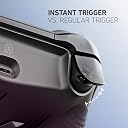
The SCUF Envision Pro Wireless V1 (2023) is a premium PC gaming controller featuring 11 fully remappable inputs including 4 rear paddles and 5 G-Keys, ultra-fast Corsair SlipStream wireless connectivity, and adjustable Instant Triggers. Designed for precision and customization, it integrates seamlessly with Corsair iCUE software for macros and RGB lighting, delivering a lag-free, ergonomic experience tailored for competitive and immersive gaming.


| ASIN | B0CM728YPY |
| Batteries | 1 Lithium Ion batteries required. (included) |
| Best Sellers Rank | #4,502 in Video Games ( See Top 100 in Video Games ) #274 in PC Game Controllers |
| Customer Reviews | 3.9 3.9 out of 5 stars (1,084) |
| Date First Available | January 25, 2024 |
| Item Weight | 10 ounces |
| Item model number | 601-178-03-102-NA |
| Language | English |
| Manufacturer | Corsair |
| Product Dimensions | 6.5 x 4.23 x 2.5 inches; 10.05 ounces |
| Release date | January 25, 2024 |
| Type of item | Video Game |
M**9
Great controller upgrade!
Get it for pc action RPGs! Awesome controller upgrade. Mechanical buttons are actually noticeably better than standard controllers. Given many games are getting more and more complicated inputs, all the customizable buttons make these games way better while still being able to keep your thumbs on the joysticks. Got it for NIOH 3 and it has been an amazing experience. Had a 5 yo xbox scuf controller prior to this and this is quite the upgrade. Negatives is that the iCUE software takes a little bit to figure out, but once u do things are great. Other negative is the crosspad is left of the left joystick (usually the main body motion joystick), making it hard to hit while dodging enemies, but those inputs can be mapped elsewhere. Normally i don't leave reviews but this item is fantastic and i don’t see why others were so negative.
P**S
Absolutely Incredible Controller! A True PC Gaming Upgrade!
I honestly don't understand the negative feedback some others have about the SCUF ENVISION PRO Wireless for PC. For me, this controller has been nothing short of a revelation and a massive upgrade from my standard Xbox controller. First off, the overall feel and build quality are exceptional. It feels premium in my hands, with a comfortable and ergonomic design that allows for hours of gaming without fatigue. The textured grips provide excellent control, and the button placement feels intuitive. The customization options are fantastic. While some mention issues with Corsair iCUE, my experience has been seamless. I've been able to easily remap buttons, adjust trigger sensitivity, and fine-tune the performance to perfectly suit my gaming style in various titles. The ability to create different profiles for different games is incredibly convenient. The wireless connectivity has been flawless. I haven't experienced any lag or dropped connections, providing a smooth and responsive gaming experience. The transition from a wired connection to this wireless freedom has been fantastic. The back paddles are a game-changer, literally. Having those extra inputs at my fingertips has significantly improved my reaction time and allowed for more complex maneuvers in fast-paced games. It took a little getting used to, but now I can't imagine gaming without them. Switching from a regular Xbox controller to the SCUF ENVISION PRO has been a night and day difference. The increased level of customization, the responsiveness, and the added functionality of the back paddles have truly elevated my PC gaming experience. It has given me a competitive edge and made gaming even more enjoyable. If you're looking for a high-performance, customizable wireless controller for your PC that offers a significant upgrade over standard options, I wholeheartedly recommend the SCUF ENVISION PRO. Don't let any negative noise deter you – for me, it has been an absolute game-changer and worth every penny!
M**Y
Software renders nice controller worthless.
I was very exciting to buy this product as it was specifically made for PCs. Downloaded iCue and tried to update firmware, to which iCue didn't respond to download command to update firmware, and after 2-3 hours of this frustration I moved on and tried work-arounds which has worked for other products, researched and tried other ideas on fixes/work-around on Scuf controller online, etc. I spend six plus hours doing this and then thought, I spend $180, this software should much more user friendly. On a 1-10 scale this softwotware is -4, seriously. As to iCue specifically, my high end gaming PC started immediately running very poorly, slow to respond to all commands, even outside of the software. The entire computer was running like it was in quicksand. I tried multiple things to get this software to work properly, or even work at all. All failed. I rebooted several times, uninstalled and then reinstalled iCue. Uninstalled, PC would run well, load iCue and it immediately went back to running very poorly. Frankly, my computer acted like when you get bloatware/trackers hidden within a program you download. I think we all know immediately when we get something that seems fishy. iCue is very fishy to me and/or has just horribly written code. I can't comment on the controller because the software is so bad you can't even use the controller properly. I own a Scuf Vantage Syndicate I bought in 2019. Love the controller and use it for PS4 and used on my PC a few years ago. I tried using it again on PC but needed the iCue software. Same experience, it barely worked and made my entire computer run horrible. This is on a controller that formerly ran great on my PCs. This is a very high end ASUS gaming computer, RTX 3090, 64gb of RAM, etc. and iCue made it feel like I was running my first computer again, a Tandy PC. As long as Scuf keeps pushing out iCue as their controller platform I will never buy another Scuf controller from them, and that's a real shame because the controller itself is outstanding I imagine, just like my Scuf Vantage Syndicate prior to iCue. There is something very wrong with this software, a good coder needs to dig around in it. I bet they would find it's horribly written on something much, much worse. Once I removed iCue from my computer and rebooted a few times my PC is running like a dream again. Needless to say, the Scuf controller has been sent back. Buyer beware, bad, bad software!!!
O**R
great controller with plenty of customization!
it's been a week since I bought it as of the writing of this review, the controller arrived well packaged and with care, nothing was open, inside the box the controller itself with extra accessories 2 extra thumb sticks and some side buttons cover. the side buttons are nice for accessibility nicely place but I canceled them because they were interrupting a lot of my gamer play like tossing a nade before time and what not. the controller feels good and very sturdy I kept it in wired connected as I like it, but there's a -USB type- Bluetooth connection for people who prefer wireless, trigger stops are my favorite part of this controller they are firm and very responsive no stick drift yet, but I will update in the future if it happens. the extra buttons on the bottom of the controller are nice addition to the controller and add more functionality like mute, play, stop I think, the cable is long enough for my set up, it's about 6' long. the iCue app is not as complicated as I thought it would be pretty straightforward to navigate but you need to tweak the controller as the default dead zones are set high and may add input lag. so far, it's a 5/5 stars and would buy again.
T**O
Good controller, weird design flaws
This is a good controller - I really like the quality of the sticks, the side buttons, and configurability. It has one big design flaw that explains (to me) all the returns and frustrated me for days when I first got it. On the back of the controller, there is a mode switch - you can switch it between USB and wireless. When set to wireless mode, it will use the USB dongle to communicate. What I have found is that: a) If you plug in using usb, but leave it using the wireless mode, the controller does not charge. b) If you plug in using usb, but leave it using the wireless mode, the back paddles stop working. If you want to charge the controller/use it as a wired controller, you need to slide that control on the back, or it doesn't charge and the back paddles don't work. That is a bizarre choice. I should not have to switch a toggle to connect my controller to the PC and have it charge. The profiles also differ depending on whether you use wired or wireless mode - there is a mode where it can use the device memory for the button settings, but you can only enable that if it is connected via usb. (icue software is functional but the UI could use work.) I should be able to configure my controller regardless of how it is connected to my pc. If you can deal with these quirks, the controller is fine and seems to work well otherwise.
Y**I
My boyfriend love it
I bought this gaming controller for my boyfriend and he absolutely loves it. The buttons are very responsive, it feels comfortable in the hands, and works perfectly for gaming. The connection is smooth with no lag, and the quality is better than expected. Great controller for the price and a perfect gift for any gamer
C**L
Maybe Faulty/ Maybe SCUF gave up?
I truly had high hopes for this controller. I can now see why the price dropped on it again. Probably the worst controller that I have ever owned and a even worse program that it runs in called ICUE. I have tried using this controller little over a month and can't keep trying. Problems I've had: 1) L3 activates R2. (so I can't use it for any FPS) 2) Mapping doesn't stay active for any of the additional buttons. (I have to open ICUE and try to remain it everytime I play.) 3) Controller doesn't work on wireless, keeps losing connection. (Ive tried multiple USB ports and it just doesn't work.) 4) Can't self map buttons without ICUE. 5) ICUE is the worst for this controller and hardly works as a program entirely.
J**Y
Solid controller. Worth the price and effort of setting up.
Solid controller. Worth the price and effort of setting up. To those complaining about the software, maybe consider going to console. It's not difficult to set up and they have a ton of videos up showing you what you need to do step by step. This is probably one of the best controllers I've used. Feel premium and I'm happy I can use it wirelessly or via USB. The headphone jack is also great. ICue software isn't as bad as they say. I actually keep it open while I game to monitor my PC temps. Overall, great buy.
Trustpilot
1 month ago
1 month ago