We remain fully operational. Our teams are working around the clock to ensure your deliveries continue safely.

DOWNLOAD THE APP


Customer Services
Copyright © 2025 Desertcart Holdings Limited
DOWNLOAD THE APP
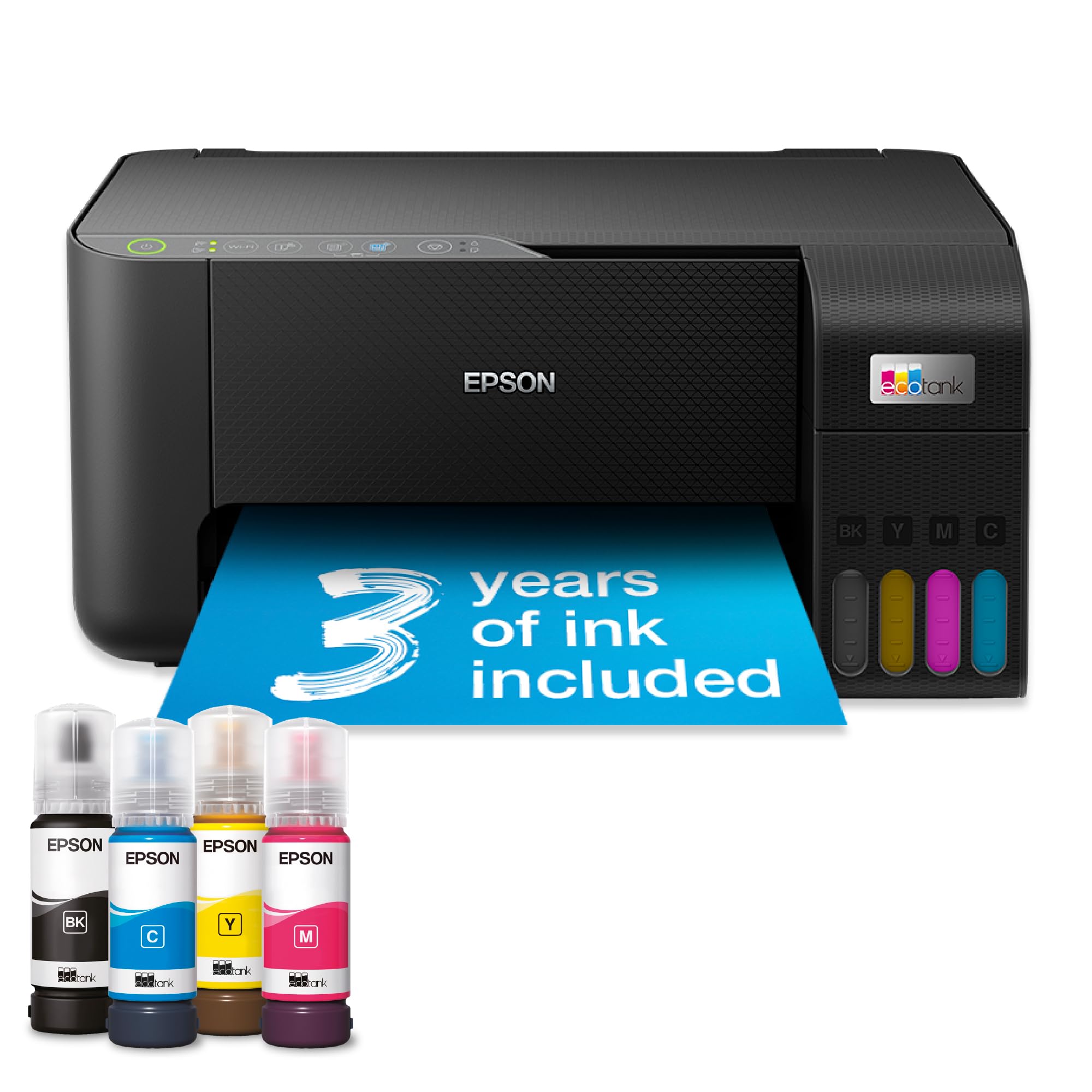
🖨️ Print More, Spend Less, Stress Zero!
The Epson EcoTank ET-2860 is a compact A4 multifunction ink tank printer designed for cost-conscious professionals. It includes up to 3 years of ink, enabling up to 7,500 color pages per refill, and supports wireless printing via the Epson Smart Panel app. With high print resolutions, a 100-sheet rear tray, and durable heat-free printhead technology, it delivers vibrant prints and reliable performance while slashing ink expenses by up to 95%.


| ASIN | B0CPYQKRX5 |
| Best Sellers Rank | 594 in Computers & Accessories ( See Top 100 in Computers & Accessories ) 3 in Ink Tank Printers |
| Colour depth | 24 bits_per_pixel |
| Compatible devices | PC, Smartphones, Tablets |
| Controller type | Android |
| Customer Reviews | 4.0 4.0 out of 5 stars (1,231) |
| Date First Available | 12 Dec. 2023 |
| Dual-sided printing | No |
| Included components | 4 x 65ml individual ink bottles (Bk, C,Y,M), Main unit, Power cable, Setup guide, Warranty document |
| Ink Colour | Black, Cyan, Magenta, Yellow |
| Item Weight | 3.9 kg |
| Manufacturer | Epson |
| Manufacturer Part Number | C11CJ67425 |
| Max copy speed (black and white) | 33 ppm |
| Max input sheet capacity | 100 |
| Maximum Supported Paper Size | A4 |
| Maximum black and white print resolution | 1200 dpi |
| Maximum colour print resolution | 5,760 x 1,440 dpi |
| Model Number | ET-2860 |
| Number of Items | 1 |
| Power consumption | 12 Watts |
| Print media | Paper (plain) |
| Printer resolution colour vert. max. | 1440 Centimeters |
| Product dimensions | 34.7D x 37.5W x 17.9H centimetres |
| Scanner type | Flatbed |
| Sheet size | 21 centimeters |
| Size | A4 |
| Warranty type | Limited |
| Wattage | 12 watts |
V**Y
Great printer - very cheap to run with excellent prints
I bought this when on offer. Epson honoured the 5 year warranty and the £30 cashback which was on offer at the time. Since buying this I printed all my homemade Christmas cards on 250gsm card (using Epson print profile, high quality, standard paper setting). The colours were vibrant and no smudges or strange marks. I have printed labels, documents and many other items since and the ink quantity has hardly moved. It is not a duplex printer but it is easy to manually do this. Not tried printing on photo paper yet, so can't comment on that. It was a faff to set up the network, but I found a video on YouTube which helped a lot. I also connected via usb for the first initial driver set up and downloaded the drivers etc from Epson. Setting up on the phone was easy, though. To keep the printheads clean and the ink flowing you can also assign an email address to it so if on holiday for over a week, you can send a print to it whilst away (either directly or set up a timed email) without having to connect to your phone. I really like this printer and seems to cost pretty much nothing in ink for good quality prints. I would recommend
B**N
Pretty good all round printer with unkown extras on the Epson site.
We decided to buy an ink tank printer as we'd already wasted far too much money on cartridges. This one was replacing a HP Envy 6032e. I didn't really consider going for a HP ink tank printer as I've had 4 HP WiFi printers over the years and all of them have suffered with WiFi issues (occasionally just refuse to print over WiFi and require driver re-installs and other time wasting fixes (which my HP accredited tech support Son has had to deal with). My Granddaughter has an Epson WF printer she uses for working from home and she told me it's been faultless and advised me to go with Epson. At the time of purchase the ET-2860 was £180 (annoyingly, 2 days after delivery there was a voucher for £10 off that price). Installation via USB is very easy, pretty much plug and play. Installation over WiFi on a Windows PC was a little bit of a faff but nothing majorly difficult. The PC was connected to the router via a physical network cable, while trying to install the printer the software kept saying it couldn't detect the printer. The suggestions to fix it were a bit sparse. As the PC also has WiFi, I decided to disconnect the network cable and try again with the PC connected via WiFi. Problem fixed, the software now detected the printer and installed it without any other issues. Once done, changing all the printer settings etc was no different to pretty much all other printers. Filling the ink tanks is quick and simple. The one thing to watch out for is the fact the attachments on all the bottles is the same so you can accidentally put the wrong colour inks in the tanks, just make sure you double check you're putting it in the right tank and you'll be fine. Print quality is pretty good, text and diagrams etc are sharp. Photo's are pretty good but it wouldn't match up to a printer aimed at high quality photo printing. I printed a photo on some 240gsm semi-glossy paper, the printer had no trouble with the papers weight (it's rated for up to 300gsm) and the printed image was rather good. Colours weren't quite a match for what was on the screen (not as vibrant) but that was more likely to do with my monitors colour settings. Even so, the photo still looked quite nice. I've no doubt some image editing would improve the colours of the printed photo. The only part of the photo that didn't look very good were scenes with blocks of dark gradients (like a large body of water on a dull day). It's didn't look bad and from from more than a foot away you probably wouldn't even notice. The scanner is OK, much like the scanner on any other printer these days. Easily good enough for copying documents and photo's with good accuracy. Like other scanners, set the dpi to the higher settings and it will take a quite while. After the printer was installed I was looking at the features etc, Epson have 2 different sections on their site for templates. I was surpised at how many they had and how varied they were. All sorts of craft projects, birthday/etc cards, photo frames, wrapping papers (obviously for small items with this printer seeing as it's A4). I'm going to have lots of fun with that as I do like making my own cards and things. If HP have anything like that they don't go out of their way to make it easy to find. Overall I'm very happy with the printer. The only things it lacks which you would expect on printers in this price range is a paper tray (which I prefer to rear tray feeding) and automatic duplex. I'm not taking away any stars for those as I knew that before buying. I did consider the ET-2850 as it does have auto-duplex but it was £70 more and I don't need it enough to warrant the the extra cost (the 2850 also still has rear loading paper, if it also had a proper tray I may have bought it - hope you're listening Epson, many people prefer a tray). My £70 HP 6032e that this replaced had both auto-duplex and a proper paper tray, the only other real different between the HP and this Epson is the ink takes so it is a large expense for a printer that effectively has less features. Over time the Epson will of course cost less as replacing the inks is massively cheaper (I did have a HP Instant Ink subsription but paying per page rather than how much ink you use only works out worthwhile if you're covering the pages in ink, which I don't often do - especially as we print a lot of A6 postage labels). Knowing the future ink cost savings I think this is a worthwhile investment. My Son wants to do sublimation printer and apparenty Epson EcoTank printers are the best value for that too.
S**N
Good printer, awful software
This is for the ET-2956 (these reviews seem to be for a wide range of printers, make sure you filter them to get reviews for the correct model). Bought to replace a 5 year old eco tank. As so many people have mentioned, setting it up out of the box is physically easy, until you get to the software setup. It has an app, awful and over complicated. In total it took an afternoon to set up. It shouldn't be this difficult, and I am one of the most IT literate people I know. Epson developers need to read up on human factors before letting something like this out into the wild. Print quality is great, once you manage to overcome the ridiculous default settings.
M**E
Fine as a basic printer, but a nightmare for networking / AirPrint – worst setup experience I’ve had
I work in IT and have been dealing with all kinds of printers for years. I can honestly say I’ve never spent so much time fighting a printer as I have with the Epson ET-2860. As a printer, it’s OK. Print quality is fine and the ink tank concept is good. As a networked printer, it’s extremely frustrating. Key issues: ❌ No native AirPrint support (in 2025… seriously) ❌ Incomplete / inconsistent IPP implementation ❌ Requires Epson-specific drivers for reliable operation ❌ Unreliable discovery on phones and tablets Because it doesn’t support AirPrint, I tried setting it up properly using a Raspberry Pi as a print server (CUPS + Avahi), which is a very common and well-documented solution for non-AirPrint printers. What followed was hours of troubleshooting: IPP advertised but missing required attributes “Driverless” printing no longer working on modern systems Android sometimes seeing the printer, sometimes not iPhone often seeing nothing at all Constant conflicts between direct printer discovery and the print server Behaviour changing depending on cache, Wi-Fi state, or reboot order At one point the printer was technically advertising everything correctly on the network — and phones still refused to show it. That’s not a home-user problem, that’s poor standards support. Bottom line: If you only ever print from a Windows PC using Epson’s software, you’ll probably be fine. If you want AirPrint, clean IPP, or reliable mobile printing, avoid this model. I would not buy this again, and I wouldn’t recommend it to anyone who expects modern, standards-based network printing to “just work”.
S**I
Papers always get stuck on the back every time I send a print, and I have to reload it two to three times until it prints.
D**D
Première expérience avec cette marque ; parfait !
L**E
Brilliant printer, fast wireless, ink replacement is not expensive, ink lasts and last with the tank.
S**U
Presque un an apres avoir acheté cette imprimante je n'ai jamais pu faire de copies directement depuis l'imprimante. Je ne peux imprimer que depuis mon ordinateur. J'ai du acheter une deuxième imprimante pour faire des copies, vendeur et Epson ne m'ont jamais aidé à régler ce problème. Cependant, le remplissage des cartouches est particulièrement intéressant, plus de taches de couleur sur les mains et très économique.
L**.
Highly recommended. This printer is the business. Very easy set up within the app. Comes with the ink so that’s a bonus. Have loaded it with paper and is printing perfect. I’m going to buy another one to use as a sublimation on machine. Really happy with purchase.
Trustpilot
2 months ago
4 days ago