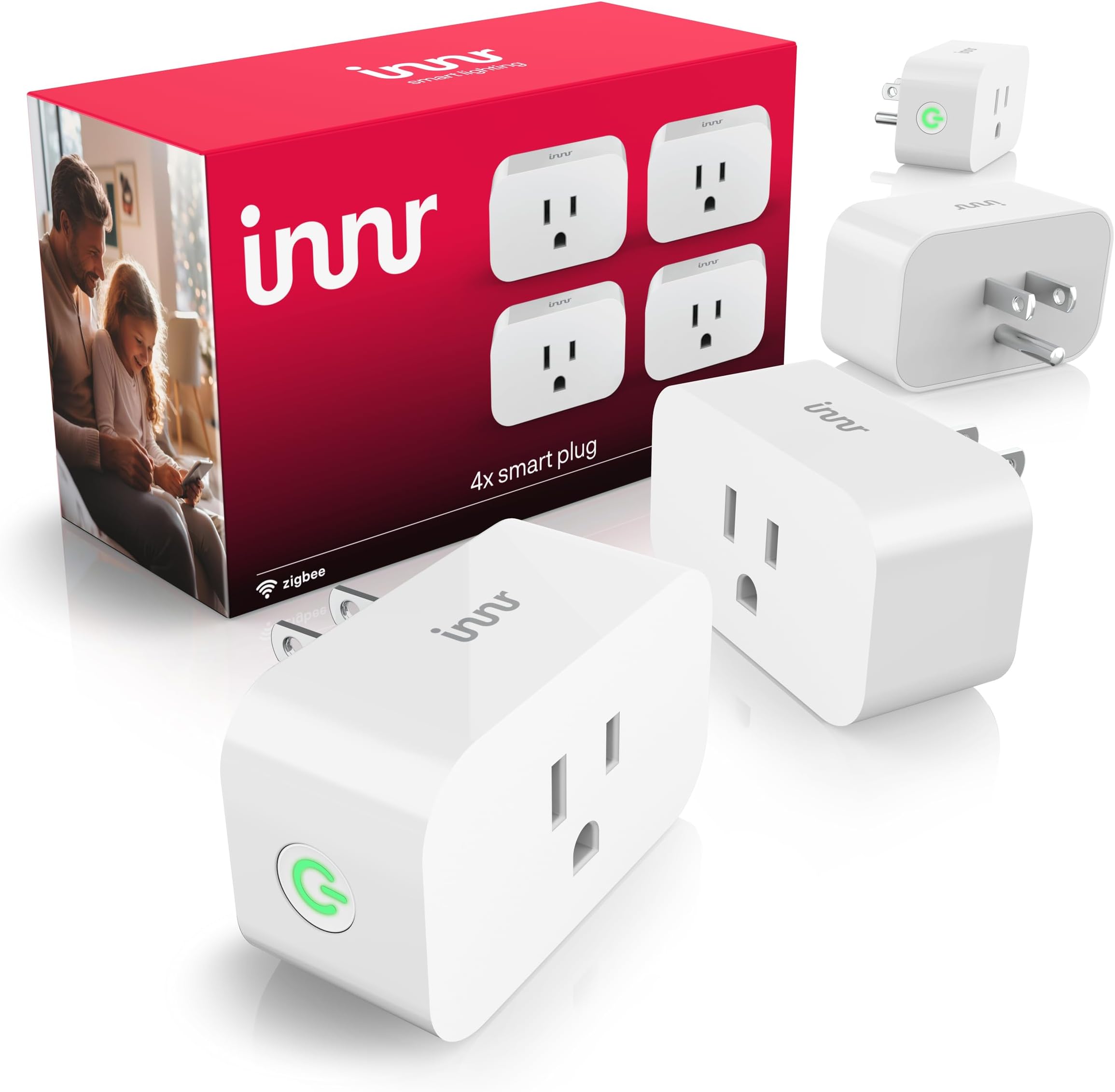
🔌 Power your smart lifestyle with Innr — plug in, tune in, and never miss a beat!
The Innr Zigbee Smart Plug 4-Pack offers 15A load capacity with real-time energy monitoring and built-in Zigbee repeater functionality. Compatible with Philips Hue, Alexa, SmartThings, and other Zigbee hubs, it enables seamless voice and app control while providing smart overload protection. Compact and reliable, it’s designed to enhance and extend your smart home network effortlessly.


| ASIN | B0CFVNL1P6 |
| Amperage | 15 Amps |
| Best Sellers Rank | #28,890 in Tools & Home Improvement ( See Top 100 in Tools & Home Improvement ) #94 in Electrical Outlet Switches |
| Date First Available | December 10, 2023 |
| Item Weight | 10.2 ounces |
| Manufacturer | innr |
| No. of wires | 2 |
| Plug Format | Type A |
| Product Dimensions | 2.16 x 1.65 x 2.63 inches |
| Smart Home Compatibility | Smart Home Compatible |
| Specification Met | ETL, RoHS, UL |
T**D
Reliable Smart Plugs That Play Perfectly with Hue and Alexa
These Innr Zigbee Smart Plugs have become a key part of our smart-home setup. I originally bought a pair in 2020 and added more in 2024 after seeing how reliable they were and the need to add more automated capabilities in our home. They work seamlessly with our Philips Hue network through the Hue Hub, and setup was fast and simple. I’ve used these plugs for everything from landscape lighting to indoor lamps and Christmas decorations. For example, our landscape lights now turn on five minutes before sunset and off at midnight without us lifting a finger. The same goes for several lamps and all of our lighted Christmas decorations, including the tree. We currently have 6 of these plugs in use, and not one has given us trouble. Even the 1 installed outside (in a rain-protected box) has held up well through seasonal humidity and temperature swings. Each plug feels solid and well constructed, and once set up, it just works. Initially, I hesitated a little at the price, but after seeing the performance and how easy they are to integrate and automate, the value is absolutely there. Compared to the Philips Hue version, these are more affordable and just as reliable. I haven’t felt the need to explore any other brands. Tip: You may end up needing more than you expect. Once you see how convenient automation is, it’s hard not to start adding more lamps and devices to the system.
D**N
Works with standard HUE bridge or any third party zigbee bridge. Have not had any issues with these.
We use these with Home Assistnat and they work flawlessly with desk lamps and other devices that we wanted switched on that are not lights. The price was fair and the link quality great.
A**H
INNR Smart Outlets Work Great with Hue!
INNR Smart Outlets work great with Hue! They add to the app easily as normal. I was even able to get them to work with both hue app and an Ikea Tradfri zigbee on/off remote, but it requires some extra effort and a different process to add them to the app. Instructions to add to Hue and use Remote Notes: -Must have Hue Essentials App with Premium for Touchlink Function. -To set up multiple, unplug all outlets except the one you are currently working on. -The outlet must be touching the hue hub during part of the setup, so an extension cord may be necessary. -The remote/switch will not show up in the Hue App and is not configurable. -The Hue App won't immediately update the status of the outlet (on/off) when the remote is used. Steps: 1. Have the outlet plugged in and touching the Hue Hub. The power button on the side should be flashing a constant rate. If not, hold the power button down for 5 seconds for it to reset. 2. In the Hue Essentials App, press Devices at the bottom 3. Press the + to add a device. Select Light (not plug). Select Hue Hub device (should have IP address next to it) 4. Scroll to the bottom, and press TouchLink. You may need to do this a couple of times. The light on the side of the outlet will blink a different pattern and then should turn solid on or off. 5. Unplug the outlet. 6. Hold the Ikea remote touching the Hue Hub 7. Hold pairing button on the Ikea remote while pressing Touchlink in the App. The red light in the remote should pulse and then go out. Let go of the pairing button when it does. 8. Plug the outlet back in, moving it away from the Hue hub. 9. Place the remote touching the outlet. Press the pairing button on the remote until the light on the outlet blinks and stops, and the indicator light in the remote turns off, then let go. 10. Test the outlet in the app and from the remote. They should both work!
G**O
does not work with Hue reliably, but honest responsive company
The device is easy to set up and when it works, it works well. The issue is that every few days it loses connection to the Hue hub and the only way to get it working again is to reset it by unplugging and plugging in again. (there may be another way, but that's the only one I found). After reset, it works for a few more days then dies. If you plan to use with Hue, don't. Update: I changed my rating of 1 star to 4 stars because of Innr’s response to my issue. They replied within 24 hours. Admitted there was a known issue and they were working on a fix but it would not be available soon and suggested I return the device for a refund. I was so impressed by the frank honesty and responsiveness that I give them 4 stars for just being a good business. Even though I can’t use their product today, I will look forward to trying them again when they get the firmware update completed.
C**H
Excellent purchase for HomeAssistant with stellar customer support.
Works excellently with HomeAssistant, integrating pretty much instantly in the ZigBee add devices UI. There was a single issue with the power monitoring, it was reporting Wh as kWh, but their support was able to direct me to the proper HomeAssistant documentation to perform a firmware update to a fixed version within a day. I control and monitor a fan and a lamp with them. They have good plug retention, are the right amount of low profile, and are generally not super ugly. Will definitely buy more in the future.
J**Y
Hue has borked these
These worked great for about a month, then about 80% of the time, they just don't turn on. To make them work again, you have to delete them from Hue, and re-add them (press and hold button until it blinks) this is extremely difficult if you have them installed somewhere hard to get to. Once re-paired with the Hue bridge, they'll work again, intermittently about 9/10 times you try them for a few weeks, then suddenly they'll stop working at all AGAIN. Wash rinse repeat, over and over again. I've changed the Hue zigbee channel, I've replaced the hub, I've bought an additional hub to spread the devices evenly in case I had too many, keeps happening, with all of the plugs in this set. I have 8 total of them, and they are so unreliable, I'm considering throwing them away and buying the HUE brand ones now. It's so heartbreaking because hue stuff is so expensive and these seem like a great deal but the consistent NOT WORKING is both EMBARASSING and frustrating. So wonderful having family stay over and the lights don't turn on half the time. meanwhile my hue brand ones all work 100% of the time every time.
J**R
Excelente producto, muy fácil y rápido de sincronizar, construcción robusta y de calidad, funcionan muy bien!!
C**Z
Es fácil de instalar y configurar, alexa lo detecta de inmediato, y su velocidad de respuesta es rápida, mucho mejor los enchufes con tecnología zigbee que los enchufes con tecnología wifi, y es marca reconocida,
Trustpilot
2 months ago
2 weeks ago