Buy anything from 5,000+ international stores. One checkout price. No surprise fees. Join 2M+ shoppers on Desertcart.
Desertcart purchases this item on your behalf and handles shipping, customs, and support to Iceland.
📡 One remote to rule them all!
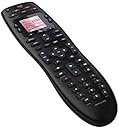
The Logitech Harmony 665 is a renewed universal remote that consolidates up to 10 remotes into one sleek device, offering customizable access to your favorite channels and compatibility with over 270,000 home entertainment devices. With easy programming via MyHarmony software, it’s designed for a clutter-free and efficient entertainment experience.
| ASIN | B078RV3RKS |
| Additional Features | Universal |
| Battery Type | Alkaline |
| Best Sellers Rank | #18,845 in Electronics ( See Top 100 in Electronics ) #853 in Remote Controls (Electronics) |
| Brand | Logitech |
| Button Quantity | 20 |
| Color | Black |
| Compatible Devices | Television |
| Connectivity Technology | Infrared |
| Controller Type | Button Control |
| Customer Reviews | 4.0 out of 5 stars 1,345 Reviews |
| Item Dimensions L x W x H | 8.82"L x 2.36"W x 1.22"H |
| Item Weight | 0.5 Pounds |
| Manufacturer | Logitech |
| Max Number of Supported Devices | 10 |
| Maximum Number of Supported Devices | 10 |
| Maximum Range | 10 Meters |
| Mfr Part Number | 915-000293 |
| Model Name | Harmony 665 |
| Model Number | 915-000293 |
| Number of Batteries | 2 AA batteries required. (included) |
| Special Feature | Universal |
| UPC | 646816988103 |
| Warranty Description | 90 days limited warranty |
J**S
It works very well!
Every thing set up easily. Had one issue, but it was not the Harmony's problem. I wanted to add a direct link to the Hulu setting on my Roku Ultra. The Harmony would not learn from the Roku remote. Turns out the Roku Ultra uses either IR or RF(WiFi). If your Roku is set up with WiFi it defaults to RF and the remote follows suit. Thus the Harmony(IR) would not speak to the Roku remote(RF). Thanks to the internet I found a trick to temporarily fix the problem. Unplug the Roku Ultra, thus shutting off the WiFi from the Roku. The remote then defaults to the IR mode. While unplugged you can then use the Roku remote to teach the Harmony. Once done then plug the Ultra back in. Then the Harmony can be used to send the Roku directly to Hulu. The Roku remote goes back to using RF but since the Ultra can receive both now both remotes work. So the real problem was the Roku, not the Harmony. Too bad Roku doesn't provide a simple way to switch modes from RF to IR since it can function with either mode. Anyway the Harmony 665 is a great universal remote!
T**.
Works Great
I replaced my Harmony 670 remote with this one after my toddler thought the 670 needed to be introduced to the dog water bowl. This is actually the second remote I've lost under similar circumstances. I loved my 670 because the LCD screen on it was great and all of the buttons had a strong back light making it easy to operate the remote at night. Most of the buttons on the 665 are backlit but not the activity buttons at the top and the back lighting is a dimmer orange color which my eyes need to adjust to when they fire up. The best part about this remote is the modernized MyHarmony Desktop application over the old version I was stuck with on the 670 which I had bought in 2011. It's much easier to set up the phone plus it made a decent attempt at porting over the settings from my 670 onto the new remote but I had to make some minor tweaks such as which setting the Audio Receiver needed to be active to output sound for a couple of the activities. All in all it's a great All-In-One remote plus at this price point I'll heave a lighter sigh the next time my kids takes it swimming.
M**G
They try hard and almost get there.
Well made, good ergonomically, and looks great. Great feature of going to sleep and waking screen back up when you move/pick up (good on battery life without being like PS4 remote that goes to sleep and you have to jump through hoops to reawaken). Most of the time it works just fine and rather easy to set up with instructions and app (after you program a few components, it's a breeze and intuitive). The one catch... it works fine for days, then it glitches and won't turn one or more components on or not turn something to right setting (e.g. TV or receiver not to right setting for Activity or just not turn something on/off while turning others on or off). Then, goes back to working. Overall, the best universal on the market (and we tried a bunch) without spending $1,000 and having to get someone with a PhD in Geekness to come out and set everything up while telling you how you need another $10,000 in equipment to get the full use of the remote. Yeah, it glitches, but for what is expected, it delivers most of the time.
D**D
Useless - don't bother buying "renewed" garbage
On the rare occasion that the remote actually worked long enough to use it, it worked well. That's more due to Logitech being a solid electronics company though. I'm sure this remote was great when it was new, but whatever "refurb", "renew", or "remanufacture" process went on here was pointless. The remote constantly restarts, turns itself off and is requires batteries to be removed and replaced, or else eats through batteries completely. In 2 weeks of using this remote, I went through 10 AA batteries - all brand new - two at a time. Not to mention the package didn't include the USB cable or batteries it was supposed to, according to the sales page. Luckily I had the cable lying around. I will say it's pretty easy to program, and recognized all of my devices (TV / Cable Box / Sound Bar / Smart Vacuum), but again - that's a product of Logitech making good stuff, not Amazon. I'll just buy the normal remote, in the original packaging, from a different seller.
J**G
Great condition for a refurbished unit and works well out of the generic box it came in
I had my reservations on buying a refurbished unit but was looking at a lower priced unit because I wanted to try it out and didn't want to spend too much. My intention was to use it to control a TV and 2 satellite receivers. I also had my worries about programming the unit but it was generally pleasant as the software was intuitive enough and it came with the needed USB cable. I started off with just programming the remote to the TV and checking buttons functionality. Once it was satisfactory, I proceeded to add one of the satellite receivers. Since my receiver box wasn't in their database, I had to use the original remote to program it. The process was fairly straightforward. After testing the buttons, some were not doing what it was supposed to do, but I was able to rectify it with the software and doing further "learning" with specific buttons on the original remote. I then went one to create an activity for using the aforementioned satellite receiver and was quite happy to set it up with volume buttons controlling the volume for the TV while channel controls manipulated the receiver box. After being satisfied with what I had done so far, I proceeded to add the 2nd satellite receiver box. Aside from some buttons not doing what their supposed to do but was corrected with the help of the original remote, I encountered it was changing volume or channels 2 marks at a time. Again, there was a portion in the Harmony software to adjust this and I got the desired normal behaviour. I added another activity for the 2nd satellite receiver. As you get the hang of programming the remote, things become much easier and faster. Overall, I'm quite happy with this unit and the convenience of only having one remote to control multiple devices and I hope I'll get decent mileage out of the unit I bought.
B**.
Great remote
Remote works great and deserves 5 stars - but seller did not provide a cable, batteries, or user instructions, as advertised. After much back-and-forth seller gave me a $20 dollar discount on the price, but I still had to locate the missing items.
U**T
Perfect - it can have a sleep button too
So I have Antenna TV, Dish/Satellite, 4k DVD, 4k Fire stick, xbox, and remote controlled speakers. From 6 remotes, I'm down to two - harmony and the fire stick ( the fire stick isn't IR ). This remote 100% flawlessly replaces the 5 others. It's super easy to set-up and use, but there are a few tips I have to make your life easier if you want/use the sleep timer. Also, if a button doesn't quite work right, it's super easy to update the button ( for example my aspect ratio did the audio, and the audio did the aspect - I was easily able to swap these settings after figuring out the sleep timer ). My setup has my TV sending all audio, through an optical out, to a receiver. Step-up, add batteries to the remote Download and install the MyHarmony Desktop App from logitech's website ( myharmony ). Open up the app. Next, connect up the remote via USB. If it doesn't show up as connected, then press the top left power button. If that still doesn't connect up, then unplug and plug it back it. If you're asked what you use for "Watch TV" just add the TV - adding devices is super easy, as is modifying activities. Skip/do-it-later the "Watch a movie" and "Listen to music". Next add your tv first. Take note of how your TV changes inputs and what they are. Does it list all inputs? For example, my TV has Antenna, AV, Component, Hdmi 1-4, USB. I can't remove the inputs I don't use, so when switching inputs from Antenna to hdmi1, I need to scroll past the av and component. If you're asked what you use for "Watch TV" just add the TV. Skip/do-it-later the "Watch a movie" and "Listen to music". Now you should be at the main screen. Click the "Change or Fix what buttons do". This is the key thing to adding in your TVs sleep timer. In the middle, section, click on the drop down list, in the device section, click on your TV, then click Go. On the bottom left, click on "Add or Fix a command". From here, it walks you through how to have it "learn" the sleep command - You point the TV remote at the back of the harmony 665 remote, and boom - it learned the sleep command. Now add it to Page 1 or 2 or 3, in a convenient location. Personally I have Top Row: Toggle Power, Sleep Bottom row: Info, return/back/exit. Click OK, and then click the Sync on the Top Right. Now you can go back and add in your other devices and activities. Once you've added your tv, music, streaming, movies, gaming, etc, you can go back into the button section, and add the TV sleep timer to the other activities. Just know that you'll need to add a "toggle power" option to all your devices, as when your TV sleeps, the dvd, cable box, speakers, etc might not turn off. So in the morning, you might just need to turn your TV back on. It's awesome, I love it. Update: So I discovered the help feature at the top of the screen. Basically, because I use the sleep timer, it doesn't know I just need to turn a few of the devices back on. The help will cycle through questions about what's on/off to fix the sleep timer. It's also useful as the Amazon firestick just assumes you only have that one device and you're not switching between devices... When I switch to the firestick, it turns off my tv and audio receiver. So it's now even easier to turn the tv and audio back on after switching to the firestick. I really love this remote.
Z**S
One remote to rule them all
I rated the Touch Screen 1 star because this model doesn't have a touch screen. It's all buttons on the remote itself. That being said, it controls two TV's, a stereo and a cable box without issue. It's really a great remote so i don't have to try to find which one controls what. It all happens right here on this one remote. It's supposed to control more than just TV's and Stereos but I don't have any other infrared products to control it with. This remote does require M$ Windoze to set up. I normally run Linux (NOT Arch) but fortunately had an old Windows laptop laying around that I could use to set this up. Once I got it setup, however, it's been great. It also has a "feature" where you can press one button to make certain things happen. I was not happy with feature and just don't use it. For my particular setup, it got confused too easily, esp if I used the normal functions to make a change, then tried to use the one-touch button to make another change. I did have to go re-sync it once because it got so confused about what was happening with everything. (Turning one thing off while turning another on and now I can't watch TV...it's not worth it, just use the regular functions and ignore the one-touch functions.) I still recommend this remote as a replacement for all other remotes, despite its flaws.
J**M
IR not wifi remote - but has almost as much power as a wifi remote.
This is an awesome one in all remote that also has the ability to multi-connect dumb tech (as long as the remote is in the database) - so that you can have one button press turn on your tv, soundbar and pvr with the ability to specify which unit controls your volume etc. Occassionally if you have numerous multi-connect options the remote may occasiionally get out of sync and not turn on or switch an item, however this is resolved with the handy help button, which asks you questions which based on your answer fixes any issue with the multi-connect. To date it hasn't failed to resolve the issue and retreive the mult-connect state I want. There are spare buttons which you can programme to replicate any button on any item within the multi-connect. You also have the ability to swith from multi-connect mode to individual items and to switch your remote to a device remote and back to multi-connect etc. There are two minor issues: 1) Database isn't complete, so check online first if your item's remotes are in the database (note they may be under a slightly different name - Humax PVR are a point in case). 2) You have to use a PC to programme this remote via a USB connection (cable is included). (This programme is pretty easy to use).
C**N
Stupendo
Il Signor Telecomando
K**R
Einwandfrei
Macht was es soll. Die Software von Logitech könnte selbsterklärender sein. Aber ich habe in kurzer Zeit die drei wichtigsten Geräte synchronisiert bekommen. Der Rest folgt noch. Kam schneller als angekündigt. Ich bin jedenfalls zufrieden. Wer eine Ersatzfernbedienung braucht oder die Zahl der FB deutlich reduzieren will, ist hier bestens bedient. Kaufempfehlung!
J**C
Ok
Ok
R**.
Excellente qualité pour le remplacement de ma télécommande cassé
A remplacer ma télécommande cassée - elle reprend la quasi totalité des fonctions de la télécommande d’origine
Trustpilot
1 month ago
3 weeks ago