
DOWNLOAD THE APP


Customer Services
Copyright © 2025 Desertcart Holdings Limited
DOWNLOAD THE APP

🚀 Upgrade to the Samsung 860 PRO — where speed meets rock-solid reliability!
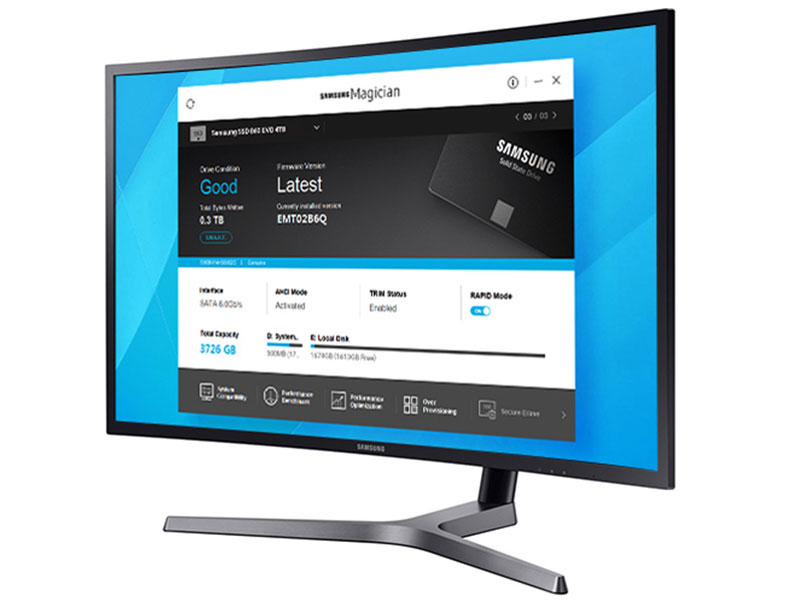
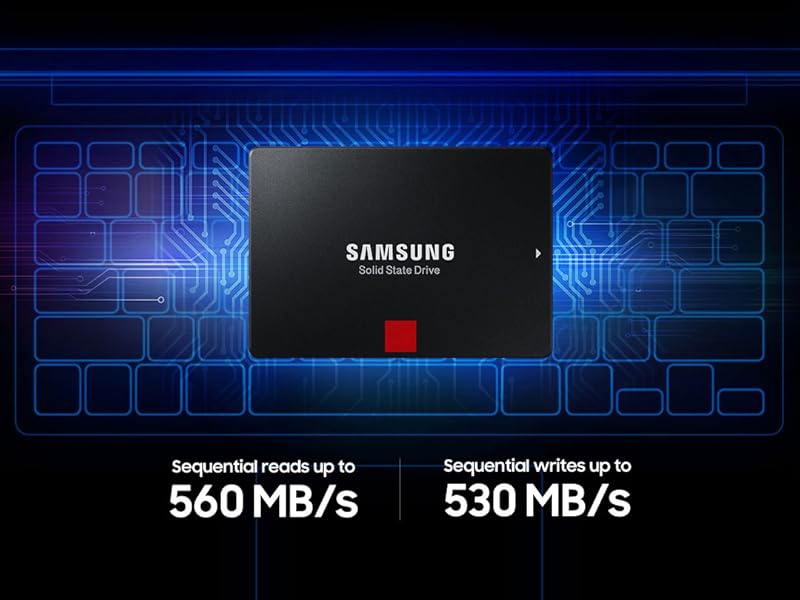
The Samsung 860 PRO 512GB SSD combines cutting-edge MLC V-NAND technology with a refined MJX controller to deliver sustained sequential read/write speeds up to 560/530MB/s. Designed for professionals and power users, it offers exceptional endurance, broad 2.5" SATA III compatibility, and consistent performance under heavy workloads, making it the ultimate upgrade for laptops, desktops, and NAS systems.



| ASIN | B07836C6YV |
| Best Sellers Rank | #236 in Internal Solid State Drives |
| Brand | Samsung |
| Color | Black |
| Customer Reviews | 4.8 4.8 out of 5 stars (3,347) |
| Date First Available | January 10, 2018 |
| Flash Memory Size | 512 GB |
| Hard Drive | 512 GB Solid State Hard Drive |
| Hard Drive Interface | Serial ATA-600 |
| Hardware Platform | PC, Mac |
| Is Discontinued By Manufacturer | No |
| Item Dimensions LxWxH | 2.76 x 0.28 x 3.94 inches |
| Item Weight | 2.12 ounces |
| Item model number | MZ-76P512BW |
| Manufacturer | Samsung Electronics DAV |
| Product Dimensions | 2.76 x 0.28 x 3.94 inches |
| Series | 860 Pro |
M**H
Windows with a Turbo
Very quick and easy upgrade for pretty much any laptop (or desktop for that matter). Assuming you have at least the minimum amount of memory installed, this is the place to spend your upgrade dollars. This solid state "hard drive" is super easy to install (although I am an IT guy) and it really wakes Windows up. Boot time, or time for Windows to be usable, was significantly reduced. Overall speed is also improved quite a bit. Now...I have software and a "cradle" on a desktop computer that allowed me to make an image of my existing laptop hard drive, and then I just laid that image down on the new SSD and viola, boot and go. No need to backup and restore data, no need to reinstall Windows, just go. You might have to resize the partition to get all the space on the new SSD, but it's super easy in Windows. You can most likely find a local computer store that will take care of that image process for not very much money. For any model laptop you have, you can always just Google "hard drive replacement" or "hard drive install" and you'll get some step-by-step instructions (very easy to do in any laptop I've ever worked on). Do not let an SSD fill up, your system will just crash with no error. It will reboot, but as the system creates working files, it will crash again. Nothing wrong with the drive, just needs some room. I've had SSD's in my work laptop for more than a year with no failures. I think durability is now good, to very good on most SSD drives. This quality drive, at this price...no brainer.
S**N
Fastest Real World SATA SSD I've Used, Better Reliability Specs For Peace Of Mind
I'm very pleased with this Samsung 860 Pro 1TB SATA SSD from Samsung. I got a pair it to upgrade a client's tower from 3.5in hard drives and breathe new life into the system's performance. I also took the opportunity to run a little performance testing. It did well. I used crystaldiskmark to benchmark drive performance. It tests with and without command queuing. Since all current operating systems I use (Windows 7 and later, Linux and Mac) all enable command queuing by default I'll focus on those results. The drive does great with sequential reads/writes. I got reads of about 558MB/s and writes of about 512MB/s. Most SSD drives do fairly well on sequential read/write operations. With this drive the difference is only about 10% for queued vs unqueued. This 860 PRO drive did better than many other drives with random reads at about 300MB/s and writes at about 207MB/s. Unqueued reads were about 36MB/S (almost 1/10th the queued rate!) and writes were about 65MB/s (about 1/3 the queued rate). Command queuing makes a big difference with random access and makes this drive stand out for this use. The 2.5in SATA form factor works well with the Dell 2.5in to 3.5in adapters that fit into the existing drive caddies making 3.5in drive replacement a breeze. An important factor for me and my clients is reliability. SSD's have come a long way since they were introduced some years ago. The Samsung Pro series has better reliability and higher write specs than their EVO models. They also have slightly larger sizes in powers of 2 rather rounded down to the nearest decimal value. In conclusion, this Samsung 860 SSD is one of the faster ones I've used, especially on random reads/writes with queuing enabled. This drive was perfect to upgrade my client's system. The old mechanical drive is now retired and their previously fairly fast tower just flies now! With this sort of result I love these drives for upgrades. Definitely 5 stars.
K**O
A well made MLC NAND SATA3 SSD with great compatibility and quality.
I've been using SATA3 SSDs for years. Those include the Plextor M6 Pro / Plextor M6S / Samsung 850 Pro / Samsung 860 Pro and Transcend SSD 360S. Among them, Plextor M6 Pro and M6S were the first ones for me and they have been impressive, although I had to replace my first M6 Pro due to initial recognition failure. After replacement the Plextor SSDs seemed to work flawlessly. Recently I'm using Samsung 850 Pro and 860 Pro at my workplace and on my laptop. They have been working flawlessly without any kind of event until now. Recently I purchased Transcend 360S and installed it onto my old laptop with SATA2 interface. Initially it seemed to work nice but after less than a week of use, my old laptop occasionally freezes up and I had to wait for more than tens of seconds to work with it again. And it was my first experience in which I regretted my purchase of SSD. I think Samsung SSDs are one of those having the greatest compatibility to various systems and quality and durability. As I do not want to get disappointed as time goes on, I may go further with those Samsung SATA3 SSDs. Compatibility? Its just Okay for Samsung. A lot of reviewers protested they are compatible with various systems they have / Reliability? There are a great number of people that say they purchase only Samsung SATA SSDs. / Speed? While speed is always next to reliability for me, my test result was best with Samsung SSDs, followed by Plextor MLC SSDs. / Price? Recently the prices for Samsung SSDs are decreasing suddenly and significantly. And I think the price itself may mean nothing unless the SSDs are compatible, reliable and fast enough. I'm thinking of purchasing a number of Samsung 860 Pro SSDs to store my music and movie files and as frequent backing drive. I think it is also good for Samsung to let the customers know whether they are buying an MLC NAND SSD or a TLC one, while there are a number of brands who does not give important information about their product to the customers. What else to say??
D**N
This was for replacing an existing 1TB HDD on an old Windows 10 computer with this SSD. The speed improvement was dramatic around 10 fold. Would highly recommend this as an easy way to dramatically increase the performance of an old Windows laptop.
A**R
I am using this 860 Pro with my Blackmagic 4K Production Camera and I must say is is one of the best buy. Its completely smooth while recording 4K raw data
M**G
Hız
P**.
Bought this SSD to replace the failing mechanical hard disk (making heavy noise while moving laptop) in my Sony Vaio. After replacing it, everything is blazing fast booting, opening/closing applications etc. Recommend this to anybody who wants best performance from SSD.
T**L
Awesome SSD Speedy and reliable... Amazon.... Not so much... bought 3 of these now and 2 are working great in one of my servers. the 3rd however is waiting to be reshipped as amazon sent me a OPENED box WITHOUT the ssd even inside it, Someone had clearly bought this, returned "it" by keeping the ssd and putting some OLD ram sticks taped inside. sent it back.... then amazon sent it to me! some QUALITY CONTROL! NOT!!! buying electronics if i can from Newegg from now on. they have RMA fees but atleast they check their returns and i have never got something like this from Newegg.... amazon totally failed on this one.... Now for the ssd, i have them in my server and they perform perfectly. no more slow downs, instant file access of large databases and VMs is awesome. backup times are so speedy now. bogs down a bit with a lot of smaller files but thats windows/NTFS's fault not the SSD. overall the SSD is great, Amazon service and QC not so much.
Trustpilot
3 days ago
2 weeks ago