โ๏ธ Cool like a pro, perform like a legend.
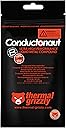
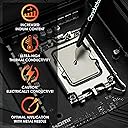
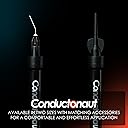
Thermal Grizzly Conductonaut is a premium 1-gram liquid metal thermal paste boasting an industry-leading 73 W/mยทK thermal conductivity. Designed for universal CPU and GPU cooling (excluding aluminum surfaces), it dramatically lowers temperaturesโup to 25ยฐC under loadโenabling quieter, cooler, and more efficient performance. The set includes 3 extra applicators for precise application, making it the go-to choice for enthusiasts and professionals seeking elite thermal management and overclocking headroom.




| ASIN | B078J4PSHM |
| Best Sellers Rank | #129 in Silicon Grease |
| Brand | Thermal Grizzly |
| Brand Name | Thermal Grizzly |
| CPU Socket | Universal |
| Cooler Heatsink Compatibility | Universal (except Aluminum) |
| Customer Reviews | 4.7 out of 5 stars 737 Reviews |
| Item Weight | 1 Grams |
| Manufacturer | Thermal Grizzly |
| Model | TG-AL-3 + TG-C-001-R |
| Mounting Type | Not Specified |
| Part Number | TG-AL-3 + TG-C-001-R |
| Unit Count | 1 Count |
| Warranty Description | One year manufacturer |
M**.
Extreme thermal efficiency.
I recently got an MSI GF67 Stealth (i5-10300H, 1650Ti) for college and gaming. I noticed that it ran fine in games, but like most gaming laptops, would attempt to go "balls out" in class decompressing a file or installing something, and just due to the nature of the CPU, it put off a lot more heat for the same task. Especially considering it was in one quick burst, it would get really loud. I suspected thermal paste, seeing as it's an easy thing to cheap out on and not list in specs, but also since the time taken to return to normal temps was longer than expected. My quest to silence my laptop lead me to finding the highest thermal efficiency paste I could find. Which turned out to not be a paste, instead, it was this liquid metal. It has a conductivity 6x greater than its own offering Kryonaut, and even better than others available, presumably like what was installed at the factory. I removed the back of the laptop, disconnected the battery, removed the heatsink assembly, and wiped the old paste off the heatsinks and pads. I did this for both the CPU and GPU. I then used the micro applicator to put a small dot on each pad of the processor, then spread it out. It took a little coaxing to get it to spread flat from being a bead, but after this, it went smoothly. Even as a first time repasting anything, and only knowing the theory, it was quite easy. I replaced the heatsink assembly, reconnected power, replaced the back, and turned it on. Yay! I didn't short my computer! The real question though, what are the temps? I initially didn't know the difference, but this was due to the computer booting up. Once it sat for a bit, my idle CPU temps were at 38ยฐC, instead of the usual 45ยฐC. Impressed, I ran the FurMark CPU torture test AND the GPU stress together, just as I did before the surgery. The CPU was now unable to cross into the 70ยฐC range, instead sticking to 69ยฐC (nice), and the GPU was unable to exceed 56ยฐC. Turns out they were both sucking down as much power as they physically could, and wouldn't run hotter. Sadly, my CPU is locked in the overclock department, but I did add an overclock to the GPU in Afterburner of +280MHz core and +250MHz VRAM. The CPU still holds steady at 69ยฐC under fire, and GPU returned to its usual 70ยฐC, but with the overclock factored in. This product has allowed me to get my CPU running 25ยฐC cooler under full load, 7ยฐC cooler at idle, and overclock my GPU while retaining the same temperature. It runs quieter during day-to-day tasks, gaming, and even when exerting itself to the limit. Make sure to disconnect all power and drain it. Be extremely careful when you apply it as well. This is metal, and as such, it will conduct electricity, shorting anything it touches unintentionally. Do not use with aluminum ANYTHING, liquid metal is primarily made with gallium, which punches through the protective aluminum oxide layer and forms a brittle and problematic alloy, along with hydrogen gas. That being said, if you know the risks, have copper heat pipes, and you take caution when applying this compound, your thermal performance can be vastly improved for about twenty bucks and a half-hour or so. I will absolutely be using this in every computer I own and intend to regularly use from now on.
N**.
Tames the FX-9590 & completely blows away the competition!
A recent need to repair my cooler brought about the chance for my first forray into liquid metal and an opportunity to pit two heavyweights of the liquid metal world against one another. Those two are Grizzly's Conductonaut & Coollaboratories' Liquid Pro. My test setup: CPU: AMD FX-9590 - the last of the vanguards and a known oven that will instantly heat up to 70+ celsius and shutdown PCs without proper cooling Motherboard: Asus Crosshair V Formula-Z Cooling: Corsair - H115i - An AiO watercooler Ram: 16GB (2x8GB) G.Skill Trident 2400mhz GPU: EVGA 980 Ti Classified Edition Things to note about liquid metal usage: DO NOT USE WITH ALUMINUM! Liquid metal can and will bond with other metals, leaving some scarring or even worse pitting where the metal essentially "rots." This is why there are "DON'T USE ON ALUMINUM!" signs everywhere. On top of that the aluminum dust created from this compound can just "explode" since the chemical reaction creates water. So yeah... Don't use on aluminum surfaces. Nickel and copper are fine though as both either have none or with the latter very minimal damage when reacting with liquid metal (usually light-medium stains.) Soldered CPUs will have minimal temperature changes. Due to them directly soldered, they are already setup for maximum thermal efficiency. With liquid metal, you get maximum thermal efficiency from delidding the CPU and having the delidded CPU die directly touch the heatsink, something which can't be done with AMD or any other solder CPUs like Intel's 9980XE. The whole delidding and scarring from liquid metal that defaces the CPU voids the warranty as most manufacturer's warranty is voided once the serial number of the CPU can no longer be seen. You want to apply as thin a layer of liquid metal as possible. If you see any bubbles or if it moves when you turn it to the side, you put too much. Just use one drop and "paint it on." Application: For this test I applied the Conductonaut to both my CPU & GPU. It's packaging is just fantastic. Grizzly has done almost everything possible to make things as easy as possible. It comes with two black japanese q-tips. These are tightly wound and won't fall apart with use which is EXTREMELY important as it means they won't compromise the compound. There is also an curled applicator tip for the syringe as well as an suction tip for retrieving extra liquid metal. It also comes with two 70% (yuck) isopropyl alcohol pads. As far as differences from the Liquid Pro there are a good number. Conductonaut is much easier to spread and does so beautifully. The q-tips don't fall apart and work fantastically. You can even put the q-tips in a plastic bag and reapply the left over metal next time. The curled tip works wonders as you don't have to awkwardly hold the tube vertical over the CPU to apply. It also doesn't just squirt out like the liquid pro, you're able to control the amount that comes out much better. The alcohol pads were a bit too small and a little too wet, but aren't comically oversized like Coollaboratories' pad and I didn't have to wring them out either unlike Coollaboratories which was soaked in way too much alcohol. Testing: Cold boot and idle temps took me back, upon boot it was 39 celsius and once idle in OS my temps were 28 celsius. I haven't had idle temps this low since I first applied diamond thermal paste years ago on my FX-8350. The 9590 has even worse heat dissipation as well as .7 GHz higher base clock and matches those temps which is impressive. So far this is a record on my 9590 as I don't believe I ever went under 36 with my diamond paste. The GPU sits at 38 celsius idle, down from the previous low 50s it sat at before. I ran a torture test on Prime95 for over an hour. Temperatures hovered around 41-42 celsius and never rose above 45. During a normal gaming session which consists of running a streaming client, chatbot, chat program, discord, stream preview through chrome and of course Monster Hunter World on 1080p high the temps stayed strong at 41-42 celsius on the CPU, down from the normal temps of 64 celsius of previous setups. The GPU held itself to 60 celsius, an 8 degree drop from the previous 68 celsius held by Liquid Pro and IC7 Diamond. Overclocking Tests: I was able to easily overclock the FX-9590 to 5.02GHz without any issue. Idle CPU Temps range from 29 celsius to mid-30s which is amazing. Launching another streaming sessions Conductonaut shows liquid metal's strength, it becomes more efficient as the temps go higher. With the 5.02GHz overclock CPU temps settled around 36 celsius, 5 degrees lower than when it wasn't overclocked! The GPU held itself to 62 celsius this time around. I added +551 MHz overclock to the memory clock and +88 MHz to the GPU base clock. Keep in mind the 980 Ti classified comes pre-overclocked so things are getting crazy! I fired up Uniengine's Superposition benchmarks. On 1080p high GPU temps jumped to 70 celsius, well below the 85 they used to be. Average FPS was 77 with a max of 94 fps. Score ended up being 10251 with no errors which puts it at #7 as far as single 980 Ti rankings on high. Not bad considering its getting beat by Ryzens and 8700Ks. Pushing my luck I added another +100 MHz to the mem clock and pushed the GPU clock to +128MHz. With a +651 MHz mem clock and +128 MHz GPU clock, the anomaly filled test crashed. I lowered the mem clock to +600 MHz and GPU clock to +115MHz. There were still some anomalies, but it survived with temps never going above 61 celsius (fans were at 100%.) A score of 10459 bumps me up to #6 with #1 being 10938. Now on to the torture tests on the CPU. Prime 95 failed miserably. Immediately 2 cores failed. Upon restarting the test the entire PC froze. I upped the CPU voltage from 1.48 to 1.5 to see if it's a power draw issue. Minimum temps rose 2 degrees from this change ,but maximum temps stayed the same. The test stayed on for a few minutes before freezing again. After increasing to 1.51 it still did the same. Lowering the voltage back to 1.47 and the overclock to 4.92GHz things were stable once again and Prime95 ran without issues for an hour. CPU temps never got past 42 celsius during the test. Not quite the triumphant thrill of breaking that 5GHz wall, but I'll take it! Overall Conductonaut shows why it is #1 in the liquid metal market. The competition isn't even close. From ease of application to performance Conductonaut leaves everyone behind with no hopes of catching up in its wake. Tests show considerable drops in temperatures vs. the competition, almost 20 degrees in some cases. This is going to be my only liquid metal supplier until someone dethrones them since I'm pleasantly surprised by the results.
T**R
The Holy Grail of Computer Cooling.
I first heard about liquid metal thermal paste when I set out to better cool my gaming laptop. I had already used premium thermal paste on my CPU and GPU die and it performed great. However, I was looking to get even better performance and lower temperatures. I watched a bunch of review videos on YouTube, as well as application videos. I took my time learning how to apply liquid metal carefully and safely. After some time, I felt comfortable enough to do it. I ordered this product, along with nitrile gloves, a grounding mat, silicone conformal coating, and a bunch of isopropyl alcohol. I also ordered some heavy duty but very thin, high temperature electrical tape for double insulation. It took a few hours, but I thoroughly cleaned and insulated the CPU and GPU areas. I used both conformal coating and electrical tape. I carefully applied the liquid metal. It's difficult to apply and takes a lot of patience. You want to paint it on. Use very, very little. Ideal is one tiny teardrop amount. Trust me, you don't need more than that. Anyway, after taking breaks and checking my work, I reassembled my laptop. I booted it up and used it for a few days, and ran some tests. This was in the winter, and I was getting 36 C idle temps, 26C hibernation temps, and my CPU never ever went past 80 C under CPU stress tests. This stuff is absolute magic. My GPU would hit 0C often and under load, it never went paste 65 C. For a gaming laptop, this is incredible. Bare in mind, this was during one of the coldest winters in LA, but still, this kind of performance is on another level. This stuff is absolutely a marvel of engineering and with enough patience, you can get insane temperatures. Imagine how well it would work on a desktop with custom water cooling. You would likely get sub zero idle temperatures if you delided your CPU. Anyway, I can't recommend it enough. Just be super careful with it. One piece of advice I will give you is this: never EVER squeeze or work with the tube over your PCB. Go to the bathroom sink and squeeze a bit on your q-tip and come back and just apply it to the die like that. Trust me, you don't want to get this stuff anywhere near your PCB. Be safe and happy gaming!
D**S
Brought a Great Improvement to my Laptop CPU/GPU Temperatures
I have been using desktop PCs for 25 years, since I was only a few years old, and have been building PCs and working heavily with them for the last ~15 or so years at least. In that time I have never once tried to use liquid metal for thermal applications, only using recommended thermal pastes and getting more than sufficient cooling with those for my needs on desktop systems with sufficient heatsinks. A couple of years ago however, I bought a laptop as an upgrade to my venerable desktop system. My laptop has a 6 GB Nvidia 3060 and an 8 core 16 thread i7 10870h, and can run just about any game in 1440p at good frame rates in good detail - more than enough for my needs. Ever since I got the laptop however, I noticed that it would run extremely hot. It consistently would run as hot as 100 degrees Celsius before the automatic systems kicked in to prevent damage, and this worried me about the long-term health of my system. A few weeks ago, after experiencing some stuttering in certain games and applications I thought might be linked to CPU overheating, I was recommended this specific product. When I first applied it, I didn't properly follow a video guide on how to do so - feeling I knew how to do it. Do not make the same mistake - you cannot apply this like you would regular thermal paste. It will not "spread" like thermal paste just by pressing down the heat-sink after application - you need to manually and very carefully spread the metal droplets across any relevant heat-sinks and be extremely careful that you do not spill any of the liquid metal anywhere else inside your computer. This compound is highly electrically conductive as well as thermally conductive, and can ruin your computer if you put it in the wrong spot, therefore I only recommend it to those with confidence. After my first "failed application," I noticed the temps were higher than ever, so I opened up my laptop again and did a new application more properly. I spread a thin coating of it on both the metal on top of the CPU/GPU and where the heat-sink made contact with those devices, and then very carefully closed and tightened it. This was after removing the previous compound carefully and cleaning the surfaces with isopropyl alcohol on little cotton swabs - being very careful not to leave any moisture inside the system. In summary, it worked this time around. My CPU and GPU both showed temperatures which on average are about 10-15 degrees C lower than they were before, and although a BIOS update set my computer to throttle at 93C instead of 100C (which I think is a good idea), in benchmarking and similar tests my CPUs on average run 10%-15% faster since thermal throttling was the main performance limitation I had. Getting a 10%-15% boost to CPU performance is not small, especially when it comes with reduced overall heat and strain on the system in question. I highly recommend this compound to anyone who uses a system which is not able to reach its maximum potential due to thermal throttling - mainly laptop systems. Just keep in mind that it is riskier and more difficult to apply than ordinary thermal paste, and supposedly cannot be used on aluminum as it will bond with it and cause a lot of issues. Do your research and watch videos and guides on how to apply it before you apply it, and you will be a happy camper.
J**N
With great power comes great responsibility
I've been building and modding my PCs for the better part of 20 years now. As many in this community know, thermal performance is often a crucial but contentious subject. Everyone's got their favorite thermal paste, and depending on who you ask you've either applied too much or too little of it. That's where liquid metal comes in. This stuff stands head and shoulders above and conventional thermal grease in terms of performance. On average, you're likely to see a -5 to -10c drop in thermals with this stuff applied correctly... Emphasis on correctly. As the name implies, conductonaut and other forms of liquid metal are thermally conductive which means that if it touches an exposed component it can short it and cause irreparable damage to your pc. Please do your research before attempting to apply this stuff. Use a conformal coating on any nearby exposed electrical components or cover with high grade electrical tape like 3M super 33 (I did both of those things pictured above). Do not apply more than a nice sheen of this stuff - think of it like you're painting your dies with a metallic marker, that's what it should look like. If you have a copper heatsink, the liquid metal will absorb into the copper and form an alloy after a month or so, DO NOT FRET. IT IS NOT ERODING YOUR HEATSINK. Just reapply a very small amount of liquid metal over that alloy and you are golden for a very long time. Hope this is helpful for you all.
J**E
BEFORE YOU BUY THIS,
I highly recommend you at least consider purchasing some thermal glue (not thermal paste) and an aluminum heatsink kit or two with those little heatsink pieces along with this product. Yes, thermal pads are included, but the way my graphics card was positioned, at least, the thermal pads hung upside down and the adhesive on some of the pads were not strong enough to stay in place. That's where the glue and heatsinks come in. I refrain from giving this product 5 stars due to the long and frustrating process of having to buy more products so that this cooler can work properly. Despite the frustration of the long assembly process, it was well worth the time and the effort. Temperatures dropped significantly and the AX4 is much more silent than my stock cooler. I also recommend purchasing the Thermal Grizzly Conductonaut to replace the pre-applied thermal paste on the cooler for even more effective cooling. Hope this helps. Don't learn the hard way like I did.
A**R
Much lower CPU temps
Uncertain how so many people mess this up. Do yourself a favor and watch 3 or 4 videos on applying liquid metal to components before you attempt. This was my first try and I had no trouble (though, I've applied TONS of regular ceramic/silver TIM to various die). I overclock my components, so liquid metal where applicable was a must. Temps on liquid-cooled CPU went from around 70c when CPU at 100% usage for 30 mins, to no more than 62c absolute maximum. My CPU cannot be overclocked further, so the reduced temps are just a nice peace of mind and longevity thing. Anyway, it worked well enough for me. Hope it works for you, too. PS If you see complaints about the amount included, keep in mind, you only need a droplet the size of a small pea to cover a normal roughly 1.5" square CPU die. There is enough in the tube to do at LEAST 5 regular sized CPUs. If you can't do that many, you used way too much on the first attempts.
A**Z
Great product
Great product. Easy to apply. The ps5 overheating problem now is gone.
Z**N
Excellent
Excellent
N**L
Worth the money.
This brought the temps on my laptop CPU ( which had liquid metal from the factory that was bascially burnt of ) down 15 degrees. Application is not for the noviced. I would recommend only advanced tech savy people do the application. The liquid metal can gry your motherboard if it leaks off the the chip so make sure you apply carefully or get someone you trust to do it for you. It is worth the money for sure, my Asus Zg15 is a new machine now.
C**N
Worked great for replacing oxidized PS5 Liquid Metal
Ordered a used PS5 that someone said was overheating, opened it up, cleaned the heatsinks, replaced the old liquid metal with this, works better than brand new now.
J**E
Top quality
The best
Trustpilot
2 days ago
1 month ago