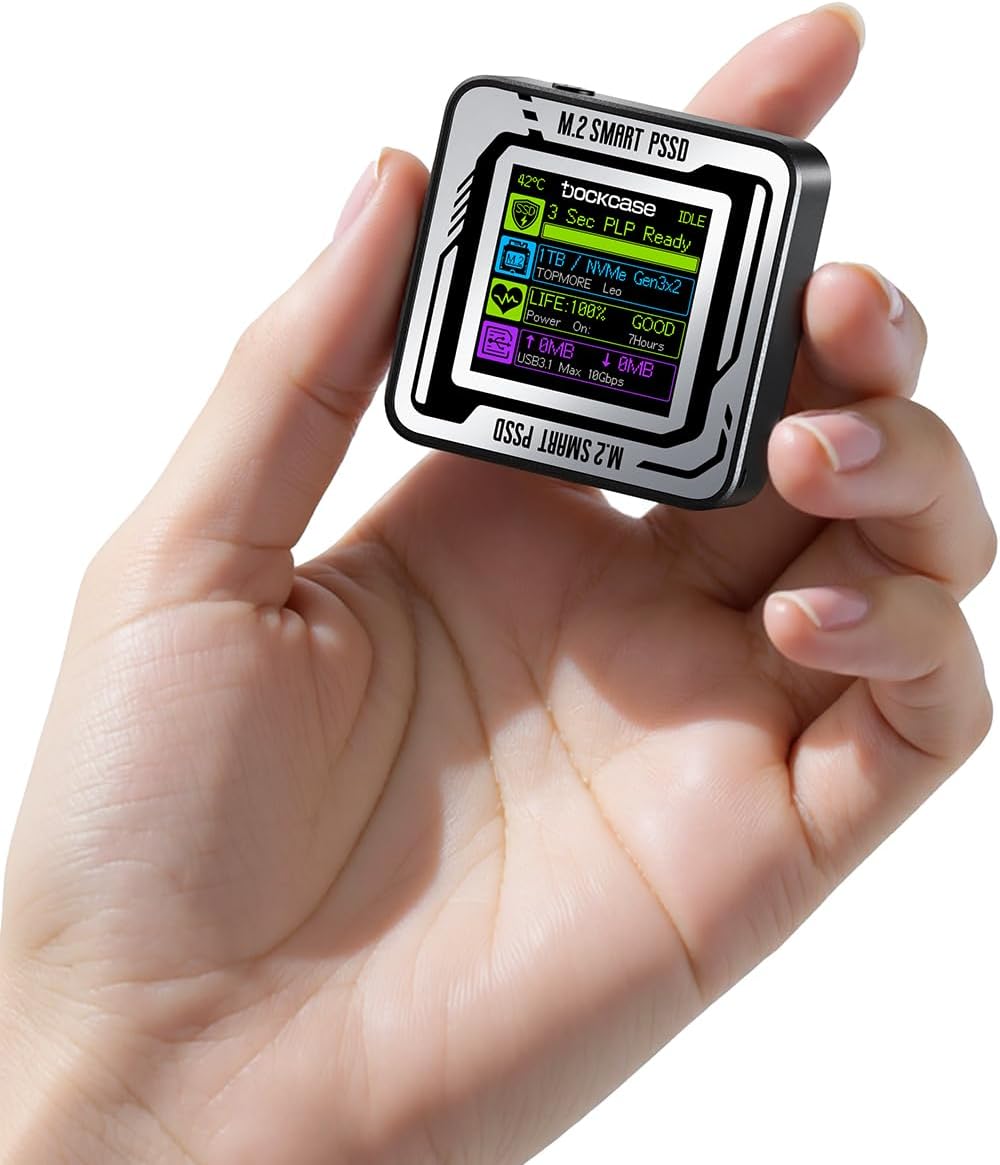
I was very impressed by the overall quality, design and functionality of the DOCKCASE Pocket M.2 NVMe SSD enclosure – it’s physically small for anyone looking to expand their portable storage options. As the pictures, it looks sleek, durable, and packed with smart features that set it apart from many other SSD enclosures. It feels premium and has a modern design encased in a solid aluminum alloy shell that is very impressive. One standout feature is its built-in display, which provides real-time information about the drive’s health, temperature, performance, etc. This is an ingenuous touch, that provides peace of mind about my SSD’s status – it even offers protection against power failures, ensuring data integrity in case of unexpected interruptions, e.g., unplugging it improperly and power failure. Setting up the SSD was straightforward, using the included screwdriver and the screw inside the enclosure, there was an extra mounting screw provided – that was a thoughtful addition! As the specs stated, this enclosure supports high-speed data transfer rates, unlocking the full potential of NVMe SSDs. I had one drawback… I originally tested with a WD_BLACK SN770M 2TB M.2 2230 NVMe SSD, the speeds were excellent without experiencing any glitches, but occasionally it showed [Idle] on transferring large files. With their tech support team member, I later discovered I overlooked a piece of important information. In one of the picture screens that has 4 tabs, DOCKCASE did include 2 tabs listing the compatibility and incompatibility of supported SSDs, including each brand name and model. I then discovered that the WD SN770M 2TB I originally installed, even though it was functioning fine, was among the incompatible SSDs. Not to take any chances, and because I loved their enclosure, I ended up buying the Corsair MP600 Pro Mini which I selected from among the compatible list. Cons: Like most brands of SSD enclosure, I encountered the usual issue with updating the firmware of the SSD not being detected, e.g., using WD Dashboard and Corsair iCUE software. While this isn't directly related to the DOCKCASE product, it’s worth noting. However, I was told there were ways around it. to be able to use these SSD software applications. In summary, this DOCKCASE Pocket enclosure is an exceptional product that blends style, functionality, and innovation. While there’s always room for improvement in documentation, and the enclosure firmware updates… perhaps to include additional compatible SSDs. Please note***: Like almost all new SSDs and hard drives, make sure to partition and format (I chose NTFS) the SSD once it’s installed, otherwise, it won’t be recognized/detected in your PC. Some folks might unnecessarily return the enclosure thinking that the enclosure and or the SSD is a defective products. ***The best and fastest way I did was to use Windows built-in Disk Management.