🚀 Elevate Your Visual Game with 4K Precision & Speed!
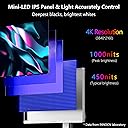
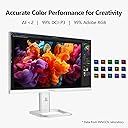
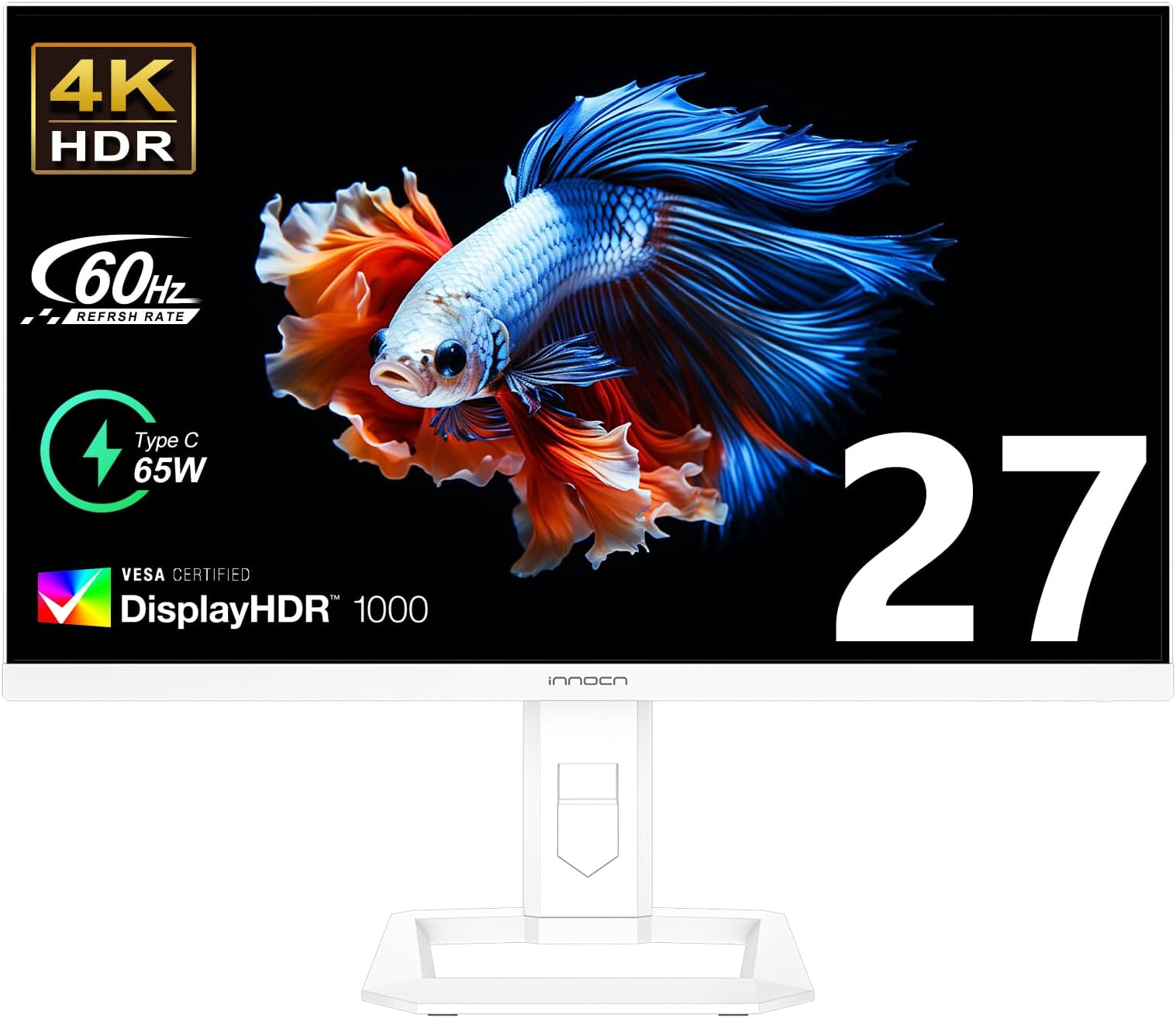
The INNOCN 32" Mini LED 4K Monitor combines cutting-edge Mini-LED backlighting with a 160Hz refresh rate and 1ms response time, delivering ultra-smooth, vibrant visuals. Featuring 99% DCI-P3 and Adobe RGB color accuracy, USB-C with 65W power delivery, and HDMI 2.1 ports, it’s designed for gamers, creatives, and professionals seeking immersive, ergonomic, and versatile display performance.


| ASIN | B0C2HDJL9Y |
| Adaptive Sync | FreeSync |
| Additional Features | Flicker-Free, High Dynamic Range, Pivot Adjustment, USB Type C, Wall Mountable |
| Aspect Ratio | 16:9 |
| Best Sellers Rank | #171,701 in Electronics ( See Top 100 in Electronics ) #3,569 in Computer Monitors |
| Brand | INNOCN |
| Brightness | 1000 cd/m2 |
| Built-In Media | 1 x 27M2U-D with stand and base, 1 x HDMI cable, 1 x color collaboration report, 1 x instruction, 1 x power supply |
| Color | White |
| Compatible Devices | Desktop PC, Laptops, Tablets, Phones, Mini PC, Switch, PS5, XBOX gaming console |
| Connectivity Technology | USB |
| Contrast Ratio | 1000:1 |
| Customer Reviews | 4.0 out of 5 stars 92 Reviews |
| Display Resolution Maximum | 3840 x 2160 Pixels |
| Display Technology | LED |
| Display Type | LCD |
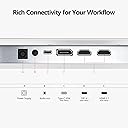
| Hardware Connectivity | DisplayPort, HDMI, USB Type C |
| Has Color Screen | Yes |
| Image Contrast Ratio | 1000:1 |
| Is Electric | Yes |
| Item Dimensions D x W x H | 2.52"D x 24.13"W x 14.4"H |
| Item Weight | 8.94 Kilograms |
| Manufacturer | Guangxi Century Innovation Display Electronics Co.,Ltd |
| Model Name | 27 4K Mini LED Monitor |
| Model Number | 27M2U-D |
| Mounting Type | Desk Mount |
| Native Resolution | 3840x2160 |
| Number of Component Outputs | 2 |
| Picture Quality Enhancement Technology | HDR1000, 99% DCI-P3 99% sRGB, 1.07B Colors, IPS, Freesync |
| Pixel Pitch | 0.27 |
| Power Consumption | 66 Watts |
| Processor Count | 1 |
| Refresh Rate | 60 Hz |
| Resolution | 4K UHD 2160p |
| Response Time | 1 Milliseconds |
| Screen Finish | Glossy |
| Screen Size | 27 Inches |
| Screen Surface Description | Glossy |
| Series Number | 27 |
| Shape | Rectangular |
| Specific Uses For Product | Personal |
| Total Number of HDMI Ports | 2 |
| Total Usb Ports | 3 |
| Viewing Angle | 178 Degrees |
| Voltage | 19 Volts (DC) |
| Warranty Type | Manufacturer Warranty |
Z**L
Almost too Good to be True
I wanted a secondary monitor to compliment my Acer Nitro XV275K P3biipruzx. That monitor is an excellent 4k IPS, mini LED 27” HDR 1000 monitor with 160hz refresh rate. I was blown away with its color accuracy, sharp picture and brightness in SDR and HDR content. I managed to get one on sale at $550 and they cost $799 now. I was hoping to find a 4k 27” HDR monitor with speakers built in to use a second monitor for my main/gaming PC and also as the monitor for my streaming PC. I didnt want to spend a ton of money and was trying to find something sub $300. This ticks all the boxes, but from a brand I had never heard of. The price at time of sale was also $199, which seemed too good to be true. 4k HDR 1000 IPS + mini LED with speakers built in and color calibrated from factory… I’m happy to say when I tested it out, I had no dead pixels. Build quality seems fairly good. Built in speakers are surprisingly decent. They get fairly loud, no distortion at normal volumes and plenty clear. At least as good as a cheap pair of basic desktop speakers without taking up any space. Colors and brightness are so good I am not sure if i could tell any difference between my much more expensive monitor or this for HDR YouTube video, desktop/browser stuff, etc. I don’t notice any ghosting for those tasks. I haven’t tried to game on it as that’s not what I got it for. So I took a chance on the brand and the very low price and am pleasantly surprised. For the price paid and what I got there are 0 complaints. I’d gladly buy it again if needed.
H**R
Colour Accurate, But 'HDR 1000' Capable....?
There are a few notes that need to be mentioned when getting into colour accurate monitors and such. 1) It WILL look more 'warm' / 'yellow'. This is because most displays that do not care much for accuracy crank the blue light to 11. Blue light is more energetic and more energy efficient. When acclimatizing to a calibrated display, it will throw you off and think something is broken. It takes time to adjust. 2) Colour accuracy =/= bright/vibrant. Especially in AdobeRGB space and the such (print). Ambient light should be controlled as much as possible anyhow (turn off that unicorn-vomit RGB strip, close the windows). Your eyes love to adapt to the environment, if you keep changing lighting situations, your results will be wonky and the first thing to blame is a monitor. Onto the review: I used a Spyder X Elite to do some calibrations and test a couple of the inbuilt settings modes. I have attached photos of the results. All tests were with Gamma @ 2.2 & 'C.T settings' set to 'Natural'. In the charts, the RED TRIANGLE is INNOCIN's built in 'DCI-P3' monitor setting. in the charts, the BLUE TRIANGLE is INNOCIN's built in 'STANDARD' monitor setting. GREEN = sRGB space ORANGE = NTSC space PURPLE = AdobeRGB space BLUE = DCI-P3 space So putting the monitor into 'STANDARD' mode has colour accuracy of 100% sRGB, 99% NTSC, 100% AdobeRGB & 97% DCI-P3 respectively. Putting the monitor into 'DCI-P3' mode has colour accuracy of 100% sRGB, 87% NTSC, 89% AdobeRGB & 97% DCI-P3 respectively. I am not totally sure what to make of that result. It would appear that there is no benifit to using the 'sRGB' , 'AdobeRGB' or 'DCI-P3' modes. Each setting only matches the 'STANDARD' mode and becomes very inaccurate in the other modes. Whereas using 'STANDARD' nets all the positives of each colour space. DCI-P3 at best is 97% in either mode. Unfortunate I was not able to reach their claimed 99%, as that is the space I use most. I've also attached some scans of their included 'from factory calibration' sheet. It would appear that it is accurate, atleast in my case. However they only test for sRGB & AdobeRGB. Would be nice to have DCI-P3 but, oh well. KEY TAKEAWAYS: This is a 200-300$ monitor (prime day sales baby!). This is not a Flanders Scientific or Sony grading monitor. I think it is only 8bit+FRC anyhow. It is not inky black like OLED. It is not eye-searing HDR 10-billion or whatever. I suspect this is indeed mini_LED but 'B-Stock'. Like, panels that have some defects and are not able to push the full brightness or whatever. It is still pretty darn bright, and for me, colour accurate. Upgrading from a 34 Ultra-Wide to a 27 does feel a bit claustrophobic. Maybe it will change with time, who knows. I am testing at the moment on HDMI, waiting for some Display-Port cables to come in. Supposedly 80gb/s & whatnot. So if I am able to get HDR working with the new cables, or if the DCI-P3 accuracy increases, I will update accordingly. TLDR: Colour accurate, just keep it in 'STANDARD' mode. Pretty bright, but not sure about their 'HDR1000' claims. Great value item for content creation & theoretically, consumption. The white plastics are definitely a fashion statement! The casing does feel 'fantastic-plastic', but the base is tool-less and sturdy, the spring lock VESA is clever and nice. The tilt, rotate mechanism works well and does not feel cheap. Overall, pretty pleased.
M**6
Great monitor, but some things are not obvious.
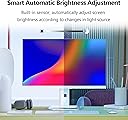
This is a great monitor, especially at the current discounted rate. You can't beat the price for a professionally calibrated monitor that allows you to set it to sRGB, Adobe, or DCI-P3 mode. It also has a built-in light sensor that can adjust the brightness of the monitor. It works for me, but some people don't like it, and the feature can be disabled through the on-screen display (OSD). One caveat: the screen comes with local dimming enabled. This works great if you use the monitor for media consumption in HDR mode. But if you plan to use the monitor for office work, local dimming makes dark mode horrible (whites are gray and colors are washed out, particularly skin tones). You can turn local dimming off in the OSD > Game Settings but ONLY if the monitor is set to STANDARD under the OSD Professional menu. If you set the monitor to any other mode (sRGB, Adobe, DCI-P3), the local dimming option will be grayed out. So, if you use the monitor for SDR (standard dynamic range, aka normal office work), set the monitor to STANDARd, turn local dimming off (it's ON by default), then switch the mode to sRGB for more accurate colors, and you are done. If you use this monitor for movies and games, you can turn HDR on (which should turn on local dimming), then Windows 11 or macOS Sonoma will also have an HDR mode in their settings > display, and you can use HDR, which looks fantastic on this monitor. But I use it for productivity, so it's SDR with local dimming off. Blacks are plenty deep for my needs even in this mode. Oh, the monitor comes with USB-C (65W of power delivery), but no USB hub ports, so that's the minor inconvenience. Also, the LED lights on the back of the monitor are off. I don't see an option in the OSD to turn them on, but that doesn't bother me at all.
K**O
Meh.
Woof. This monitor is hot garbage. It does look ok for movies but wow. On a Mac it makes the interface look horrible. There is one particular icon on my desktop that looks completely washed out and there is no setting I can apply to fix it. The backlight is crazy. And not in a good way. I was willing to overlook how corny the design was if the panel checked out but this isn't for editors, or photographers, or anyone serious about making images on a computer. If you were like me thinking you could save a few bucks and get not one but two 4K mini LED displays on the cheap you are wrong my friend. Sigh. Returned.
A**H
Great Purchase, Accurate Colors
It looks similar to an OLED monitor, it not glossy as described,the Colors are amazingly beautiful. Accurate Colors similar to my IMAC, Power Cable could be a bit more thicker, Easy to setup, over quality 9 out of 10. Audio from the speakers better than most monitors but not as good as the IMAC.
J**L
FIRST IMPRESSION is this is a great monitor for the money: UPDATED
First, a qualifier -- I got this with an Amazon $100 coupon, making the price drop to about $200. And for $200 this is.... so far... an incredible deal. There are a few caveats but so long as this thing actually keeps working, I'm super pleased. I'll give the Pros and Cons as I've experienced them out-the-gate. I'm also updating this review after having used this monitor a bit. PRO: 1) BRIGHT. Dunno if it actually hits the 1000 nits claimed, but it's definitely very bright. Certainly more than the 350-400 nits usually found at this price. I saw another reviewer complain that this is a dim monitor and I can only guess that they either got a defective monitor or didn't adjust the brightness correctly because, if anything, I find myself turning DOWN the brightness, and I work next to a southern facing window. 2) CRISP. This is a 4K monitor, and that's what you're getting. 3) HAS AUDIO. Are they good speakers? No, they're terrible. But you'll get audio without having to add speakers and, again, for the price I don't expect amazing audio. CONS: 1) UPDATE: RESTRICTIVE VIEWING ANGLE. The biggest con of this monitor -- and it's a big one -- is that the viewing angles are horrific. If you use this monitor and are sitting less than 3 feet away, you will see a vignetting (a shadow) down the left and right screen edges. This drops off the further away the screen is placed, but after using this monitor to replace a 10 year old Sony Vaio all-in-one PC with a 1080p screen that had perfectly crisp viewing edge-to-edge, it's VERY annoying. 2) UPDATE: TERRIBLE AUDIO. As noted above, this monitor does have speakers (good) but they're barely usable. They're incapable of reproducing bass so the audio sounds weak and hollow, and if the low frequencies are bumped up using equalization, the sound will simply distort. For all practical purposes, get this monitor with the perspective that it comes without speakers. 3) MENU SYSTEM IS A MESS. A joystick would have been so much easier to use. 4) NONEXISTENT DOCUMENTATION, and some of the menu items have letter abbreviations that are totally confusing without this documentation. 5) LOCAL DIMMING IS HIT-OR-MISS. Not sure if this should be considered a con or not but if you're using this for document work rather than video, local dimming creates a vignette around the page borders. This can easily be fixed simply by turning the local dimming off -- problem solved -- but be aware of this issue. Also note that while the product description says this has a glossy finish, it actually has a nice matte finish. I personally prefer the matte but if you buy this expecting glossy that's not what you're going to get. CONCLUSION: All but one of the above negatives should not be deal breakers because -- like the poor audio -- they can be accommodated or worked around. The flaw you need to decide for your personal use case are the viewing angles because there is no getting around that. If you'll be sitting fairly close to this monitor, think long and hard about how much vignetting at the edges will bother you because you WILL see this. If you'll be placing this further back, the distortion will be minimal. In the end, things are all relative. For the $200 I paid, I can live even with the screen distortion because that's incredibly cheap and the brightness of this monitor is a big plus -- I've yet to see another monitor that comes anywhere close to these brightness levels at this price point. So I give this a qualified "buy" recommendation.
S**A
Still HDR'nt
I bought this monitor for the flagship, headlining feature: MiniLED powered HDR 1000. And unfortunately, it isn't very good for that. Yes, the display does have local dimming and the blacks are pretty good, but it just doesn't get HDR 1000 bright. I spent a lot of time trying to figure out if the problem was with something I was doing, such as preferences on my mac or something like that, but connecting my PS5 to it also proved that it was just a brightness and contrast problem. I compared the Sony OLED HDR "Swordsmith" test video side by side with an actual Mini LED HDR display, and it's actually pretty easy to see that this display's HDR is just not good. The brightest parts of the scene get smoothed out and don't have a lot of contrast, like in the scene where they hold up the sword as they're tempering it the sword is vibrant on my mac but a splotch of orange on this monitor. My guess is that while it has local dimming which makes the contrast between dark and bright pretty good, contrasts between bright colours is really bad. It also doesn't let you tweak picture settings on HDR (though this is fairly common) - you get three presets, and if none of them work for you, you're out of luck. At the asking price, given that it doesn't have a USB hub built in, I don't see any reason to buy this over a cheaper 4k monitor, given that there's several options in the $200 range that will be just as accurate and bright in non-HDR modes.
D**L
Excellent monitor for the price!
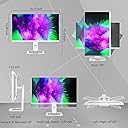
Note: Computer and cables can affect performance and actual picture of any monitor. You can see this in my video where I switch the monitors between a USB-C 4 cable, a DisplayPort cable and a USB-C to HDMI cable. Sometimes a persons poor experience is due to their setup. In our house, we had five monitors consisting of two different models by Asus. I got this monitor to upgrade some of our HD monitors. I received the first INNOCN 27" Mini LED 4K Monitor through the Vine program and when I saw how good of a monitor it was, I immediately order a second to place as our main monitors that my wife uses in her home office. They are great monitors for the price! The stand this monitor comes with is the best I have seen yet. It provides adjustments typically only provided by a separate monitor stand: Tilt up-down, swing left-right, raise-lower and rotates vertical position. Awesome! If I didn’t have the dual VESA mount stand already I may have just used these stands instead. The monitors fit my VESA mounts with no problems. Audio. For a monitor, the audio this puts out is okay! It sounds much better than the other monitors these replaced, however this is not the sound that I would want to listen to music or watch a video, but is good sound for a basic user to hear what is going on. My MacBook does a better job with stereo sound, so I will use that as my source. The INNOCN monitor does have a headphone/speaker jack if you so desire. Connections: I connected this to my computer with all three methods - USB4/Thunderbolt, DisplayPort and HDMI. Each connection provides a slightly different picture. I personally like the DisplayPort the best and HDMI second, but the USB connection does charge a computer at 65 watts. Picture: This monitor has a great picture and can get really bright. I am running mine at 50% brightness and I like bright monitors. It has lots of settings to adjust via the onboard buttons, This method is a bit clumsy, but is very typical in most monitors and something you do not adjust very much. The monitor does have lots of setting options. The picture quality is good. My wife has used these monitors 6-8 hours a day, 5 days a week. She did have one issue where the edges of the screens were too dark particularly on screens using the Dark Mode. However turning off the “local dimming” option fixed this issue. She found these monitors are easier on her eyes than the previous Asus models we had. I use these monitors if I am working on a 4k project or need the 4k screens. The picture really does POP! Between the two of us we have used these monitor on MacBook Pro with an Intel chip, MacBook Pro with M2 chip, MacBook Air with M1 chip and a windows computer. They all worked well with this INNOCN 27" Mini LED 4K Monitor. Credits: The videos used for demo are from the 4k page of the CableLabs website utilizing the Creative Commons Attribution-NonCommercial-NoDerivs 3.0 Unported License. I do not own this material: The balloon video is Film By: Daryl Malas “Lifting Off” Music Title: A Brand New Day Performed By: DJ Skillmaster (Audio not used) The Firemen video is by: Film By: Eric Klassen “Seconds that Count” Firemen: Shane Deines, Ryland Gardner, Andrew Dutchman, Jason McKean, Chad Rennich, Mitch Sprague, Kris Krckova. Lyons, CO Fire Chief: J.J. Hoffman. Lafayette, CO Fire Chief: Dave Friedel Special Thanks: Ryland Gardner, J.J. Hoffman, Dave Friedel, All the Lyons and Lafayette, CO Firemen (Audio credits not listed. Audio used in clip.)
D**E
Mediocre
With default settings, images had clipping in highlights (anything 80%+), which is unacceptable for a monitor sold on color accuracy and including a calibration chart. I needed to add custom profile with R, G, and B all set to -26. Slow response to controls when a lacking signal, makes switching sources mildly annoying. Loss/gain of signal on an input not currently being used can blank the screen temporarily, ie: PC goes to sleep and my Mac goes black for a second or two... why? Picture in Picture mode doesn't always negotiate signal, giving a black box... have to turn PIP off and on again and hope it works. Sound quality is very poor... I'm using my PC laptop and Mac mini built-in speakers instead. In HDR modes you lose the any ability to change image settings. Despite all that, the monitor seems okay. It's difficult to recommend, but good enough I'm not in a rush to replace it.
Trustpilot
3 weeks ago
2 weeks ago