We remain fully operational. Our teams are working around the clock to ensure your deliveries continue safely.

DOWNLOAD THE APP


Copyright © 2025 Desertcart Holdings Limited
DOWNLOAD THE APP
![SABRENT Rocket Q4 2230 NVMe SSD 2TB – PCIe Gen4 M.2 Internal SSD for Steam Deck, ROG Ally, Surface Pro, Mini PCs – DRAM-Less QLC, Up to 5GB/s, Single-Sided, Compact Form Factor [SB-213Q-2TB]](https://m.media-amazon.com/images/I/7187S21PB5L._AC_SL3840_.jpg)




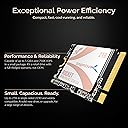

⚡ Upgrade your device, upgrade your game — speed and space that keep you ahead!
The SABRENT Rocket Q4 2230 NVMe SSD 2TB is a compact, high-performance PCIe Gen4 M.2 internal SSD designed for space-constrained devices like Steam Deck, ROG Ally, and Surface Pro. Featuring up to 5GB/s read speeds, a massive 2TB capacity, and a DRAM-less design with Host Memory Buffer, it delivers fast, efficient, and cool operation. The single-sided 2230 form factor fits tight spaces, while included Acronis cloning software ensures seamless upgrades without reinstalling your OS or losing data.


| ASIN | B0C5YS3QY4 |
| Additional Features | Gen4 NVMe SSD Controller, Single-Sided Form Factor, Up to 5GBps Speeds, Up to 800,000 IOPS |
| Best Sellers Rank | #179 in Internal Solid State Drives |
| Brand | SABRENT |
| Built-In Media | ssd |
| Cache Memory Installed Size | 2 |
| Color | Black |
| Compatible Devices | Asus ROG Ally, Microsoft Surface Pro x Tab, Ultrabook and many more, Valve Steam Deck |
| Compatible Video Game Console Models | ASUS ROG Ally, Valve Steam Deck |
| Connectivity Technology | PCIe |
| Customer Reviews | 4.8 4.8 out of 5 stars (899) |
| Data Transfer Rate | 5000 Megabytes Per Second |
| Digital Storage Capacity | 2 TB |
| Form Factor | M 2 |
| Global Trade Identification Number | 00840025260283, 08400252602830 |
| Hard Disk Description | Solid State Drive |
| Hard Disk Form Factor | 2230 Inches |
| Hard Disk Interface | PCIE x 4 |
| Hard-Drive Size | 2 TB |
| Hardware Connectivity | PCIE x 4, Solid State Drive |
| Hardware Platform | Linux, Mac, PC |
| Installation Type | Internal Hard Drive |
| Item Type Name | internal solid state drive |
| Item Weight | 0.1 Ounces |
| Manufacturer | SABRENT |
| Mfr Part Number | SB-213Q-2TB |
| Model Name | Rocket Q4 2230 |
| Model Number | SB-213Q-2TB |
| Number of Items | 1 |
| Read Speed | 5000 Megabytes Per Second |
| Specific Uses For Product | Multimedia |
| UPC | 840025260283 |
| Unit Count | 1.0 Count |
| Warranty Description | 2 years limited. 3 years with manufaturer registartion. |
P**R
Perfect for my ROG Ally
Love that now I have 2TB on my ROG Ally but you do only get 1.8TB of the storage but that is still plenty for most of your games and stuff.. easy to install and once you install it, well it does take a while since you have to re installing everything in the handheld and downloading games and apps are really really fast.. I got a steady speed between 600 to 700MB when downloading a game and it took about 30 minutes or less to download a game that has about 120GB.. the initial boost when downloading a game with this SSD was about max 900 and something MB for like 2 min and then it dropped to 600 to 700MB per second.. no problems with this SSD and just perfect for the ROG Ally.. highly recommend and worth the price for it
J**O
Install a 2230 NVME 2TB SSD in The Lenovo Legion Go
This 2230 SSD works great on the Lenovo Legion Go! If you are buying this for the Lenovo Legion Go, here's what you need to know. It is single-sided and fits perfectly with an extended adapter plate to make it 2242 in size to fit the Legion Go. It runs cooler than double-sided NVME drives. When you install it, also install a 1mm thick thermal pad over the hard drive itself. You will thank me later. Once you do that, install the original foil that comes on the stock SSD onto your new SSD while covering the SSD and the thermal pad. This SSD will run nice and cool under load, 60 to 70 degrees. While not under gaming load it will hover in the 40 to 50 degree range. DO NOT install a copper heatsink over the SSD and thermal pad. The space is tight and it will generate more heat. PH00 scrw driver to remove the backplate and a PH1 to remove the SSD. Do not over-tighten. Use guitar pick to release backplate clips. Slow and steady wins the race. I used a Ugreen NVME elnclosure to clone the original SSD straight from the Legion go. If you want the copy to go faster, free up some space on the stock SSD.
R**Y
Good little ssd
Works good and as intended. I've bought a couple of them now for different reasons. Haven't had an issue with any of them.
N**H
Perfect for ROG ally
After undergoing 13 gigs of updates through windows, I realized 512 gig and even 1T won’t cut it. After fully setting the drive up via the ASUS cloud recovery that popped up when I put the drive in and turned the system on, I had 1,875 gig left give or take, validating the price immediately. FPS and loading seem unchanged but stutter and pop in are basically gone (in RDR2 especially) unless the gpu or the system itself throttles or something else outside of the SSD control. Easy to install, cloud boot took over no special need for a thumb drive or SD card. Happy with the 2T from a trusted brand. The faster RW speed reduced stuttering considerably!
T**K
Overkill for a steamdeck or surface but the density is right!
I purchased a steamdeck and managed to pick up a 2TB grey market western digital drive (guessing for a surface off of Amazon) and had my 512GB steamdeck drive slapped into my surface pro 9 that only came with 256GB of storage. Half a year later I wanted a larger drive for my surface so that I can dual boot it and use it like a giant kindle so I looked around and found out about the new Sabrent model. I recall a rep talking about the 1TB model and stating they hope to be able to release a 2TB model if it fits their thermal specs and four months later things went well and we have this 2TB model. If I had to do it again I would have put one of these in my steamdeck as well but luckily my weird 2TB drive is going strong but after great luck with Sabrent I'm a happy camper with this 2TB drive in my Surface Pro 9. I use Sabrent PCIe to M.2 adapters and I also use their 4TB gen 3 drives in a six drive ZFS array that I play game off of over 25Gbps OM4 optics. So I trust Sabrent drives enough to offload all my high speed NAS usage needs to an all NVMe RAID built from their drives and I find their M.2 to PCIe adapters quite handy given I'm using a motherboard lacking PCIe lanes to M.2 sockets so their adapter boards have come in handy in expanding my RAID to 6 drives and I bet I can pull off a 7th with a x8/x8 bifurcation adapter for my raptor lake CPU. I always thought M.2 2230 was a dumb standard, now I get it. I hope the slightly longer standard of 42mm, starts to take off after the success of this product. For those of you who are only familiar with M.2 2280, the way to decode that number is M.2 22mm x 80mm. All M.2 drives in the consumer space are the same width (all are typically PCIe x4 so this can't change much) and so only the length of the card differs. This is the shortest kind of M.2 since it's only 30mm in length, which is why it's a "M.2 2230" card. Before you purchase this card, make sure you really need a short M.2 2230 drive, perhaps a 2242, 2280 (very common) will fit and on the plus side the performance should be better since higher end controllers can be used, especially in the very common M.2 2280 form factor (22mm by 80mm "stick of gum" form factor). It's great that this card is gen 4 for future proofing, but most of the devices that can accomdinate this card today are not going to put that bandwidth to great use so expect some slight slowdowns (or a lot on the steamdeck, not that you should be expecting much there in the first place). Very happy using this product to dual boot Windows 11 Pro and Linux Mint 21.1, I think split the drive in half Windows:Linux 50:50 and it's working great. Again make sure the device you are attempting to purchase this drive for really needs a M.2 2230 drive to fit. I can use it on a Surface Pro 9 and Steamdeck which are small/thin requiring such a short (30mm) M.2 drive. If your system can accomindate a longer drive like 80mm (M.2 2280) then get that since cooling will be better and performance much higher. This drive is made for small stuff so use it in small stuff, otherwise go with something where the thermals/performance will be better, the only use case that makes sense of using this drive in a M.2 2280 socket would be to leverage the drive later in a compact device. But for compact spaces this drive thrives and I'm glad it was brought to the market.
S**N
Love it, great little 2T drive
I bought the 2TB for my Steam Deck. It was way more drive than I needed, but it worked great. Good quality, great performance. I will buy another when I need one for another project. I now have it mounted in a lap top
N**.
The best SSD for your ROG Ally
What more can you ask for? Tons of space, super fast speeds, and of course, the quality of the Sabrent brand. It's very easy to install inside the ROG Ally, which means I'd assume it's an easy process for the steam desk as well. Games load super fast and I can fit way more content than I could before. Definitely a MUST BUY if you plan on using your ROG Ally/Steam Deck with as big of a library as your main PC, Or if you're using it as your primary device.
J**S
Look inside your device before you order the drive.
Even though I received this drive a while ago, it was just this weekend that I was able to install it because it needed an extension for the mounting. So, make sure you look inside your device before you order the drive. So far, it works great. It's faster, even though the replaced drive was a SSD.
Y**I
سعة التخزين 1.8 تيرا ، والجهاز مرتاح مع التخزين، والاداء فرق معي مع SSD حق شركة ASUS ، يستحق الشراء ولكن السعر مرتفع شوي
R**L
👍🏼
G**Y
Die Sabrent tut was Sie soll. Die Lese- und Schreibgeschwindigkeit sind hervorragend. Ich schreibe jetzt hier keine Wischi Waschi Benchmark Daten für Enthusiasten. Alles in allem kann man aber sagen, fühlt sich der Gebrauch des Speichers bein installieren, kopieren von Daten sehr flott an. Das kleine 2230er Format ist zudem ideal geeignet für kleinere tragbare Computer/Handhelds, die nur kurzere Längen der M.2 Varianten zulassen. Für normale PCs empfehle ich aufgrund des Kaufpreises eher die gängigen langen Größen, da diese zum Teil wesentlich günstiger sein können.
A**E
Installé pour ma ROG ALLY, le SSD a été immédiatement reconnu par le bios. J’ai maintenant 2Tb de stockage sur ma ROG ally et c’est vraiment agréable. Les jeux se chargent à une vitesse folle, la technologie embarquée sur ce modèle fait des merveilles. J’installe ce que je veux et j’y joue où je veux 🙏. C’est top 👍
A**F
A must upgrade
Trustpilot
2 weeks ago
1 month ago