Buy anything from 5,000+ international stores. One checkout price. No surprise fees. Join 2M+ shoppers on Desertcart.
Desertcart purchases this item on your behalf and handles shipping, customs, and support to Iceland.
๐ฏ Elevate your Radeon experienceโHDMI audio & video, no compromises!
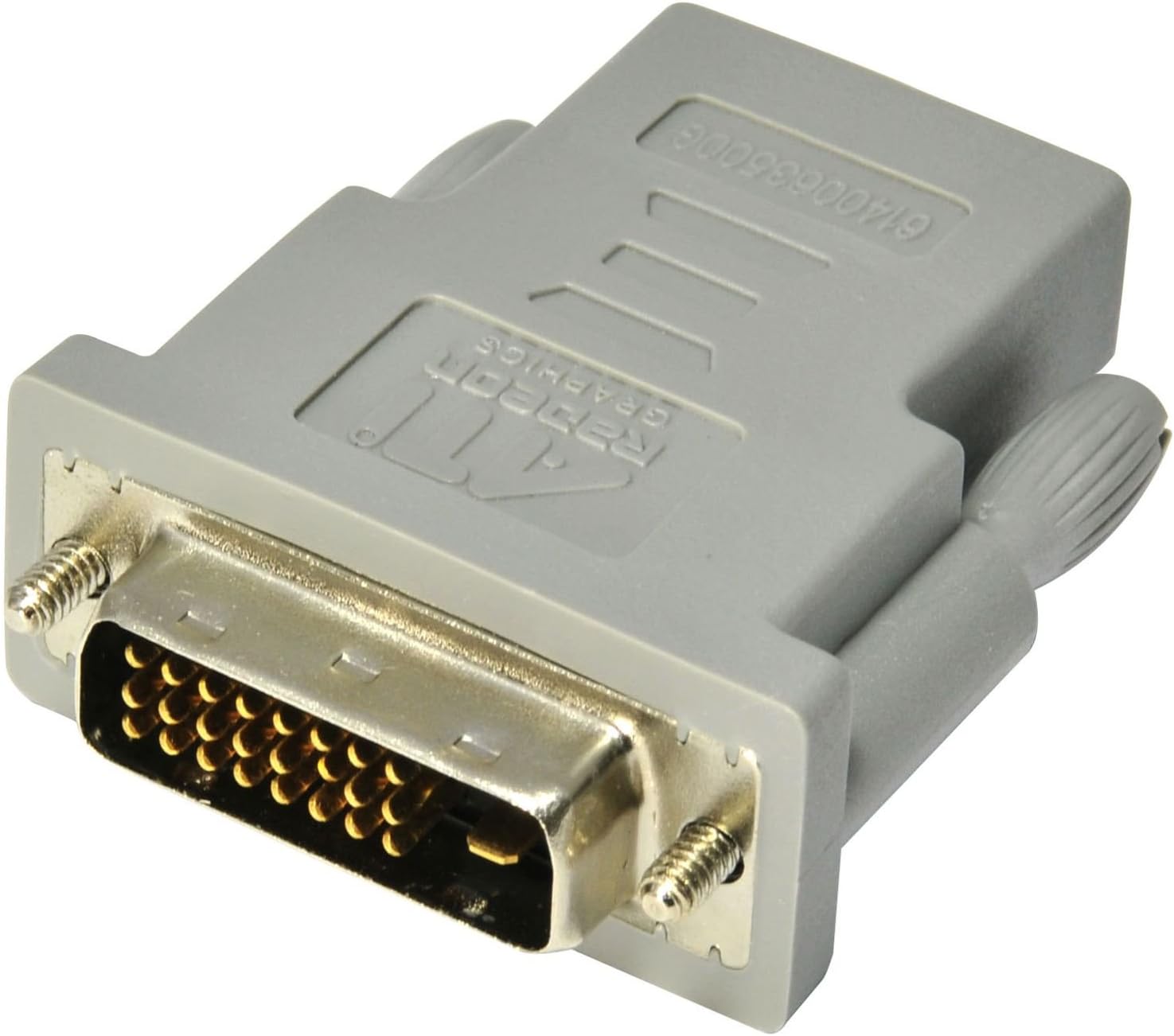
The HIS HHDMI4071 adapter converts DVI output from ATI Radeon HD 3000 to 6000 series graphics cards into HDMI with full audio support, utilizing AMD Vision Engine software. Compact and reliable, it ensures seamless ultra-high definition video and sound transmission, backed by a 2-year warranty.
| ASIN | B0028Y4FWK |
| Best Sellers Rank | #22,146 in Audio & Video Connectors & Adapters |
| Brand | HIS |
| Connector Type | DVI, HDMI |
| Customer Reviews | 3.8 3.8 out of 5 stars (59) |
| Finish | Hdmi |
| Global Trade Identification Number | 04895139000481 |
| Item Dimensions | 1 x 0.8 x 0.5 inches |
| Item Weight | 1.6 ounces |
| Manufacturer | Hightech Information System Limited |
| Model Number | HHDMI4071 |
| Number of Items | 1 |
| Number of Ports | 2 |
| Package Quantity | 1 |
| Unit Count | 1 Count |
| Warranty Description | 2 years |
O**K
For converting DVI to HDMI w/AUDIO on at least ATI HD 4xxx and up cards.
I bought this in June of 2011 to use on an MSI ATI Radeon HD 5670 512MB GDDR5 slim profile video card for my Home Theater PC. That particular card came equipped with D-SUB (VGA), Display Port, and a special blue DVI port. Unfortunately the Display Port to HDMI adapters and cables I bought were incompatible with my Sony BRAVIA EX 400 , but the product packaging insisted on conversion to HDMI w/audio. After researching, I discovered that the blue DVI port carried audio information along with the standard digital video information and could be adapted to HDMI with a special adapter. Doubly unfortunately, the video card didn't come with this special adapter in the box so I had to search the web and brick-n-mortar stores for it. After three false purchases, this is the DVI/HDMI adapter I finally bought and the adapter that finally worked! Brilliant! Move forward in time to March 20th, 2012. I ordered a new video card to upgrade over the last one. This time it was an HIS Radeon HD 6670 1GB GDDR5 Low Profile Graphics Card which comes standard with an HDMI port as well as VGA and DVI options. Unfortunately, the HDMI port didn't work when using either my Sony BRAVIA 40" LCD HDTV , ASUS 27" LCD Monitor , or Acer 23" LED Monitor . Just to get my HTPC working again, I installed this HIS DVI/HDMI adapter and viola! Video AND Audio were both sent out through this adapter via the existing HDMI cabling going to my TV! After contacting HIS tech support for the video card, I arranged to exchange it for a new card with a working HDMI port. I no longer have a use for this adapter, but while I did, it did its job admirably. I'm not sure of the implications of this in totality, but it seems that most Radeon HD 3xxx, 4xxx, 5xxx and up are engineered with both video and audio signals being send out via DVI so that they may be converted/adapted for hdmi with this adapter. If you're in a similar situation to the one I was in last summer and need the proper adapter to get your audio and video out on a Radeon HD card, this is the adapter you need!
J**Y
Works great...
Not only does it convert DVI to HDMI but it also carries sound with it by using the AMD Vision Engine (formerly ATI Catalyst Control Center) software and it will install the necessary drivers. In other words your computer's audio channel can feed your sound from your DVI port to your HDMI connected TV. Just make sure to install your latest AMD Vision Engine Software from amd.com and toggle it in your default audio settings to get it to work. If it does not work either your not setting it right or you do not have a genuine ATI Radeon adapter. Make sure the adapter is genuine AND it is for your graphic card.
B**T
Works Great
What else can I say, the thing works exactly as advertised. I just wish that ATI would be more clear with their requirement for the DVI to HDMI adapter to be ATI specific. I guess it makes sense but really you could put that on the package. I tried a DVI-to-HDMI cable and a DVI to HDMI converter and neither would give me sound. After months of trouble shooting, driver reinstalls, etc. I finally found on some user forum that the dongle had to be ATI specific to allow sound. Just to clarify, I always was able to get picture just not sound.
P**E
Not for ALL 3000 and 4000 Series Cards
The Good: It worked as a DVI-to-HDMI adapter (big deal) The Bad: No sound as claimed because it does NOT work on ALL series 3000 and 4000 cards Misleading advertising. The box clearly states: "Support the ATI Radeon HD 4800, HD 4600, HD 4300, HD 3800, HD 3600 & HD 3400 Models". That is NOT all of the ATI Radeon HD 3000 and 4000 series video cards. I have the HD 3100 series cards. They don't work. So if your exact card is not listed, don't expect it to work either. If they had advertised these correctly, I wouldn't have wasted my time and money on these. Even if they are a really good deal. Upon further research, the company website says this also: [...] * Connects HDMI-Enabled Components With DVI-Enabled Sources * Enjoy the ultra-high definition video and audio HDMI delivers * Support the ATI Radeon HD 6000, HD 5800, HD 5700, HD 4800, HD 4600, HD 4300, HD 3800, HD 3600 & HD 3400 models So HIS couldn't bother to put this in the tech specs or the URL to their webpage? What's up with that? They also have to customer service (unless you want to call China). My plan was to connect my PC to the surround sound system that connects to the HDTV. Easy-peasy. Download the movie and watch it. But it was not to be. I was hoping to do this rather than buy a new video card. I'm more disappointed than anything, but 1 star for false claims every time. PS: Be a comment below, as you will notice the listing has been updated. That is because I submitted a change to Amazon and they accepted it. The system does work. But my 1-star still stands for burning me originally. Cheers.
A**R
Two Stars
It's not working at all no audio at all
P**L
Audio heaven!
Ah finally! After trying cable after cable on my neighbor's Radeon HD 4850, I discovered this little adapter gem. Basically, your DVI to HDMI cable probably won't give you audio - for reasons relatively unknown. However, this DVI to HDMI adapter + an HDMI to HDMI cable WILL work. Instructions: 1.) Plug DVI adapter into your Radeon card's DVI port. 2.) Connect HDMI cable to the adapter, and the other end to the TV/audio receiver etc. 3.) Celebrate your new-found audio! Just as the image on Amazons shows, the adapter says "RADEON" on it, and I'm assuming it's an OEM part. All I needed to do was go into the audio settings on my Windows 10 PC, and change the audio output to HDMI, and all sound plays perfectly. So if you're struggling to get audio out of your Radeon card (models listed in the item description), this should do the trick! 5 stars out of 5. Highly recommended, and installed in mere seconds.
Trustpilot
5 days ago
1 month ago