We remain fully operational. Our teams are working around the clock to ensure your deliveries continue safely.

DOWNLOAD THE APP


Customer Services
Copyright © 2025 Desertcart Holdings Limited
DOWNLOAD THE APP
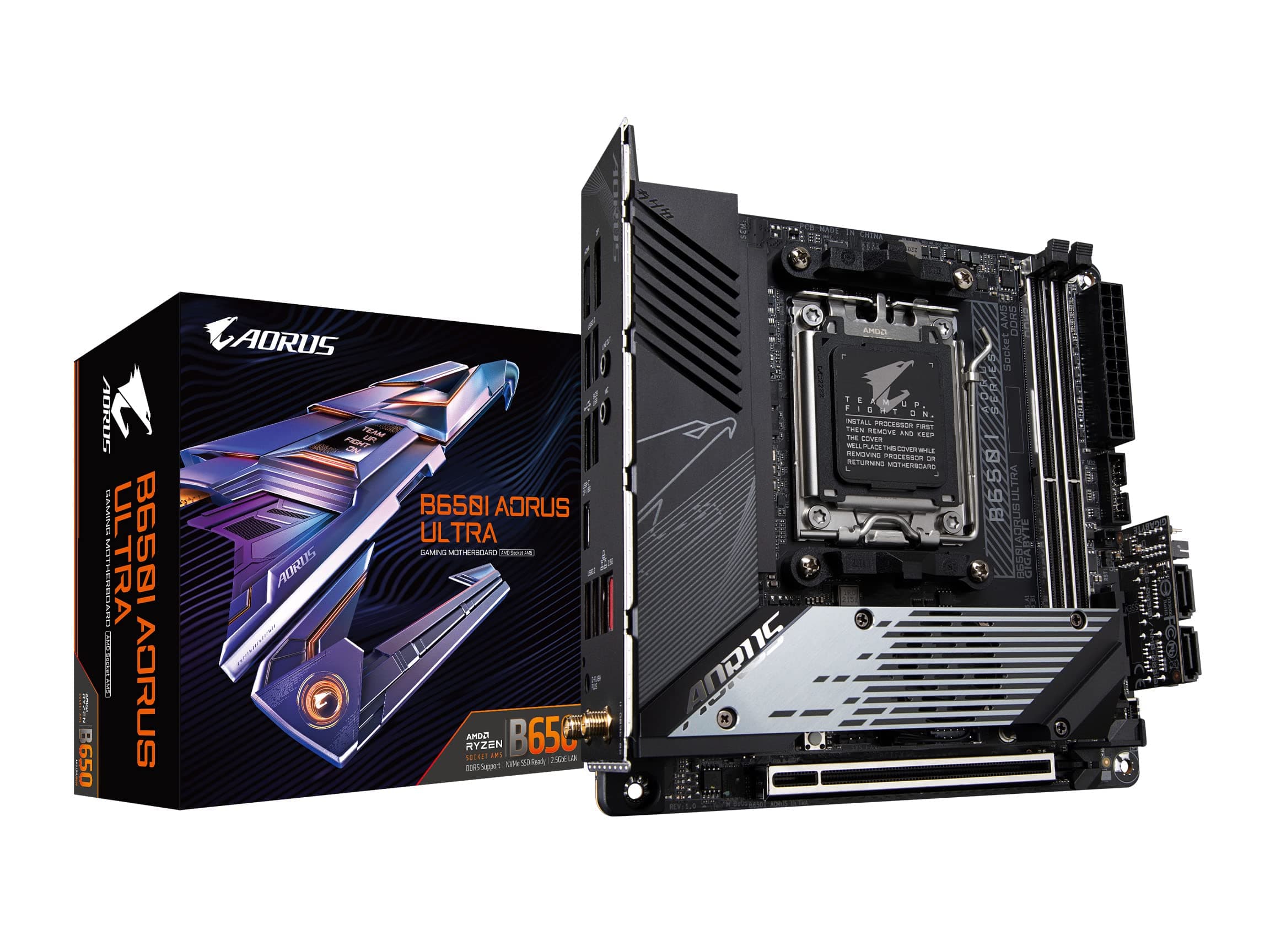
🚀 Power Your Mini-ITX Build with Next-Level Speed & Stability!
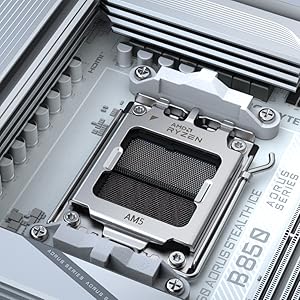
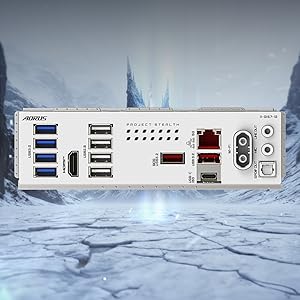
The GIGABYTE B650I AORUS Ultra is a compact Mini-ITX motherboard designed for AMD Ryzen 7000, 8000, and 9000 series processors. It features cutting-edge DDR5 memory support up to 7200 MHz, a robust 8+2+1 phase power design, PCIe 5.0 M.2 slots for ultra-fast storage, and advanced thermal solutions including active M.2 cooling. With WiFi 6E, 2.5GbE LAN, and USB-C 3.2 Gen 2, it offers premium connectivity options tailored for high-performance, space-conscious builds. Ideal for professionals and enthusiasts seeking a powerful, future-proof foundation in a small form factor.

| ASIN | B083R826VW |
| Best Sellers Rank | #3 in Computer Motherboards |
| Brand | GIGABYTE |
| CPU Model | Ryzen 7 |
| Chipset Type | AMD B650 |
| Compatible Devices | Personal Computer |
| Compatible Processors | AMD Ryzen 7000 Series, AMD Ryzen 8000 Series, AMD Ryzen 9000 Series |
| Customer Reviews | 3.7 3.7 out of 5 stars (204) |
| Global Trade Identification Number | 04719331850425 |
| Graphics Card Interface | PCI Express |
| Item Dimensions L x W x H | 9.25"L x 3.74"W x 8.94"H |
| Item Weight | 1 Kilograms |
| Main Power Connector Type | 24-Pin |
| Manufacturer | GIGABYTE |
| Memory Clock Speed | 7200 MHz |
| Memory Slots Available | 2 |
| Memory Storage Capacity | 128 GB |
| Model Name | B650I AORUS ULTRA |
| Model Number | B650I AORUS ULTRA |
| Number of Ethernet Ports | 1 |
| Number of Ports | 10 |
| Platform | Windows 10, Windows 11 |
| Processor Socket | Socket AM5 |
| RAM Memory Technology | DDR5 |
| Ram Memory Maximum Size | 128 GB |
| System Bus Standard Supported | SATA 3 |
| Total PCIe Ports | 1 |
| Total SATA Ports | 6 |
| Total Usb Ports | 8 |
| UPC | 889523034392 |
| USB 2.0 | 2 |
| Warranty Description | 5 year (register online) |
S**Y
Impressive Mini-ITX for price
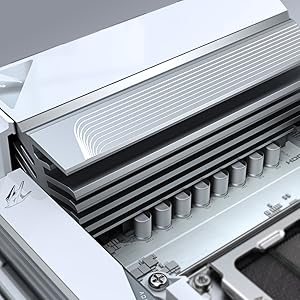
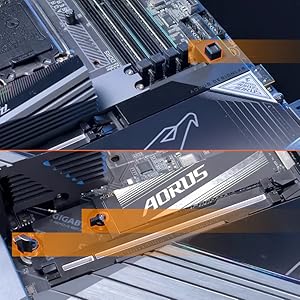
For under $200 is a very impressive MOBO and well thought out for Mini-ITX form factor. First this board has a lot of Heatsink this is necessary for Mini-ITX as all this metal smoothes out the temperature spikes that occur during periods of activity which are common for the desktop user environment, a few seconds of full out followed by 10+ seconds of low activity is typical. This is morte important for ITX as many ITX cases have limited airflow. For the primary NVMe SSD it has again plenty of metal ON BOTH SIDE of SSD and a tiny fan built into the heatsink to ensure it stays cool enough even under a long period of continuous access. The biggest killer of these NVMe SSD's is heat and this kept my high performance 2TB SK Hynix SSD at 67C when being continuously written to for over a minute in a room at 28C ambient. It can also hold a second full length NVMe SSD on the back side if the MOBO but this slot offers little in the way of heatsink and is not very high. I used this in a build with an AMD 8600G that when run full out with FurMark running and a 12 core AVX-512 CPU workload drew 120W with just CPU fan (Noctura low profile) and NO case fans the CPU only reached 77C, not bad. I also like the NO CPU BIOS Q-Flash feature as it allows this MOBO which for the one I received was manufactured in 2024 (18+ months ago) to accomodate the latest AM5 CPU's by being able to flash a recent BIOS that supports one of these never chips with NO CPU installed. The Wifi chip used is compatible with Linux at least Ubuntu 25.10 as is all other MOBO hardware except for the Super IO chip and this is a common issue as the main stream Kernel it87 driver has not seen an update in years. It is possible though that frankcrawford/it87 module on GitHub which supports many never it?? chips will work as it does for most never MOBO's The only gripe I have and this is in part with Amazon is they never show the Motherboard version that you will get! In my case I got a version 1.0 and there are apparently 2 newer versions! Gigabyte does not seem to say on there website what is different but it does make one wonder what am I missing by getting the 1.0 version versus one of the newer versions?
J**.
Faulty Board, Garbage Customer Service, Buy from someone else
The board died on me, on it's own, seemingly spontaneously in under six months. When I contacted support for the 5 yr warranty, the website was a struggle to find the right place to submit the claim for, and then it took a month to hear back from them. I got tired of waiting so I reached out by phone and then was told I needed to call someone else on a different day. So I did that and found out that they had responded two weeks ago, to a completely random non-sense email that had nothing in common with my email which I had entered in multiple places on the submission form, and which I had received an automated response from them when I first submitted the claim. I had to pay shipping despite the website saying that you only had to pay shipping if you were outside the US, because they never sent me a shipping label to print. After that they told me they couldn't honor the warranty unless I paid $100 after I had already paid $40 for shipping - because the CPU socket was damaged. I had gone through a lot of trouble before I shipped the board to both take pictures of every inch of the board before shipping, and to work with UPS to protect that specific portion of the board while they were packing it. We ensured that there were no loose elements, and that even if the package were thrown around it wouldn't affect the socket. Additionally the board was in the factory card board frame to secure it in place in the box. It's possible but highly unlikely that it was damaged in shipping and far more likely that it was damaged by Gigabyte on arrival and the tech didn't want to get in trouble so they pretended it showed up that way. Regardless of exactly how the damage happened, they didn't care, didn't care about my pictures, and didn't care that this new damage isn't my fault. So despite the fact that it had a 5 yr warranty, despite the fact that I had to already pay for shipping, it was going to cost me an extra $100 beyond that to get it fixed, and even after the socket would be fixed they would still need to find and address the original problem that destroyed my computer in the first place. They could have just comped me a new board at that point, because there was a chance even after the repair that they would have to do that, but they were unwilling. If I buy something, and through no fault of my own it stops working during the warranty period, I shouldn't be out a dime for the entire process. I'm already inconvenienced by the breakage that shouldn't have happened, I'm already out the productivity loss of not having my device. If something is your fault you fix it and do your best to make it right, and Gigabyte failed to do any of this. So I refused to pay the $100, and now have a broken board in worse condition than I sent it in, and am out shipping money. Honestly screw Gigabyte, I bought a motherboard from a different company and will not be buying Gigabyte products again, and neither will anyone I build machines for, which isn't nothing because I have built 9 other machines this year for people I know.
D**I
Fantastic MB
About a year ago I purchased Asus Rog Strix B650E-I for $340. It's a fine MB but it has a loud and annoying coil whine. Just recently bought this Gigabyte B650I AORUS ULTRA used for $170, and it's super silent, boots faster, works great and has 3 NVME drive slots. I'm supper happy with this purchase, thank you Gigabyte and Amazon.
N**N
Maximizing features at a severe cost of user-friendliness
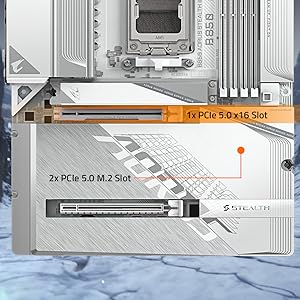
Pros: - Only AM5 ITX board to have 3 M.2 SSDs - 12 layer + 2 DIMM Slots should provide adequate RAM OCing capabilities - VRMs max out to manageable temps in my SFF case Cons: - Dongles + Add-On cards make cable management a pain - Random placement of important headers make cable management nearly impossibly (Front Panel audio header is in a near-impossible to leverage spot underneath the top M.2 bed) - Back M.2 SSD requires taking off entire rear protective plate which also holds in the IO shield, will require careful handling and rescrewing - ITX board so only 3 usable Fan_Headers, with one doubling as Pump header and a fourth one used up by M.2 SSD fan Notes (not cons or pros): - B650I chipset on launch so no PCIE 5.0x16 slot on this board - Front 2 M.2 slots are Gen 5 (top) and Gen 4 (bottom) to CPU, back M.2 is Gen 4 to chipset. Conclusion: They're cramming in and giving you as much possible for the price vs other ITX boards, but at the cost of your sanity. You were warned.
A**E
Funcionando perfeitamente. Vendedor muito honesto e prestativo.
A**9
I ordered it and i found out when i received it the version is 1.0 and there's two newer versions which it's 1.1 and 1.2 , and I'm gonna to recommend you if it's possible to check before ordering if it's 1.0 don't buy it specifically if u going to use amd cpu because i ran into cold boot issues that i had to replace my wifi card because it won't work on cold boot and found out in the Internet some people had the same issue and the solution was change the wifi card
D**D
Dd
T**A
With so many features, If you're building an AMD rig, this board is a solid pick for sure! Great for overclocking and underclocking to keep the temps in check
4**S
The FPANEL is interesting and requires using the 'chip' to insert and stabilise into the Motherboard. Take care, as they are small fragile components. Take your time. Support for up to 3x NVME drives is amazing. 2 are in the front of the motherboard and have a common heatsink. There is 1 storage location on the back of the motherboard that has a heat pad on the back that connects to the backplate. Overall, very, very impressed and happy with this motherboard. Unfortunately, this motherboard is only considered 'mid-tier' and lacks previously standard features such as a debug LED/light system. For the right price, you'll really enjoy this variation of the motherboard. Note: My Revision version was 1.00. Revision 1.01 had issues - Check online. Revision 1.02 was okay.
Trustpilot
5 days ago
1 month ago