
DOWNLOAD THE APP


Customer Services
Copyright © 2025 Desertcart Holdings Limited
DOWNLOAD THE APP


🌟 Elevate your game with Apex 350 — where speed meets style and control is king!
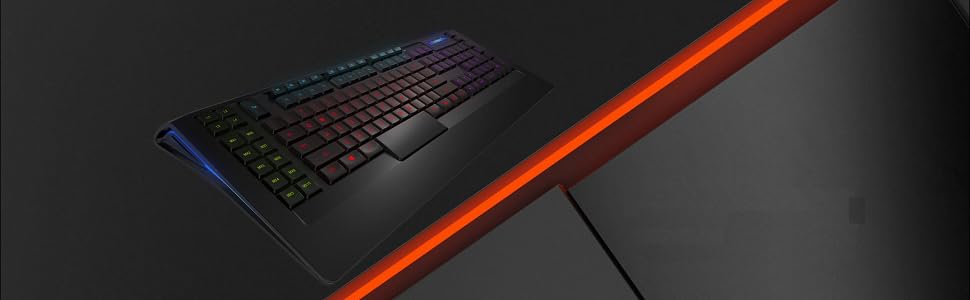
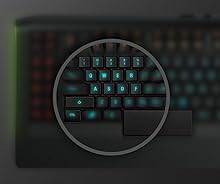
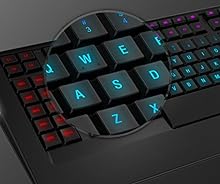
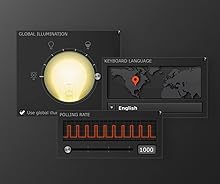
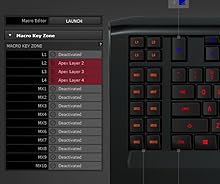
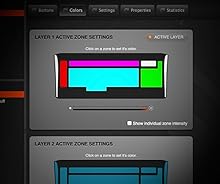
The SteelSeries Apex 350 is a premium low-profile gaming keyboard featuring 126 keys, 22 programmable macros, and 5 customizable RGB lighting zones with 16.8 million colors. Designed for pro-level responsiveness with anti-ghosting and dedicated media controls, it offers ergonomic comfort and advanced customization through SteelSeries Engine software, making it a must-have for serious gamers and multitasking professionals alike.

| ASIN | B017EVRT7O |
| Are Batteries Included | No |
| Brand | SteelSeries |
| Colour | Black |
| Customer Reviews | 4.1 4.1 out of 5 stars (123) |
| Date First Available | 4 Nov. 2015 |
| Form Factor | 126-key Gaming Keyboard, low profile; 20-key anti ghosting, 16.8 million color illumination, 22 macro keys |
| Guaranteed software updates until | unknown |
| Hardware Platform | PC |
| Item Weight | 1.33 kg |
| Item model number | 64470 |
| Manufacturer | SteelSeries |
| Number of USB 2.0 Ports | 2 |
| Operating System | Windows 10 |
| Power Source | USB power |
| Product Dimensions | 50.93 x 22 x 5.21 cm; 1.33 kg |
| Series | Apex 350 |
D**R
This keyboard is amazing. I'm someone who was looking for a good keyboard in the 100 dollar range, meaning not that many mechanical keyboards to choose from. I led my choices down do the Corsair Black and Red STRAFE with Cherry Brown Keys, a Logitech G700 keyboard, and a ROCCAT Isku Illuminated. The thing is if I had more money I would've gone for a better mechanical one, but I didn't so the only ones I could choose were the 3, and the ROCCAT one wasn't even mechanical. That's when I discovered Steelseries, and the Apex 350 really stood out to me. It has over 20 macro keys, a wrist rest, and you can switch between 4 lighting effects the the top left L keys. So what made this keyboard a bit pricey besides all that? The keys are whisper quite, so quite my mic never picks up the clicking which is really important since I'm streaming and recording gameplay nearly all of the time. I mean sure, the RGB/Illumination was probably more expensive than the keys being whisper quite, but this keyboard still is fantastic. It took awhile to get used to (as in a couple hours only) because I've been using a small, crappy 2005 keyboard for everything so switching to this giant is a big jump. I did need to move thing off of my desk, although it is a small desk in the corner of my room so my fault, but if you don't have a big desk you might need to move stuff around. The lighting effects of the keyboard are very cool to me and in games such as CS:GO, it'll show different effects. When I'm close to death, the main keys will switch from bright to dark, and when dead they go off. It also blinks up really cool and flashes when I get a kill, and of course you can customize what colors you want for these effects and make your own settings for any game you have. They might not be true RGB keys, but this is good enough to please me. The Macros are useful for games such as Guild Wars 2 and other MMO's, and I'm guessing will be good for MOBA's if you like those games (speaking of MOBA's, it has effects already set for Dota 2 if you enjoy that) and they are easy to use if you don't want to spend money on a MMO/MOBA dedicated gaming mouse. The 2 cons about this keyboard is that it needs to be powered by plugging into 2 USB ports, but the good thing about that is it gives you the 2 USB ports back on the side of the keyboard facing away from you, so not really a con actually, meaning the only con is that the driver software doesn't automatically install, you have to go to the website and download it yourself. They did this so people who wanted it to work out of the box would be able to use it immediately, however if it's a keyboard with illuminated effects why wouldn't you want those installed right away? Besides that weird choice, this keyboard is GREAT and I can't wait to use it on even more games as soon as I post this review.
R**.
Upgrade from my old steel-series apex 300 Keyboard. This keyboard really doesn't have any cons to it but i suppose if you get right down to nity picky you might find a few. Pro's: Comfortable Small form factor has very clear colors with just an out standing selection of choices This keyboard does not have the alt key sticking issue which was really the biggest problem i had with the apex 300 Has several macro keys and anti ghosting keys Every game can be given a unique set up all the way from what colors the keys are to what set up you have for macro keys Maintenance and cleaning is easier on this keyboard than on many others ive owned the customization program is easy and simple to use Cons: I wish the keyboard had more than five zones for different colours the form factor can be a bit of an issue for large fingers(ive got small hands so its great for me) careful eating around the board it picks up moisture fairly easy so make sure you wash your hands :)
P**R
One of the best membrane keyboards on the market still now with all the bells and whistles you can ask for. Steelseries quality combined with the functionality this is a really good rgb gaming keyboard you can buy. If the keys are looking dull just polish it with a proper cream and it will look brilliant again!
S**Y
This keyboard is pretty good. I love that it has so many extra programmable keys and media keys. The lighting is relatively good but the colors do bleed over between sections a tiny bit and some sections are not as bright. The software is pretty self explanatory but some things are hard to find. For example, I had trouble at first figuring out how to make a key enter a text string. Also, sometimes the changes that are made, especially to configuration sets, like renaming the configuration, duplicating it, changing the layer number, don't take effect until the software is reloaded or the keyboard is disconnected and reconnected to the computer. So, software could be a bit more user friendly and more powerful, lighting could be a bit stronger and sealed into the sections a bit better, but all things considered, for the price, it's definitely worth it, especially for the great price. In the attached picture you can see how the purple is discoloring the white out the front a tiny bit.
L**N
This is as good a keyboard as I have ever used.. The action is really smooth, fast and sensitive, The back lighting is awesome--I can control the color in 4 separate clusters of keys. There are 22 additional buttons to create macros with and they operate in 4 different ranges, giving 88 marco capacity.. I do not use the keyboard for gaming at all, but it is wonderful for my application productivity. I have one configuration for Microsoft Office, another for Programming, and a tird for Photo Management and Editing. I plan to use the 4th for Video / Audio editing. The way of recording Macros is a little counter intuitive but I got the hang of it after a while with the help of very good support. The user manuals could be better however. There are very few examples. I particularly like the oversize space bar and the full keyboard with the 22 Macro Keys, 12 Function keys, number pad, directional keys and media control keys. There are even 2 USB sockets on the back of the keyboard for easy use of ThumbDrives or other accessories. For me the easy integration between the keyboard macros and the Microsoft Macros in Office is the best feature and that has increased my productivity with Office programs by about 5%.. Given all these Macro keys, if you use them as I do, remembering which ones perform which functions is daunting. One negative is the lack of a labeling system for the Macro Keys --- M1, M2 etc doesn't really cut it. I invested a few hours and created my own in Word which I print, cut with scissors and use a glue stick to past onto the keyboard. However if would have been better if the manufacturer had slots for these and provided a template Considering the programming capability and the other features and components, the price is I think very good and well woth the investment.
Trustpilot
1 week ago
2 weeks ago