Desert Online General Trading LLC
Dubai, United Arab Emirates
Desert Online General Trading LLC
Dubai, United Arab Emirates


🚀 Transfer Like a Pro: Your Data, Your Way!
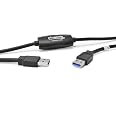
The Plugable USB 3.0 Transfer Cable allows for seamless data transfer between two Windows PCs, supporting a range of Windows versions from XP to 11. With speeds up to 3x faster than USB 2.0, it includes Bravura Easy Computer Sync software for effortless file management, requires no network, and comes with a 2-year warranty for peace of mind.


| Brand | Plugable |
| Product Dimensions | 20.32 x 3.81 x 16 cm; 168 Grams |
| Item model number | USB3-TRAN |
| Manufacturer | Plugable |
| Colour | Black |
| Are Batteries Included | No |
| Item Weight | 168 g |
| Guaranteed software updates until | unknown |
C**.
straightforward, and works.
In the past I have upgraded my hard disk several times, and used the old HD in an external caddy to copy files directly to the new HD once installed in my windows7 laptop.Now, I wanted to copy all my files from my old Win7 computer to a new Win 10 machine. I used this cable, the software and the drag-&-drop method.It was easy and worked perfectly.The cable itself seems well made and has a good quality feel. The software came on a mini CD so I merely downloaded it directly to each laptop from the Plugable website, using the URL given in the instructions that came with the cable.The software installed and opened on each laptop with no difficulty, and copying the large numbers of files I wanted was straightforward and efficient.On my old machine I had a C: partition for my software and an E: partition for my files. The online instructions for the software suggested that using the automated option to copy my files across might put my old E: drive into the C: drive of my new computer. I did not test that, I was in a hurry, so I just used drag-and-drop, having created C: and E: partitians on my new laptop (using EasUS Partition master, a great piece of software that I have been using for a few years).It follows standard windows features, in that you can select multiple folders at once and then drag and drop.The interface was straightforward and I am very happy.
C**L
Excellent, a very useful bit of kit
This made transferring data from old computer to new one SO much easier and quicker. The software is easy and quick to download and works flawlessly. You simply install it on both machines and then connect the cable and follow the onscreen instructions. It took about an hour and a half to copy all files and data across, nothing was lost. In the past this process has sometimes taken me days to do! The original files remain on the donor machine until you choose to remove them. Please note it does NOT copy programs or software, you will need to install them on new machine from original disks or downloads. A simple user guide is included and there is a helpful video to see the process in action.
B**E
Almost Brilliant !!!!
I have 2 computers and I use one as backup for the other so I need to keep certain folders in sync. Of two previous programs I have tried, one is extremely slow and the other fast but very expensive and rather 'fussy' to use but both did the job. This solution is EXTREMELY fast and is BRILLIANT except for one issue. In the sync process, it does not propagate file deletions so if you intentionally delete a file then sync with the other computer, the file gets replaced rather than deleting it from the other computer. In the forum they say that this will be corrected in the next software update so I anxiously wait for that to happen.
J**N
Worth Persevering.
Works OK at typical USB 3.0 speed. The Bravura Easy Computer Sync software installed OK in Windows 10, but initially failed to connect the 2 PCs until both were re-booted; thereafter all worked fine. I have since had one large file transfer fail using drag & drop due to a disconnect and discovered that the software would not re-connect until both computers were re-booted and after using different USB 3.0 sockets as suggested in ‘Help’ it worked fine. Transfer speeds are much better than my network connection achieves so, overall, worth the money.
P**E
Just doesn't work!
Installed software on both computers, it started fine, but didn't show the folders on the two c drives. Then it lost connection and refused to restart. After wasting a couple of hours and going through the online help (useless) and the forum (people posting questions but not getting responses even after a couple of years) I decided life is too short and opted to return it for a refund.
C**E
Great product, simple to use and fast
Very easy to use (I had to restart the downloaded program after it installed on both laptops for the connection to be found), but then it was a breeze. Both laptops have usb 3 ports, so the transfers were fast. Better than laplink as much cheaper and I can reuse the cable & product code as many times as I want. Great product.
M**B
Works but with problems
I managed to get the transfer cable to work but only after a lot of trouble. I had to disable my firewall on both computers and remove all other items connected to other USB ports. The transfer speed was not as quick as I expected.
D**D
Pc to PC transfer.
Worth the effort to get it to work. Transferred over 7 Terabyte of folders and photos. Hardly a problem. Just have to remember it doesn't like very long file names.
Trustpilot
1 week ago
2 days ago