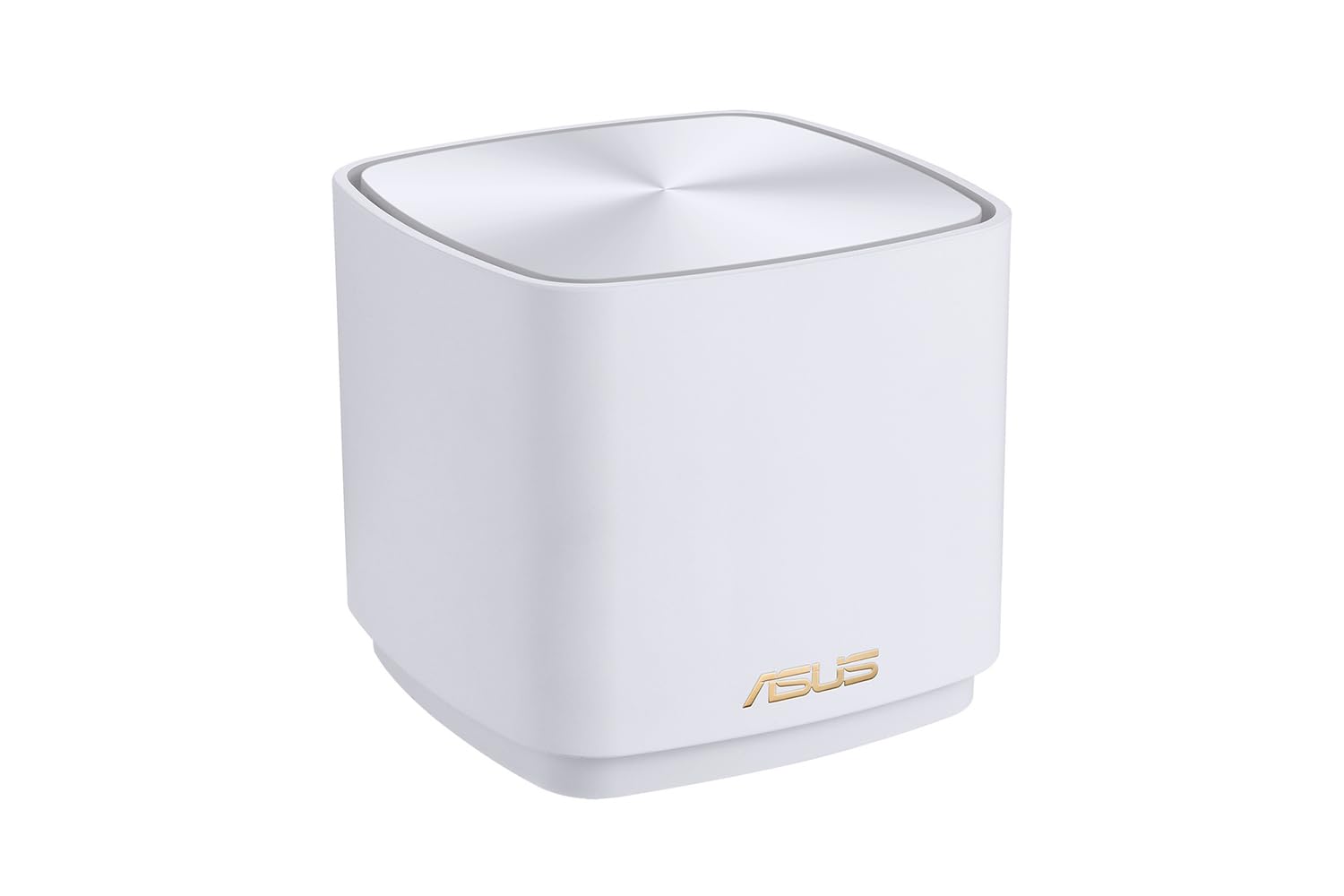


🚀 Elevate your home network to pro-level speed and security — don’t get left buffering!
The ASUS ZenWiFi XD5 (3-pack) is a powerful WiFi 6 mesh system delivering up to 3,000 Mbps speeds via 160 MHz dual-band channels. Designed for seamless whole-home coverage, it supports multiple devices with minimal signal drop, enhanced by AiProtection security and easy app-based setup. Its sleek white design blends into any space, making it ideal for busy professionals seeking reliable, high-performance connectivity.




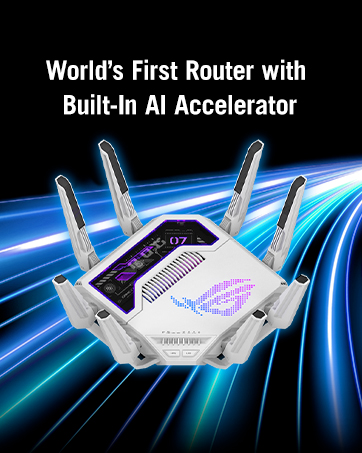


| ASIN | B0BJKZNK95 |
| Are Batteries Included | No |
| Best Sellers Rank | 5,295 in Computers & Accessories ( See Top 100 in Computers & Accessories ) 18 in Whole Home & Mesh Wi-Fi Systems |
| Brand | ASUS |
| Colour | White |
| Computer Memory Type | DIMM |
| Customer Reviews | 4.0 4.0 out of 5 stars (1,603) |
| Date First Available | 27 Nov. 2022 |
| Graphics Card Description | Dedicated |
| Graphics Card Interface | AGP |
| Graphics Card Ram Size | 8 |
| Graphics Coprocessor | INTEL/NVIDIA/AMD |
| Graphics RAM Type | 72-Pin EDO SIMM Memory |
| Guaranteed software updates until | unknown |
| Hard Disk Description | HDD, HDD |
| Hard Disk Rotational Speed | 7200 |
| Hard Drive Interface | ATA-4 |
| Hard Drive Size | 80 |
| Item Weight | 1 g |
| Item model number | 90IG0750-MO3B20 |
| Lithium Battery Energy Content | 1 Kilowatt Hours |
| Lithium Battery Packaging | Batteries packed with equipment |
| Lithium Battery Weight | 1 Grams |
| Manufacturer | Asus |
| Maximum Memory Supported | 8 GB |
| Memory Technology | DDR3, DDR3, DDR3 |
| Number of USB 2.0 Ports | 1 |
| Number of USB 3.0 Ports | 1 |
| Operating System | RouterOS |
| Optical Drive Type | BD-R |
| Processor Brand | Intel |
| Processor Socket | BGA 413 |
| Processor Speed | 3.4 |
| Processor Type | 5X86 |
| Product Dimensions | 35.26 x 10.9 x 20.7 cm; 1 g |
| Series | ZenWiFi XD5 |
| Standing screen display size | 75 |
| Voltage | 230 Volts (AC) |
| Wireless Type | 802.11ax |
E**N
Flawless Mesh Setup—Speed, Stability, and Style
I’m using the ASUS ZenWiFi XD5 in a double-router setup with the AiMesh system, and wow—this thing performs like a dream! Setup was intuitive and quick, and once it locked into mesh mode with my other ASUS router, everything just clicked. The coverage is seamless across the house, and there’s zero drop in signal, even between floors and through thick walls. The speed is outstanding thanks to the 160MHz bandwidth and Wi-Fi 6 support. Streaming, gaming, and remote work are all running silky smooth—no buffering, no lag, just rock-solid performance. Plus, the AiProtection security adds that extra peace of mind for a busy household. Bonus points for the sleek white design—it blends right in without screaming "tech hub." Couldn't be happier with this unit as part of my mesh setup. Highly recommend if you want hassle-free, high-speed Wi-Fi that just works.
Z**X
Simple. Fast. Efficient wifi across all devices with great range.
Great product. It is small and minimalistic. Can fit almost anywhere and looks elegant. Signal is good and works well for what I have at home. The range is effective. I can throttle kids devices so they don’t hog the bandwidth when I need it for work which is great. Simple set up. You need a switch if you want to link them all up via LAN cable to improve the back haul connection, they only have 1 lan port, thats Incase you need to connect multiple devises, but the wifi 6 hasn’t failed me so far. The app is great too, I love the GUI, shows which device is connected to each node. You can also dedicate devices to an individual node, I.e. tv to node 1 in lounge. So it won’t be searching Etc. The app does it all for you. Remote access. Seamless transfer of device across nodes when changing location in the house with no loss of signal, it’s really smart and detects when to switch node for optimum signal automatically. To install VPN you need to use a computer through browser. However once installed you can activate and deactivate from your device. This is helpful to gain access to media regions / work vpn quickly and remotely. All in all I highly recommend. It’s great value for money, reliable no glitch system, with no issues so far. All devices work and run well. You can add Alexa devices and they all connect smoothly from smart switch to CCTV. All in all I’m very pleased with my decision to purchase this over other devices.
C**M
good mesh system
Been using these now for a few weeks. Signal has been sold during this time. No drop offs. Very easy to set up. Overall great value for money
J**N
The second node cuts in half the connection speed!
Edit NO 2. I want my money back this has let me down on a function that is fundamental to a router which is reliability! I have had to reboot this router twice in the first 6weeks that i've had it! I work abroad a lot and monitor my home remotely. I'm not able to restart it so easily. When I get back I'll have to sell this on eBay. I want to like it , it has all the features and I've got the latest updates, but sorry Asus, you've failed. I have a Asus XD6 mesh wifi. I found that when standing next to the router with the second node turned off i would get 660mbps, i have a 1gbps line. I turn the second node on and I get about 250mb. So i thought i'd directly connect the WAN cable in the 2nd node. I still get 250mb! Last week I returned a Linksys Atlas Pro 6 Velop Dual Band The reason because i experienced a few drops. I would walk from the bedroom to the office and i found my wifi connection disppear for a minute. But the speed test was running good , 600mbps when standing next to the router even with the 2nd node that was upstairs turned on. My view is the linksys was great for speed but not for changing advanced wifi settings. I had to phone support to find out how to change the channel bandwidth from 160Mhz to 80Mhz. Why did I want to do this, i didn't want a crazy fast background speed sucking up the battery of my wireless devices. Asus has a great app and web management and lots of advanced settings, but i'm getting strangely slow speeds with the 2nd node turned on even though i tried hardwiring it! So i guess the search is on still as both linksys and asus are not living up to expectations , which are not set that high really. I just want to achieve half my bandwidth speed. about 500mbps around the house. Edit - changed to 4 stars. I now have 850mbps when close to the router with the 2nd node switched on. If I go close to the 2nd node I get 400mbps. I guess this is because the data is forwarded back to the 1st node. I will later on run a cat6 cable from the office (2nd node) to the conservatory (1st node) which will solve this problem. I don’t really want to pay more for tri band which also would fix the speed issue on the 2nd node
P**H
A very neat system.
A very nice product with good coverage. A bit fiddly to setup as the units take up to 5 minutes or more to lock in to each other. The units are well marked as master and second. The Asus app is very useful. The second unit can be linked either by ethernet cable (preferred method) or over the air. The units are neat but the led is very bright but can be turned off. There are cheaper systems but if you have a fast internet connection this is able to share it around very well.
P**D
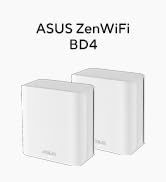
I read the reviews, and thought the ones complaining about difficult setup are noobs. But boy was I wrong, setting this up was a nighmarish experience...from HELL. To begin with, the router did not find the APs out of the box-I hade to connect them via cable. For a consumer product EVERYTHING should work out of the box, with no fuzz. I did an update to the latest firmware and thought it was OK to start configuring - meeeh WRONG. After various issues for hours I decided to factory reset them, and when configuring the same settings for the 2nd time all of a sudden it all worked. Throughput is OK -500 Mbit is not a problem. There are some limitations to which is not clear - you can have a maximum of 3 WiFi networks. There is no WAN or LAN, the device is supposed to sense this but in my experience that seems shaky. BD4 has some known physical Layer 2 Ethernet issues, that can cause issues with switches, especially managed ones. Other later Asus ZenWiFi mesh solutions are supposedly better.
M**N
Easy to install, great coverage, signal strength and speed exceeded my expectations.
A**M
Wow just wow, super good range and super fast, the easiest installation I ever done
A**T
ZenWifi Mini XD4-3 lü paket 1 gün sonra elime ulaştı pakette güvenlik şeritleri yoktu tabi kıllandım ürünün daha önce kullanılmış/denemiş yada teşhir ürünü olduğunu düşündüm, paketi açıp baktığımda üzerlerinde çizik yoktu ancak 3 üründen 2 tanesinde is kir vardı buda teşhir ürünü olduğu şüphemi arttırdı. Ürünleri kurmaya başlasam da ilk başta tanıtmayı başaramadım tam iade aşamasına gelmiştim ki Asus RT-AX86U router kullandığım için router arayüzü üzerinden tanıtmak geldi aklıma, RT-AX86U'nun arayüzüne girip iMesh bölümü üzerinden önce ana üniteyi sonra da diğer 2 üniteyi tek tek tanıtıım ve oldu. Şu an evin her yerinde sinyal seviyesi en üst seviyede. ZenWifi Mini XD4 2 günlük kullanımın sonucu ürünü iade etmeyi düşünmüyorum çalışmasında sorun yok ancak satıcıya 2 çift lafın var bu tarz teşhir, denenmiş iade edilmiş vs gibi durumları açık açık yazarlar belirtirlerse son kullanıcı açısından daha iyi olur bizde ne aldığımızı bilir ona göre hareket ederiz. 1 yıldızı satıcı için kırıyorum yoksa ZenWifi Mini XD4 (de çok ucuz olmamasına rağmen) 10 numara işini yapıyor. AX (XT8) lerin çok pahalı olduğunu düşünüyorum yaklaşık 2 katı fiyat var bence buna gerek yok. Ev içi Mesh bağlantısı için bence ideal almayı düşünenler varsa Dolar kuru iyice yükselmeden ve kur zammı gelmeden değerlendirebilirler.
P**Ł
Sama konfiguracja wstępna nie należała do najprostszych pomimo że stara się taką być - był problem z połączeniem niektórych node'ów i trzeba było poświęcić dłuższą chwilę by w końcu załapały. Jednak jak już się zdoła uporać z konfiguracją to mesh działa bez zarzutu (pamiętam tylko pierwszego dnia że się sam zrestartował - może jakieś konfiguracje jeszcze przeprowadzał w sieci). Jestem w stanie osiągać bardzo zadowalające prędkości na łączu bezprzewodowym (dochodzą nawet do 930Mbps przy downloadzie - tyle ile wyciągam po kablu). Przełączanie w większości przypadków działa poprawnie - choć czasem taki telefon się rozłączy z internetem ale to nie wiem czy nie kwestia ustawienia czegoś w telefonie. Ogólnie po przesiadce z Deco gdzie tam dostawałem ciągle komunikaty o problemach z głównym mesh node'em to tak tu nic takiego się już nie pojawia.
Trustpilot
2 weeks ago
1 month ago



