Buy anything from 5,000+ international stores. One checkout price. No surprise fees. Join 2M+ shoppers on Desertcart.
Desertcart purchases this item on your behalf and handles shipping, customs, and support to Iceland.
🖨️ Print smarter, faster, and worry-free with HP OfficeJet 8015e — your office’s new MVP!
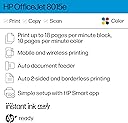
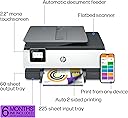
The HP OfficeJet 8015e is a wireless all-in-one inkjet printer designed for small businesses and home offices. It delivers fast print speeds of up to 18 ppm in black and 10 ppm in color, supports duplex printing, and features a 35-page auto document feeder. With HP+ smart features, it offers mobile printing, enhanced security, and automatic updates. The printer includes a 6-month Instant Ink trial for hassle-free ink delivery, a capacitive touchscreen for easy control, and dual-band self-healing Wi-Fi for reliable connectivity.


| ASIN | B08XW7LT9P |
| Additional Printer Functions | Copy, Scan |
| B&W Pages per Minute | 18 ppm |
| Best Sellers Rank | #18,103 in Office Products ( See Top 100 in Office Products ) #59 in Inkjet Computer Printers |
| Brand | HP |
| Built-In Media | HP 910 Setup Cyan Ink Cartridge, HP 910 Setup Magenta Ink Cartridge, HP 910 Setup Yellow Ink Cartridge, HP OfficeJet 8015e All-in-One Printer, Inkjet Cartridges |
| Color | White |
| Color Depth | 36 bpp |
| Color Pages per Minute | 10 ppm |
| Compatible Cartridge | HP 910 Black Original Ink Cartridge, HP 910 Cyan Original Ink Cartridge 3YL58N, HP 910 Magenta Original Ink Cartridge 3YL59A, HP 910 Yellow Original Ink Cartridge 3YL60A, HP 910XL Black Original Ink Cartridge, HP 910XL Cyan Original Ink Cartridge 3YL62A, HP 910XL Magenta Original Ink Cartridge 3YL63A; HP 910XL Yellow Original Ink Cartridge 3YL64A |
| Compatible Devices | PC |
| Connectivity Technology | wireless |
| Control Method | Touch |
| Controller Type | iOS |
| Customer Reviews | 4.0 out of 5 stars 12,179 Reviews |
| Display Type | Capacitive Touchscreen MGD |
| Dual-sided printing | Yes |
| Duplex | Automatic |
| Hardware Interface | USB |
| Initial Page Print Time | 13 Seconds |
| Ink Color | black, cyan, magenta, yellow |
| Item Dimensions D x W x H | 13.29"D x 18.11"W x 9.17"H |
| Item Type Name | Inkjet Printer |
| Item Weight | 18.04 Pounds |
| Manufacturer | HP |
| Maximum Copies Per Run | 99 |
| Maximum Copy Resolution Black and White | 600 dpi |
| Maximum Copy Resolution Color | 1200 dpi |
| Maximum Media Size | 8.5 x 14 inch |
| Maximum Print Resolution Black and White | 1200 x 1200 Dots Per Inch |
| Maximum Sheet Capacity | 225 |
| Maximum print Resolution Color | 4800 x 1200 Dots Per Inch |
| Model Name | New |
| Model Number | 8015e |
| Model Series | 8010 |
| Number of Trays | 2 |
| Other Special Features of the Product | Auto Document Feeder, Network-Ready, Touch Screen, Two Sided Printing |
| Output sheet capacity | 225 |
| Paper Size | 3 x 5, 8.5 x 14 |
| Power Consumption | 21 Watts |
| Print media | Card stock, Envelopes, Glossy photo paper, Paper (plain) |
| Printer Connectivity Type | wireless |
| Printer Output Type | Color |
| Printer Type | Inkjet |
| Printing Technology | Inkjet |
| Resolution | 1200 x 1200 |
| Scanner Type | Flatbed |
| Special Feature | Auto Document Feeder , Network-Ready, Touch Screen, Two Sided Printing |
| Specific Uses For Product | Home, Office |
| Total Usb Ports | 1 |
| UPC | 195161213618 |
| Unit Count | 1.0 Count |
| Warranty Description | 1 year |
| Warranty Type | limited warranty |
| Wattage | 21 watts |
S**D
Don’t subscribe to HP inkjet cartridge program
I really liked this printer and made the mistake of subscribing to the mfg promotional inkjet cartridge program. The printer has to be on the HP Smart App to work properly. I was getting crap cartridges from HP that leaked and were the smallest size they could sell me. I cancelled my subscription because of the poor quality of their product. I purchased brand new cartridges from the HP store and they cost more than the printer which was very reasonable price. The printer worked great for my needs. After installing the new HP inkjet cartridges my printer quit working. I received a notification from my HP account that my printer would not work anymore unless I resubscribe to their ink cartridge program. It is a scam. I am a senior citizen who is a disabled veteran and my attempts to get HP to remove my printer from their account was not successful. I did not have any options with Amazon customer service. They had no idea that HP was so aggressive with their product to be disabled because of the cancellation of their inkjet cartridge subscription. I have always had a great experience with HP. I learned a hard lesson. SVS
J**2
Good Printer.
I ordered this printer yesterday. It came today. Fast delivery. I had read reviews before I ordered it. Some said it was hard to set up. We are not very tech savvy but we set it up no problem. I went step by step on setup instructions and at one point I went to utube and pulled up a video on how to set up this printer. We were having trouble opening cartridge door. Discovered top part of hood had to be down. Viola…we got it open and moved on. We got cartridges in and finished setup. I bought the 3-year warranty. I also signed up for the automatic ink delivery. We hate trying to buy ink and running out. There is a 6 month free ink deal when you buy this printer. That is very nice. The printer prints as expected. No problems. It also scans fine. I easily set it up to print from my iphone, my iPad mini and my iPad Air. It might be a little bit slower than last HP printer. It is fairly quiet. The NUMBER ONE REASON I chose this printer was because of the display. It pulls out and slants up making it easier to read. I hate trying to read displays flat against side. HP…put the display on top of printer or at least have a display like the one on this printer. It is so much better. I like this printer. I think it will work out great for our needs. The price was reasonable. It is very easy to use once set up. I am very happy. 👍
H**9
Unreliable and Repeated Connection Issues that have No Solution
I have never wanted to run over a piece of technology with a truck as much as I do with this printer. The print quality and speed are ideal for home use, WHEN it works, but that's only been about 50 percent of the time I've owned it. I was looking forward to using this printer with an instant ink subscription (advertised as being included for a few months for free), as I've used that with past hp printers I've owned. Unfortunately, I was NEVER able to redeem the free months of instant ink because the printer wouldn't allow me to set up and connect it to my wifi when I first received it. I spent literal hours on the phone with hp support, which resulted in exactly NO actual help. They ultimately told me that because my internet connection was a mobile hotspot that it was too unstable to support the printer. Ironically, my other hp printer always ran exclusively on the same mobile hotspot and there is a tower a mile down the road from my call carrier, meaning I always have 5 bars of 5G on my cell service so unstable connection is definitely NOT the issue. At some point, the printer decided to connect using a concoction of multiple cell phones, each with a specific set of bluetooth, mobile hotspot, wifi, and the very stupid hp "smart" app. It worked for months flawlessly. At times I had my mobile hotspot turned off and it would reconnect with no issue at all. Printed great (though photo quality always looks a bit off color-wise to me). I paid for instant ink for months and everything ran smoothly. Then, for no apparent reason, I'd go to use the printer one day and the touchscreen would just say "cartridge cannot be used until printer is enrolled in HP instant ink" ...even though the instant ink subscription was still very much current and active. IF the printer would connect to the internet, it would have registered that information, however, there is NO way to exit that message screen to get it to connect to the internet again. No back button, no home button, nothing at all on the touchscreen. HP support recommended turning the printer off, unplugging it, and trying again. Spent hours trying and just received the same message. This happens every few months. I then go weeks, or months without use of the printer before it randomly begins working again, only to have the same problem several weeks down the road. I finally gave up on the instant ink and purchased genuine hp ink for the printer, to the tune of $80 or something ridiculous since the error message seemed related to the ink subscription, hoping that I could then at least get it to connect to the internet and function again. Incredibly, after installing the brand new cartridges and restarting everything yet again, the printer printed out an alignment page but showed a message that it couldn't scan it properly so setup wasn't complete. It then showed a screen that I need to go to 123.hp com to complete setup...which takes me to a page that requires downloading hp smart to my phone (it's already there) then the hp smart app gives me setup options for adding a new printer or setting one up that's already connected to the internet. But since this one is STILL NOT in wifi connection mode (and again, not giving ANY way to do that from the printer) the app can't find the printer, won't connect using wifi direct printing, won't offer me any other options from the app OR the printer screen. So, now it's Christmas. I'm trying to print a photo of my daughter's dog for a memorial ornament she requested after he died this year and I've spent 4 hours over the past 2 days just trying to print this ONE photo because my $170 printer is, in fact, just a giant, obnoxious paper weight. I've spent an additional $80 on ink, despite still actively paying for instant ink (and having entire, brand new cartridges from instant ink sitting right beside my printer) and this thing won't connect to my perfectly functional internet because it WON'T EVEN GIVE ME A WIFI CONNECTION OPTION. Could not be more frustrated and disappointed in this product. Print speed and quality is entirely irrelevant if the printer doesn't even give you a way to access the internet connection setup screen and therefore, literally will not function in any capacity.
N**D
Good printer, scanner ect
Works great have had it for awhile. No issues
J**C
Printer itself is great with a couple of issues
This printer at $99 is an incredible bargain. Print quality is great, love the doc feeder and wireless tech. There are issues, though. One, trying to install it with Win11 was an incredibly tedious exercise that should've taken 10 minutes. It took all morning to stumble across a configuration that worked. The scanning app is middling at best. If you don't keep an active scan up, it will time out immediately, and then when you try to scan again, it'll scan a blank page and leave your document sitting on the tray, so you have to do it twice. They should all Epson about a good scan interface. Geesh. I have used secondary market ink on printers for years with no issues, but I haven't tried it on this one. Reviews suggest that it's kind of a 50/50 proposition and that gets risky moneywise. All in all, once you get it up and running on your Win11 machine, it's a fine printer with lots of features, and dirt cheap compared to other all-in-ones.
S**E
So far so good, much better than others I tried
I'm a regular household user (ok, also a teacher, but not the kind who prints All The Things) but had an old Officejet because of a crazy black Friday deal back when black Friday deals were crazy. It died of old age and I thought I'd downgrade because budget. But I just couldn't go back to regular printers. I returned two out of frustration before deciding to just pay a little more and go back to Officejet, it's only been a couple of weeks but so far I don't think I'll have any regrets. Pros: + Seems to be on sale often so it's not terribly more expensive than lower end printers. + The print quality is very good. I'm getting a drop of those light horizontal lines, but just a bit, and I bet they could be ironed out if I had time to sit around with settings or something. But overall I'm much happier than I was with the other printers I tried, text is sharper and colors are more true. + Paper tray is closed. I hate that all the new expensive printers these days have the paper sticking up from the back open to the elements. I can only assume their paper feeders get gummed up with dust pretty fast, and the papers themselves can't be too happy. The paper tray on this printer is great. + It's not noisy, relative to others. + HP Smart app is great, easy to use, has a nice set of functions. + Had no issues with setup. + So far seems to be picking up jobs just fine from my phone and laptop. Cons: - I really don't like the boxy design. I'm putting function over form but I really don't like it. And the front panel seems a bit flimsy, it's not the most important piece but my old Officejet didn't have a front panel that opened and I don't really see the point of this one as you need to lift the top to get inside anyway. - would love to have a paper bypass tray. Like if you want to print one envelope, it would be great to have a place to just feed that in rather than remove your whole paper stack, change the size in the tray, print your envelope, and then put all the paper back. - like I said before, I'm getting a drop of banding (is that what it's called? Tiny horizontal gaps?) When printing chunks of color. I'm not sure if this is fixable and the print quality is still the best I've seen in this price range, but it's a flaw. - the touch screen could be a little more responsive - That's... Really it so far. I had a lot more complaints with every other printer I tried. Neutral: ~ Let's talk about instant ink. Many reviews had issues with this. They seem to not understand how the program works. It's not that complicated. No, you don't get six months worth of ink in the box with the printer. They will send the ink to your home as needed over six months if you sign up and give them your address. I haven't gotten to the end of the trial yet so I don't know if they actually brick your printer if you try to use generic ink, but they were very explicit about you agreeing not to do that when signing up. I have no issue with this because I did some math and I believe the instant ink actually is a better deal than even generic ink is. My old printer accepted generics (after an initial period of reluctance) and it wasn't all that exciting. And with subscription ink I won't need to worry about waste when the printer decides to clean the printheads (my old one did that a lot) I do think it feels scammy for them to make you commit at the outset to never use other ink for the life of the printer (what?!) But at the same time I'm comfortable with what they're offering. I'll be annoyed if they raise the prices though, and I think if they're making you commit upon purchase then they in turn should commit to grandfathering you into the ink prices as of the time of the commitment. ~ Several times I've sent a print job from my phone, got an error message on my phone, while the job printed just fine. So it's good that the job printed fine, but it's weird and annoying that my phone thinks it didn't, and now I have an error notification sitting there, and if I'm not near the printer I don't know whether or not it actually printed or if I need to retry. I'll have to figure out how to make that stop. Maybe I'll need to uninstall and reinstall the phone app or something. Overall a very minor hiccup compared to the issues I had with other printers.
C**S
Easy Set-up, Very Pleased so Far
After reading the reviews, I had braced myself for a long and tedious set-up process when I received my new printer yesterday. My previous HP printer is so old that they no longer make ink cartridges for it. My computer's operating system is old enough that it won't let me download the HP Smart program. So I had low expectations. I followed the directions to plug in, add paper and ink cartridges and set up the printer. I downloaded the HP Smart app to my phone because that's the only way to connect it to a Wi-Fi network that I can tell. I declined to create an account with HP, or to enroll in the free ink offer. I manually added the printer as my default to my computer. And to my amazement, everything works! I've been able to print from my phone, print from my computer, and scan things from the printer app on my computer. If you try to use the control panel on the printer to scan things it will tell you that you have to have an HP smart account, but you can still scan from the computer printer icon. Other than HP's insistence on trying to get you to create an account on their app to use a printer, the printer itself works very well. The installation of ink was easy, the actual paper tray holds quite a bit of paper and the printing is fast. I didn't bother putting it in quiet mode since it says it slows down the printing speed and honestly it's not that loud to begin with. The display is nice and bright and everything printed neatly. Unless I start having problems I would have to say this is a really good printer.
Y**E
Just ok
It’s been a year since purchased this WiFi printer, copier, scanner, e-fax; felt time to give a thorough review so consumers can make an informed decision on whether or not this would be good option. Bought black Friday sale…reasonably priced. Didn’t realize when purchasing; e-series means subscription service for ink &/or paper. It actually turned out to be a better deal; especially the paper is way cheaper than purchasing individual reams. The recycling feature of ink cartridges is seamless. They keep track of everything; send cartridges when ink is low & paper before run out. All processed thru HP app; pick a monthly plan based on average usage…w/ rollover for any unused portions & up charge for overages. Simply box up used cartridges & return in recycling box included; put in mailbox. As a physically disabled person, this is quite beneficial. There are some functionality issues: 1 – the paper tray has a design flaw. It isn’t easy to set it for 8-1/2 x 11 paper. The lever doesn’t move easily that’s located inside at front of tray to secure paper so it doesn’t pull crooked & cause a jam. Yet, there is a workaround. In center right of inside tray bottom is a small rectangular button, pushing that down will allow paper tray to slide in for 8-1/2 x 11 to be more secure. However, even that has a design flaw as it doesn’t lock tray. Any little movement while putting tray back into printer can be frustrating as it often slides back to 8-1/2 x 14 position. Repeat until position is correct; more frustration. Tray lid is a little wonky as well. 2 – paper jams paper jams paper jams after paper jams! Also, nearly every sheet of paper that comes out, upper left-hand corner is folded forward nearly an inch. Using recommended paper doesn’t seem to make a difference. Also, larger the print job, higher likelihood for paper jams. Not too hard to clear out jams though. There is a blue lever in the back that can be released, even removed to clear out any residual paper jammed in rollers or tray. 3 - error message regarding “ink subscription requires activation”; wouldn’t allow use of printer at all. HP automatically took WiFi connection off-line rendering it unusable; even though ink cartridges were 3/4 full. Thought subscription expired; had been abt a year since subscription activation. Checked app…showed still had 25 days left before renewal. Not sure what happened…renewed anyway & updated payment type. Thought maybe card on file expired or something of that nature; but that didn’t fix it. Went thru all troubleshooting guidance provided on app. Still not fixed. Don’t bother using the bot chat tech-support. Call HP directly if have any issues. Spent 2-1/2 hours on phone w/ tech-support trying to troubleshoot issue. 2 different techs & both had difficulty finding solutions; even repeating some of same things already tried. One tech kept saying to push the “back button“ repeatedly in rapid successions to try & clear out error message. But had to “hold down” when pressing the back button. Tech was probably a little frustrated w/me; I figured it out, he didn’t. But it still didn’t fix issue, although it did go back to Home Screen. Error message came back up after cycling thru calibration & updating software. Wound up going thru process to factory settings & finally cleared error message; printing then commenced. However, immediately got a paper jam & corner was still folding on what sheets did make it out. Addressed this w/ tech-support. They send a text w/ link so can remote access camera to see the display screen on printer…that was helpful. Also, allowed tech to look inside printer, guide on which parts to remove, assist inspect for defects or other obstacles that may have been impeding performance. No visible signs of defect or damage. Now just waiting on different paper type from HP to see if different quality of paper may not fix paper issues. They’re keeping claim # work order open tho until get new paper from HP for trial run. If issue persists w/ jams & folded corners, & it’s still under warranty…it’ll be replaced w/ different series printer. Was told newer series have similar trays; but did say they’re an improvement from the 8000 series. Mine is the 8010 e series. I’m fairly tech savvy; this wasn’t an easy issue to fix…even w/ tech-support. Then there’s also the outstanding issue of the paper & tray. If it hadn’t been for troubleshooting support, would’ve just bought a new printer. If you’re on a budget & looking for a reasonably priced wi-Fi printer copier scanner e-fax w/ subscription features; supports multiple OS platforms too, I would suggest this printer for smaller print jobs only. This isn’t a large volume output printer. It’s great it can print or fax right from your phone! For the black Friday price paid & subscription features, I’ll hold onto this one for now. Eventually, will replace w/ something more durable; capability of printing multiple pages w/o jamming. Since don’t print regularly, it will suffice for now. Would have loved giving it 4 stars bcz it does a good job w/ print quality of ink w/o smearing or coming out wet. Not bad for an inkjet printer. I may have just gotten a bad egg. If cost is a concern… Still isn’t a bad printer that’s reasonably priced.
A**O
buenaza
muy buenas impresiones, buena calidad y el envió desde estados unidos a Mexico muy rapido, llego antes de lo estimado. la impresora es de buen tamaño y escanea de ambos lados de la oja, pantalla tactil monocromatica y el wifi conecta muy rapido
K**Y
Another solid HP printer!
Here's my long story as short as possible. I had a 4200-ish series HP Envy. Printed faithfully for 10 years, moderate use, mostly b&w documents. When I decided to replace my Envy, I wanted something that would print sharp, colorful images on heavier paper & card stock (I now do a lot of art, collage, scrapbooking & paper craft). I'm very happy with the quality of the images printed, the color is accurate, copies are produced quickly- printed from Google Drive & Drop Box on my iPhone, iPad, Chromebook- super sharp & bright! Just loooove it!! Set up was a breeze, less than 5 mins flat, didn't have any of the issues other reviewers complained of. I can Air Print, directly from Drop Box, Google Drive, Google Photos, iPhoto etc or I use the HP Plus app which is really handy. It allows you to search files & images, alter the image size, freestyle crop, add 20+ filters & generally make changes similar to most photography apps. You can keep track of the # of pages printed, check ink levels, order ink (but Instant Ink basically does that for you), track ink deliveries, use the remote printing option, the quiet print setting & various shortcuts. I've been an Instant Ink member for 10 years. For me, it's always been a super convenient service that is well priced. I was never harassed or bugged or pressured into signing up or upgrading to more expensive options as other reviewers have stated. I haven't had a single memorable issue in TEN years. That says alot right? When I set up the new printer, HP instantly applied the 6 free months of ink & extra 700 monthly pages. I'll be honest, I thought there would be small print somewhere saying 'you have to be a new customer' to receive this promotion but they were generous, so I further respect HP. I pay 5$ a month & get 200 pages plus rollovers and all the ink I can use. The only downside is that when the ink levels are low & the printer orders me new ink cartridges, they are shipped from Arizona. I'm in Alberta Canada. HP said shipping takes approx 15-20 business days. So you could potentially be without ink for a period of time. I casually called HP to bring this up, just to see what they said. They agreed with my point of view, immediately sent out a second set of cartridges so that I'll have a carry over set of ink between the next refill. Just in case :) I feel good about the quality for the price, good customer service, the HP OfficeJet printer itself is fantastic.. I probably looked at every HP printer listed & found this to be the best rated, best priced, best promotion/ free product offer, best extended warranty and has the best partner app. I was really hesitant to initially purchase due to the multitude of poor reviews. But the list of issues others mentioned? I didn't experience any of them. None. As I said, I can't think of any negative occurrence in 10 yrs. I waited until Prime Day 2023 to purchase & got a FANTASTIC deal. It's been an issue free purchase. 10/10! (All photos are of clip art I printed on this printer, on various weights of paper & cardstock. Zero issues :)
C**R
Buen producto
Solo que no dicen cĂłmo obtener los 6 meses de tinta gratis
O**R
J’imprime peu et c’est exactement ce qui l’a tuée
J’ai acheté cette imprimante HP OfficeJet 8015e en pensant faire un achat raisonnable pour la maison. L’installation s’est bien passée, le Wi-Fi fonctionnait, et au début les impressions étaient très belles. Pour quelqu’un qui imprime rarement, ça semblait parfait. Le problème est apparu après quelques mois d’utilisation normale. Je n’imprime pas chaque semaine. Seulement quand j’en ai besoin, parfois quelques semaines ou même un mois entre deux impressions. Un jour, les couleurs ont commencé à devenir très pâles. Ensuite le magenta s’est mis à sortir gris, puis le jaune a disparu complètement. Finalement il n’y avait pratiquement plus de couleur du tout, même après les nettoyages de tête proposés par l’imprimante. J’ai changé les cartouches, fait plusieurs cycles de nettoyage, laissé reposer la machine, puis même essayé de déboucher la tête d’impression. Certaines couleurs sont revenues quelques minutes, puis ont disparu définitivement. Le noir fonctionnait encore, mais toute l’impression couleur était inutilisable. Après beaucoup de recherches, j’ai compris le problème : sur ce modèle la tête d’impression est fixe dans l’imprimante. Si elle sèche parce qu’on imprime peu, elle finit par s’endommager de façon permanente. Donc même avec des cartouches neuves, l’imprimante devient pratiquement bonne pour la récupération. Je précise que l’imprimante n’a jamais été maltraitée : toujours branchée, jamais déplacée, cartouches officielles, et utilisée dans une maison normale. Le vrai souci est que ce modèle ne convient pas aux gens qui impriment occasionnellement. Bref : bonne qualité au début, mais pour une utilisation domestique non fréquente, la durée de vie est très décevante. Si vous imprimez seulement de temps en temps (documents, photos ou projets personnels), vous risquez d’avoir le même problème après un certain temps. Je recommande de bien se renseigner sur le type de tête d’impression avant l’achat, car ce détail fait toute la différence pour un usage à la maison.
H**O
El multifuncional es muy bueno, pero ha sido una pesadilla intentar comprar cartuchos.
El multifuncional es muy bueno, pero ha sido una pesadilla comprar cartuchos. La oferta de 6 meses gratis de tinta, solo aplica para EE. UU., no para MĂ©xico. Dado que no pude conseguir cartuchos originales, comprĂ© unos compatibles aquĂ, en Amazon. Grave error. El multifuncional tiene un sistema que bloquea la impresora cuando detecta cartuchos que no son originales. Por otro lado, llevo 2 meses tratando de comprar los cartuchos originales. No hay en MĂ©xico. Solo los encontrĂ© en Mercado Libre, de importaciĂłn y a un precio 30% más caro que el costo original del multifuncional (comprada hace 1 año). Sugiero que, antes de comprar este dispositivo o cualquier otro, primero validen la existencia de consumibles en su regiĂłn.
Trustpilot
2 months ago
3 weeks ago