🎮 Dominate every click with precision and speed — the DeathAdder V2 Special Edition is your ultimate gaming edge!
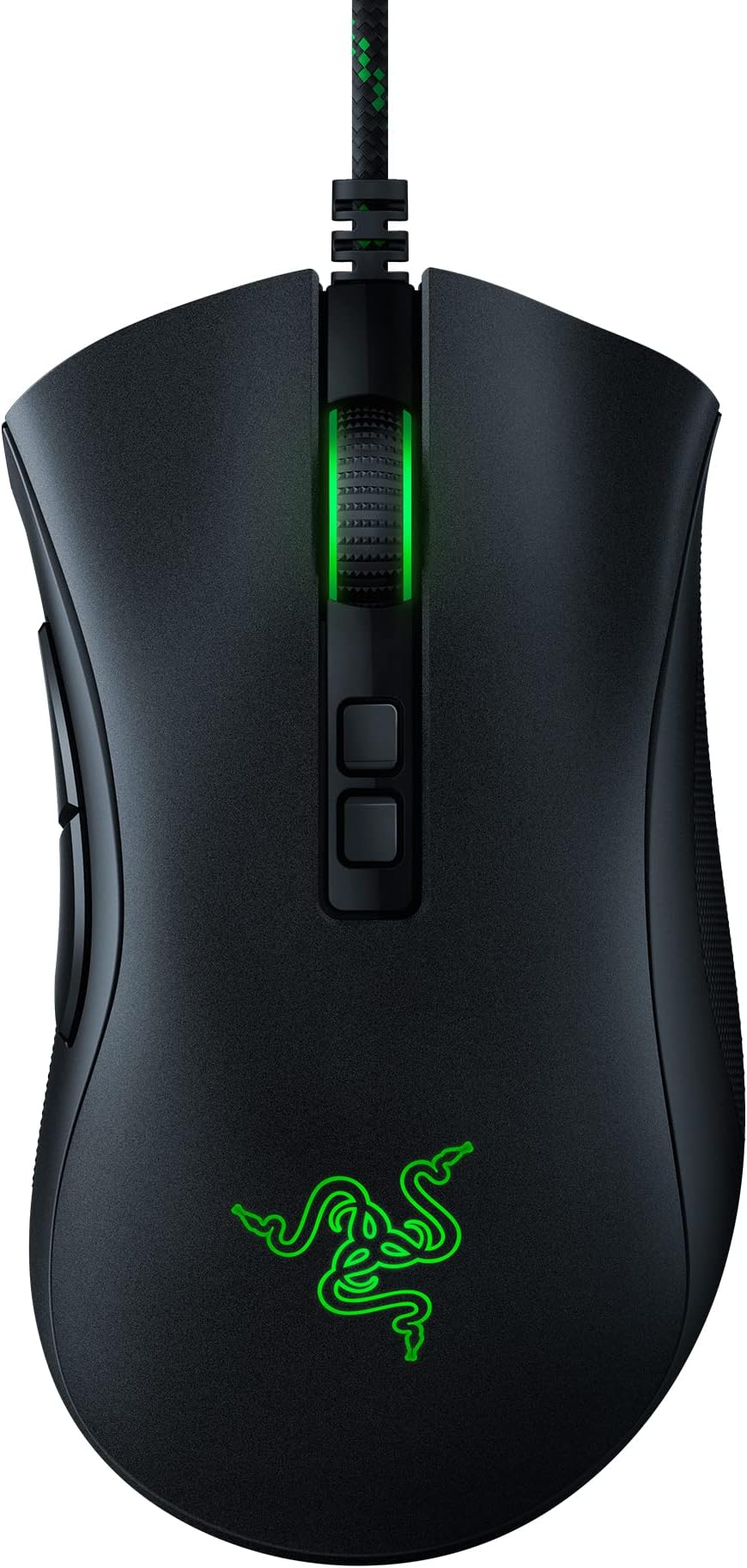
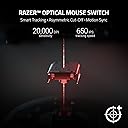
The Razer DeathAdder V2 Special Edition is a top-tier gaming mouse featuring a 20,000 DPI Focus+ optical sensor, ultra-responsive 2nd generation optical switches, and 8 programmable buttons. Designed ergonomically with rubberized side grips and a lightweight, drag-free Speedflex cable, it delivers exceptional comfort and control for long gaming sessions. Compatible across major OS platforms, it also boasts customizable Chroma RGB lighting and a durable build trusted by millions of gamers worldwide.


| ASIN | B0BP8H4XFV |
| Additional Features | 20K DPI Optical Sensor, 2nd Gen Faster Optical Switch, 8 Programmable Buttons, Chroma RGB Lighting, Rubberized Side Grips - Ergonomic Design, Special Edition Green SpeedFlex Cable |
| Antenna Location | Gaming |
| Are Batteries Included | No |
| Are Batteries Required | No |
| Best Sellers Rank | #955 in Video Games ( See Top 100 in Video Games ) #62 in PC Gaming Mice |
| Brand | Razer |
| Built-In Media | PC Gaming Mice |
| Button Quantity | 8 |
| Color | Special Edition |
| Compatible Devices | Mac, Personal Computer |
| Connectivity Technology | USB |
| Customer Reviews | 4.6 out of 5 stars 18,260 Reviews |
| Hand Orientation | Right |
| Hardware Platform | PC |
| Item Dimensions L x W | 5"L x 2.87"W |
| Item Height | 1.69 inches |
| Item Type Name | PC Gaming Mice |
| Item Weight | 109 Grams |
| Manufacturer | Razer |
| Model Name | DeathAdder V2 |
| Model Number | RZ01-03210200-R3U1 |
| Mouse Maximum Sensitivity | 20000 Dots per Inch |
| Movement Detection | Optical |
| Movement Detection Technology | Optical |
| Number of Buttons | 8 |
| Operating System | Windows, macOS, Linux |
| Power Source | Corded Electric |
| Range | 5.0 meters |
| Special Feature | 20K DPI Optical Sensor, 2nd Gen Faster Optical Switch, 8 Programmable Buttons, Chroma RGB Lighting, Rubberized Side Grips - Ergonomic Design, Special Edition Green SpeedFlex Cable Special Feature 20K DPI Optical Sensor, 2nd Gen Faster Optical Switch, 8 Programmable Buttons, Chroma RGB Lighting, Rubberized Side Grips - Ergonomic Design, Special Edition Green SpeedFlex Cable See more |
| Style Name | DeathAdder V2 |
| UPC | 811659036490 |
| Warranty Description | 2 year manufacturer |
H**.
Really comfortable and visually pleasing
I had an older version of this mouse before it started having problems with its buttons and replaced it with this newer version. It's a great mouse and a good upgrade! Right away, I should note that you shouldn't get too fooled/confused by the "8 programmable buttons" tagline--it's counting every single button on the mouse, including the standard left and right click and buttons to adjust settings on the bottom of the mouse that you would never use during normal gameplay or computer use. The only two "extra" buttons on this mouse for gamebinding are the two on the left side you can click with your thumb. The other buttons are: left and right click, the mouse wheel, two buttons underneath the mouse wheel to adjust the DPI of the mouse, and a button on the bottom of the mouse to switch between profiles. So if you're wanting more buttons to use during gameplay--like, say, having an entire MMO hotbar on your mouse--this isn't the right one. It's useful if you just want to have a couple of buttons that are easily accessed though! I like using my mouse buttons for stuff like push-to-talk and melee attacks in FPS games. As for the changes compared to the previous version of the Deathadder mouse, they're small but for my use they're good QOL changes. The biggest improvement is the spot underneath the side buttons where you're meant to rest your thumb--in the previous version this was a glued-on rubber pad that game off after a year or so or use. In the V2 mouse, it's now a textured part of the rest of the material of the mouse--the only way it's coming off is if the entire mouse case comes off! I could see the texturing being warn a bit, but that's certainly better than my thumb being gummed up by glue after the pad fell off! The other main change that I've noticed is that I think this mouse is slightly smaller than the previous version. This is great for me, since I'm a woman with small palms and long, thin fingers--I often have problems using gaming mice and controllers comfortably. That being said, I'm not sure if this would be as comfortable for users with larger hands--if you're worried, I'd suggest seeing if you can get measurements for a mouse you find comfortable and then comparing it to the size of this mouse. I believe the profile and DPI buttons are also new features, although honestly I haven't messed with that much since I'm not experienced with those settings and I haven't needed it for my own gameplaying. It does seem like a good feature and the buttons seem like they're good quality and I've never accidentally pressed them during gameplay, which is great. Probably want to check other reviews if you need more information there. Looks-wise, this is simple, but pretty looking mouse. The light on the logo and mouse wheel is really colorful but not bright enough to be distracting when the lights are off in the room. It's pretty easy to use Razer's software to change the color to your tastes, or you can leave it on a default setting where it cycles through various colors in a rainbow order. I know there's also a feature that game devs can use to have the mouse colors be manipulated by the game itself, but I've only ever played one game where I know for sure this was implemented--Overwatch changes the color of the mouse based on the character you're playing as. I don't think it's been used by many other games, and honestly I don't find myself looking at my mouse that much while playing anyway--it's probably a feature that's more fun on keyboards. Overall, I think this is a really great mouse! I recommend it for people that game on their PC or otherwise use their computer enough to want something that has a few more features and/or is a bit more sturdy than a cheaper mouse. If you're a huge tech nerd or want more button options, it might be a better idea to save up for a more expensive mouse. But I think at this price point this mouse has a lot of comfort and control.
A**M
No double click?!!
I have purchased many... MANY mice in my life and this one was very weird to get used to, but the performance of this mouse is the best. I am a gamer, but I also do autocad work with my mouse. I click a lot. My biggest complaint of all mice was the fact that eventually it would begin to double click when you only want to click once, and once that happens, it never fixes itself. I have cleaned my mice and dismantled them and have received replacements and always to be disappointed not long after. I have also spent a lot more money on a mouse than this one. I have used Cobra, Asus ROG, Logitech, Roccat, etc. they do not compare so far. This mouse is great. I'm only slightly nervous the scroll wheel will eventually malfunction like most mice do, as I am not sure the mechanism is any different from other mice, but I could be wrong. The way the mouse is designed, it is (as far as I know) impossible for this mouse to double click due to a malfunction mechanically. The DPI settings are fairly straight forward and the LED is customizable. I don't play with the LED settings, as I am ADD and that distracts me. The DPI settings are nice and you are able to adjust for most tasks. The design of the mouse is solid, but a bit awkward. It took me a month to get used to this mouse in my hand. Once I was finally adjusted to the mouse, I can't find anything to complain about. It is great. **** EDIT 2/20/24 **** I originally got this in March of 2023. Coming up on a year of use already and it works just as good as the first day! I love this mouse. This mouse has survived my kids, my gaming, and work. If this mouse broke today, I would buy another to replace it without thought. I downloaded some software to change the color on the mouse, it was pretty easy to use. Once I picked a color (red) I never adjusted it again. I don't open the software anymore either. It does offer some "ram boosting" software, which displays whenever I start a game, but I don't think that really helps as much as it claims. Buy this mouse if you're a gamer, you hate double clicking, if you own a computer, if you want to own a computer! It's a great mouse!
J**E
Good/Great value
Works well, wish it felt a bit more like the deathadder but is really good for the money. Good product great value if u get it on sale.
C**R
great mouse, bad battery life
great mouse, very lightweight and nice feel terrible battery life though, eats batteries like crazy compared to other battery powered mice i've used before
D**N
Great Overall
Although I've never cared for the aesthetics or branding (it's very tryhard and aimed at teenagers) in of Razer the overall build quality, ergonomics, and responsiveness of the mouse overcome any reservations. This is a wired mouse but unlike traditional hard rubber coated mouse cables this one is wrapped in a soft but sturdy woven material. It makes it so it doesn't noticably resist as traditional mouse cables would which allows for smooth operation and makes for easy cable management. Not having to charge is great and makes the mouse light for it's size. The size is fairly large, a bit larger than I'm personally used to but not so much that it's uncomfortable. For most women or kids it might be too large though. It has lights with presets that can be turned off with Razer's software ( that you have to download unfortunately,) if you're into that. I turn mine off or on the lowest setting as I find them distracting. The buttons are nice and clicky and very fast. They are pretty sensitive with very little pressure needed to engage. Useful for gaming but not so sensitive that you'll misclick (at least for me). There are 7 main buttons, all programmable, more than most people need but they're good to have. The mouse wheel is nice and clicky and operates smoothly. The only thing I wish it had was a fast scroll option but this typically more useful when browsing than gaming. It's a compromise that I can understand. The extra buttons vs a 3 button mouse don't get in the way and are useful in a variety of games. I often use them as additional movement buttons. The tracking is very very sensitive if you're used to an office mouse but this is also fully adjustable for your own comfort and ability. The mouse also physically slides very smoothly across a mouse pad. I haven't tried it on other surfaces like glass or white tables which traditionally can sometimes give laser mice issues. My only gripe as others have pointed out is the main buttons can be a little bit wobbly if pushed from the side. This isn't something you would do while gaming but again as others as said if you were traveling with it you would want it in a hard case if it has the chance of getting knocked around at all. So overall I would recommend this mouse for pretty much any task or game. It does everything a mouse should do and it does it well.
J**R
Solid mouse for multiple uses
All right, let's dive into the world of gaming mice with the Razer DeathAdder V2 Gaming Mouse. Even though I'm not a gamer anymore, I still appreciate the flexibility of programmable buttons, and this mouse has really won me over. Here's my experience with it: Pros: Cool Lights: I must admit, the sleek design and cool RGB lighting on this mouse caught my eye. It adds a touch of style to my setup, even if I'm not gaming as much as before. Plug and Play: Setting up this mouse was a breeze. It's a simple plug-and-play device, perfect for someone like me who wants things to work immediately without any hassle. Programmable Buttons: The programmable buttons are a lifesaver for me. Even though I'm not playing MMOs like I used to, having those extra buttons still comes in handy for work and recreational use. Customizing them to my liking adds a level of personalization that I really appreciate. Clean Crisp Movements: This mouse delivers smooth and precise movements. It's like gliding on air, and I can feel the difference compared to other mice I've used in the past. Cons: Miss My Naga's Num Pad Buttons: While the Razer DeathAdder V2 is fantastic, I do miss the convenience of the num pad buttons that my old Naga mouse had. They were super useful for tasks like Excel and gaming, and I sometimes find myself wishing I still had them. Overall, the Razer DeathAdder V2 Gaming Mouse has been a great addition to my setup. The cool lights, easy setup, and programmable buttons make it a versatile and enjoyable mouse to use. Going back to a wired mouse means no more worries about batteries running out.
R**A
good price, solid performance
I have previous had the Razer Naga mouse for many years. I enjoyed it, but for the games I played it was bulky. I chose the DeathAdder V2 here to streamline my mouse a bit. It is an "average" sized mouse, its not small, its not huge. I have larger hands and could use a smidge larger, but I can't expect Razer to know my hand size. Has your 2 main buttons, scrollwheel that clicks, and back and forward button, which is all I really need. Also has an Up and Down DPI adjustment button under the scrollwheel (changes tracking speed essentially). They are slightly recessed and smaller and don't get accidently clicked while gaming. You can set the increments the DPI changes on click as well using Razer software. Very responsive, and can definitely hit the 20K DPI advertised. Because it does not have the extra bulk of other gaming mice physically, it feels very light on top of feeling well constructed. This mouse is CORDED ONLY (NO BATTERY), which also contributes to its light weight. Don't expect a wireless version to be as light! The cord is nicely wrapped so it is fabric and not rubber on the outside. Durable feeling material that is also a bit smooth. Recommend a mouse bungee regardless, but I think that's all corded mice, dont hold it against the DeathAdder! And of course, 2 RGB lights (scrollwheel and palm area) that will sync with Razer software. Overall, great for the price. For anyone not looking to blow a ton of money to have a high performing mouse, this is it! It feels/seems basic, but its actually a top notch mouse for anything else in its price range. For those of us who don't need 10-12 extra buttons in the way of our furious clicking.
J**J
Outlasted laptop
great mouse, purchase years ago and still going strong. Has outlasted laptop I was using it on.
Trustpilot
2 months ago
1 week ago