Buy anything from 5,000+ international stores. One checkout price. No surprise fees. Join 2M+ shoppers on Desertcart.
Desertcart purchases this item on your behalf and handles shipping, customs, and support to Iceland.
🚀 Elevate Your Storage Game!
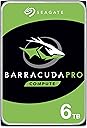
The Seagate BarraCuda Pro 6 TB Internal Hard Drive is engineered for high-performance computing, featuring a 7200 RPM spin speed and a robust 256 MB cache. With a massive 6 TB capacity and SATA 6 Gb/s interface, it’s perfect for creative professionals needing reliable and fast data access. Plus, enjoy 2 years of data recovery protection and a hassle-free packaging experience.


| ASIN | B01LY67TGY |
| Best Sellers Rank | 1,376 in Computers & Accessories ( See Top 100 in Computers & Accessories ) 3 in Internal Hard Drives |
| Box Contents | BarraCuda Pro 3.5 6TB, The actual capacity may vary. |
| Brand | Seagate |
| Brand Name | Seagate |
| Cache Memory Installed Size | 256 |
| Color | Silver |
| Compatible Devices | Desktop |
| Connectivity technology | SATA |
| Customer Package Type | Standard Packaging |
| Customer Reviews | 4.0 out of 5 stars 392 Reviews |
| Data Transfer Rate | 750 Megabytes Per Second |
| Digital Storage Capacity | 6 TB |
| Digital storage capacity | 6 TB |
| Enclosure Material | Aluminium |
| Form Factor | 3.5-inch |
| Global Trade Identification Number | 00763649098165, 04016139159454 |
| Hard Disk Average Latency | 5 Milliseconds |
| Hard Disk Description | Mechanical Hard Disk |
| Hard Disk Form Factor | 3.5 Inches |
| Hard Disk Interface | SATA 6 GB/s |
| Hard Disk Rotational Speed | 7200 RPM |
| Hard disk form factor | 3.5 Inches |
| Hard disk interface | SATA 6 GB/s |
| Hard-Drive Size | 6000 GB |
| Hardware Connectivity | SATA 6.0 Gb/s |
| Installation Type | Internal Hard Drive |
| Item Weight | 0.35 Kilograms |
| Manufacturer | SEAGATE |
| Manufacturer Part Number | 2753903 |
| Media Speed | 70-100 MB/s |
| Model Name | BarraCuda Pro |
| Model Number | ST6000DM004 |
| Network Connectivity Technology | SATA |
| Number of Items | 1 |
| Product Features | Portable |
| Product Warranty | 2 year warranty |
| Read Speed | 220 Megabytes Per Second |
| Special feature | Portable |
| Specific Uses For Product | Gaming |
| UPC | 763649098165 |
| Unit Count | 1.0 count |
F**E
Essential if you have a large games library
You might wonder why we need these traditional 'old school' technology hard drives these days. But now that I have one in my new computer build, it definitely makes a lot of sense. I am running the OS from an EVO PRO m.2 drive, so loading into Windows is almost instant, but running with a large capacity HDD compliments the rest of the storage requirements brilliantly. With a lot of games these days needing 50GB plus, this drive is the perfect answer for large Steam libraries if you are sick of juggling game installations on small SSDs. I would recommend the Barracuda PRO version over the standard one if you can afford it. It has a faster spin speed than the standard but it is still very quiet in that I cannot even hear it spinning' I actually like the clicking sound it makes and it does not do it constantly as it did in the past where Windows was constantly indexing, or moving swap files. Storage issues have definately been solved in modern computers! You also get a 5 yr warranty which in my mind reflects on the superior components used over non pro drives. As for the price....well I have probably spent around the same amount of money on a hard drive or SSD in about a dozen computer builds since 1996, and the only thing that has went up is the capacity and the quality. My first build had a 1.6 GB ( yes thats GB not TB) drive and I remember how painful it was to manage the setup and space in these 'bad old days' of computing. It amazes me how the HDD technology has matured and even evolved to have a different purpose than it did in the past, and I do not see this technology dying any time soon. Unless SSD technology gets anywhere close to 6TB plus.
C**W
Perfect HDD for future proofing yourself storage wise
I had been debating sometime between a 1TB SSD and a much larger HDD, but in the end decided on this HDD & I couldn't be happier. SSD's are great, but I have one for my OS and at this current time the trade off between price and storage for anything larger is just too dear. For just 25% more I got 10TB's of storage compared to the 1TB SSD I was looking at. Even in 10 years time 10TB's will still be more than enough for 99% of home users. It is so nice to not have to remove and reinstall games anymore, not to mention saves a lot of bandwidth and time with the ever increasing file size of games these days. Sure there are a few games which still benefit significantly from being on an SSD due to loading times (GTA 5 or Battlefield 1 for example), but the vast majority will be just fine on an HDD and I have plenty of space on my SSD now to store the odd game that I play regularly which would benefit from this. No complaints speed, noise or read/write wise (if you're about to spend £300 on this you've no doubt already done your research like me and know this is one of the best around in all 3 of those areas anyway). As long as this lasts me at least 10 years like my previous HDD has (and is still doing), I will be a very happy man. *Just a side note - get this over the IronWolf Pro if you're a home user - the BarraCuda Pro is designed for home desktop use and both were the same price last time I checked, so no price advantage for either.
T**Y
Making popcorn like sounds since installed. Returning it straight away. Funky return
Today (04.06.21) I have received 8TB ST8000DM0004 hard drive and as soon as it is installed it makes "popcorn popping" like sounds. Drive is additional as an extra storage, therefore it is not under heavy load, system is on other drive. I can understand it under heavy load, when transferring the data but it makes that sound even in idle! Plus the description does not mention the usage of SMR technology. @Edit Filled up the return on the same day, got the label with return to the US (I'm from UK) on the next day (5th June)... straight away packed it and send it back with track-able method. On 9th June I have received label with DPD pickup point with the UK address! So did I send it with wrong label? Which label shall I follow? It is said they will pay for the shipping so I do not mind but the confusion they made is nothing like to describe !
I**T
The Best Large Hard Drive For Fast Applications and Gaming
Seagate 3.5-Inch 8 TB BarraCuda Pro Internal Hard Drive - Silver Firstly, it's a Seagate Barracuda so I know what to expect - it is the first and fastest choice for a gaming computer. I am an amateur who was needing more storage and the computer pundits and web sites all tell you how easy it is with Windows 10 to connect the new one to the USB port with a SATA cable, initialise it, format it using the GPT system and then clone your smaller hard drive and then swap drives over - a cinch! WRONG! If you "clone" a hard drive, then the MBR format system will also be cloned and you will end up with a hard drive with exactly the same useable space as the old one (you did ask for a clone, right?). So, you have a choice of either laboriously copying everything across, purchasing the better versions of disk cloning software that allow you to mess about with partitioning on the fly (not cheap), or using Google to show you how to convert your new disk back to a GPT system using a free download of GPTGEN and a free download of AOMEI Partition Assistant. I spent about two hours on the project last night and it worked. I rather suspect the manufacturers of over 2Tb disks have had many disks returned as "faulty" due to the idiosyncracies of making the computer behave the way we want it to! I am now over the moon with my big, fast, quiet hard disk and the head-scratching, poring over Geeky pages on the wonderweb, rejected commands from GPTGEN (it is accessed from a Higher Command Prompt and does need an exactly typed DOS command line to work its magic) and lots of computer resets I feel it was all worthwhile!
S**S
First Hard Drive was DOA, replacement one works nicely...
The First HDD Cuda Pro 4TB arrived dead (Date of Manufacture: Feb 2017)... when it didnt function as intended after troubleshooting I signed up to a Seagate account, opened an RMA which required a lot of navigating on the actual website, and sent it to Seagate UK for about £8 special delivery (For ASAP delivery and safety).. The replacement drive although not new (Dated: Aug 2017) (Certified Repaired) arrived to my home within 5 working days from the Netherlands handed in by the UPS guy. Finally I set up the drive accordingly with AOMIE Partition Assistant... Converted MBR to GPT for the full size amount 3.6TB and split the Drive partitons to 2x 1.8TB each for easier management. The performance is really good so far, with noise being the only issue for me as my PC is small form factor, and the Barracuda Pro clicks, and spins when reading/writing but is more tame when its in idle.
A**Z
Huge capacity and close to SSD transfer speeds
Simply put: a STAR! A mechanical disk of huge capacity (mine is 6 TB) capable of speeds approaching SSD's speeds. With my 9-years-old Dell Precision 5400 desktop, which can only support SATA II standard (3 Gbps max), I get speeds close to 240 MB/s, which is close to my SSD, which can only manage 285 MB/s (but the Samsung 850 PRO 256 GB SSD with its RAPID 'smoke and mirrors' technology gives me 970 MB/s). You also get a 5-year warranty from Seagate with this one, plus a free data recovery service, should it go belly-up. The disk is very quiet and in my machine hardly ever get warmer than 32C. Tip for users of older computers: my computer's BIOS can only see 1.46 TB of the disks 6 TB capacity, and initially this was a problem, but I found a workaround. I've put the Barracuda into a USB 3 external enclosure and formatted it that way (Windows 10 reported all 6 TB). After that I transferred it back inside into my desktop computer, and despite the BIOS still reporting only 1.46 TB, Windows can actually see (and use - I hope!) the whole 6 TB (5.45 after formatting). I seem not to have any problems, except when trying to see this disk in BIOS setup - it can freeze.
D**S
Works well and why I got less space is mentioned bellow.
Formated 14TB drive and got 13.7TB out of the HDD. Why Your Hard Drive Shows Less Space Than Advertised If you’ve paid attention to hard drives, USB flash drives, and other storage devices, you may have noticed that they always have less space than promised once they’re formatted. The reason for this difference lies in the way hard drive manufacturers advertise their devices, versus the way Windows computers actually use the storage devices. There’s also some overhead required when Windows formats your drive, for the file system and boot data, though in comparison to today’s large hard drives, it’s not a lot. To a hard disk manufacturer, one KB is 1000 bytes, one MB is 1000 KB, and one GB is 1000 MB. Essentially, if a hard disk is advertised as 500GB, it contains 500 * 1000 * 1000 * 1000 = 500,000,000,000 bytes of space. The hard disk manufacturer thus advertises the disk as a 500 GB hard disk. However, manufacturers of RAM don’t sell it in even groups of 1000 – they use groups of 1024. When you’re buying memory, a KB is 1024 bytes, a MB is 1024 KB, and a GB is 1024 MB. To work back from the 500,000,000,000 bytes above: 500,000,000,000 / (1024*1024*1024) = 465.66 GB Keep in mind that the hard drive manufacturers are using the accurate description of the terms–the prefix giga, for instance, means a power of 1000, whereas the correct term for powers of 1024 is gibibyte, though it isn’t often used. Unfortunately, Windows has always calculated hard drives as powers of 1024 while hard drive manufacturers use powers of 1000. That’s a difference of nearly 35 GB over what the average buyer would be led to believe a hard drive contains. If hard disks were advertised in terms of the amount of space they actually contained when you connected them to your Windows computer, a 1 TB hard drive would be labeled a 931 GB hard drive instead. Alternatively, Windows could update their UI to use the correct definition of gigabyte–other operating systems, like OS X, have already changed their representation to correctly state the right amount of space.
A**R
Absolutely maddening clicking noise when the Drive is going on stand by / sleep
Got my computer for a whole 2 years then I hear a clicking noise, you know the kind HDD do before they die. I panic, save everything on an external one, buy a new one, another Seagate, clicking noise again, same freaking day I install it. I change sata cables, power and the one to the motherboard, same terrifying noise, exchange a dozen emails with the people that built my computer, going nowhere until one of them finds a video refering to that stupid clicking noise. Apparently it's a Seagate thing, we found a workaround but I got it with 2 hdd ?? Get another brand, one that doesn't click.
Trustpilot
1 month ago
1 month ago